Streaming services let you watch TV shows and movies over the internet. Hulu and Netflix are two of the most popular platforms in the United States and beyond. People use them on phones, TVs, and computers. Both services let you watch what you want, when you want, without cable. Netflix vs Hulu comparisons are common because they seem similar at first. But they are quite different in price, content, and features. Netflix has millions of viewers around the world. Hulu is known for new TV episodes soon after they air on TV. Netflix vs Hulu isn’t just about which is “bigger” — it’s about what fits your needs and budget.
You may be trying to decide which service gives you the best value. This article will help you see the facts clearly. We will compare Hulu vs Netflix on price, content, device support, and special options. This will help you pick the best choice for your watching habits. By the end, you will better understand Hulu vs Netflix and feel confident choosing one or both.
Hulu vs Netflix: Who Wins for Value?
There is no single winner for everyone. The better value depends on how you watch. To make the Hulu vs Netflix choice easier, here’s a quick side-by-side look at their key differences.
| Feature |
Netflix |
Hulu |
| Price (Ad-supported) |
$7.99 / month |
$9.99–$10.99 / month (student plans may cost less) |
| Price (Ad-free) |
$17.99 / month |
$18.99 / month |
| Premium option |
$24.99 / month (4 screens, 4K) |
No premium tier |
| Bundling options |
Limited |
Strong (Disney+ and ESPN+) |
| Content focus |
Originals, movies, global shows |
Network TV, next-day episodes, live TV |
| Simultaneous streams |
1–4 (depends on plan) |
Up to 2 by default |
| Offline downloads |
Yes (most plans) |
Yes (ad-free plans only) |
| International availability |
190+ countries |
Mainly U.S. only |
| Best for |
Movie lovers, binge-watchers |
TV fans, cord-cutters |
The key is not which service is “better,” but which one fits your habits. The sections below break this down in detail, so you can decide which platform truly gives you the best value.
Hulu vs Netflix Content Comparison
After understanding what streaming services are and why people compare them, the next step is simple. You need to look at the content. For most users, content is the real deciding factor. This is where Hulu vs Netflix starts to feel very different in daily use.
Library Size and Variety
Before looking at specific shows, it helps to understand how each platform builds its library. Hulu and Netflix follow very different content strategies. One focuses on speed and freshness. The other focuses on scale and global reach.
Hulu's Content Library
Hulu’s content library is built around U.S. television. Many popular shows from major networks appear on Hulu shortly after they air on TV. For example, series from ABC, FOX, and FX are often available the next day. This makes Hulu very appealing to viewers who like to stay up to date.
Hulu also includes movies, documentaries, and kids’ shows, but its main strength is not size. It is timing. You may not find every classic film, but you will often find the newest episodes without waiting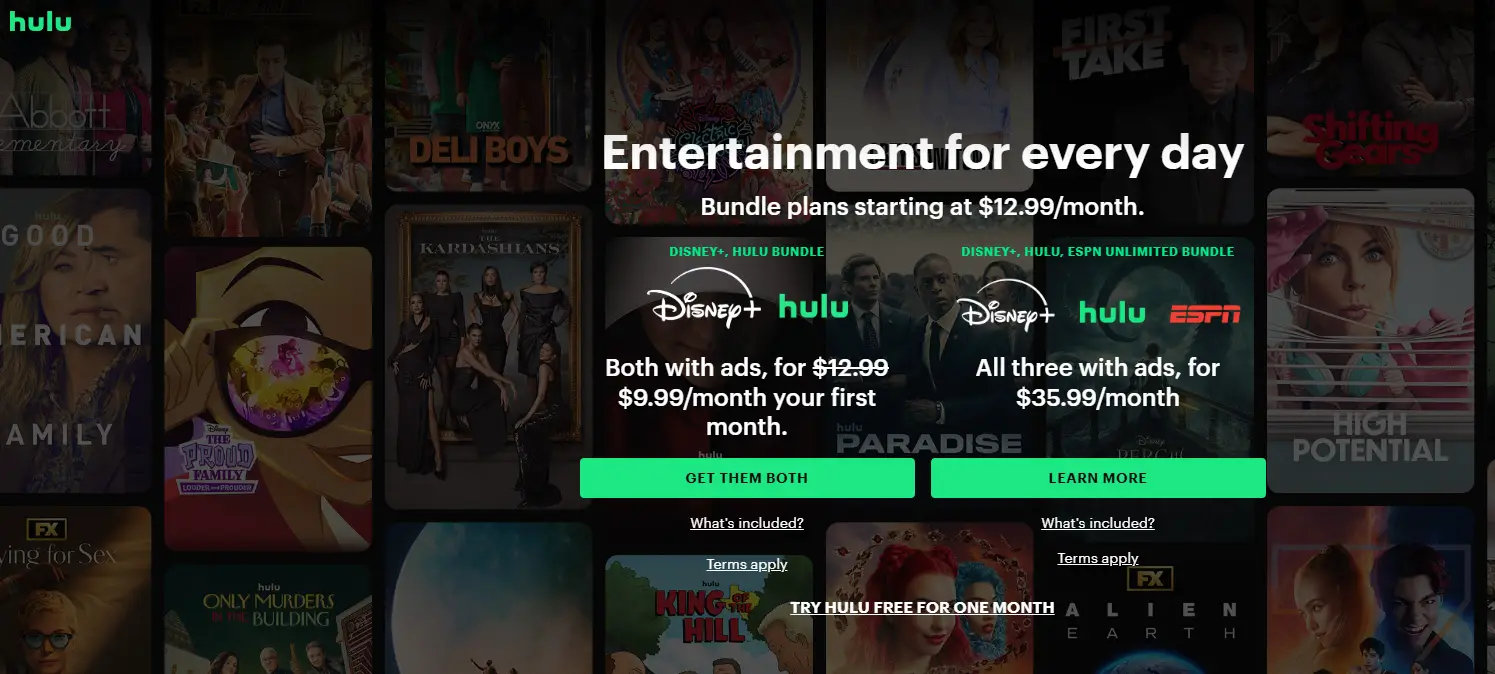
Netflix's Content Library
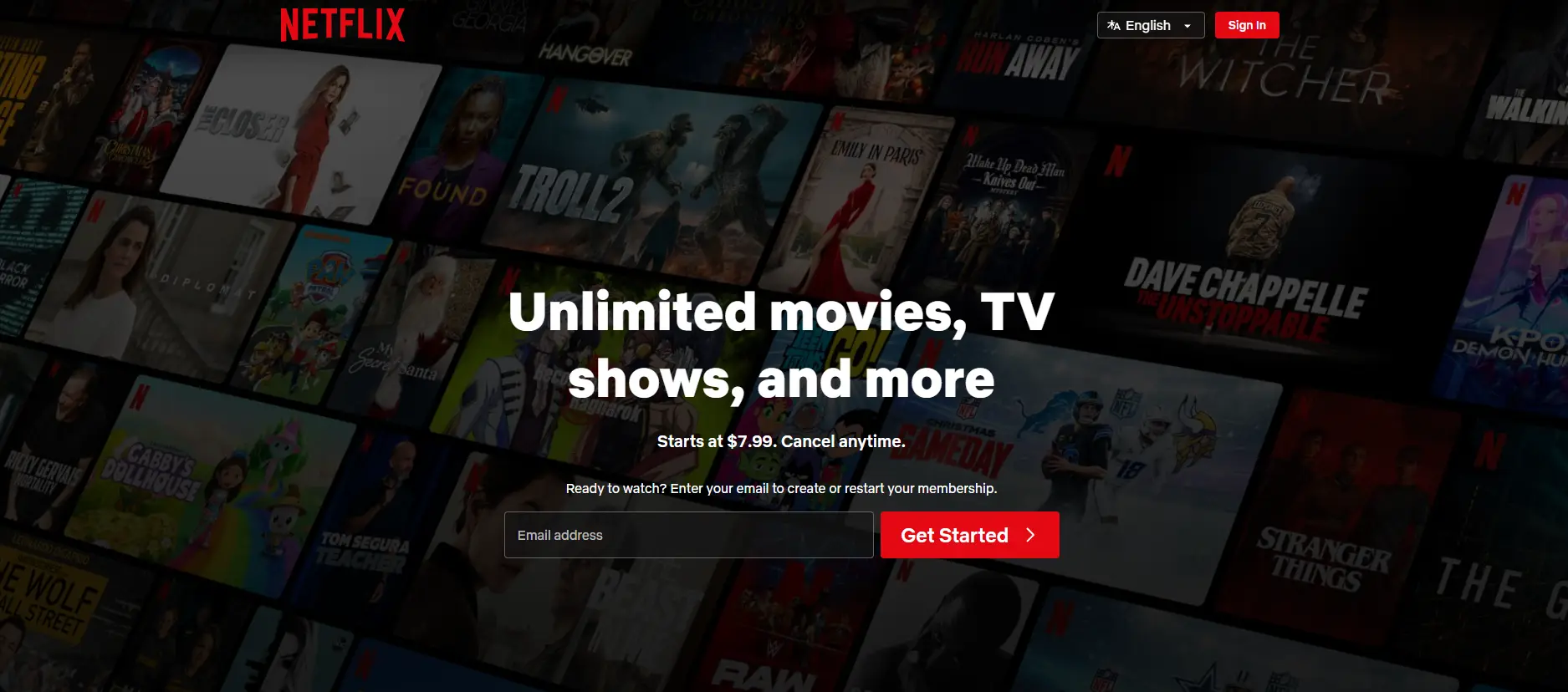
Netflix takes a different approach. Its library is much larger and more international. Netflix offers movies and shows from many countries, including the U.S., Europe, and Asia. You can watch crime dramas, animated series, and family films all on the same platform.
Another key difference in Hulu vs Netflix is availability over time. Netflix usually keeps shows longer. If you enjoy binge-watching full seasons or older series, Netflix often gives you more options.
Type of Content
Library size alone does not tell the full story. The type of content matters just as much. Hulu and Netflix are designed for different viewing habits, and this becomes clear when you look at how their content is produced and released.
Current TV Shows on Hulu
Hulu is ideal for people who follow current TV shows. A common example is someone who watches a weekly drama or reality show. Instead of using cable or DVR, they can watch the latest episode on Hulu the next day.
This makes Hulu feel close to live TV, but with more freedom. Viewers who like news-style shows, reality TV, or network series often find Hulu fits their routine better.
Original Programming on Netflix
Netflix is best known for its original content. Shows like Stranger Things, The Crown, and Wednesday are created only for Netflix. They are released worldwide at the same time, which helps build global popularity.
Netflix also produces many original movies. Some have received major awards and strong reviews. For viewers who enjoy exclusive stories and high-quality productions, this is a key point in the Hulu vs Netflix comparison.
In short, Hulu is built for staying current. Netflix is built for deep libraries and originals. Knowing how these content styles differ helps you choose the service that matches how you watch.
Hulu vs Netflix Pricing and Subscription Plans
After comparing what you get to watch on Hulu vs Netflix, the next big question is price. Streaming costs matter more than ever. Some people want the lowest monthly bill. Others are willing to pay more for comfort, sharing, or extra features. Understanding how each platform prices its plans helps you avoid surprises later.
Cost Breakdown
Before choosing a service, it helps to see how pricing really works. Both Hulu and Netflix offer ad-supported and ad-free plans. But their pricing strategies are not the same.
Hulu Subscription Options
Hulu keeps its on-demand plans simple. There are two main options if you do not need live TV:
- Hulu (With Ads): about $9.99–$10.99 per month. You will see ads during shows and movies. This is Hulu’s lowest-cost entry point.
- Hulu (No Ads): around $18.99 per month. Most content plays without ad breaks, which many users prefer for binge-watching.
Hulu also offers Live TV plans, which include live sports, news, and over 90 channels. These plans cost much more, often close to $89.99 per month, but they can replace cable for some households.
One area where Hulu stands out in the Hulu vs Netflix comparison is bundling. Hulu can be combined with Disney+ and ESPN+ in one package. For families or sports fans, this bundle often costs less than subscribing to each service separately.
Netflix Subscription Options
Netflix uses a tiered pricing model with more focus on screens and quality:
- Standard with Ads: $7.99 per month. This is Netflix’s cheapest plan and includes most of its library, with ads.
- Standard (No Ads): $17.99 per month. No ads and streaming on up to two devices at the same time.
- Premium (No Ads): $24.99 per month. This plan allows up to four screens at once and supports 4K video on compatible devices.
Netflix does not usually offer a free trial. This is another difference in Hulu vs Netflix, as Hulu still offers trials in some regions or promotions.
Netflix has also tightened its account-sharing rules. If you want to share your account outside your household, you often need the Premium plan, and extra members may cost more. This can raise the real monthly price for families or shared users.
Value for Money
Looking at prices alone can be misleading. Real value depends on how you watch. For example, a single viewer who mostly watches movies and Netflix originals may find Netflix’s $7.99 ad-supported plan to be the best deal. It offers strong content at the lowest entry price.
On the other hand, someone who watches network TV every week may feel Hulu’s ad-supported plan is worth paying a bit more for. Getting next-day episodes without cable can save both time and money.
For families, value often comes from flexibility. Hulu’s bundle with Disney+ and ESPN+ can cover kids’ shows, sports, and TV in one subscription. Netflix does not offer a similar bundle, but its Premium plan works better for households that need multiple screens.
In short, Netflix often wins on base price and global content, while Hulu offers better value through bundles, current TV, and live options. Understanding these pricing differences helps you choose wisely in the Hulu vs Netflix decision. According to Netflix's official 2025 financial results, the company generated approximately $45.2 billion in annual revenue, up 16% from the previous year. For those wondering how much money does Netflix make a year, this figure highlights the financial scale behind its global streaming operations. Netflix's revenue growth was driven by increasing memberships, subscription pricing, and advertising revenue.
Hulu vs Netflix Device Compatibility
After looking at pricing and value, the next question is practical. Where can you actually watch these services? Device compatibility matters more than many people expect. A service is only useful if it works smoothly on the screens you use every day. In the Hulu vs Netflix comparison, both platforms perform well, but there are small differences worth knowing.
Supported Devices for Hulu
Hulu works on most common devices used in U.S. homes. You can watch Hulu on smart TVs, phones, tablets, and computers. Hulu supports major TV brands like Samsung, LG, and Vizio. It also works well on streaming devices such as Roku, Amazon Fire TV, Apple TV, and Chromecast.
Hulu has apps for iOS and Android, which makes it easy to watch on the go. Many users watch next-day TV episodes on their phones during commutes or lunch breaks. Hulu also works in web browsers like Chrome, Safari, and Edge on laptops and desktops.
One important detail in the Hulu vs Netflix discussion is Live TV. Hulu’s Live TV feature works on most supported devices, but not all older models. For example, some older smart TVs may not fully support live channels. This is something to check if live sports or news is important to you.
Supported Devices for Netflix
Netflix is known for very broad device support. It works on almost all smart TVs, game consoles, phones, tablets, and computers. Netflix apps are available on PlayStation, Xbox, Roku, Fire TV, Apple TV, and many other platforms.
Netflix also supports 4K and HDR on compatible devices, especially with the Premium plan. This matters to users who watch movies on large screens and care about picture quality. For example, someone with a 4K TV will get more visual benefit from Netflix if their device supports it.
Like Hulu, Netflix works in most modern web browsers and has strong mobile apps. Downloads are supported on phones and tablets, which is useful for travel. In daily use, Netflix often feels very stable across devices, which is one reason many families rely on it.
Hulu vs Netflix: Device Support at a Glance
| Device Type |
Hulu |
Netflix |
| Smart TVs |
Yes |
Yes |
| Streaming devices (Roku, Fire TV) |
Yes |
Yes |
| Phones & tablets |
iOS & Android |
iOS & Android |
| Game consoles |
Limited |
Yes |
| Web browsers |
Yes |
Yes |
| 4K support |
Limited content |
Strong support |
| Live TV compatibility |
Yes (plan required) |
Not available |
For most people, both services will work on the devices they already own. If you mainly watch on a phone, laptop, or standard TV, you will not see much difference in Hulu vs Netflix device support.
If you care about live TV, Hulu is the only option. If you care about high-end video quality and wide console support, Netflix may feel more polished. Knowing how and where you watch helps you choose the service that fits your daily routine best in the Hulu vs Netflix comparison.
Global Reach and Availability with Hulu and Netflix
After checking device support, the next thing to consider is where you can actually use these services. Location matters a lot. A streaming service may be great, but it only helps if it works in your country. This is another area where Hulu vs Netflix shows a clear difference.
Service Availability in Different Regions
Before choosing a platform, it is important to understand how far each service reaches. Hulu and Netflix were built with very different global plans in mind.
Hulu's Availability
Hulu is mainly designed for users in the United States. Most of its content licenses are tied to U.S. TV networks. Because of this, Hulu is officially available only in the U.S. and a few U.S. territories.
For example, if you travel or move to another country, you may find that Hulu no longer works as expected. Many users discover this when they go abroad and try to open the app. Some shows may not load, or the service may not be available at all.
This limited reach is important in the Hulu vs Netflix comparison. Hulu works very well for people who live in the U.S. and mainly watch American TV. But it is not built for international use.
Netflix's Global Presence
Netflix takes a very different approach. Netflix is available in over 190 countries. This makes it one of the most global streaming services in the world. Whether you are in the U.S., Europe, Asia, or South America, Netflix usually works the same way.
A good example is international travel. Many users can log into Netflix while abroad and still watch content, though the library may change by country. Netflix also produces local shows for different regions, such as Korean dramas, Spanish series, and European films.
Because of this wide reach, Netflix is often the better choice for people who travel often, live outside the U.S., or enjoy content from many cultures. This is a major advantage in the Hulu vs Netflix discussion.
Hulu vs Netflix: Availability Comparison
| Availability Factor |
Hulu |
Netflix |
| Available countries |
Mainly United States |
190+ countries |
| Works while traveling abroad |
Limited |
Yes (library may vary) |
| International content focus |
Low |
Very strong |
| Best for |
U.S.-based viewers |
Global audiences |
Understanding where you can watch helps you avoid frustration and choose the service that fits your lifestyle, not just your screen.
Hulu vs Netflix: Additional Features
After looking at global availability, it helps to examine the extra features that affect daily use. These features may not seem important at first, but they can change how convenient a service feels. In the Hulu vs Netflix comparison, offline viewing and live TV are two of the biggest differences.
Offline Viewing Options
Offline viewing is useful when you travel, commute, or have limited internet access. Being able to download shows ahead of time can save data and avoid buffering.
Downloading Content on Hulu vs. Netflix
Both Hulu and Netflix allow downloads, but not in the same way.
Netflix offers offline downloads on most plans, including its ad-supported plan. Users can download many movies and shows on phones and tablets. This works well for flights or long trips. For example, a traveler can download a full season before boarding a plane and watch without Wi-Fi.
Hulu also supports downloads, but with more limits. Offline viewing is only available on the No Ads plan and higher tiers. In addition, not all Hulu titles can be downloaded. This can surprise some users who expect every show to work offline.
In real life, this means Netflix is more flexible for offline use. If downloads matter to you, this is a clear point in the Hulu vs Netflix comparison.
Live TV Options
Another major difference between Hulu and Netflix is live television. This feature changes how each service fits into a household.
Hulu's Live TV Service
Hulu offers a Live TV plan that includes live news, sports, and events. With this plan, users can watch channels like ESPN, CNN, and local stations in real time. Many people use Hulu Live TV as a full cable replacement.
For example, a sports fan can watch live games, then switch to on-demand shows in the same app. This mix of live and streaming content makes Hulu feel closer to traditional TV, but with more control.
This is one area where Hulu clearly stands out in the Hulu vs Netflix discussion.
Netflix's Absence of Live TV
Netflix does not offer live TV channels. Its focus is fully on on-demand content. While Netflix has tested live events in limited cases, it does not provide live news or sports.
For users who only watch movies and series, this may not matter. But for people who want real-time content, Netflix cannot replace cable or live streaming services.
Hulu vs Netflix: Feature Comparison
| Feature |
Hulu |
Netflix |
| Offline downloads |
Limited plans and titles |
Available on most plans |
| Works offline while traveling |
Limited |
Strong |
| Live TV channels |
Yes (with Live TV plan) |
No |
| Cable replacement potential |
Yes |
No |
These extra features may not matter to everyone, but they often become deciding factors. Understanding them helps you make a smarter choice in the Hulu vs Netflix comparison.
User Experience on Hulu and Netflix
After looking at extra features like downloads and live TV, it is time to talk about daily use. User experience affects how enjoyable a service feels over time. Even great content can feel frustrating if the app is hard to use. In the Hulu vs Netflix comparison, both platforms aim to be simple, but they feel different in practice.
Interface and Usability
A good interface helps you find something to watch fast. This matters on busy nights when you just want to relax.
Navigation and Search Functionality
Netflix is known for a clean and smooth interface. The home screen shows large visuals and clear rows. Many users find it easy to scroll and decide quickly. The search tool is strong. You can search by title, actor, or genre, and results usually appear fast.
For example, if you type an actor’s name, Netflix often shows all related movies and series in one place. This helps when you are exploring new content.
Hulu’s interface is more complex because it mixes on-demand shows and live TV. The home screen may feel busier, especially for new users. However, Hulu works well once you understand it. The Live TV guide feels familiar to people who used cable before.
In real use, Hulu vs Netflix comes down to preference. Netflix feels simpler. Hulu feels more powerful if you use live channels.
Personalization Features
Personalization helps a service feel like it knows you. This includes profiles, watch history, and recommendations.
Profiles and Recommendations
Both Hulu and Netflix support multiple user profiles under one account. This is important for families. Each person gets their own watch list and viewing history. Kids do not affect adult recommendations, and vice versa.
Netflix is especially strong at recommendations. It uses your watch habits to suggest shows you may like. For example, if you watch crime dramas, Netflix often fills your home screen with similar titles from different countries.
Hulu also offers recommendations, but they focus more on what is new and trending. This works well for people who like current TV shows. However, some users feel Netflix’s suggestions are more accurate over time.
Hulu vs Netflix: User Experience Comparison
| Experience Feature |
Hulu |
Netflix |
| Interface style |
Content + Live TV |
Clean and simple |
| Ease of navigation |
Moderate |
Very easy |
| Search quality |
Good |
Very strong |
| User profiles |
Yes |
Yes |
| Recommendation accuracy |
Good for new TV |
Strong for binge content |
If you want a simple and smooth experience, Netflix often feels easier to use. If you like live TV and new episodes, Hulu’s layout makes more sense once you get used to it.
User experience may seem small, but it shapes how often you open the app. In the Hulu vs Netflix decision, comfort and ease can matter just as much as content.
How DICloak Helps You Access Hulu or Netflix More Securely
When comparing Hulu vs Netflix, content and price are important. But for many users, how safely and consistently they access these platforms also matters. This is especially true when logging in from different devices or working in managed environments.
The DICloak Antidetect Browser has become a global favorite for its unparalleled ability to efficiently and securely manage multiple accounts. Designed for professionals in social media managemen and more, DICloak offers powerful features like RPA automation, bulk operations, and a synchronizer. Additionally, it allows you to customize fingerprints and integrate proxies for each profile, ensuring top-level security and operational efficiency. It’s the ultimate tool for seamless, secure, and scalable operations.
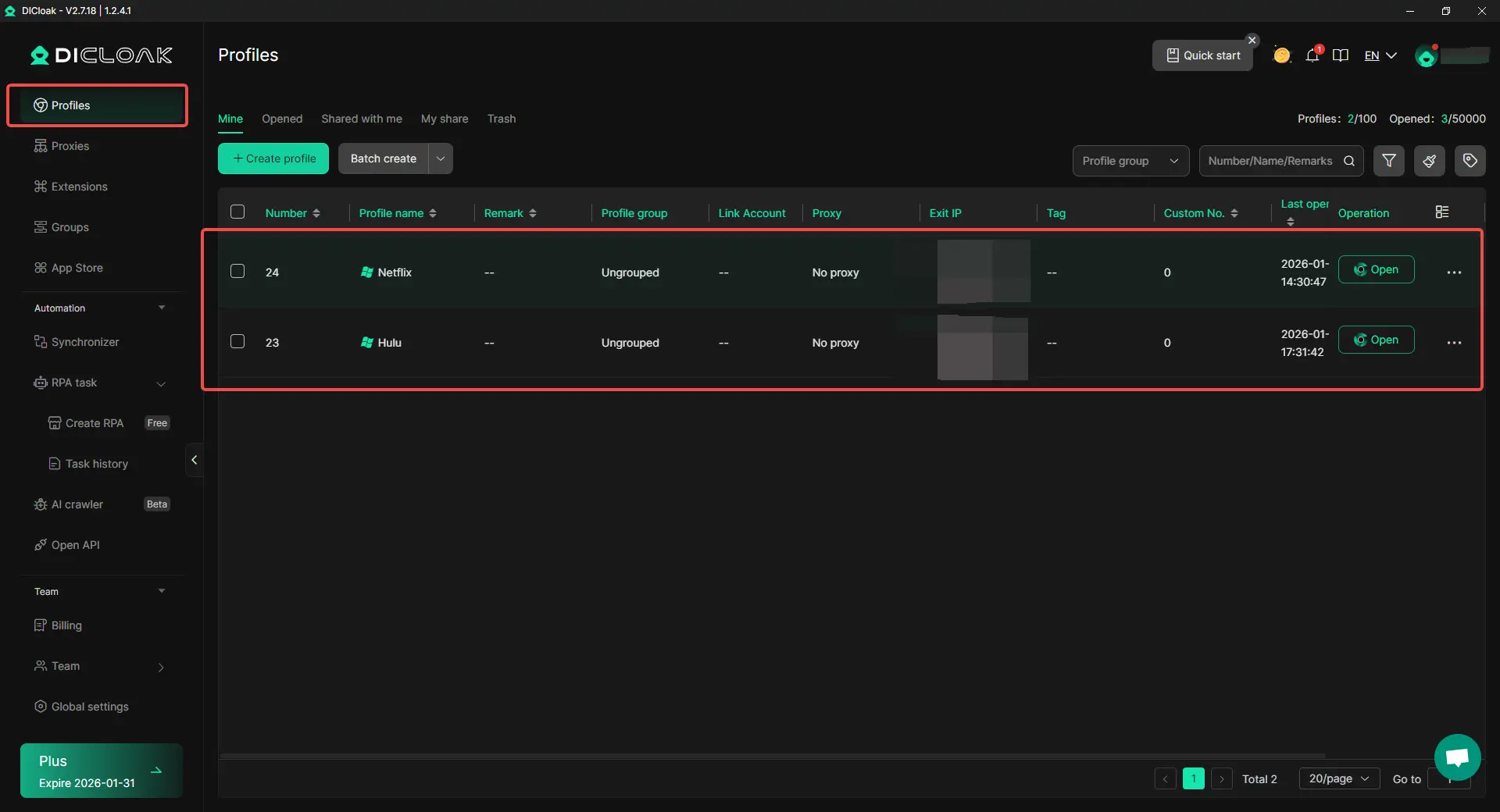
With DICloak, users can create a stable and controlled browser profile for accessing their own streaming accounts more securely.
- Stable Login Environment Each DICloak browser profile keeps a consistent browser fingerprint and settings. This helps Hulu or Netflix recognize the same environment each time you log in, reducing unnecessary security checks or session interruptions.
- Saved Login Sessions DICloak can store login sessions within a dedicated browser profile. Once you sign in to Hulu or Netflix, you can return to the same profile later without repeated logins, which improves convenience and reduces login-related issues.
- Clean and Isolated Browsing Profiles DICloak separates browser data by profile. This means your Hulu or Netflix access is isolated from other browsing activity, extensions, or accounts, helping prevent conflicts or accidental sign-outs.
In short, Hulu vs Netflix helps you choose the streaming service that fits your needs. DICloak helps you access that service in a safer, cleaner, and more reliable browser profile, without changing how the platform’s account rules work.
Step-by-Step Guide: How to Access Hulu or Netflix More Securely with DICloak
After choosing between Hulu vs Netflix, many users also care about how safely and consistently they can access their streaming account. DICloak helps create a clean and stable browser profile, reducing login issues and unexpected security checks. No technical skills are required.
Step 1: Download and Install DICloak
Visit the official DICloak website, create an account, and download the app to your computer. Installation takes only a few minutes and works on major desktop systems.

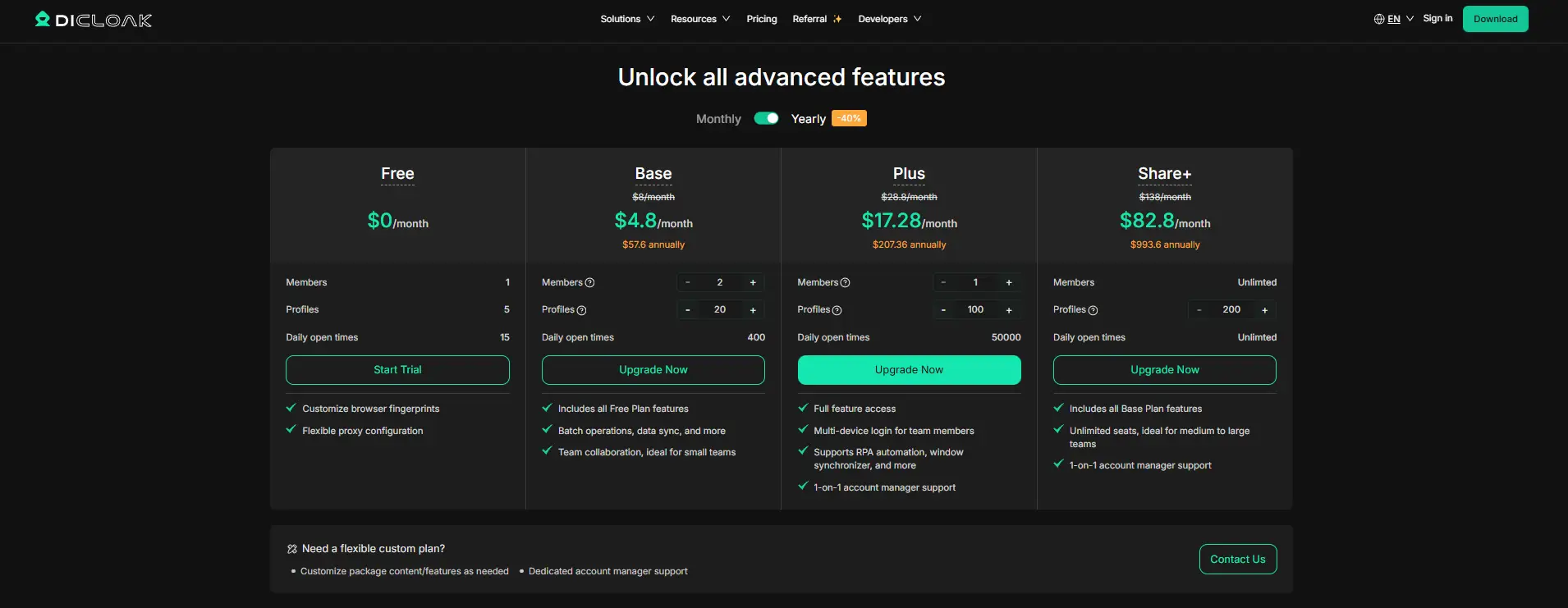
Step 2: Choose a Suitable DICloak Plan
To share and manage browser profiles, a paid plan is required.
- The Base plan is suitable for individual users who want a stable browsing environment.
- The Share+ plan is designed for advanced users who manage many browser profiles.
Choose based on how many people will use the streaming account.
Step 3: Set Up a Stable Proxy (Recommended)
For shared streaming accounts, login stability matters. You can assign a static residential proxy to the browser profile so Hulu or Netflix always sees access coming from one consistent location. This helps reduce forced logouts or repeated verification checks. DICloak does not sell proxies, but you can connect one from a trusted third-party provider.

Step 4: Create a Dedicated Browser Profile
Inside DICloak, create a new browser profile and use it only for your Hulu or Netflix account. This profile keeps cookies, login sessions, and browser settings isolated from other activity.

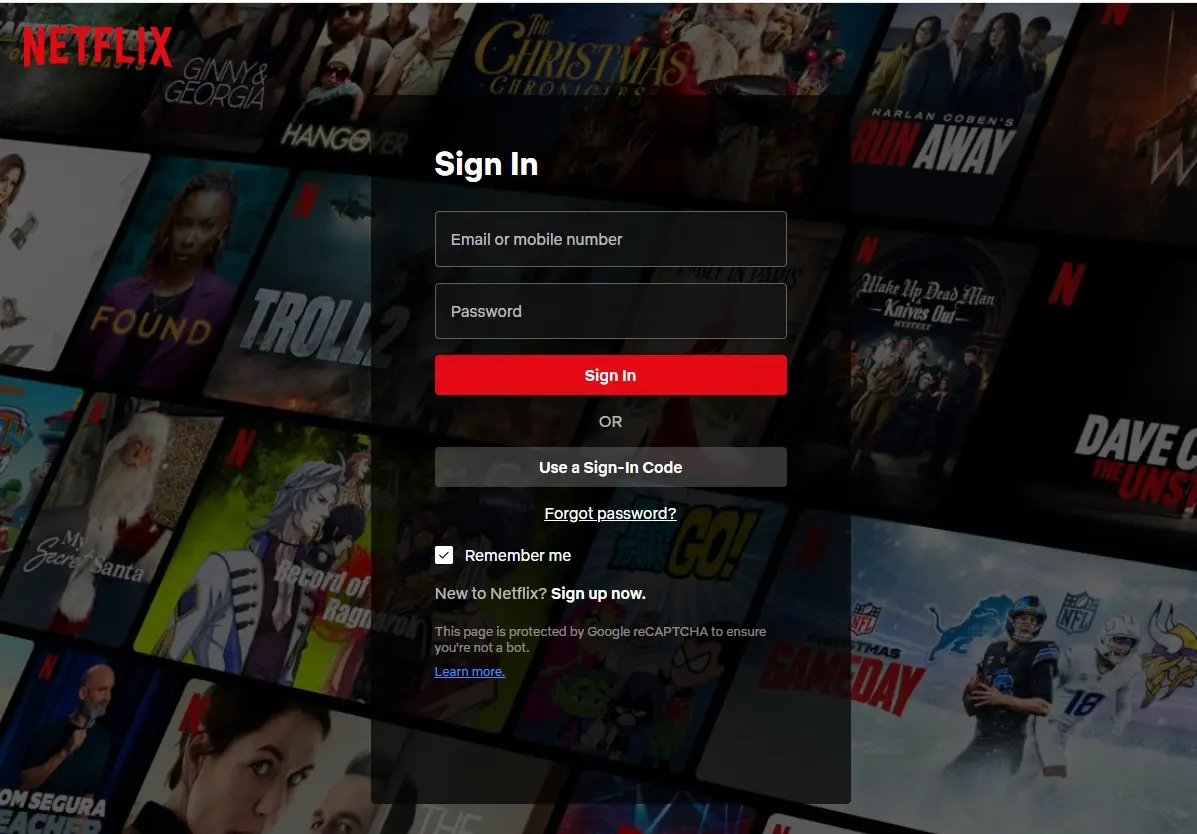
Step 5: Log In to Hulu or Netflix
Launch the browser profile you created. Open the official Hulu or Netflix website and sign in once. The login session will stay saved inside this profile.
Step 6: Access the Streaming Account
Whenever you want to watch, open the same browser profile. You can access Hulu or Netflix without repeated logins, while keeping a consistent and secure access environment.
Conclusion: Is There a Winner in the Hulu vs Netflix Comparison?
The better choice depends on what you expect from a streaming service.
- Choose Netflix if you value original series, a large global library, and a smooth binge-watching experience across many devices. It is a strong option for movie lovers, frequent travelers, and users outside the U.S.
- Choose Hulu if you prefer next-day TV episodes, U.S. network content, live sports, or flexible bundles with Disney+ and ESPN+. It fits well for cord-cutters who want both live and on-demand viewing.
Beyond content and price, how securely you access these platforms also matters. For users who want a stable and consistent login environment, DICloak helps create isolated browser profiles when accessing Hulu or Netflix, reducing login interruptions and account-related issues. This provides an extra layer of security and reliability without changing how the platforms’ account rules work.
In short, Hulu vs Netflix is about choosing the right streaming service, while DICloak helps ensure you access that service in a safer and more reliable way.
FAQs About Hulu vs Netflix
Hulu vs Netflix: Which one is cheaper overall?
In the Hulu vs Netflix comparison, Netflix is usually cheaper at the entry level. Its ad-supported plan costs less per month. Hulu costs slightly more but includes next-day TV episodes and optional live TV. The better deal depends on what you watch.
Hulu vs Netflix: Which has better content?
Hulu vs Netflix offer different strengths. Hulu focuses on current U.S. TV shows and network content. Netflix focuses on original series, movies, and global shows. If you like binge-watching originals, Netflix is often better. If you follow weekly TV shows, Hulu may be the right choice.
Can I watch Hulu or Netflix on all my devices?
Yes. In the Hulu vs Netflix comparison, both services work on smart TVs, phones, tablets, and computers. Netflix also supports more game consoles and stronger 4K playback on compatible devices.
Hulu vs Netflix: Which works outside the United States?
Netflix has a clear advantage here. In the Hulu vs Netflix debate, Netflix is available in over 190 countries. Hulu is mainly available only in the U.S., which makes Netflix better for travelers or international users.
Is Hulu vs Netflix better for families?
For families, the Hulu vs Netflix choice depends on viewing needs. Hulu offers bundles and live TV that work well for households watching together. Netflix supports multiple screens on higher plans, which suits families with different viewing habits.
Beyond plan features, secure and stable access also matters. For users who want a consistent login environment across family devices, DICloak helps create isolated browser profiles when accessing Hulu or Netflix, reducing login conflicts and unexpected sign-outs. This helps families access their streaming services more safely without changing how the platforms’ account rules work.
 Web Proxy Tools
 Free Tools
 Cookie Plugin
 UA Generator
 MAC Address Generator
 IP Generator
 IP Address List
 2FA Code Generator
 World Clock
 Anonymous Check
 WebRTC Leak Test
 UUID Generator
 Free Web Proxy Site
 Proxy Checker
 FB Ad Checker
 AI Web Scraping
 Free SMM Tools
 Twitter Shadowban Checker
 Instagram Name Checker
 UTM Generator
 Username Generator
 AI Hashtag Generator
 LinkedIn Headline Generator
 Social Media Image Resizer