2024 marked a decisive shift as major platforms transitioned from growth-focused accessibility to rigorous credential enforcement. Peacock, the NBCUniversal-backed streaming powerhouse, has aligned its infrastructure with this industry-wide trend, implementing significant updates to its Terms of Service in November 2024. As these platform "crackdowns" become the new standard, users and digital managers are left asking: can you share a peacock account while maintaining security and staying within the boundaries of the service’s new technical constraints?
Managing a streaming portfolio in the current environment requires more than just a password in 2026; it demands an understanding of digital fingerprints, residential IP verification, and the sophisticated telemetry used to monitor concurrent usage.
Understanding Official Guidelines: Can You Share a Peacock Account Safely
According to Peacock’s official Terms of Service, account sharing is permitted only within a strictly defined context. The platform distinguishes between "household use" and "unauthorized sharing" through automated detection systems.
Peacock defines a "household" as individuals who reside at the same residential address. This is verified primarily through the residential IP address and geolocation data associated with the primary account holder. While sharing is allowed with family members or roommates living in the same physical location, providing access to individuals outside this residential environment is categorized as a violation of service.
The "Kill Switch" Mechanism
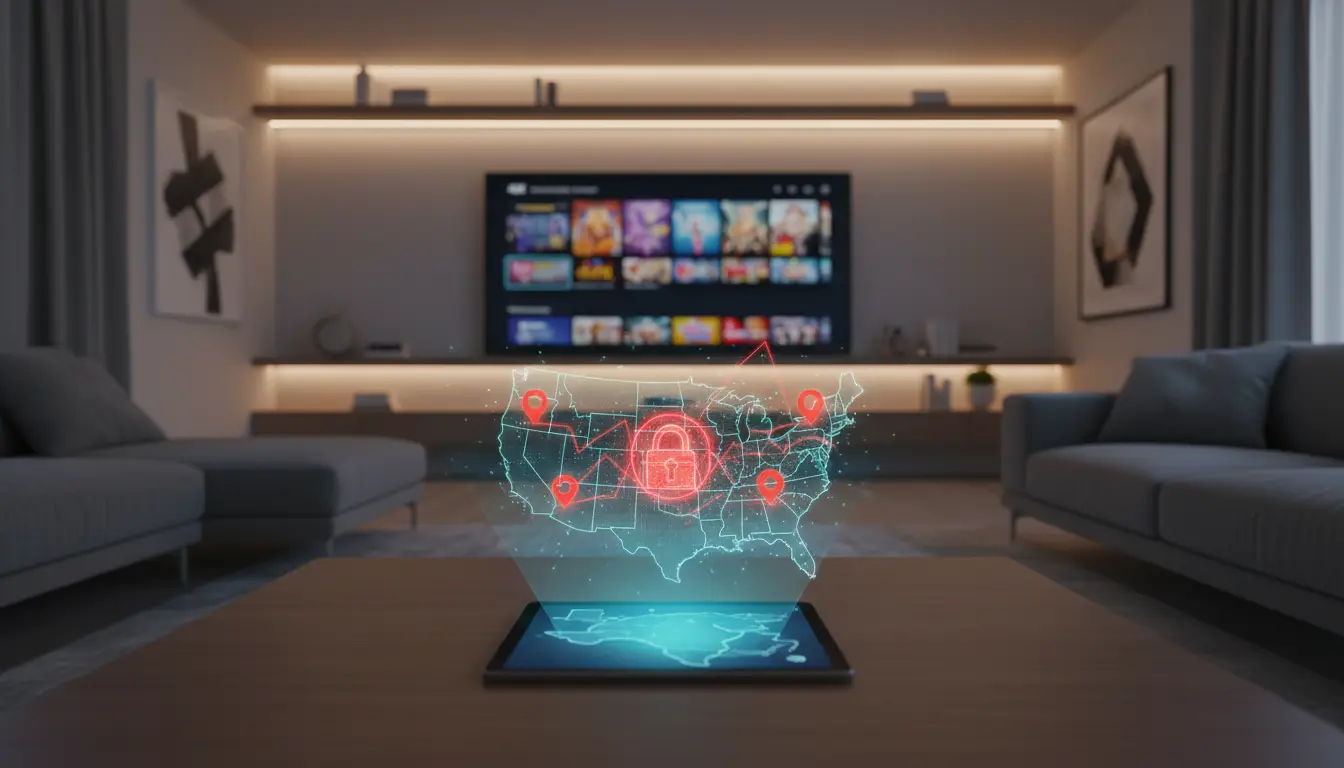
Peacock’s infrastructure is designed for personal, non-commercial use. The service employs a "Kill Switch" mechanism to detect commercialization—such as the selling or renting of login details. If the platform’s telemetry detects simultaneous access from geographically disparate locations (e.g., three different states at once), it triggers an "unusual activity" flag. This can result not just in a stream block, but in an immediate "Kill Switch" account termination for suspected unauthorized sharing or commercial use.
Pro-Tip: Sharing login credentials outside of a single residential IP environment carries a high risk of "shadow-banning." Platforms now use automated detection to flag inconsistent geolocation data, which can lead to permanent loss of access without a refund.
Current Stream Limits: Can Multiple People Watch Peacock at the Same Time
To manage server load and enforce subscription tiers, Peacock implements hard technical constraints on concurrency. Understanding these limits is essential for any multi-user environment.
Analysis of Simultaneous Stream Limits by Plan
While all Peacock plans allow for the creation of up to 6 individual profiles, the ability for multiple people to watch peacock at the same time is strictly limited by your chosen tier.
Based on the updated 2026 structure:
- Peacock Selected Tier ($7.99/mo): This entry-level ad-supported plan is limited to 1 simultaneous stream.
- Peacock Premium ($10.99/mo): This tier allows for 3 simultaneous streams. This is the standard choice for households; for example, can 2 people watch peacock at the same time on this plan? Yes, the Premium plan comfortably supports up to three concurrent viewers.
- Peacock Premium Plus ($16.99/mo): This ad-free tier also supports up to 3 simultaneous streams.
- Peacock Premium for Students ($2.99/mo): This discounted plan maintains the standard 3-stream limit.
Operational Scenario: If a household on a Premium plan has three active streams (e.g., a smart TV in the living room, a laptop in the bedroom, and a tablet in the kitchen), and a fourth user attempts to initiate a stream, the system will trigger an automated block. The fourth user will receive a notification stating the maximum stream count has been reached.
Managing Offline Content for Extended Access
For users on the Premium Plus tier, the download feature serves as a technical workaround for stream limits. Users can download up to 25 titles for offline viewing. Because these files do not require a live handshake with the streaming server during playback, they do not count toward the 3-stream concurrency limit.
- Retention Rules: Downloaded content is available for 30 days. However, once viewing begins, a 48-hour window is triggered to complete the title before the file expires.
The Mechanism of Detection: How Platforms Monitor Account Sharing
Peacock uses sophisticated telemetry beyond simple IP checks to determine if you can you watch peacock on multiple devices legitimately or if the account is being shared across different households.
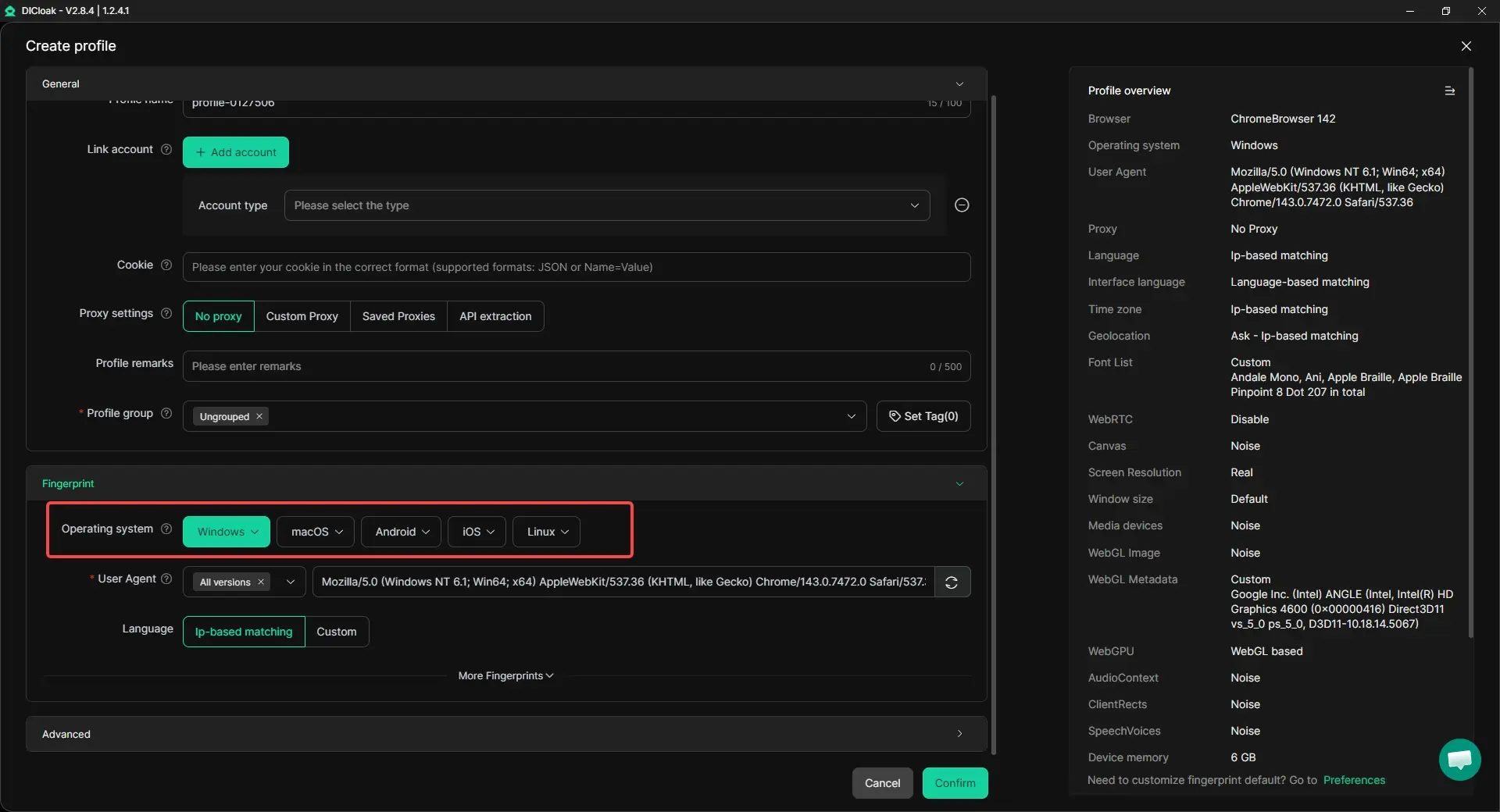
Browser fingerprinting is a granular identification technique. Peacock collects data points including screen resolution, hardware specifications, OS versions, WebRTC leaks, and canvas/font rendering hashes. By aggregating these, the platform creates a unique "fingerprint" for every device. Even if you hide your IP, the platform can distinguish between a known household device and an unauthorized external one by detecting inconsistencies in these digital signatures.
IP-Based Geolocation and Residential Verification
The platform monitors the geolocation of IP addresses in real-time. If an account is accessed from Miami and Seattle simultaneously, it creates a high-probability flag for unauthorized sharing. Persistent access from multiple residential IPs will eventually trigger identity verification requests or account suspension.
Technical Risks of Password Sharing Outside the Household
Sharing raw credentials introduces "linked risk," where the security of the primary account is tethered to the weakest link in the sharing chain.
- Credential Compromise: If a secondary user’s device is compromised by malware, the primary account’s payment information and master password are exposed.
- Identity Flags: Logging in from multiple devices with different digital fingerprints in a short time frame can trigger security protocols that lock the account for "suspicious behavior."
Strategies for Managing Can You Share a Peacock Account Protocols
For organizations or power users managing multiple profiles, a professional methodology is required to maintain account longevity and security.
Comparison Table: Standard Sharing vs. Advanced Profile Isolation
| Feature |
Standard Credential Sharing |
Profile Isolation (DICloak) |
| Fingerprint Consistency |
Inconsistent (Triggers detection) |
Kernel-level Masking (Stable) |
| Data Integrity |
Shared Cookies (High risk) |
Independent Cookie Jars |
| IP Management |
Shared/Residential (High risk) |
Custom proxy configuration |
| Risk Level |
High (Potential Termination) |
Low (Isolated Environments) |
Using Browser Fingerprint Isolation to Secure Multiple Profiles
Standard browsers are designed to broadcast device information, facilitating platform detection. Professional account management requires isolating browser profiles so each profile appears as a unique, legitimate device. By using custom fingerprints, you can keep that Peacock sees each login as a distinct, authorized session, preventing the platform from associating multiple profiles with "unauthorized" external activity.
DICloak Implementation: A Professional Approach to Multi-Account Management
DICloak provides the infrastructure necessary to manage high-volume account profiles securely. Utilizing a Chrome-core engine, DICloak allows for deep OS simulation (Windows, Mac, iOS, Android), hiding the true nature of your hardware from Peacock’s detection scripts.
Automating Workflows with RPA Technology
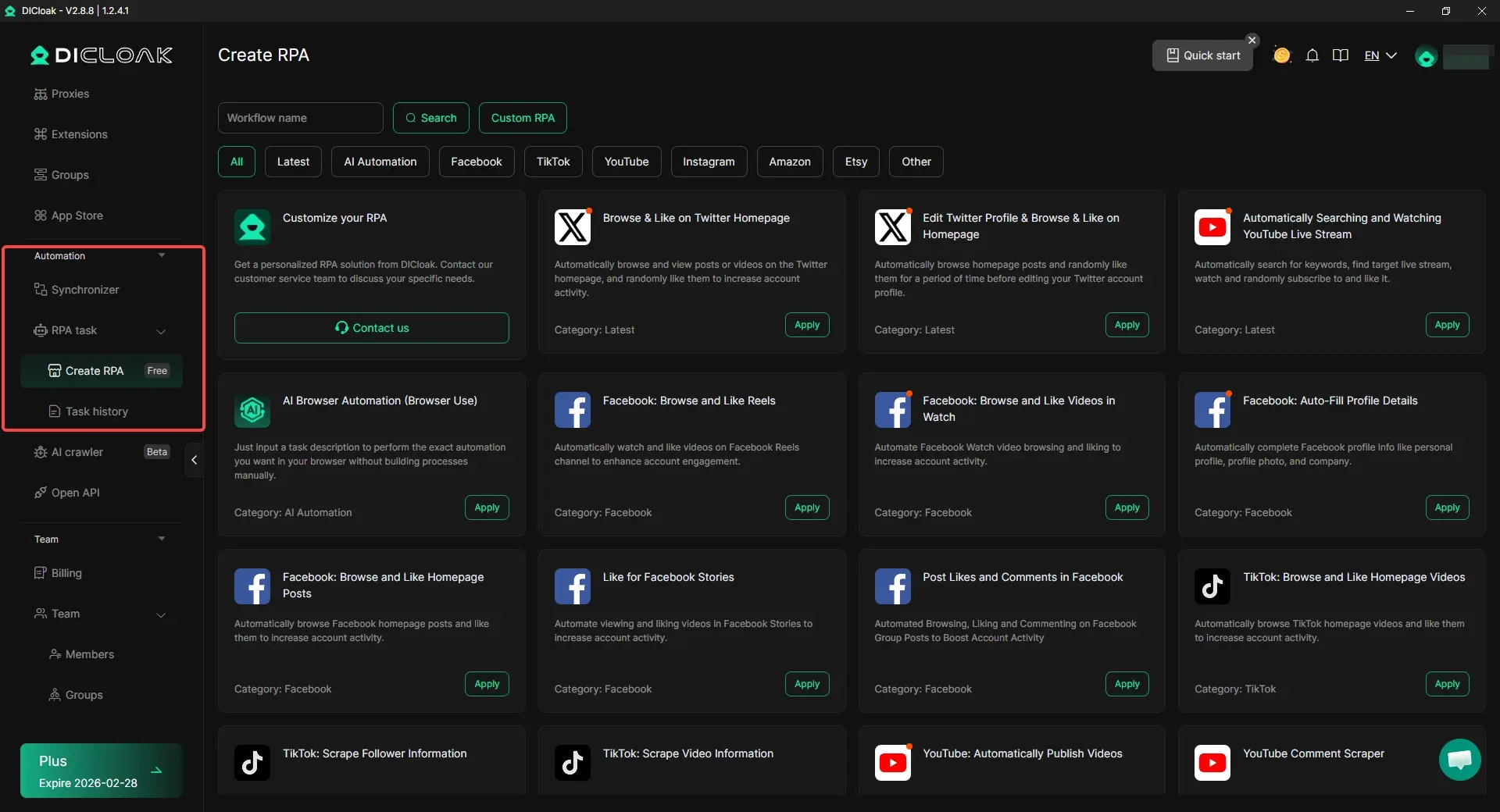
DICloak’s built-in Robotic Process Automation (RPA) can be utilized to automate repetitive tasks. This includes bulk-checking subscription statuses or clearing cache data across multiple profiles, saving significant manual labor hours while maintaining the "cleanliness" of each account environment.
Scaling Team Access Through Profile Synchronization
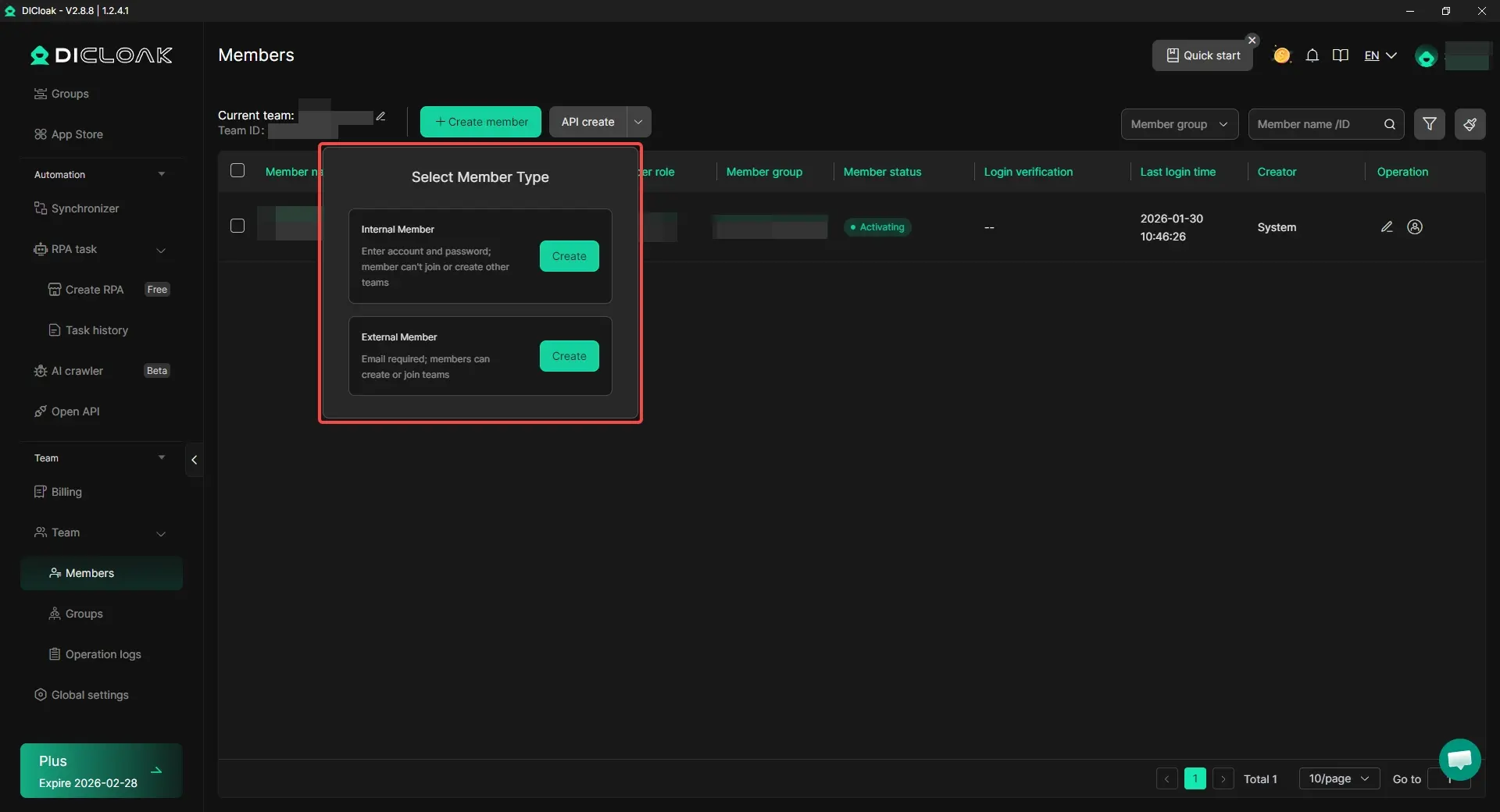
Instead of sharing raw passwords, which is a major security vulnerability, DICloak enables Team Collaboration. You can share specific, isolated browser profiles with team members. They gain access to the account through the isolated environment without ever seeing the master password. This system includes operation logs and permission settings, drastically reducing the risk of accidental account bans or credential theft.
Objective Analysis of DICloak for Account Management
- Pros:
- Isolated Fingerprints: Reduces the risk of account association and "unusual activity" flags.
- Custom Proxy Configuration: Users are able to configure per-profile proxies (HTTP, HTTPS, SOCKS5) and manage them in bulk.
- Scalability: Manage 1,000+ accounts on a single physical device.
- Chrome-core Compatibility: Keeps a seamless streaming experience identical to standard browsers.
- Multi-OS Simulation: Masks your device as a mobile or desktop unit of your choice.
- Cons:
- Limited Platform Support: Currently available only on Windows and macOS.
Frequently Asked Questions About Peacock Access
Is Peacock cracking down on account sharing?
Yes. Following the November 2024 update to their Terms of Service, Peacock has clarified that sharing is restricted to household members residing at the same address. They now actively monitor for "unauthorized sharing" via IP and device telemetry.
Can I share Peacock with family in another state?
Technically, this violates the "household" policy. Peacock’s detection systems track geolocations; simultaneous access from different states is a primary trigger for account warnings and potential "Kill Switch" termination. To mitigate this risk, some users use isolated profiles with dedicated Proxy Management to maintain a consistent US-based identity.
What is the difference between Premium and Premium Plus regarding streams?
The $10.99 Premium plan and the $16.99 Premium Plus plan both allow for 3 simultaneous streams. The primary differences are that Premium Plus removes most ads and allows for 25 offline downloads, which provides a way to watch content without utilizing one of the live stream slots.
How can I bypass geo-restrictions while traveling?
Peacock is restricted to the U.S. To maintain access while traveling, professionals use Proxy Management within an isolated DICloak profile. By selecting a U.S.-based proxy and a consistent fingerprint, you maintain your domestic identity and prevent the platform from flagging your account for international access.
Conclusion: Securing Your Digital Infrastructure
While the question "can you share a peacock account" still has an affirmative answer for household members, the technical landscape has become significantly more restrictive. Maintaining account longevity in 2026 requires a professional-grade understanding of digital fingerprints, kernel-level masking, and IP management.
To ensure your accounts remain secure and free from "unusual activity" flags, consider moving beyond standard browser sharing. Exploring professional-grade tools like DICloak’s free start option can provide the isolation and security infrastructure needed for modern, scalable multi-account management.
 Web Proxy Tools
 Free Tools
 Cookie Plugin
 UA Generator
 MAC Address Generator
 IP Generator
 IP Address List
 2FA Code Generator
 World Clock
 Anonymous Check
 WebRTC Leak Test
 UUID Generator
 Free Web Proxy Site
 Proxy Checker
 FB Ad Checker
 AI Web Scraping
 Free SMM Tools
 Twitter Shadowban Checker
 Instagram Name Checker
 UTM Generator
 Username Generator
 AI Hashtag Generator
 LinkedIn Headline Generator
 Social Media Image Resizer





