Managing more than one Telegram account can be useful, but it can also get confusing fast. You may want one account for personal chats, another for work, and a second Telegram account for clients, groups, or community updates. The problem is that many users are not sure how many accounts Telegram allows, whether each account needs a phone number, or how to avoid mixing messages and sessions.
In this guide, you will learn the answer to “can I have multiple Telegram accounts?”, how to add extra accounts on different devices, what requirements you need to know, and what risks to avoid when managing several Telegram accounts. You will also learn how to keep accounts clearer, safer, and easier to control for daily use.
Can You Have Multiple Telegram Accounts on One Device?
Yes, you can. If you ask, “can I have multiple Telegram accounts?”, the simple answer is yes. Telegram lets users add more than one account in the same app. This is helpful if you want one account for friends and a Second Telegram account for work, school, or a community group.
How Telegram Supports Multiple Accounts Officially?
Telegram has an official “Add Account” feature. You do not need to log out first. For example, a small business owner can keep a personal account and a customer support account on one phone. Telegram also says users can log in on phones, tablets, and computers, and chats can sync across devices.
How Many Telegram Accounts Can You Add in One App?
Telegram’s official update says you can add up to three accounts in one app, as long as each account uses a different phone number. You can switch between them from the app menu. Notifications can also come from all accounts, unless you change the settings.
Why Each Telegram Account Needs Its Own Phone Number?
To make alt Telegram account or learn how to create a new Telegram account, you need a phone number for verification. Telegram uses the phone number to identify the account. So, How to create multiple Telegram accounts without number is a common question, but in normal use, each new Telegram account still needs its own number.

How to Set Up Multiple Telegram Accounts on Different Devices?
Now that the answer to “can I have multiple Telegram accounts?” is yes, the next step is setting them up the right way. The steps are simple, but each account still needs its own phone number. This is important for users who want to make alt Telegram account profiles for work, study, or community management.
| Device |
How to Add Another Telegram Account |
Best For |
| Android |
Open menu > tap the arrow beside your name > Add Account |
Users who manage personal and work accounts on one phone |
| iPhone/iPad |
Go to Settings > profile area > Add Account |
Freelancers, students, and client managers |
| Desktop/Web |
Log in by QR code or phone number |
Users who reply to Telegram messages from a computer |
Step-by-Step Guide for Android Users
On Android, open Telegram, tap the menu, tap the arrow beside your name, then choose Add Account. Enter the phone number for your Second Telegram account. Then add the login code. This is the normal way for how to create a new Telegram account on the same phone. Telegram’s multi-account feature supports up to three accounts with different numbers.
Instructions for iPhone and iPad Users
On iPhone or iPad, open Telegram and go to Settings. Tap your profile area, then choose Add Account if the option appears. Add the new phone number and confirm the code. For example, a freelancer can keep one account for friends and one for clients without logging out each time.
Setting Up Multiple Accounts on Desktop or Web
Telegram also works on desktop and web. You can log in by QR code or phone number. This is useful when you reply to messages from a computer. But if you search How to create multiple Telegram accounts without number, remember this rule: Telegram still needs a number to create each account, even if you later use it on desktop or web.
What Are the Requirements for Creating Multiple Telegram Accounts?
After you know how to add a Second Telegram account, the next thing to check is what you need before sign-up. This matters because Telegram does not treat extra accounts like simple usernames. Each account has its own login identity.
Do You Need Separate Phone Numbers for Each Account?
Yes. If you ask, “can I have multiple Telegram accounts?”, the answer is still yes, but each account needs a separate phone number. Telegram says each phone number is a separate account. So, if you want to make alt Telegram account for work, you should use a number you control. This helps you receive login codes and recover the account later.
Can Virtual Numbers Be Used for Telegram Accounts?
Many users search How to create multiple Telegram accounts without number, but normal Telegram sign-up still needs a number. Some people use virtual numbers or Telegram anonymous numbers from Fragment, but this can be risky if you cannot keep access to that number. For long-term use, choose a stable number before learning how to create a new Telegram account. Telegram also warns that you may lose access if your account is tied to a number you do not control.
How Many Telegram Accounts Can You Have?
After choosing stable phone numbers, it is natural to ask, “can I have multiple Telegram accounts, and how many?” The answer depends on how you use Telegram. The official app has a clear limit, but desktop and browser use may give you more ways to organize accounts.
What Is the Maximum Number of Accounts Allowed?
Telegram says each phone number is a separate account. It also supports switching between accounts without logging out. In the official app, users can usually add up to three accounts with different phone numbers. This is enough for many people, such as one personal account, one work account, and one Second Telegram account for a group project.
Are There Any Limitations on Account Usage?
Yes. You still need a different number when you make alt Telegram account or learn how to create a new Telegram account. Also, reported accounts may face limits. For example, if many users report unwanted messages, Telegram may limit that account from messaging people who do not have its number saved.
What Happens If You Exceed the Limit?
If you try to add more than the app allows, you may need another device, desktop app, or browser session. But this does not remove Telegram’s sign-up rule. So, How to create multiple Telegram accounts without number is still not a normal option. Each new account needs a number you can access.
Risks of Managing Multiple Telegram Accounts
Once you add more accounts, the question is not only “can I have multiple Telegram accounts?” It is also how to manage them without mistakes. A Second Telegram account can be useful, but poor setup can cause confusion, missed messages, or login trouble.
| Risk |
What May Happen |
Safer Practice |
| Account confusion |
You may reply from the wrong account |
Use clear names, photos, and account purposes |
| Missed notifications |
Important work messages may be ignored |
Pin key chats and mute low-value groups |
| Login issues |
Repeated login attempts may trigger checks |
Avoid fast switching and keep numbers accessible |
| Mixed sessions |
Telegram Web sessions may stay open in shared browsers |
Log out from public devices and separate account environments |
Account Confusion and Sending Messages from the Wrong Account
This is the most common mistake. For example, a community manager may reply to a client from a personal account by accident. Before you make alt Telegram account, give each account a clear name, photo, and purpose.
Missed Notifications Across Different Accounts
Telegram can send notifications from more than one account, but it is easy to miss alerts when chats are busy. If one account is for work, pin key chats and mute low-value groups.
Login Issues, Security Checks, and Account Restrictions
Telegram may limit accounts that send unwanted messages or get reported often. Limited accounts may only message people who saved their number. This matters when you learn how to create a new Telegram account for public groups or outreach.
Privacy Risks from Mixed Sessions, Cookies, and Devices
People often search How to create multiple Telegram accounts without number, but phone numbers are only one part of safety. If you use Telegram Web on shared browsers, sessions may stay open. Always log out on public devices and keep each account’s login details separate.
Best Practices for Managing Multiple Telegram Accounts Safely
After looking at the risks, it is easier to manage accounts with a few simple habits. So, if you ask “can I have multiple Telegram accounts?”, yes, you can. But each account should be clear, stable, and easy to recover.
Keep Each Account for One Clear Purpose
Do not let every account do the same job. Use one account for personal chats, one Second Telegram account for work, and another for a group or project. This lowers the chance of sending the wrong message from the wrong account.
Use Stable Login Environments for Long-Term Accounts
When you make alt Telegram account profiles, keep each one on a stable device or browser. Telegram lets users review active sessions in Settings > Devices or Privacy & Security > Active Sessions. This helps you find old or unknown logins and close them.
Avoid Fast Switching and Repeated Login Attempts
If Telegram asks for a login code, do not keep trying too fast. Telegram says login codes should never be shared. It also warns users to keep accounts linked to a phone number they control, or they may lose access.
Organize Account Names, Phone Numbers, and Recovery Details
Before learning how to create a new Telegram account, save the number, account name, and purpose in a safe place. Many users search How to create multiple Telegram accounts without number, but each account still needs a reachable number for normal sign-up and recovery.
Simplify Managing Multiple Telegram Accounts with DICloak
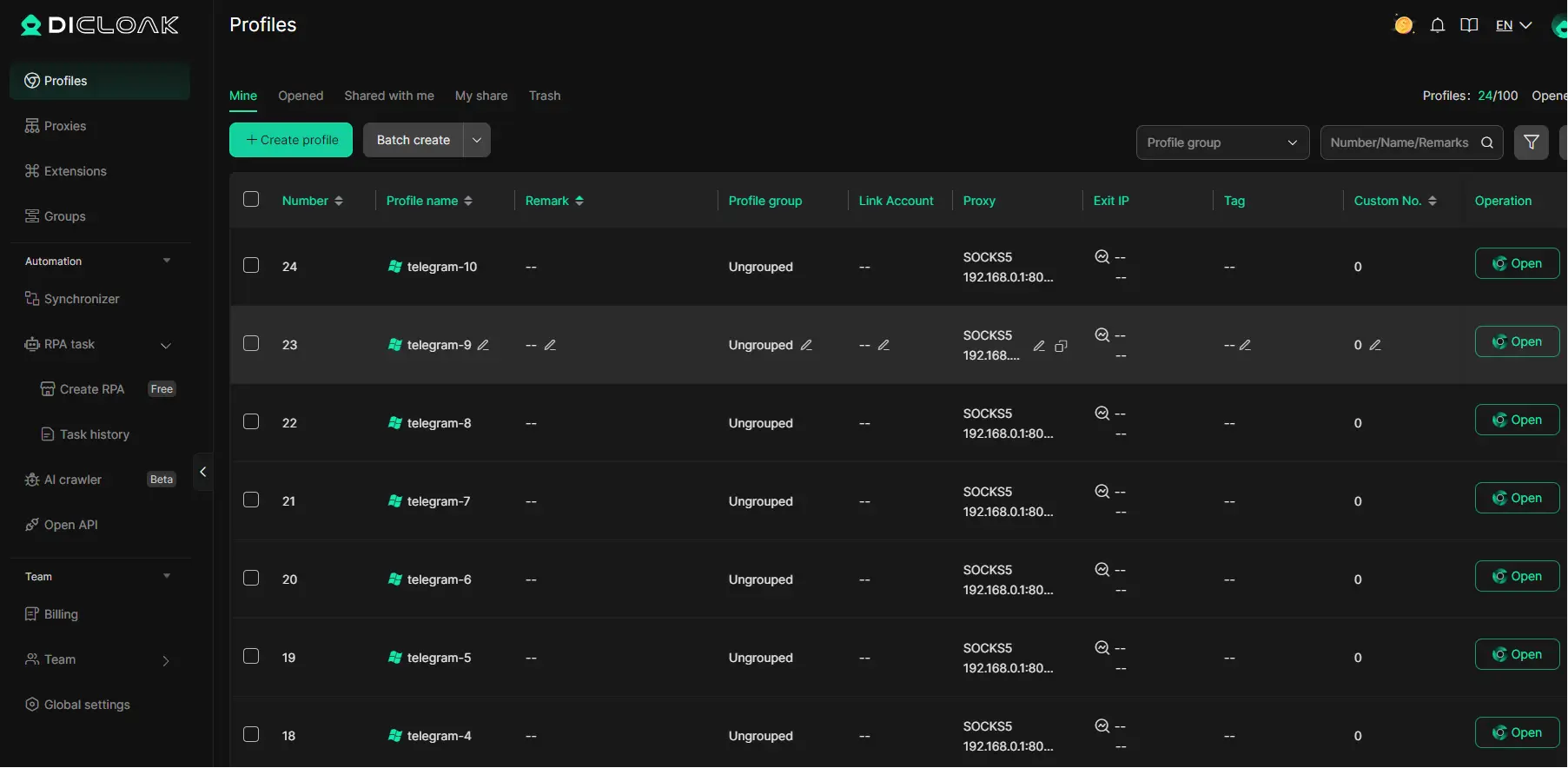
After setting up different Telegram accounts, the next challenge is keeping them separate. This matters when you manage personal chats, client groups, sales channels, or community accounts on one device. You can use DICloak to create cleaner browser profiles for Telegram Web, so each account has its own space, settings, and login data.
How DICloak Ensures Secure Account Separation
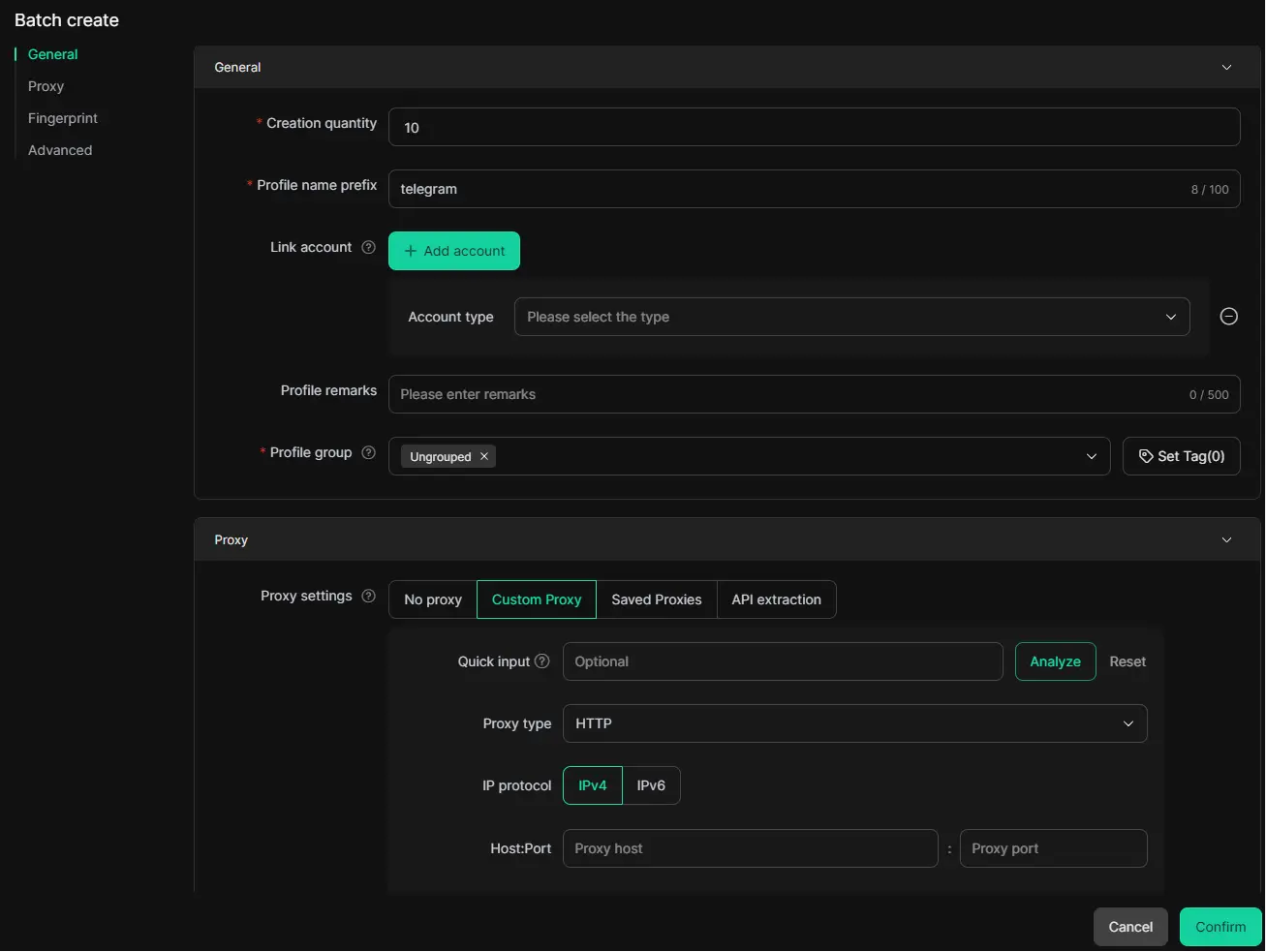
When you manage several Telegram accounts in one normal browser, sessions, cookies, and local storage may mix. This can make account work messy and hard to control. With DICloak, you can create a separate browser profile for each Telegram account. Each profile can have its own fingerprint settings, cookies, storage, and proxy configuration. For example, a social media manager can keep one Telegram profile for customer support, one for community updates, and one for partner outreach without switching everything in the same browser.
Managing Telegram Notifications Across Multiple Profiles
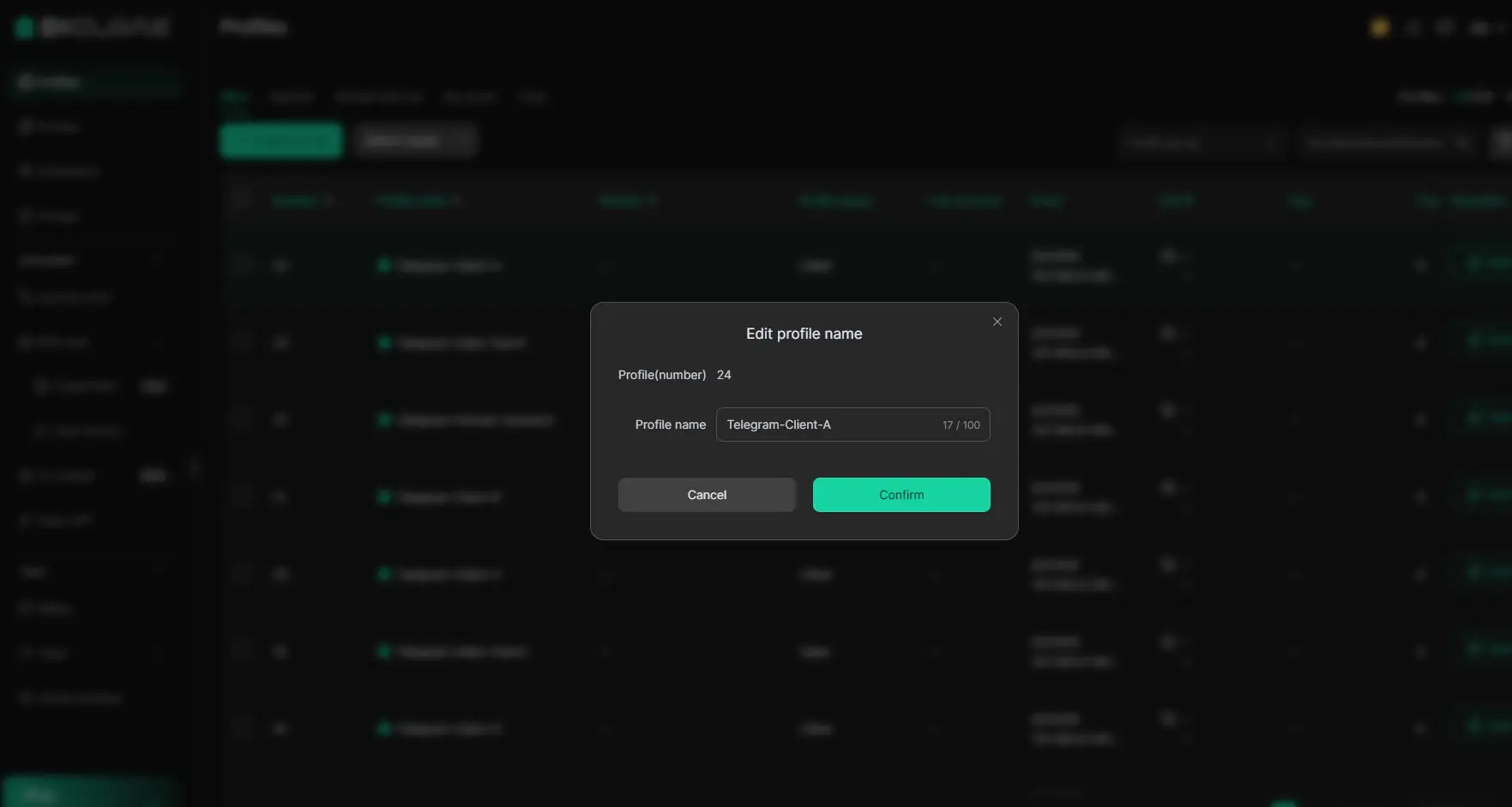
Telegram notifications can become confusing when many accounts are open at the same time. DICloak helps you organize accounts by profile name, tag, and purpose. You can label profiles by client, region, or project. This makes it easier to know which Telegram account you are using before replying. It also helps teams avoid opening the wrong profile or sending messages from the wrong account.
Using Proxies for Location-Specific Telegram Accounts
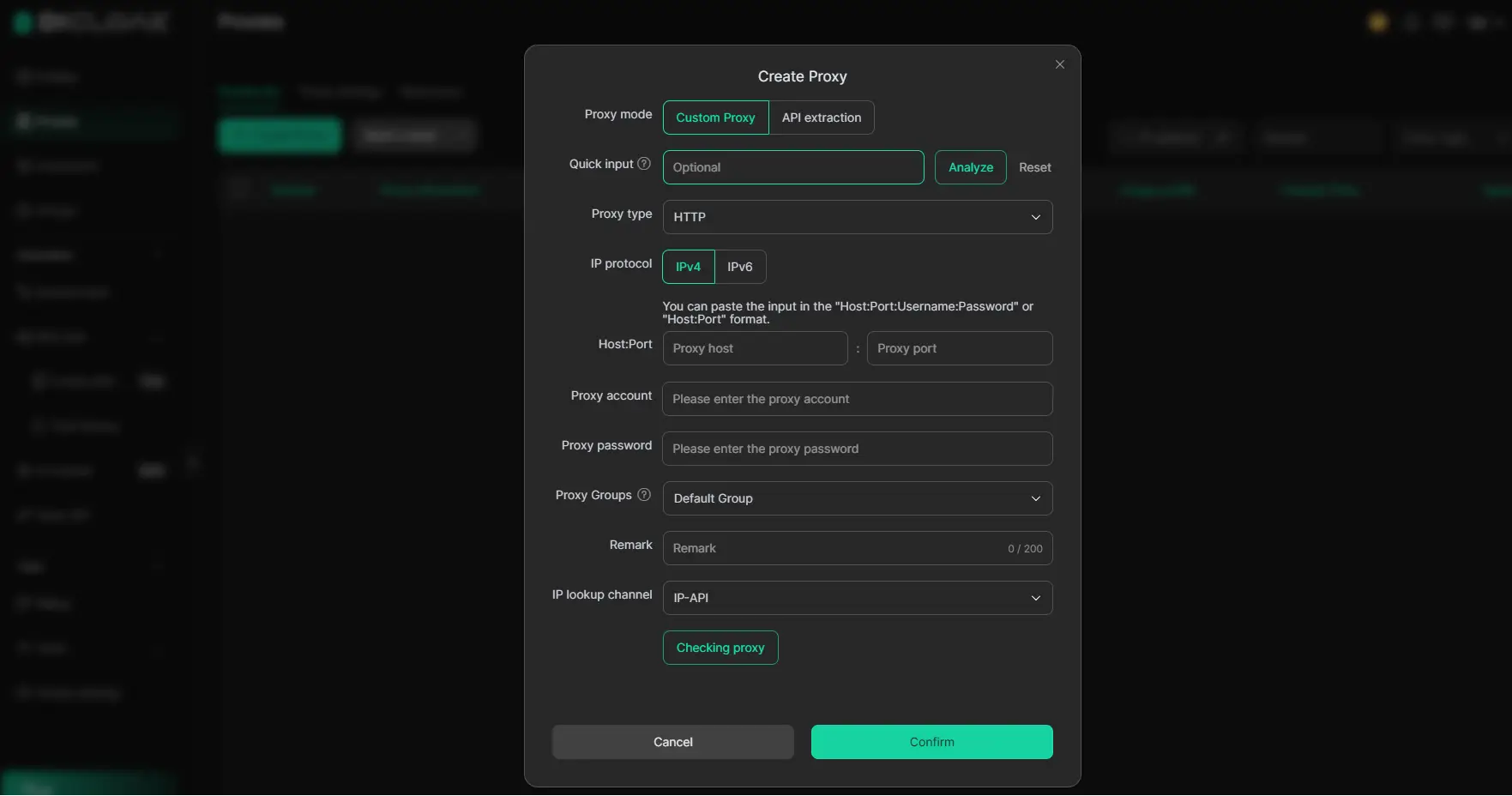
For long-term Telegram account management, a stable login environment is important. In DICloak, you can configure custom proxies for different browser profiles, including HTTP, HTTPS, and SOCKS5 proxies. This helps keep each Telegram account tied to a more consistent browsing setup. If a team manages Telegram accounts for different markets, they can also use profile sharing, permission settings, and operation logs to work together without sharing passwords directly.
FAQ
Can I Use Telegram Without a Phone Number?
If you ask “can i have multiple telegram accounts without a phone number?”, the normal answer is no. Telegram uses a phone number to identify each account. You need a number when you sign up, receive a login code, or recover the account later. Telegram also says each phone number is a separate account.
How Do I Delete One of My Telegram Accounts?
You can delete one Telegram account through Telegram’s account deletion page. Make sure you are deleting the right account, especially if you use a personal account and a Second Telegram account. Once deleted, your messages, groups, and contacts tied to that account may be removed from Telegram’s cloud. (Telegram)
Can I Transfer Chats Between Telegram Accounts?
No, Telegram does not offer a simple way to move all chats from one account to another. If you create a new account, it starts as a separate identity. So before you make alt Telegram account profiles, decide which account should handle work chats, private chats, or group management.
Is It Safe to Use Third-Party Apps for Telegram?
It is safer to use Telegram’s official app, desktop app, or web version. Third-party apps may not handle login data in the same way. If you manage more than one Telegram account, avoid giving login codes to unknown tools. Telegram says login codes should never be shared.
What Happens If I Lose Access to One of My Accounts?
If you lose the phone number linked to an account, recovery can become hard. Telegram warns users to keep their account connected to a phone number they control. So when learning how to create a new Telegram account, use a stable number and keep active sessions secure. This is important for anyone asking “can i have multiple telegram accounts for long-term use?”
Conclusion
So, can I have multiple Telegram accounts in 2026? Yes, you can. Telegram allows users to add more than one account, but each account still needs its own phone number. This makes it useful for people who want to separate personal chats, work messages, client groups, or community updates.
The key is not only creating extra accounts. It is also managing them in a clear and safe way. Use a stable phone number, keep each account for one purpose, check active sessions often, and avoid fast login switching. These small habits can help you reduce confusion and lower the risk of losing access.
If you manage several Telegram accounts on Telegram Web, you can also use DICloak to keep each account in a separate browser profile. Each profile can store its own cookies, sessions, fingerprint settings, and proxy configuration. This makes daily Telegram account management cleaner, especially for teams, marketers, and community managers who need a more organized setup.
 Web Proxy Tools
 Free Tools
 Cookie Plugin
 UA Generator
 MAC Address Generator
 IP Generator
 IP Address List
 2FA Code Generator
 World Clock
 Anonymous Check
 WebRTC Leak Test
 UUID Generator
 Free Web Proxy Site
 Proxy Checker
 FB Ad Checker
 AI Web Scraping
 Free SMM Tools
 Twitter Shadowban Checker
 Instagram Name Checker
 UTM Generator
 Username Generator
 AI Hashtag Generator
 LinkedIn Headline Generator
 Social Media Image Resizer