At 7:12 a.m., you log in and see “account disabled for invalid traffic,” while your ad earnings stop the same day. If you searched Adsense account disabled, you likely need answers fast, not generic advice. Google can disable accounts for invalid traffic or publisher policy violations, and the recovery path changes based on that reason.
This guide gives you a clear playbook: how to confirm the exact disablement type, what evidence to collect before you appeal, how to write an appeal that matches AdSense policy expectations, and what to change on your site so the same issue does not return. You will also see where site owners lose appeals, even when traffic was not intentionally manipulated, because they submit claims without logs, timeline details, or proof of fixes.
If your account is currently disabled, the goal is simple: rebuild trust with facts, not guesses. Start with the disablement notice itself, since that single message tells you what Google expects next.
Why Was Your AdSense Account Disabled in the First Place?
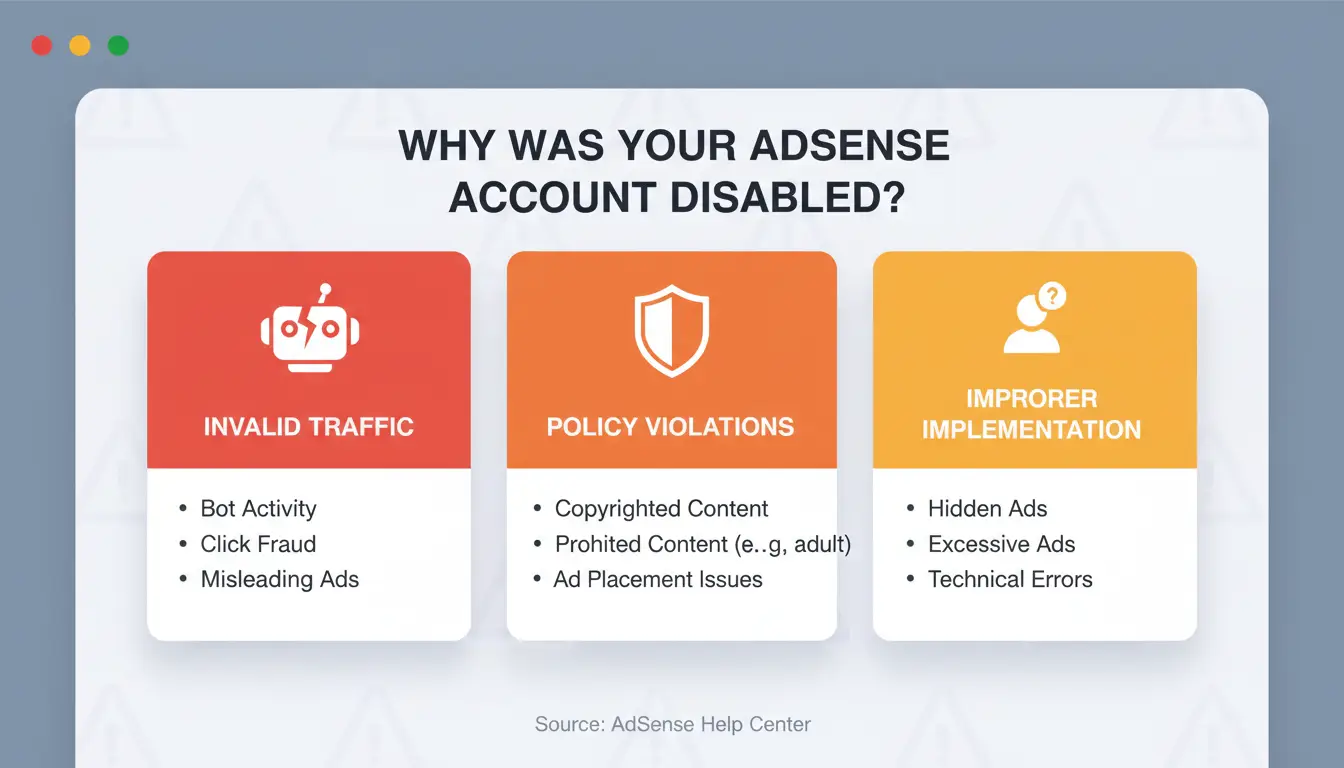
If you got an Adsense account disabled notice, do not guess. Read the exact reason in your email and in AdSense Policy Center. Google usually groups disablement into two lanes, and each lane needs different proof in an appeal.
Invalid traffic vs policy violations: what is the difference?
| Disablement type |
What Google checks |
Common triggers |
What to prepare |
| Invalid traffic |
Click and impression quality |
Bot traffic, paid low-quality visits, repeated self-clicks, traffic exchange |
Raw analytics logs, referrer list, bot filtering steps, ad click timeline |
| Policy violations |
Page content and ad implementation |
Prohibited content, deceptive layout, accidental-click ad placement |
URL list, before/after screenshots, policy fix log, publish dates |
Google defines invalid traffic in its invalid traffic guide and content rules in publisher policies.
High-risk patterns that often trigger disablement reviews
Watch for sharp CTR jumps in a short window, traffic bursts from one country with weak session depth, and repeated click timing from similar devices. Misleading placements also cause reviews: ads too close to navigation buttons, sticky units blocking content, or labels that look like menu items. A fast spike with no matching user behavior is often the real trigger, not traffic volume alone.
Related account signals and why one bad account can impact another
Google can connect accounts through shared devices, login routines, payment info, and site ownership signals. If one linked account had enforcement history, trust checks get tighter on connected accounts. When dealing with “Adsense account disabled,” map every linked account and property before you appeal, then explain what you separated and cleaned up.
How to Confirm Whether Your Account Is Disabled, Suspended, or Just Limited
Read the notice correctly: disabled, suspended, or ad serving restriction
Start in your AdSense email and account alerts. If you see “Adsense account disabled,” open the full message and match the wording with AdSense account disabled guidance and Policy Center status types. Do not file an appeal until you confirm the exact status text.
| Status text you see |
What it usually means |
Your next move |
| Account disabled |
Account-level enforcement |
Prepare evidence, then appeal |
| Account suspended |
Temporary block window |
Fix issue, wait for end date, then recheck |
| Ad serving restriction/limit |
Ads limited, account still open |
Audit traffic and ad setup, monitor diagnostics |
Check Policy Center, payment page, and serving diagnostics together
Use three screens in one session: Policy Center, Payments, and ad serving messages in your dashboard. Policy Center tells you enforcement scope. Payments tells you payout holds or verification issues. Serving messages show ad limits. This step prevents a common mistake: treating a payment hold as an enforcement ban.
When inactivity deactivation applies and how it differs
Check if Google marked the account inactive under AdSense inactivity rules. Inactivity deactivation is not the same as policy enforcement. An Adsense account disabled notice for policy violations needs proof and an appeal. Inactivity cases usually need reactivation steps and fresh activity, not a violation defense.
What to Do in the First 24 Hours After an AdSense Account Is Disabled
When you see Adsense account disabled, your goal is to protect evidence before you touch the site. Google reviews facts, timestamps, and clear fixes, not guesses. Use this 24-hour triage flow.
Freeze risky changes and preserve evidence before cleanup
Do not remove ad units, rewrite pages, or block traffic blindly. Panic edits can hide the root cause and weaken your appeal.
Save these records right away:
- Disablement email and full header
- Last 30 days from AdSense reports
- Raw traffic logs from your server or CDN
- GA4 traffic acquisition exports
- Screenshots of ad placements on top pages
- Any recent site, theme, or ad layout changes
Put everything in one folder with date and UTC time in file names.
Audit traffic sources and identify suspicious segments quickly
Check traffic in short windows (hourly if possible). Segment by source, country, device, session depth, and time. In GA4, look for spikes with very low engagement and near-zero session depth. In logs, flag repeated hits from the same referrer path or unusual user-agent patterns.
Focus on what changed in the 72 hours before disablement. Compare that window against your normal week.
Use invalid traffic guidance and AdSense Program policies as your checklist while tagging suspicious segments.
Document corrective actions in a timeline Google can verify
Build a simple timeline: time found, issue seen, action taken, proof file. Keep each line short.
Example entries:
- 09:10 UTC: Found spike from referral X; saved logs
ref-x-2026-04-10.csv
- 10:05 UTC: Blocked source X at edge firewall; screenshot attached
- 11:20 UTC: Removed accidental ad overlap on mobile; before/after screenshots attached
If your Adsense account disabled case goes to appeal, this timeline shows control, not panic.
How to Submit an AdSense Appeal That Actually Addresses Google’s Concerns
If your Adsense account disabled notice cites invalid traffic, your appeal must show what happened, what you fixed, and how you will stop repeat events. Google reviewers check facts against AdSense appeal guidance and invalid traffic rules, not intent claims.
Build your appeal around cause, evidence, and prevention
Use a root-cause format like this: “Between May 3–7, one ad unit on /tools got a spike from two referrer domains. CTR rose outside our normal range. We traced this to paid placements we failed to screen.”
Then attach proof:
- Analytics export with date range, pages, source/medium, country, device
- Server logs showing repeated IP/user-agent patterns
- Change log: ad unit removal, traffic source block, bot filter rule
- Screenshot of updated ad placement or policy checks
Use a concise appeal structure that reviewers can validate fast
Keep it to one page:
- issue summary
- findings
- fixes completed
- controls now active
Write plain facts. Avoid emotional lines like “please trust me.” Use exact dates, URLs, and counts from your own logs. If you used GA4 traffic acquisition reports, name the report and date window so a reviewer can verify fast.
Common appeal mistakes that lead to quick denial
Copy-paste templates fail because they hide your real incident path. No data means no proof. No prevention plan signals repeat risk. Do not submit multiple appeals with different stories. Send one clean appeal, then wait for response. If your Adsense account disabled status remains, update evidence before resubmitting.
What Happens to Your Earnings, Payments, and Tax Forms After Disablement
When finalized earnings may still be paid out
If your Adsense account disabled notice is final, you may still receive payment for valid finalized earnings. Payment still depends on your payment threshold, your payment profile, and any active hold in Payments. Google may delay release while it reviews traffic quality. In invalid-activity cases, review windows can run up to 60 days before final payout decisions. Timelines also vary by country, tax setup, and whether your profile details are complete.
Why some balances are adjusted or withheld
A disabled account does not guarantee full payout of the visible balance. Google can withhold unpaid earnings tied to invalid activity and return funds to advertisers. This follows advertiser-protection rules in AdSense invalid traffic guidance. In practice, you may see reversals, invalid-traffic deductions, or a lower final amount than your last estimated earnings. Estimated and finalized earnings are not the same number.
Tax forms, PIN, and account records you should keep
Even after an Adsense account disabled event, keep your payment and tax records for accounting and audits. Save copies of tax setup data from AdSense tax info, prior payout receipts, monthly statements, and the disablement email. Also keep your address verification status from PIN verification help, payment profile ID, legal entity name, and transaction IDs. These records help if your accountant or tax authority asks for proof later.
How to Prevent Repeat Disablement When Multiple People Manage Accounts
Why shared devices and mixed logins increase account risk
When one team uses the same browser, cookies, sessions, and device signals get mixed. Google can read that as unclear ownership or unusual behavior, especially after an Adsense account disabled event. A bigger issue is access sprawl. One editor changes ad code, another changes traffic sources, and no one tracks who did what. If a policy issue appears, you cannot prove a clean timeline in your next appeal. Keep access tight and mapped to job roles, based on Google Publisher Policies and AdSense account responsibilities.
Set up isolated profiles, stable proxies, and role-based access with DICloak
You can use DICloak to separate each account into its own browser profile, with a dedicated proxy and fixed login path. This reduces cross-account linkage from shared device fingerprints and mixed sessions. Set role-based permissions so writers cannot touch billing, and admins can review changes before publish. Use profile sharing controls for handoffs, then keep operation logs for each login, edit, and settings change. Those logs help if Google asks for proof during review.
Use batch actions and RPA carefully to reduce manual mistakes
Batch actions help with repeated tasks, like naming rules or placement checks. RPA can also reduce copy-paste errors, but only for stable, low-risk steps. Do not automate policy judgment calls. Keep human review gates for content quality, traffic source checks, and ad placement checks against invalid traffic guidance. If your team already faced an Adsense account disabled case, run small pilot batches, review logs daily, then scale only after clean results for a full cycle.
Can You Create a New AdSense Account After Disablement? What the Rules Really Mean
Policy-disabled accounts: why new sign-ups are usually not allowed
If your notice says account disabled, treat it as an account-level ban, not a temporary block. Under Google AdSense disabled account rules, opening a replacement account is usually prohibited. If you try to bypass this with a new email, payee, or domain, Google can close related accounts and keep enforcement in place. Do not reapply until you confirm eligibility in writing.
Related account closures and common linkage pitfalls
When one Adsense account disabled case is linked to others, closures often spread through shared signals: same payee name, tax profile, payment method, admin device, browser setup, or repeated login patterns.
Tools like DICloak let you isolate one browser profile per publisher login, bind a dedicated proxy per profile, and assign role-based access so staff do not share raw credentials. That lowers cross-account contamination risk during daily work.
You can also keep operation logs and controlled profile sharing for audit trails. During an appeal or review, those logs help show who changed what and when.
When to seek official clarification before any reapplication step
Ask support before any new application if entity ownership changed, or if a separate company wants to apply. Use AdSense policy guidance and Publisher Policies to frame your request.
Tools like DICloak let you run batch tasks and RPA for repeat-safe actions, while keeping human review checkpoints for policy-sensitive changes. This helps you avoid making the same enforcement pattern again.
What to Change on Your Site and Traffic Strategy Before Reapplying or Switching
Fix ad placement and UX patterns that invite accidental clicks
If your Adsense account disabled notice mentioned invalid traffic, pause ad-heavy templates now. Keep at least 150px between ads and navigation or game buttons. Remove sticky ads on small screens if they overlap content. Label ad areas clearly, and never place ads under “Download” or similar action words.
Run a mobile pass on top 20 pages. Check tap heatmaps, scroll depth, and accidental double-taps. Use Google’s invalid traffic guidance and Ad placement policies as your checklist.
Rebuild traffic quality with source controls and monitoring
Cut paid sources with weak session quality (very short sessions, one-page exits, abnormal CTR spikes). Block bad referrers at the edge and stop bot-heavy geos you do not serve. Set alerts for:
- CTR spikes above your 30-day baseline
- sudden country mix shifts
- repeated user-agent patterns
Log each change with date, URL set, and expected effect. Your appeal is stronger when your timeline matches AdSense appeal expectations.
Choose your next path: reapply, wait, or test other monetization options
If “Adsense account disabled” looks unlikely to reverse, use a split path: prepare one clean appeal package and launch fallback revenue on low-risk pages.
| Path |
Use when |
Action now |
| Reapply now |
You have clear fix logs + traffic cleanup proof |
Submit evidence bundle with before/after screenshots |
| Wait and monitor |
Signals are improving but unstable |
Collect 21–30 days of clean data |
| Switch revenue mix |
Policy risk stays high |
Add direct sponsorships, affiliate links, or paid newsletter slots |
Frequently Asked Questions
How long does it usually take to hear back after an Adsense account disabled appeal?
After an Adsense account disabled appeal, replies can come in a few days or take several weeks. A practical window is 7–21 days, with some cases longer. Send one complete appeal with dates, traffic logs, and clear fixes. Avoid daily duplicate appeals; repeated submissions can slow review and hide your strongest evidence.
If my Adsense account disabled notice mentions invalid traffic, should I remove all ads immediately?
If your Adsense account disabled notice cites invalid traffic, pause ad serving as soon as you save evidence: analytics exports, server logs, ad placement screenshots, and recent site changes. Then fix risky placements, block suspicious referral sources, and tighten bot filters. Turn ads back on only after fixes are live and traffic quality stays stable for several days.
Can an Adsense account disabled decision affect my YouTube monetization status?
Yes. An Adsense account disabled action can affect YouTube earnings when your channel uses that same AdSense profile for payments. You can usually still upload videos, but ad revenue may stop until the account issue is resolved. Check YouTube Studio Monetization and AdSense account alerts to see if the restriction is channel-level or account-level.
Will I still be able to log in after my Adsense account disabled event?
Often, yes. After an Adsense account disabled event, many users can still sign in and open AdSense pages. Login access is different from ad serving eligibility. You may still see policy messages, payment history, and older reports, while new ad serving and earnings remain blocked. Read the account banner closely for your exact status.
What is the safest way to manage multiple publisher logins without causing linkage risk?
Use one person, one login, one environment. Keep each publisher account in a separate browser profile or virtual machine, with unique cookies and a dedicated trusted proxy/IP. Set strict role permissions, require 2-step verification, and track every login and account change in an activity log. This setup reduces accidental linkage and improves audit readiness.
When an AdSense account is disabled, the key lesson is that long-term monetization depends on strict policy compliance, transparent traffic sources, and consistent account monitoring. If a suspension happens, a clear, evidence-based appeal and stronger preventive controls are the most practical path to recovery and future stability. Try DICloak For Free
 Web Proxy Tools
 Free Tools
 Cookie Plugin
 UA Generator
 MAC Address Generator
 IP Generator
 IP Address List
 2FA Code Generator
 World Clock
 Anonymous Check
 WebRTC Leak Test
 UUID Generator
 Free Web Proxy Site
 Proxy Checker
 FB Ad Checker
 AI Web Scraping
 Free SMM Tools
 Twitter Shadowban Checker
 Instagram Name Checker
 UTM Generator
 Username Generator
 AI Hashtag Generator
 LinkedIn Headline Generator
 Social Media Image Resizer