Buying a Google account isn't just about clicking a few times to receive goods with peace of mind. The real headache is whether the account can be used normally after purchase, whether restrictions suddenly appear, or if it might be recovered. Many people initially just want to buy Gmail accounts in bulk or specifically buy from old Google accounts, only to find that every step of price, seller, and handover method hides pitfalls. Account wholesale pages may look complete, but the real risks are often revealed during actual handovers.
Seemingly cheap accounts may have abnormal histories, incomplete recovery portals, or just batch registrations with no activity records. In such cases, remediation later is often more troublesome than spending dozens of yuan at first. What's even more troublesome is that after first purchase, you can log in normally, but after a few days of use, suddenly get an error message, or the original seller uses residual information to recover your account. These issues actually affect usability far more than the price itself.
What really needs to be confirmed first isn't how cheap the account is or how legitimate the page is, but whether the seller can prove control on the spot, whether there are loopholes in the handover process, and whether the account history can be verified. Focusing only on registration time and quotation easily misses subsequent security risks. Buying accounts wholesale is actually more prone to pitfalls, especially during batch handovers. If you don't clear the recovery information and sessions thoroughly, subsequent restrictions often cause a complete failure.
Next comes the most practical criteria: which details must be looked at first, and which risks are the hardest to remedy if ignored.
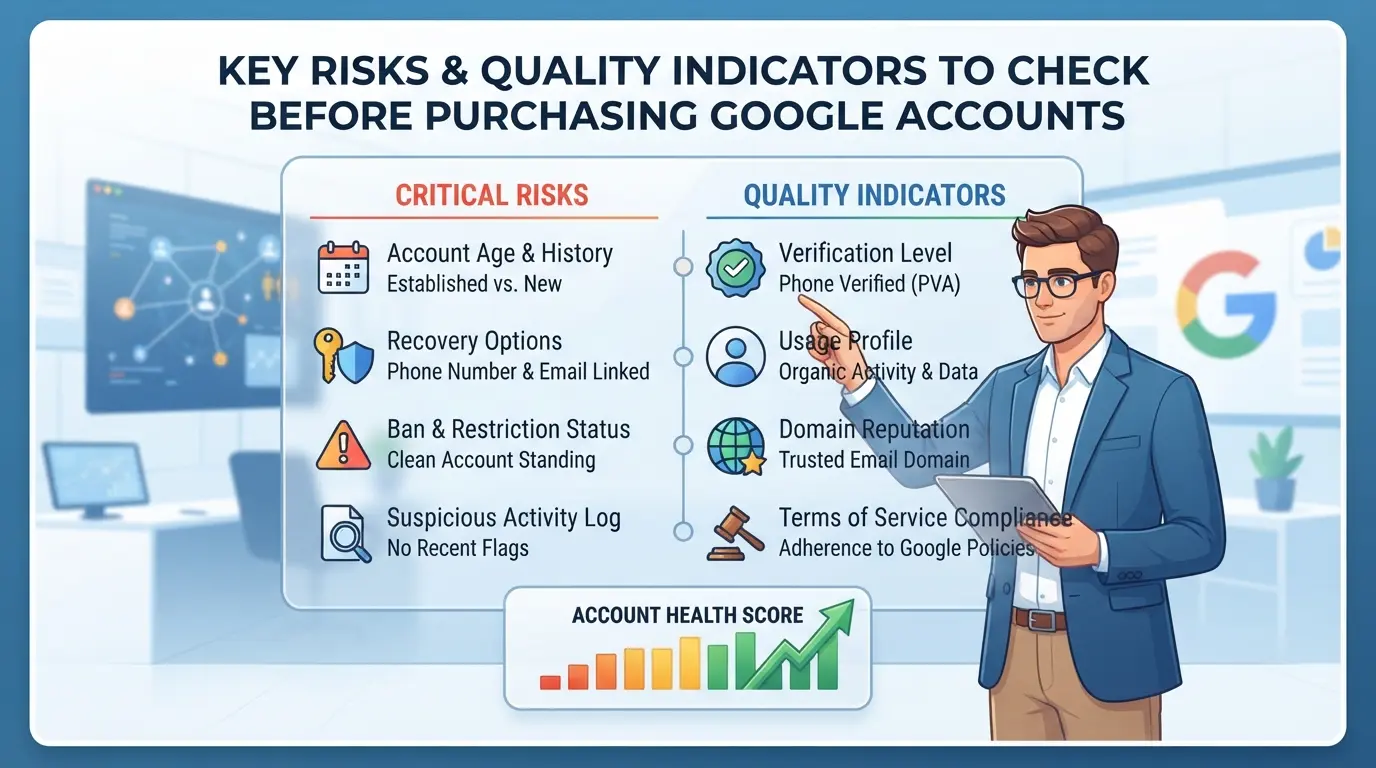
What key risks and quality indicators must be checked before buying a Google account?
When buying a Google account, focusing only on price and page information is much more likely to fail than expected. What truly affects whether the seller can use it stably afterward is whether the seller can prove control over the account, whether there are any abnormalities in the history, and whether the handover process is complete. If even one link is not properly investigated, it will be difficult to remedy it when it encounters restrictions or recovery later.
How do account age, activity, and historical behavior affect security?
The new or old account itself does not directly equal security; the key lies in its active history and behavioral trajectory. If an old account has not logged in for a long time or only performs scattered operations after batch registration, the risk is even higher than that of active new accounts. The more complete the activity record, the higher the platform's trust, and the risk of being controlled after buying noticeably decreases. Conversely, accounts registered in bulk but lacking real usage traces may seem cheap wholesale but are easily restricted in practice, or even banned in the short term.
Account history and activity records reflect security more than registration time; ignoring this often leads to problems after just a few days of use.
What are the seller's reputation, after-sales support, and common scams?
No matter how decent the seller's page is, it cannot replace verification during actual handover. Reliable sellers can usually prove control on the spot and cooperate with all recovery methods. The most common trick of fake sellers is luring them with low prices, urging payment during handover, and making excuses to refuse after-sales service.
Three mandatory checks before handover:
- Let sellers demonstrate live login + replace all recovery information—don't just look at screenshots
- Check for abnormal activity records on accounts (short-term multi-location logins, batch operations)
- Confirm a clear after-sales commitment and agree that no issues occur within 72 hours before completion is considered complete
As long as sellers avoid these three steps, the risk is generally very high. Many people suffer losses because they believe in "after-sales compensation" or "old customer recommendations" and fail to insist on completing all these steps.
The next question will get straight to the point: why are many accounts suddenly banned within a few days despite the handover being normal? Which details are most easily overlooked?
Why are some Google accounts banned so soon after purchase?
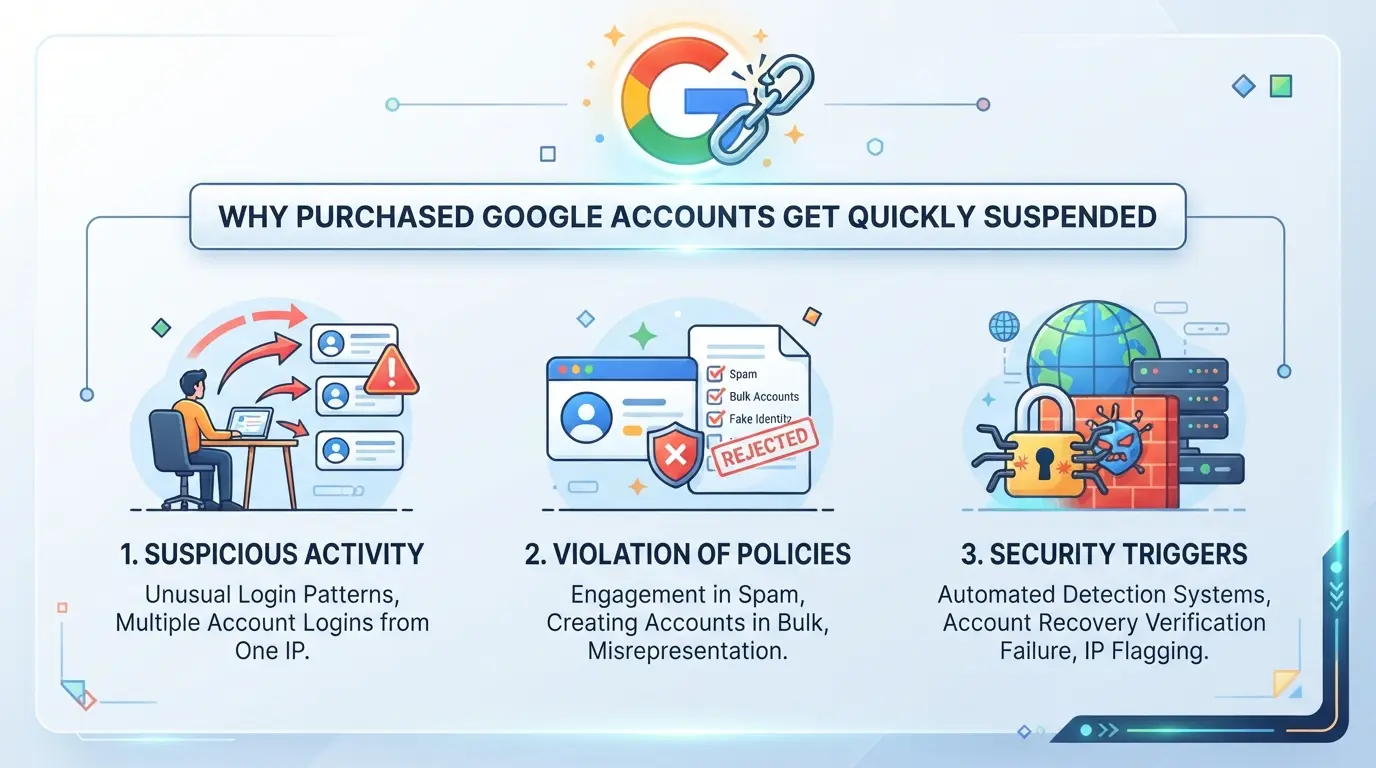
Accounts are fine right after purchase, but suddenly banned shortly after use. Most of the problems lie in migrating environments and batch operations. Many people only focus on whether they can log in, overlooking that environmental changes and behavioral patterns have long been monitored by risk control systems. In fact, Google accounts become invalid after purchase, usually not due to a single error, but because multiple details accumulate to trigger risk control.
How do environmental changes, IP anomalies, and fingerprint conflicts trigger risk control?
- After purchasing an account, logging in with a new device or a different regional IP makes it easy for Google's backend to recognize it as an abnormal migration.
- If the device's fingerprint (browser information, system environment) fluctuates significantly, it automatically triggers security verification, ranging from SMS verification to direct number lock.
- After bulk purchases, they operate on the same computer and browser profile, with duplicate fingerprints, and risk control instantly detects batch behavior.
Common misconceptions about batch account operations and repetitive behavior
Bulk buying Gmail or old Google accounts—many people log in with the same browser right from the start, or even import account lists for group control. On the surface, it seems efficient, but in reality, it's about actively linking all account activity tracks together. If one or two accounts are affected by risk control due to abnormalities, the rest are easily wiped out by the system. Some people use automated scripts to repeat the same operations, such as sending and receiving emails continuously, altering profiles, or passing verification. These highly similar behaviors are quickly identified by Google as abnormal users. The real pitfalls aren't "can't buy usable accounts," but ignoring environmental isolation and behavioral differences between accounts. As long as the environment isn't isolated during batch operations, even if everything goes smoothly at first, the risk of mass bans later often doubles
Ultimately, whether an account can be used normally after purchase depends on the environment and operating habits. Price or account age only partially affect initial stability, but the real risk control triggers are often hidden in seemingly harmless operational details.
What factors affect Google account prices? How to determine if the price is reasonable?
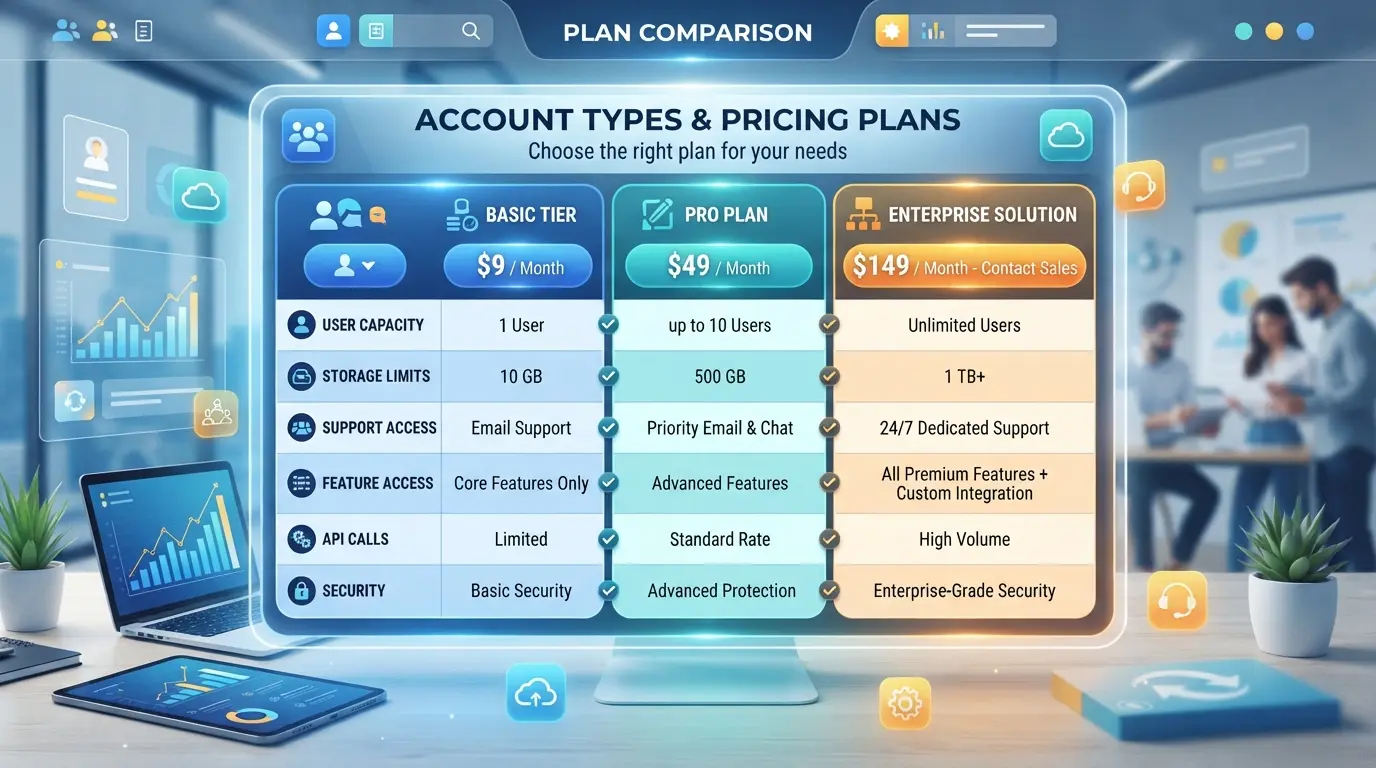
When people see the price price, many wonder if they've been ripped off. In fact, the core of account pricing isn't "the cheaper the better," but rather the more transparent the information and the cleaner the history, the lower the chance of future failures. A truly reasonable price reflects the account type, historical risks, and handover difficulty, not just the price posted on the page.
Account age, country/region, price differences between bound phone number and email type
Different types of Google accounts can have large price differences. Comparison with a table:
| Type |
Features |
Market Price Range (Common) |
| New registration number |
Few active records, batch registrations, and easy verification triggers |
8-15 yuan each |
| Old account (over 1 year) |
Authentic and active, clean history, often linked to a phone number |
40-90 yuan each |
| Specific countries/regions |
Some regions require registration, some business needs have scarce license plates |
15-50 yuan each |
New accounts are cheap, but batch registration has high risk control. Old accounts are expensive because their active history and binding information are more complete. For accounts in specific regions, the price mainly depends on demand and supply. In practice, when encountering ultra-low prices, it's often due to batch machine brushing or incomplete binding information, which carries significant risk for long-term use.
Differences in prices between wholesale and single purchase, automatic delivery and handmade numbers
Wholesale prices are usually lower than single purchases, but details are often overlooked during handover, especially for accounts with automatic shipments. If the reopening entry and binding information are not properly verified, the risk of being recovered or restricted is higher. Handmade accounts are a bit more expensive, but you can check details one by one. For bulk purchases, it's best to prioritize communication and handover processes.
When encountering accounts with abnormal prices, don't just look at the low price; first ask about the account's history and control to avoid falling into common scam traps.
What are the common scams when buying a Google account? How to effectively identify and avoid them?
In bulk account buying, low-priced old accounts, and "brand new Gmail" transactions, the common tactics are not simple fake accounts but fake shipments, fake warranties, and account recycling. The real buyers who fall into the trap are not those who never received their numbers, but those who can use the account normally on the handover day, only to find their accounts recovered by the original seller within days or the same information being sold repeatedly.
The main tactics include fake shipments, fake warranty coverage, and account recovery
Many sellers attract buyers with "instant in-stock shipping," only to receive a bunch of invalid or inaccessible accounts. Account recovery is even more troublesome. You think you have control but don't actually restore your email, phone number, or session clearance, so sellers can resell at any time, directly causing account loss of control, stolen funds, or data loss.
How to assess seller credibility through trading platforms, reviews, and communication methods
Some platforms seem highly rated and have large trading volumes, but fake orders, fake orders, and fake user reviews are not uncommon.
- Relying solely on good reviews makes it easy to be scammed; whether there are abnormal complaints in the platform's past transactions is even more crucial.
- The truly safe approach is to only trade with sellers willing to video and support phased handovers, and abandon those who refuse verification or payment urging directly.
After purchasing a Google account, how can you safely migrate and perform initial procedures?
When you first get your account, don't rush to log in to the new device. What you really need to do first is to set up an isolated environment, configure proxies, and sync account behavior. If you make a mistake, Google's system can easily detect abnormalities and directly trigger account bans or associated risk controls. The following steps can help you minimize your risk.
Environment isolation, proxy configuration, and device consistency operation procedures
- Operate your account using a brand-new browser or standalone environment (such as a virtual machine) to avoid mixing in historical traces and reduce association risks.
- Configure proxies that match your account's history, and prioritize IPs that match your account's registration location. If you are using bulk accounts purchased wholesale from Google accounts, never log in on the same node at the same time, or risk control will trigger chain events.
- When logging in, simulate existing device parameters such as operating system, resolution, and language, so the system doesn't suddenly detect major changes.
- If an abnormal login warning appears, stop the operation immediately and wait 24 hours before trying again. Forcing repeated logins will only worsen the restrictions.
Suggestions for changing passwords, binding a secure email, and secondary verification
- After logging in, immediately change your password to ensure the original seller cannot try to restore it with the old password. After completing the operation, record the new password.
- Bind your own secure email and completely replace the original binding information. If you find your email cannot be changed, it means control is incomplete, and it is recommended to deactivate this account.
- Enable secondary verification (SMS or email), so even if someone controls the recovery entry point, it's difficult to operate alone. This step is the most effective way to prevent the original seller from recovering the property.
- Check account recovery phone numbers and security issues, replacing all information with your own information to prevent remote resets.
How to batch manage multiple Google accounts and reduce association risks?
Migrating accounts separately is only the first step; what truly determines long-term stable batch operation is the subsequent management processes and operational details. Many people think that as long as they log into separate environments, everything is foolproof, but in reality, once you operate in bulk, switch accounts, or collaborate with multiple people, common risks of association and batch bans emerge.
Key processes for environmental isolation, independent proxy, and batch operations
- Each Google account uses a separate browser profile and cannot share the same browser or computer, avoiding mixing cookies and fingerprint information.
- When performing batch operations, each account must be assigned an independent proxy and cannot use multiple IPs. Switching accounts under the same proxy will quickly lead to risk control.
- Bulk logins, operations, or account imports are processed in batches. Too many operations at once are easily flagged as abnormal by the system, and the risk of batch account bans is extremely high.
Security advice for team collaboration and permission management
Once multiple members participate in account management, permissions and collaboration processes must be planned in advance. Common problems aren't about "whether to split permissions are used," but about who can modify which key items and who can see which account information. For example, if a member has the right to operate all accounts but lacks sufficient management standards, making it difficult to trace responsibility back when misoperated or maliciously operated. More commonly, people tend to import accounts into personal browsers, but if the computer gets infected or the account is leaked, all associated accounts are affected. The most effective approach is to assign each member the minimum necessary permissions and enable detailed operation logs so that anyone can trace everything exactly what they did. When accounts are abnormal or mass banned, having complete logs is necessary to immediately identify the source of risk, rather than everyone passing the blame. Many teams originally just wanted to save trouble, but the division of labor became chaotic, and the cost of remedies was actually higher. If collaboration processes are not transparent, when accounts encounter issues in bulk, tracing and recovery are extremely difficult.
This security habit may seem redundant, but when risk control or mass account bans arise, whether the problem can be quickly identified often lies in this point. If environmental isolation and batch management efficiency need to be improved later, professional tools can be used to further refine the process.
Implementing Multi-Google Account Security Management with DICloak: Practical Practice on Environment Isolation and Proxy Configuration
When operating Google accounts in bulk, environmental confusion and IP conflicts are most likely to cause accounts to be identified by the platform as having the same batch of operations. If you are already doing social media campaigns, account matrix, or batch login via Gmail, manually splitting environments and switching networks is not only inefficient but also has a high error rate. For operators, how to isolate the environment, configure fingerprints, and assign proxies all at once directly determines the security and difficulty of subsequent batch management. DICloak focuses on browser profiles and proxy access, making it ideal for scenarios requiring multi-account environment isolation and IP allocation. Here is the actual operation process:
Operation process for environment isolation and browser fingerprint settings
When managing accounts in bulk on the same device, without environmental isolation, information like browser fingerprints and system parameters can easily overlap, making it easy for the platform to identify multiple accounts as coming from the same source. The operations team can create a separate browser profile for each Google account on DICloak, with each environment configuring key fingerprint parameters such as operating system type, browser version, interface language, content language, time zone, screen resolution, font, and WebRTC behavior. For example, managing 10 accounts allows for 10 completely independent environments, each configurable and saved as a template for batch copying or grouping. This effectively isolates operational environments and reduces the risk of accounts being grouped from the same source. In actual work, even mixing environment configurations once greatly increases the probability of batch problems later. Environment isolation and consistency of fingerprint parameters are fundamental to stable multi-account bulk operation. DICloak only handles separate browser profile allocation and fingerprint configuration, without interfering with Google account management, content, or behavior.

Practical steps for proxy configuration and IP allocation
After environmental isolation, if all accounts still use the same exit IP, the platform may still identify them as the same operating entity. DICloak supports setting independent proxies for each browser profile. Users can manually enter proxy addresses, ports, accounts, and passwords, assign proxies directly from "Saved Proxies," or use APIs to batch extract proxies and check availability. After configuration, the built-in detection function displays each proxy's exit IP, geographic location, and time zone, making it easy to verify if the environment is consistent. If a proxy is reused in bulk or its location is abnormal, it is recommended to replace it promptly rather than waiting for account issues to check. Proxies are provided, selected, and tested by the operator. DICloak is only responsible for storing and applying proxy configurations; it does not provide proxy services or endorse proxy quality or compliance.

Frequently Asked Questions About Buying Google Accounts
Is it legal to buy a Google account?
The legality of purchasing Google accounts varies by country. In the US, EU, and other regions, transferring or buying or selling accounts may violate Google's terms and also involve privacy and security risks. In China, although market demand is high, compliance risks exist. Users should understand local laws to avoid account bans or legal disputes caused by violations.
Can I change the bound phone number or email after purchasing a Google account?
After purchase, you can try changing the bound phone number or email, but pay attention to the security verification process. Frequent changes may trigger Google security warnings, leading to account suspension. It is recommended to first confirm your account status and follow official procedures to avoid being judged as abnormal behavior and affecting account usage.
When buying Google accounts in bulk, how can you ensure each account is independent and secure?
When buying Google accounts wholesale in bulk, you need to configure independent proxies and environments for each account. Using different IPs and devices can prevent account association and reduce the risk of Google detection. Maintaining consistent operations and avoiding logging into multiple accounts simultaneously can effectively ensure account security and stability.
What scenarios can a Google account be used for after purchase?
After purchasing an old Google account, common uses include social marketing, advertising, registering overseas services, and team collaboration. For example, companies can manage ad accounts with multiple accounts, while individuals can access Google Cloud services or YouTube. Use accounts reasonably according to needs to improve business efficiency.
Does DICloak offer exclusive features for batch management of Google accounts?
DICloak supports multi-account environment isolation and proxy configuration, suitable for batch management of Google accounts. It helps users create independent environments for each account, but does not directly manage account content or objects. Users need to maintain their account information themselves to ensure security and compliant operations.
Now is the best time to optimize team collaboration security. Take immediate action based on your actual needs to improve information protection and communication efficiency. Download DICloak and start safer team collaboration
 Web Proxy Tools
 Free Tools
 Cookie Plugin
 UA Generator
 MAC Address Generator
 IP Generator
 IP Address List
 2FA Code Generator
 World Clock
 Anonymous Check
 WebRTC Leak Test
 UUID Generator
 Free Web Proxy Site
 Proxy Checker
 FB Ad Checker
 AI Web Scraping
 Free SMM Tools
 Twitter Shadowban Checker
 Instagram Name Checker
 UTM Generator
 Username Generator
 AI Hashtag Generator
 LinkedIn Headline Generator
 Social Media Image Resizer