It’s common for users to wake up and find their Instagram account suspended for no reason, no warning, no clear explanation, just a locked profile and a vague notice. Instagram’s automated systems can disable accounts even when you haven’t broken any rules. Reports on Reddit and Meta’s Help Center show thousands facing this problem every month. Sometimes, it’s a simple mistake: logging in from a new device, using public Wi-Fi, or connecting through a proxy that triggers Instagram’s security checks. Other times, the platform flags normal activity, like rapid liking, following, or posting, as suspicious and issues an instant ban. This leaves users stuck asking, “Why did Instagram suspend my account for no reason?” or “Why was my Instagram account disabled without warning?”
The real problem is that Instagram rarely tells you what caused the suspension. Appeals often go unanswered, and guessing at the issue only wastes time. Most guides focus on generic advice, but few explain what actually triggers these bans or how to fix the workflow so it doesn’t happen again. This guide breaks down the real causes behind unexplained suspensions, offers practical steps to recover your account, and shows safer ways to manage logins and activity so you can avoid getting banned with no explanation. Here’s what users and marketers are doing to keep their accounts running.
What Actually Causes Instagram Account Suspension When You Did Nothing Wrong?
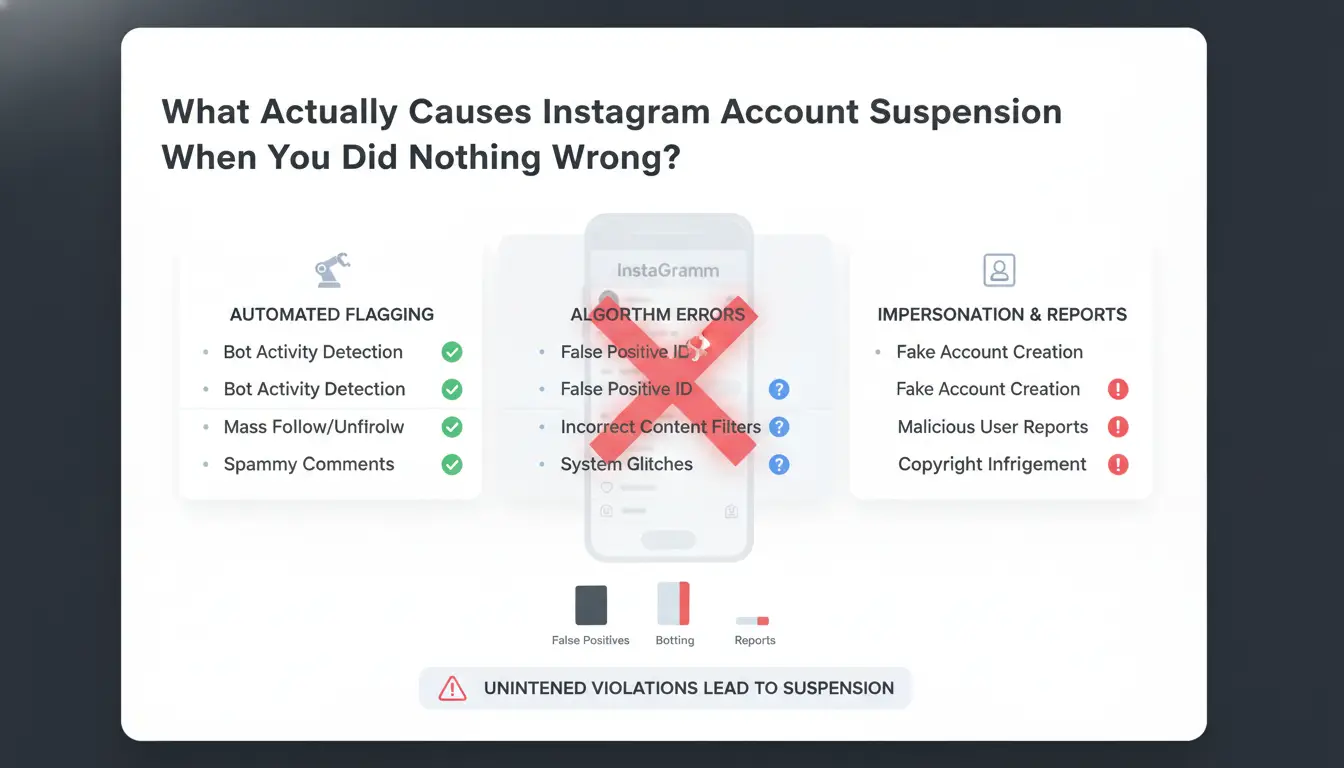
Instagram’s automated systems flag accounts every day, often with no clear warning. It’s common to see “instagram account suspended for no reason” or “instagram account disabled without warning” in forums and support threads. What looks like a random ban is usually a result of hidden triggers that most users never see coming.
Algorithmic Detection and Trust Scores
Instagram uses a trust score system that constantly rates each account’s safety based on actions, device info, and past behavior. Even if you follow the rules, a sudden spike in activity, like logging in from new devices, mass following, or posting too quickly, can drop your trust score. This triggers automated reviews or suspensions, often with no explanation. Innocent accounts get flagged when their login patterns or actions look similar to bots or known spammers. For example, logging in from several cities in one day or using a device with a flagged browser fingerprint may set off internal alarms. Instagram rarely explains these details, so users are left confused when “instagram suspended my account for no reason.”
Device, IP, and Browser Fingerprint Risks
Instagram tracks your device, IP address, and browser fingerprint to spot unusual patterns. If you switch devices, use public Wi-Fi, or share accounts across different locations, the system can see this as suspicious. Common mistakes include logging in from a new phone right after using another device, or sharing one account with several people without precautions. These actions break normal patterns and may cause an “instagram ban with no explanation.” Using the same browser fingerprint or IP for multiple accounts also raises risk, especially for marketers or teams.
The trigger for most unexplained bans is a mismatch between your usual patterns and sudden changes Instagram’s system sees as threats.
Why Instagram Suspends Accounts for No Clear Reason: Hidden Patterns and Mistakes
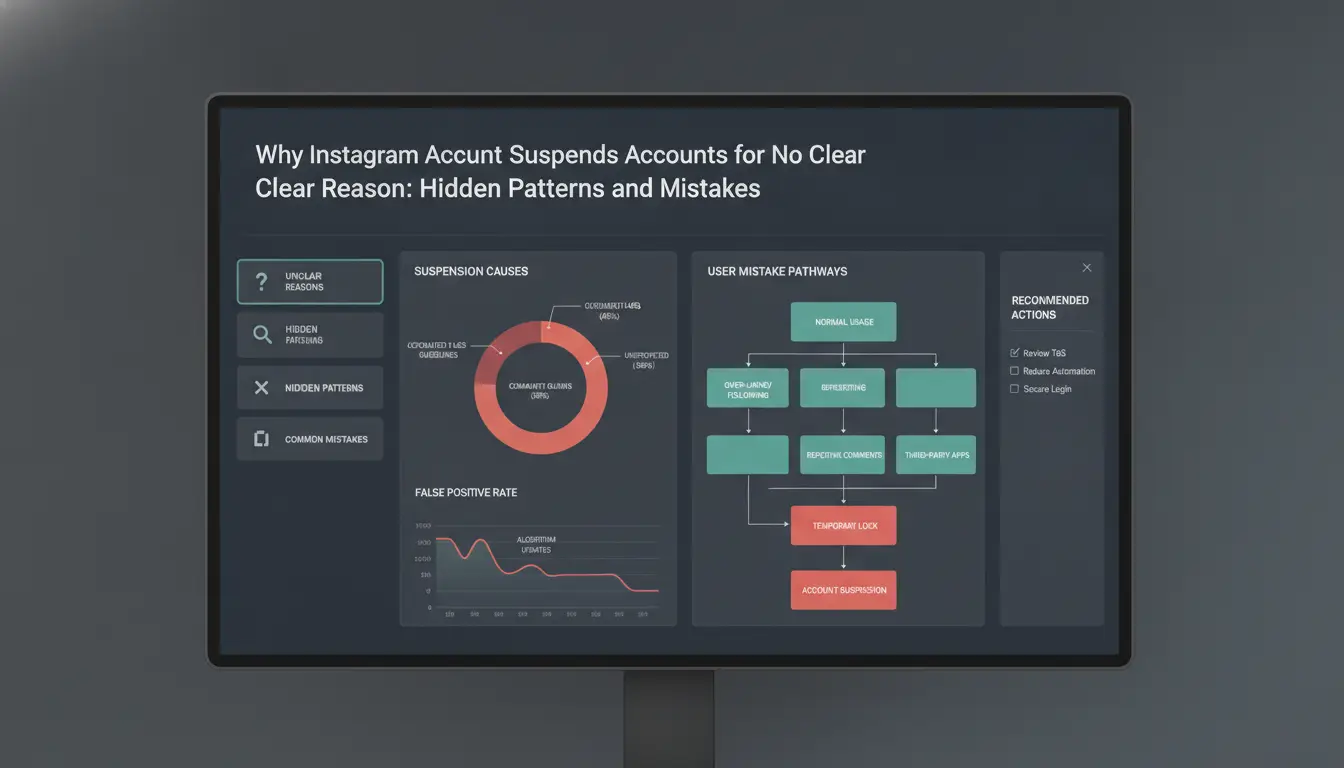
Getting your Instagram account suspended for no reason is common, but the real cause often hides in your daily habits or behind-the-scenes glitches. Instagram's automated systems look for patterns that seem suspicious, even if you had no bad intent. When bans hit, users often see only a generic message like "instagram account disabled without warning," with no useful detail. Here’s what actually triggers these unexplained suspensions and what you can do about it.
Suspicious Activity Patterns You Might Not Realize
Instagram tracks how quickly and often you perform actions. Doing too much, too fast, such as liking, following, or commenting at a speed that looks unnatural, can flag your account. For example, following 50 new profiles in a few minutes or posting the same link across many accounts looks like bot activity. Sudden changes in your behavior, like going from barely posting to sharing 20 photos in a day, can also set off alarms.
Repeated logins from different cities or countries in a short period are another warning sign. If you access your account from New York in the morning and then from Berlin a few hours later, Instagram may suspect your account was stolen and lock it down. Sometimes, using certain automation tools or cheap proxies causes your device fingerprint to change, which triggers an "instagram suspended my account for no reason" message.
Mistaken Suspensions and Mass Reporting
Instagram’s systems also react to mass reporting. If a group decides to report your account, even if you did nothing wrong, the automated checks can freeze your profile. This often happens during heated debates, viral posts, or when competitors want to take down your marketing page.
Mistaken suspensions happen when algorithms misread normal behavior as spam or abuse. If you’re caught by a false positive, use the appeal process, but don’t expect a fast reply. Having a backup plan for account recovery and using safer workflows can help you avoid an instagram ban with no explanation. For advanced users, setting up unique device profiles and stable proxies reduces these risks, see Instagram's Help Center and DICloak for social media account safety for more.
Types of Instagram Suspensions and What Each Means for Your Account
Getting your Instagram account suspended for no reason can feel random and unfair, but not all suspensions are the same. The type of restriction you see determines what happens next and how likely you are to get your account back. Here’s what each kind means and what you can expect.
Temporary vs Permanent Suspension
A temporary suspension usually locks you out for a few hours or days. Instagram may say your account is "temporarily locked" due to unusual activity, failed logins, or flagged behavior. If this happens, you’ll get a message when trying to log in. Most of the time, you can recover by following the instructions, confirming your identity, and waiting it out. Accounts often come back within 48 hours, but repeat issues can make these blocks last longer.
A permanent suspension means Instagram has decided to remove your account entirely. You’ll see a notice that your account has been disabled, often with little detail. Recovery here is rare, especially if Instagram says your account was disabled without warning or for breaking their terms. Appeals are possible, but many users report that their requests go unanswered. If you see "instagram account disabled without warning," expect a much lower chance of getting the account back.
| Type |
How Long |
Recovery Chance |
| Temporary |
1-48 hours (sometimes up to 7 days) |
High (if you follow instructions) |
| Permanent |
Indefinite |
Low (appeal unlikely to work) |
Action Blocks and Soft Restrictions
Not every block is a full ban. Sometimes, Instagram stops you from liking, following, or commenting. These "action blocks" can last a few minutes to several days. You may see pop-ups like "Try again later" or "Action blocked." Soft restrictions are even harder to spot, your posts get less reach, or your stories don’t show up to followers. You might not even know you’re hit until you notice a sudden drop in activity.
If you keep running into "instagram suspended my account for no reason" or "instagram ban with no explanation," review your recent actions. Fast changes in device, proxy use, or bulk activity often trigger these blocks. The safest way to reduce these risks is to slow down, change one thing at a time, and avoid using the same device for multiple accounts.
How to Appeal an Instagram Suspension and Recover Your Account Step-by-Step
Instagram bans can feel random. Many users find their instagram account suspended for no reason, sometimes with no warning or clear cause. To give yourself the best shot at recovery, you need to move quickly and follow a clear process.
Documenting Your Suspension and Preparing Evidence
As soon as you see the suspension notice, take screenshots of every message and error. Save the exact wording Instagram shows, this can matter later, especially if your instagram account was disabled without warning. Also, note the time, your device, and any actions you took just before the ban. Keep these files organized in a folder.
Next, write a short, honest timeline: what you did leading up to the ban, and if you noticed anything strange (like failed logins or odd activity). If Instagram suspended your account for no reason you can see, say so clearly in your appeal. Avoid guessing or blaming Instagram, just stick to facts.
Using In-App and Web-Based Appeal Flows
Start with the in-app appeal. Open Instagram and follow any on-screen prompts to "Request a Review." If you can't log in, try using the Instagram Help Center on the web. Fill out the appeal form with your details, attach your evidence, and check your email daily. Instagram sometimes sends a code to verify your identity, respond fast, as links can expire within hours.
If days pass with no answer, resubmit your appeal through the official form. Repeat every 48 hours if needed. Many users report success on the third or fourth try, even after an instagram ban with no explanation.
The most important step is to keep clear records and respond quickly at every stage. This makes your case stronger and shows Instagram you are a real user, not a bot.
How to Prevent Future Suspensions: Safer Multi-Account Workflows and Device Hygiene
Managing Multiple Accounts Without Triggering Suspicion
Running more than one Instagram account on the same phone or computer is risky, one wrong move and you might see “instagram account suspended for no reason” on every login. The core issue is account isolation. If Instagram detects two profiles using the same device fingerprint, IP address, or session cookies, both can get flagged or banned.
Don’t switch between accounts in the same browser or app without clearing all data. Shared devices often leave hidden traces, like autofill or browser fingerprints, connecting your accounts. Instead, keep each account in a separate browser profile or use different user accounts on your computer. For teams, make sure everyone logs in from their own setup. This stops Instagram from linking your accounts together, so a suspension on one doesn’t pull down the rest.
Device, Proxy, and Browser Hygiene Tips
Device hygiene means acting like each Instagram account belongs to a real, separate person. That means creating clean browser profiles, assigning a unique proxy to each account, and never reusing the same IP for multiple logins. Rotate your setup so you’re not always logging in from the same location or device.
The most common reason for an “instagram account disabled without warning” or “instagram suspended my account for no reason” is sloppy reuse of devices, IPs, or browser profiles. For safer management, you can use DICloak’s multi-profile browser to separate accounts, bind each to a different proxy, and track activity with audit logs. This keeps your workflow clean and reduces risk.
If you’re managing at scale, draw a simple chart mapping each account to its device, proxy, and user. Any overlap is a weak spot. Clean up old sessions, keep backups, and never log in from untrusted devices. These habits stop unexplained bans and help you avoid the stress of an “instagram ban with no explanation”.
How DICloak Helps Social Media Marketers Avoid Instagram Suspensions
Instagram bans often come without warning or clear reason, one day you log in and see your instagram account suspended for no reason. Most of the time, it’s not about posting something wrong, but about Instagram’s automated detection seeing multiple accounts sharing device fingerprints, IP addresses, or odd activity patterns. Tools like DICloak let you fix these workflow risks directly.
Isolated Browser Profiles and Custom Fingerprints
You can use DICloak to create isolated browser profiles for each Instagram account. Every profile gets a unique fingerprint, making it look like a separate device. This breaks the link Instagram uses to connect accounts and trigger bans like “instagram suspended my account for no reason.” With each account running in its own environment, the risk of Instagram disabling your account without warning drops sharply.
Flexible Proxy Integration and Team Collaboration
DICloak lets you set up proxies for every account, so IP addresses never overlap. You can also share profiles with teammates while controlling their permissions. This keeps accounts safe even when multiple people manage logins, avoiding Instagram bans with no explanation.
Automation and Bulk Operations for Efficient Account Management
RPA tools inside DICloak automate repetitive actions, like daily posting or liking, so your accounts act naturally. Bulk profile tools scale this safely, reducing manual mistakes that often trigger bans.
Common Mistakes That Lead to Repeat Suspensions and How to Fix Them
Instagram’s system is quick to flag patterns that look risky, even if you think your account is clean. If you keep finding your instagram account suspended for no reason, or you see “instagram account disabled without warning” messages, you’re likely making one of these mistakes over and over. Fixing them takes more than just appealing a ban, you need to change how you manage devices and actions.
Overlapping Devices and Accounts
Instagram tracks device fingerprints and login locations. When you log in to several accounts from the same phone or browser, especially if those accounts have very different histories, it’s a strong signal that you might be running fake accounts or automation. That’s why so many users say, “Instagram suspended my account for no reason,” when the real trigger is behind the scenes.
To avoid bans, never let business and personal accounts mix on one device. Use separate browser profiles with different proxies for each account. If you handle more than three accounts, tools like DICloak let you set up isolated environments and keep device fingerprints separate. This stops Instagram from linking your accounts and flagging your activity as risky.
Ignoring Activity Limits and Content Guidelines
Most bans without warning happen after users cross invisible lines on likes, follows, or posts. Instagram doesn’t publish the exact limits, but real users notice trouble after more than 100 follows, 200 likes, or 20 comments per day on new accounts. Posting the same link, image, or text across accounts is a common reason for an instagram ban with no explanation.
Track all actions in a simple spreadsheet or use a tool that logs activity per account. Avoid copy-pasting the same message or link. Check Instagram’s guidelines to see which content types are often flagged, such as adult material, fake giveaways, or mass DMs. The fastest way to stop repeat suspensions is to change your habits before the system catches on.
Best Practices to Keep Your Instagram Accounts Safe Long-Term
Instagram bans often come out of nowhere, leaving users with messages like “instagram account suspended for no reason” or “instagram account disabled without warning.” While appeals rarely fix the issue, ongoing habits can make the difference between a stable account and one that vanishes overnight. Below is a checklist of practical steps to reduce risk and keep your account healthy.
Routine Account Security and Hygiene
Everyday security habits matter more than most people think. Always use strong passwords that aren’t reused from other sites, and change them regularly, especially after logging in from a new device. Two-factor authentication (2FA) is a must, as it blocks most common attacks before they start. Make sure your backup email and phone number are current. Check devices and browsers that have access to your account in the Instagram settings. If you spot an unknown device or browser, remove it immediately. These steps block simple takeovers and reduce the chance your account gets flagged as suspicious.
Monitoring and Responding to Suspicious Activity
The fastest way to stop an “instagram ban with no explanation” is to catch problems early. Watch for sudden login attempts, password reset emails you didn’t request, or new followers with odd profiles. If Instagram suspended your account for no reason, you likely missed one of these signs. When you notice anything unusual, change your password right away and review your account’s login history. If your account is disabled without warning, appeal through the Instagram help center, but don’t rely on a quick response. For marketers and teams, using tools like DICloak can help isolate each account and manage logins safely, making it harder for Instagram’s systems to spot unusual activity. Catching warning signs early and acting fast is the single best way to avoid losing access for good.
Frequently Asked Questions
Why did Instagram suspend my account for no reason?
Instagram sometimes suspends accounts because its systems detect unusual activity. Hidden triggers include a bad device/IP reputation, mass reporting by other users, or algorithmic detection of spam-like behavior. Even if you didn’t break any rules, these factors can cause your instagram account suspended for no reason. Always check your login devices and avoid risky third-party apps.
Can I recover a suspended Instagram account if I didn’t violate any rules?
Yes, you can appeal if your instagram account disabled without warning. Start by submitting an appeal through the Instagram app or Help Center. Prepare evidence like screenshots showing normal activity. Be clear and polite in your explanation. If your appeal is strong, Instagram usually reviews and restores accounts within days or weeks.
How long does an Instagram suspension last?
Instagram suspensions can be temporary or permanent. Temporary suspensions often last from a few hours to several days. Permanent bans mean your account is gone for good. Sometimes, there’s a “soft” suspension, features like posting or commenting are limited until you resolve the issue. Always check your email or app notifications for details.
Using one device for several accounts can raise risk. Instagram may link accounts and flag suspicious activity, leading to instagram ban with no explanation. To stay safe, use different email addresses, avoid logging in and out too often, and keep your device free of malware. Consider separate devices for business and personal accounts.
What should I change after my account is recovered to avoid another suspension?
Once your instagram account suspended for no reason is restored, change your routine. Use trusted devices and secure Wi-Fi. Avoid third-party tools and bots. Keep your posting schedule steady and avoid mass following or liking. Monitor your account for any strange activity, and update your password regularly to protect yourself.
Facing an unexpected Instagram suspension can be both confusing and frustrating, especially when there seems to be no clear explanation. Staying informed about platform policies and exploring alternative tools can help safeguard your online presence. Try DICloak For Free
 Web Proxy Tools
 Free Tools
 Cookie Plugin
 UA Generator
 MAC Address Generator
 IP Generator
 IP Address List
 2FA Code Generator
 World Clock
 Anonymous Check
 WebRTC Leak Test
 UUID Generator
 Free Web Proxy Site
 Proxy Checker
 FB Ad Checker
 AI Web Scraping
 Free SMM Tools
 Twitter Shadowban Checker
 Instagram Name Checker
 UTM Generator
 Username Generator
 AI Hashtag Generator
 LinkedIn Headline Generator
 Social Media Image Resizer







-3.png?x-oss-process=image/interlace,1/format,webp/quality,q_75)