You run into the codex usage limit much sooner than expected, even when your workload hasn’t changed. One minute you’re working through a normal coding session; the next, the codex credits are used up fast and your assistant stops responding until the quota resets. It feels like the limit is shrinking, but the real problem often hides somewhere else.
Sharing accounts across a team or using browser automation can make the codex limit exhausted too soon, even if everyone thinks they’re being careful. Sometimes, a single script or forgotten tab eats through your credits before you realize what’s happening. If you’re mixing work and personal projects, or if multiple people use the same login, the system doesn’t care, every request counts the same.
What trips up most users isn’t just the number of prompts, but hidden factors: background tabs, automated tools reusing sessions, and even browser fingerprint mismatches that trigger extra usage. Skipping logout, keeping idle tabs open, or using shared proxies can all drain your quota faster. Fixing this means tracking down where the usage spikes come from and plugging the leaks at the workflow level, not just by buying more credits.
Here’s how to spot the real causes and keep your codex limit from running out so fast.
What Actually Counts Toward Your Codex Limit in 2026?

If you’re asking why your codex limit runs out so fast, the answer usually comes down to what gets counted as usage, every prompt, code run, and file upload adds up. It’s not just the obvious big actions; even background requests and “hidden” completions can use credits before you spot the drain.
Which Actions Consume Codex Credits?
Every time you submit a prompt or request a completion, you use credits. Code generation tends to use more credits than plain text because the engine processes more data. Uploading files or running advanced features, like batch code review or document parsing, also burns through your limit quickly.
How Are Limits Calculated for Each Plan?
Free and paid codex plans use different calculation windows and reset logic. Free plans often cap usage by the hour or day, with strict throttling if you hit the ceiling. Paid plans claim higher limits, but behind the scenes, “soft” caps and throttling kick in once you approach the advertised max. For example, you might see your daily quota reset at midnight UTC, but hitting the hourly burst cap at 53 minutes past the hour will still block new requests until the next cycle. What really catches people off guard are background jobs, long-running completions, multi-tab sessions, or API calls that overlap can all eat credits outside your main workflow. If you’re sharing a login across devices or letting tools keep multiple sessions active, you’ll often find your codex usage limit runs out quickly even if you thought you were under budget.
What Changed in 2026 Codex Usage Policies?
- Hourly windows now strictly enforce burst caps, not just daily totals.
- Model updates in March 2026 increased credit cost for code-heavy requests.
- Usage tracking now counts background session requests and partial completions toward your quota.
If you’re used to last year’s rules, these changes mean the same activity drains credits faster than before. That’s why so many users now find their codex limit exhausted too soon, even with habits that felt safe in 2025.
Ready to see why the drain feels even faster? The next section breaks down the hidden reasons codex limits vanish before you expect.
Why Does Your Codex Limit Run Out Faster Than Expected?

Many users hit their Codex cap sooner than they planned, even when they think they're careful. The main problem isn’t just how often you prompt, but where invisible or background usage eats up credits. If your codex limit runs out fast, odds are one of these common causes is hidden in your workflow.
High-Volume or Repetitive Requests
Bulk code generations or running scripts that loop through prompts can drain your quota in minutes. Even a single misconfigured bot or browser extension may fire off more API calls than you realize, sometimes hundreds or thousands overnight.
Team or Shared Account Usage
Sharing a Codex account looks easy, but it nearly always means the usage meter spins much faster. One developer running test cases is predictable. Add a team, and suddenly every background process, draft, or forgotten tab counts against the same pool. Picture this: three people work late, each with three tabs open, all logged in under one account. Even if they only mean to run a few prompts, idle tabs and auto-refreshes rack up requests. Some platforms don't show per-user breakdowns, so you only see the total dropping, never who caused the spike. The worst cases happen when team members assume someone else is monitoring usage or when someone forgets to log out on a shared machine. If two users trigger a code generation at the same time, both requests count. This overlap can easily double or triple consumption without any warning. For teams, the risk isn't just running out of credits, but also losing track of who actually needs them most.
Model and Feature Upgrades
- Switching to a higher-capacity model usually costs more credits, sometimes double per request.
- New features like advanced debugging or longer context windows can use up your quota faster than basic prompts.
- Backend changes (like silent model upgrades or credit pricing adjustments) may raise usage rates without clear notice, catching users off guard.
When these factors combine, your codex usage limit can disappear much faster than you expect, even if you’re not running huge jobs yourself. If your limit is dropping fast and you can’t see why, check for background activity, shared sessions, and any recent shift to premium features. The next section breaks down the most common mistakes that cause limits to vanish before you realize it.
What Common Mistakes Cause Codex Limits to Disappear So Quickly?
Most users drain their codex limit by leaving activity running in the background or not realizing how every session counts against their quota. Even careful users get tripped up by small oversights that add up fast.
Leaving Sessions Open or Unattended
Forgetting to close old browser tabs or scripts means codex credits keep getting used even when you think nothing is happening. If you open a tab to check something and walk away, background requests can pile up and burn through your limit. Scripts running in the background, especially those set to auto-refresh, will keep sending requests until you notice. The fastest way to waste credits is letting unused sessions run for hours.
Not Tracking Usage Across Devices
- Check if you’re logged in on both your phone and computer at once.
- Make sure teammates aren’t using the same login at the same time.
- Keep a simple list of which devices have active sessions.
Misunderstanding Plan Limits and Resets
Assuming each browser or device has its own quota is a common mistake, limits are usually tied to the account, not where you log in. Missing a reset window or not knowing when your limit refreshes can also make it feel like your credits vanish overnight.
- Confirm if your codex plan tracks usage per account or per device.
- Record the exact date and time your quota resets.
- Double-check if any automated process is set to run right before your reset window (those can eat the new limit before you notice).
It’s usually not the big, obvious requests draining your codex credits, but small leaks across devices and forgotten sessions. The next step is plugging those leaks so your limit lasts longer.
How Can You Slow Down Codex Usage and Make Credits Last Longer?
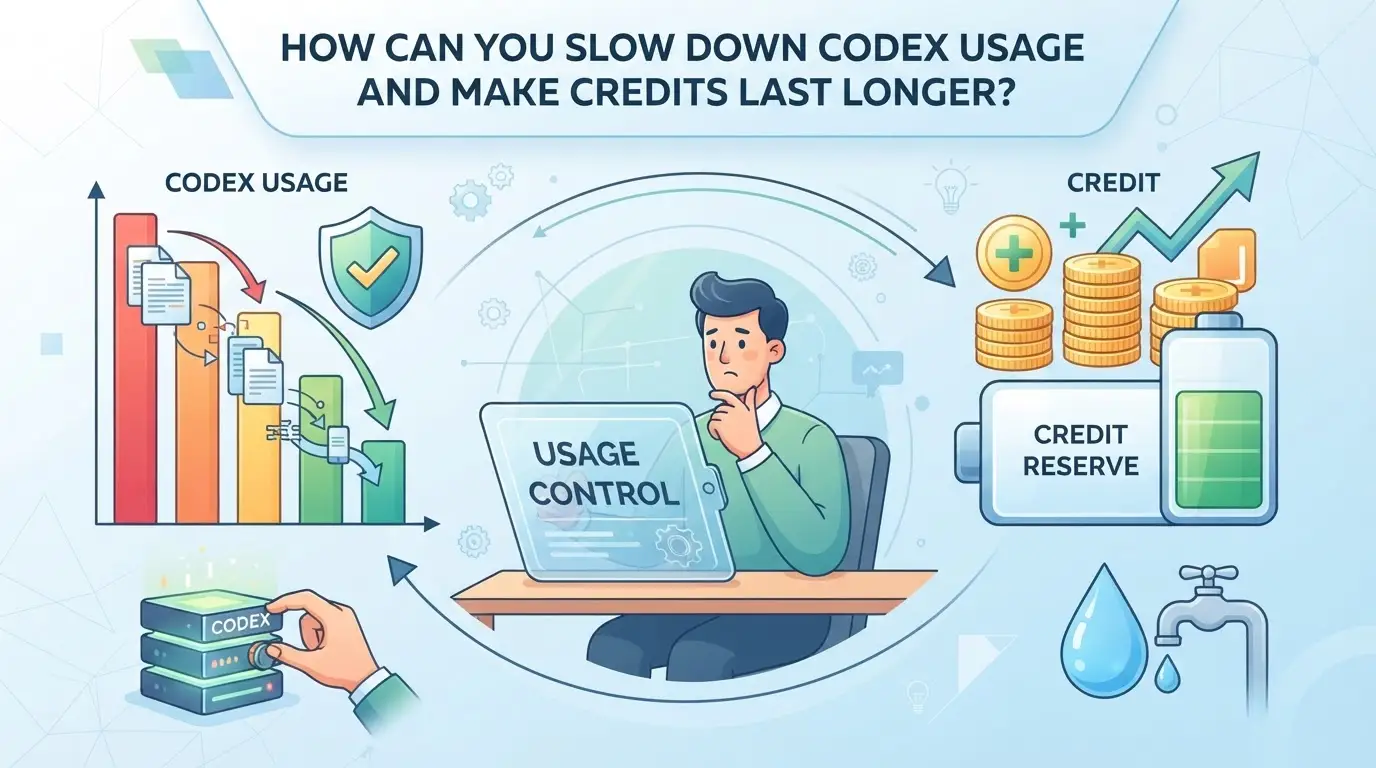
You can stretch your Codex credits a lot further by making small changes to how you work. Most limits vanish not because of a few big tasks, but because of constant, low-value requests stacking up unnoticed. Here’s how to cut the waste and keep your usage under control.
improve Your Prompting and Request Habits
- Batch similar prompts together, Running five separate requests for code snippets eats more credits than asking for all at once. If you can, combine tasks and send bigger, single requests.
- Check for accidental repeats. Hitting “run” twice, or refreshing a page with auto-submit, doubles your usage without any extra value.
- Avoid “just-in-case” queries. If you’re sending prompts for every minor change, you’ll watch your credits drain for little payoff.
Monitor Usage with Built-In Tools
- Open your Codex dashboard to view real-time usage stats. Most platforms show daily and monthly breakdowns, if you spot a spike, dig into which actions triggered it.
- Set up alerts for high usage. Some platforms let you get an email or on-screen warning when you’ve used a set percentage of your limit.
- Review your usage logs once per week. This makes it easier to catch background tasks or extensions quietly burning through credits.
Coordinate Team Access and Sessions
- Assign time slots or project windows for each team member. Overlapping work means two people might burn credits on the same task.
- Use shared documents for drafts. If everyone tests prompts solo, you’ll waste credits on nearly identical requests.
- Track who logs in and when. If you see usage spikes after hours, someone may be running scripts or leaving sessions open by mistake.
Choose the Right Plan for Your Needs
- Compare your average monthly usage to your current plan’s cap. If you hit limits every week, it’s time to revisit your plan, upgrading may save frustration.
- Use the table below to line up each plan’s limit against your actual workflow. Sometimes a small step up in pricing prevents far more expensive interruptions.
| Plan Name |
Monthly Credit Limit |
Intended User Type |
Price (USD/month) |
| Starter |
1,000 |
Solo, light use |
$10 |
| Growth |
5,000 |
Small teams |
$30 |
| Pro |
20,000 |
Agencies/enterprises |
$95 |
Caption: Codex plan limits as of 2026. Source: official Codex pricing page.
If you’re still asking “why does codex limit run out so fast” after all this, the real problem is probably hidden background usage or repeated work you haven’t tracked yet. Next, you’ll want to look at how to share Codex accounts without draining your team’s credits overnight.
How to Share Codex Accounts Safely Without Burning Through Limits
When teams share the same Codex login without coordination, usage spikes fast and credits vanish before anyone notices. This also exposes private data and raises the risk of unwanted changes.
Best Practices for Team Usage
Centralize all access through one session manager or browser profile so everyone’s actions are tracked. Set a clear rule: keep only one active session per person, and close idle tabs after use. If you skip this, one forgotten tab can quietly drain your team’s entire monthly quota overnight.
When a Dedicated Account or Profile Makes Sense
- Your group has a mix of heavy and light users
- You need to split work by project or client
- You’ve had surprise overages from shared logins
By separating usage, you can pinpoint who’s burning through limits and avoid “why does codex limit run out so fast” moments.
How Teams Can Share Platform Accounts More Securely and Efficiently with DICloak
If you’re working in a team and notice your codex usage limit runs out quickly, sharing platform accounts across multiple devices or people is often to blame. Even careful teams hit problems, one person’s background tab or mismatched browser setup can burn through credits or trigger security flags. For teams that need to share platform accounts but want to avoid these headaches, DICloak brings a more consistent, permission-based workflow. The scope here is local: DICloak manages browser profiles, not Codex’s usage system or limits.
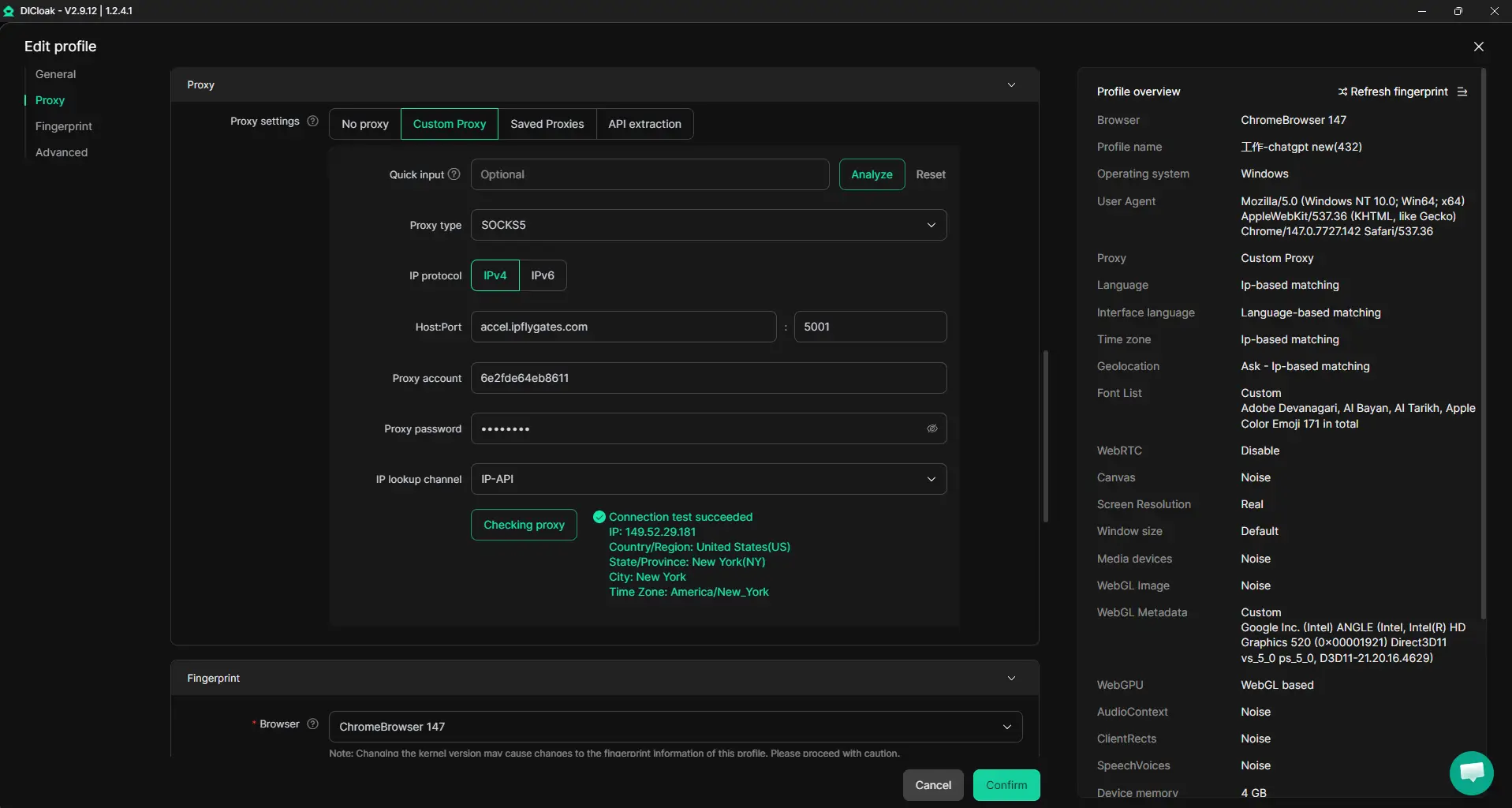
Keep Team Access Consistent with Unified IP and Fingerprint Settings
Teams can set up one shared browser profile in DICloak for a platform account, then configure a user-chosen proxy on that profile. Every authorized member who opens this shared profile uses the same browser fingerprint and proxy route, so the environment stays consistent no matter who logs in. This only works if everyone uses the same shared profile and proxy, different profiles or skipped proxy steps will break consistency. It does not guarantee the platform will treat all sessions as one user.
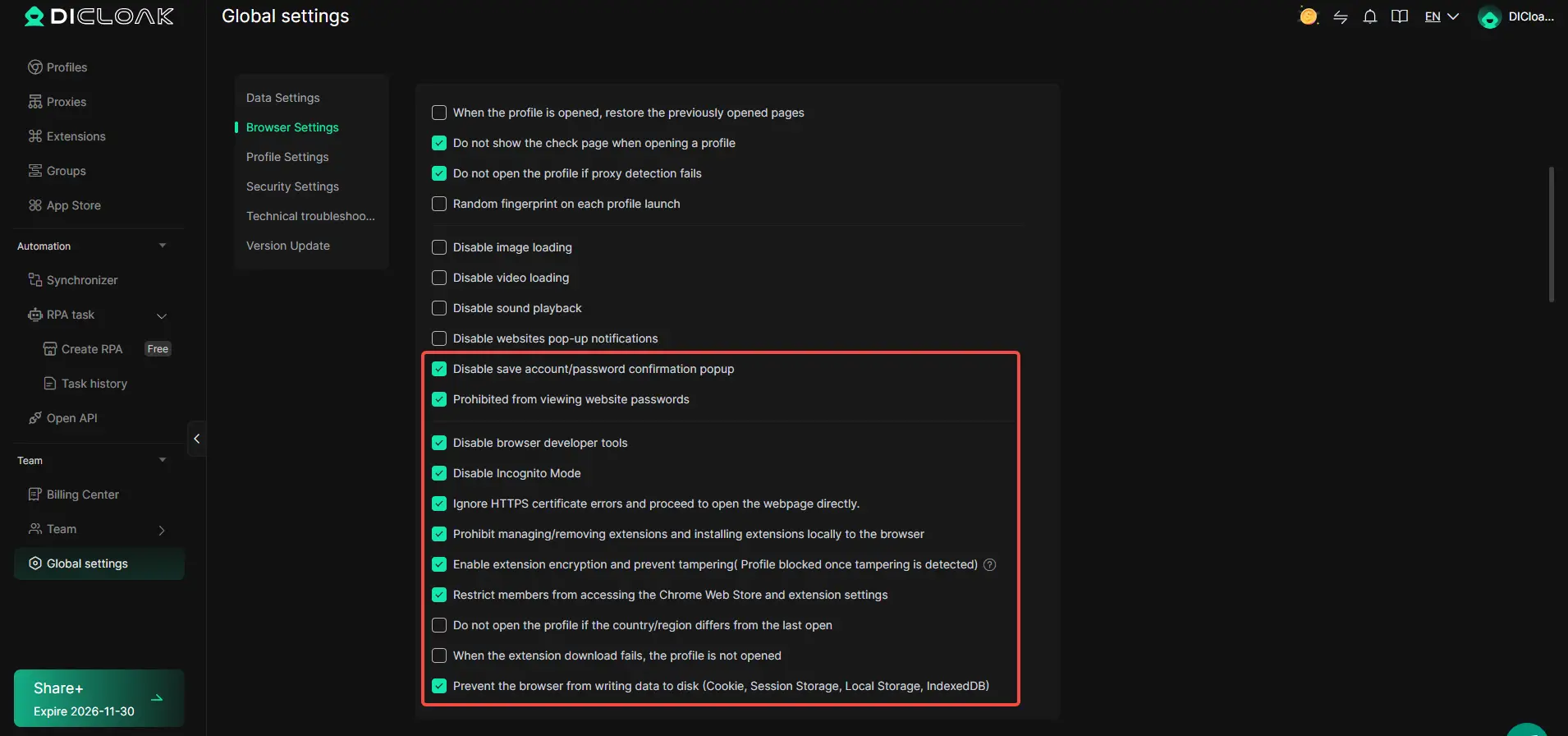
Browser-Profile Access Controls for Shared Account Workflows
Admins can use DICloak security settings to cut down on the risk that passwords, cookies, or sensitive pages get copied or leaked during team access. For example, you can turn off website password prompts, block developer tools, encrypt cookies (on Share+), and lock access to credential pages before handing the profile to other team members. The scope is limited to browser-profile access; it does not change the connected SaaS tool.
Team Permissions for Assigned Browser Profiles
Not every member needs full access. Admins can create groups, assign which profiles each group can open, and hide unneeded fields or functions from regular users. This setup keeps operational control tight and separates roles, but these permissions only apply inside DICloak, not on the actual platform account.

Handled correctly, this workflow reduces accidental leaks and wasted usage, so if your codex limit still runs out too fast, it’s time to check for other hidden usage sources.
What to Do If Your Codex Limit Runs Out Too Fast: Troubleshooting and Next Steps
Running out of codex credits faster than expected usually points to a leak in your workflow or an access issue. Here’s how to track down the problem and what to do next.
Check for Usage Anomalies and Unauthorized Access
- Open your codex account activity log, scan for sessions or devices you don’t recognize.
- Check timestamps for usage spikes; a sudden jump often means a script or tool went rogue.
- Look for logins from unexpected locations, if you spot any, change your password right away.
- If you see activity during hours you weren’t online, someone else may be using your credits.
Contact Support and Document Your Case
- Take screenshots of the suspicious usage from your activity log.
- List any tools or browser extensions you’ve used recently that could trigger extra requests.
- Open a ticket with support, attach your evidence, and explain the timeline, clear details speed up reviews.
- Escalate if you don’t get a response in 48 hours; persistent issues sometimes need a second review.
Consider Upgrading or Adjusting Your Workflow
- If your team size or automation has grown, moving to a higher codex plan may be cheaper than constant overages.
- Audit who really needs account access, removing idle users helps credits last longer.
- If you can’t adjust usage, set up request caps to avoid wasting credits when something goes wrong.
Frequently Asked Questions About why does codex limit run out so fast
Why does my Codex limit run out so fast even with minimal use?
Your Codex limit may run out quickly due to hidden background activity, automatic syncing, or processes running in the background. Team sharing can also drain credits if others are using the account. New model policies might use more credits per request, causing your limit to decrease faster than you expect.
Does sharing my Codex account with others use up my limit more quickly?
Yes, sharing your Codex account with teammates or across multiple devices can quickly use up your credits. Every prompt or session counts against the same limit, so if several people are active, credits will be consumed much faster than with solo use.
How can I check what used up my Codex credits?
You can review your usage dashboard and session logs in the Codex admin area to see what actions consumed your credits. Look for high-usage sessions or team activity. This helps you identify if background scripts, repeated prompts, or another user caused your credits to drop quickly.
Can I get my Codex credits back if they were used up by mistake?
If you think your credits were consumed by accident, contact Codex support and provide details or evidence. While they may review your case, credits are not always refunded or reset. It’s best to secure your account and monitor usage to avoid accidental loss.
What’s the safest way to share a Codex account among my team?
Use tools that let you control permissions and protect credentials. Unified browser profiles help manage sessions safely, while clear rules on account sharing can prevent accidental overuse. This reduces the risk of running out of credits too soon and keeps your team working smoothly.
If you find yourself frequently hitting usage caps, it may be time to consider alternative tools designed for sustained productivity. Evaluating options with more generous limits or advanced features can help keep your workflow smooth and uninterrupted. Try DICloak For Free
 Web Proxy Tools
 Free Tools
 Cookie Plugin
 UA Generator
 MAC Address Generator
 IP Generator
 IP Address List
 2FA Code Generator
 World Clock
 Anonymous Check
 WebRTC Leak Test
 UUID Generator
 Free Web Proxy Site
 Proxy Checker
 FB Ad Checker
 AI Web Scraping
 Free SMM Tools
 Twitter Shadowban Checker
 Instagram Name Checker
 UTM Generator
 Username Generator
 AI Hashtag Generator
 LinkedIn Headline Generator
 Social Media Image Resizer