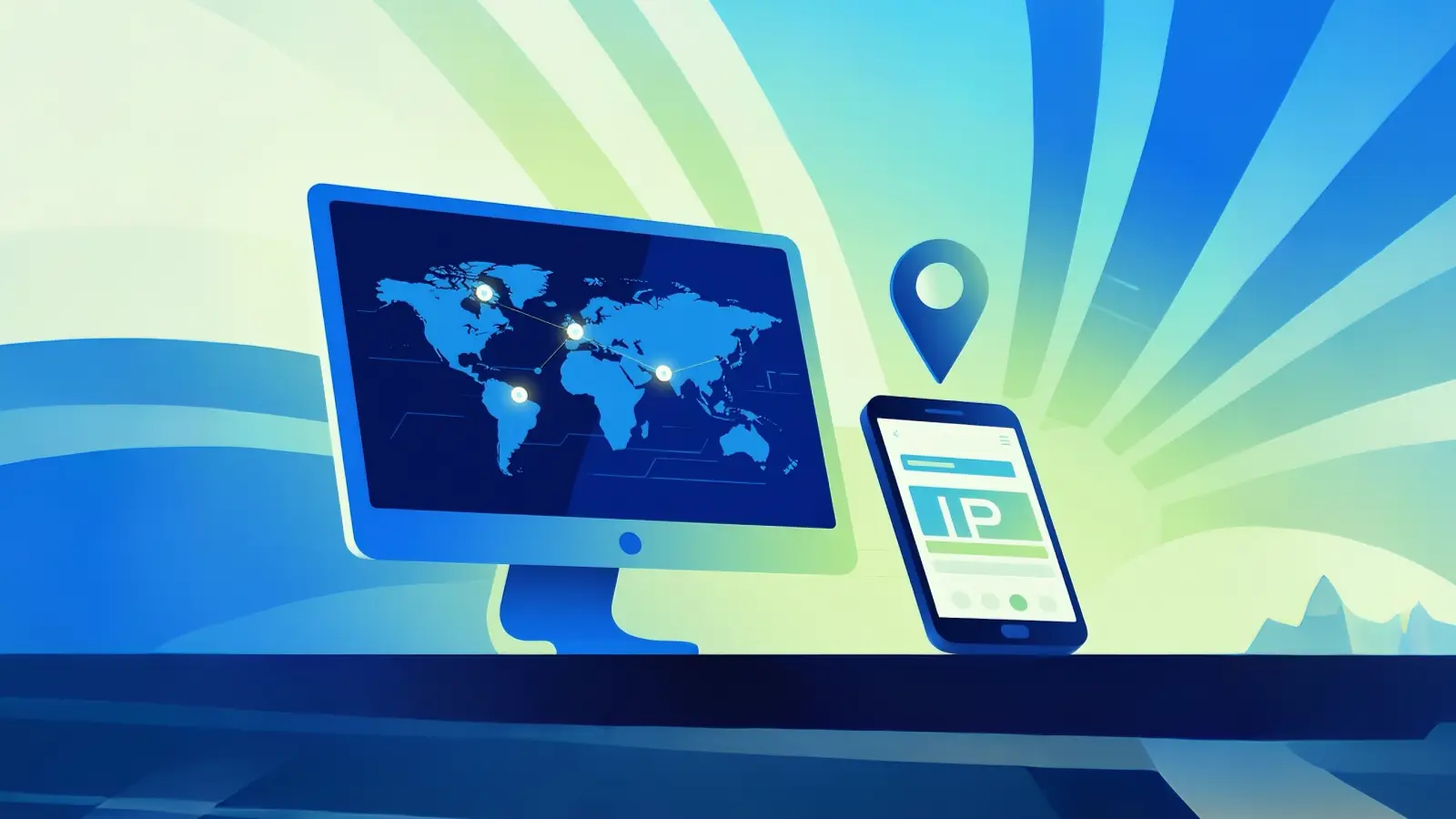
Proxies have become essential tools for enhancing privacy and security while browsing the internet. Whether you're looking to bypass restrictions, safeguard your identity, or improve online experience, proxies can offer a valuable solution. In this comprehensive guide, we’ll explore the proxy definition, examine the different types of proxies, and explain how they function. We’ll also discuss potential risks and share best practices for safe proxy usage. By the end, you’ll have a clear understanding of how proxies can help you navigate the web more securely and privately.
What is the proxy definition?
A proxy is something that acts for someone or something else. In everyday life, you might ask a friend to speak on your behalf when you're not able to. In computing, a proxy works similarly by standing between you and the internet. When you make a request, such as visiting a website, the proxy forwards that request and brings back the information, acting as a middleman.
For example, imagine you're in a library, and you want a book. You can't go get it yourself, so you tell the librarian what you need. The librarian gets the book for you and brings it back. In this scenario, the librarian is the proxy. Your device is you, and the internet is the books. This simple example helps explain how a proxy works.
Proxies are commonly used in many settings, such as businesses and schools. For instance, a company might use a proxy to control which websites employees can access. When an employee tries to visit a site, the proxy checks the request and decides whether to allow or block it based on company policies. Similarly, schools often use proxies to block certain websites while allowing access to others.
A proxy server can also help with browsing speed. For instance, if a website has been visited frequently, the proxy can save (cache) parts of that site. The next time someone tries to visit it, the proxy can give them the saved information faster, instead of fetching it all over again.
In conclusion, the proxy definition is simple: it’s a middleman that helps manage requests between you and the internet. Proxies are used for privacy, control, and often to improve browsing speed. They make internet usage more efficient and secure, especially in environments where controlling access is important, like schools and businesses.
Types of Proxies
Now that we’ve explored the basic proxy definition, let’s dive deeper into the various types of proxies. Depending on your needs—whether privacy, speed, or task-specific functions—different proxies are suited to different goals. Here’s a closer look at the various types, each with its own specialized function.
HTTP Proxy
An HTTP proxy is the most basic form of proxy. It is designed for simple tasks like browsing the web. When you use an HTTP proxy, your web requests go through the proxy server, which then connects you to the website, hiding your original IP address. It’s commonly used for simple browsing, where users need a basic layer of privacy but don’t need encrypted connections. It’s perfect for casual browsing without worrying about your details being exposed. This proxy type ensures your online identity is hidden as your requests are rerouted.
HTTPS Proxy
As websites shift towards using encryption for better security, HTTPS proxies are the next step. These proxies not only perform the same function as HTTP proxies but also handle secure, encrypted connections. This ensures that your browsing remains private, even on websites that require secure connections (those with "https" in the URL). HTTPS proxies are particularly useful for users who want to access secure websites while maintaining their privacy.
SOCKS Proxy
A SOCKS proxy is more powerful and flexible. Unlike HTTP and HTTPS proxies, which are restricted to web traffic, SOCKS proxies work with any kind of internet traffic, including gaming, emails, or file-sharing programs. SOCKS proxies are great for users who need to route various types of traffic securely. They provide complete anonymity by redirecting all types of data without revealing the user’s location or identity.
FTP Proxy
An FTP proxy is specifically designed for file transfers. FTP stands for File Transfer Protocol, and this type of proxy handles file exchange requests, making sure that the user’s identity stays hidden during these processes. FTP proxies are useful when security is essential in transferring files over the internet, especially for unencrypted transfers.
Forward Proxy
A forward proxy acts as a go-between for users and the internet. When a user sends a request, the forward proxy first handles it before sending it out to the internet. This provides a layer of security and anonymity. For example, a company might use a forward proxy to monitor or restrict employee internet usage, ensuring that only approved websites are accessible.
Reverse Proxy
In contrast to forward proxies, reverse proxies act as intermediaries for web servers rather than users. They intercept requests meant for a server and route them to the correct internal servers. This type of proxy is commonly used by companies to balance the load between multiple servers or to protect the server from direct access. For example, a website with heavy traffic might use a reverse proxy to distribute requests across several servers, improving both security and efficiency.
ISP Proxy
An ISP proxy is a type of proxy provided by Internet Service Providers (ISPs). It helps in caching content and speeding up access to websites by storing frequently visited pages. ISP proxies help reduce bandwidth usage, improve browsing speeds, and ensure smooth delivery of content across the provider’s network. These proxies are generally invisible to users, but they play an essential role in enhancing the browsing experience.
Anonymous Proxy
An anonymous proxy hides the user's IP address and makes it difficult for websites or advertisers to track online activity. This type of proxy is typically used by individuals seeking more privacy and security online. It allows users to browse the internet without revealing their real location. While useful for privacy, users should be cautious when using free anonymous proxies, as they may share user data or have unreliable performance.
Transparent Proxy
A transparent proxy is similar to a forward proxy but works without notifying the user. It intercepts requests and performs its functions without the user realizing it's in place. These proxies are often used in businesses or educational institutions to monitor and control network traffic. While they maintain privacy by redirecting traffic, they might expose certain details to the network administrator.
TOR Proxy
A TOR proxy is part of the Tor network, which aims to provide the highest level of anonymity and privacy. Traffic routed through a TOR proxy is encrypted and passes through several relays, making it very difficult to trace back to the user. This is ideal for those in high-risk situations or countries with heavy censorship, as it allows users to browse without revealing their identity.
Mobile Proxy
A mobile proxy uses IP addresses provided by mobile carriers rather than traditional broadband. This type of proxy is ideal for users who need to simulate mobile browsing or access mobile-specific content. Mobile proxies are often used by marketers to check ads or content from different regions, as they provide IP addresses that look like they are from mobile users.
Residential Proxy
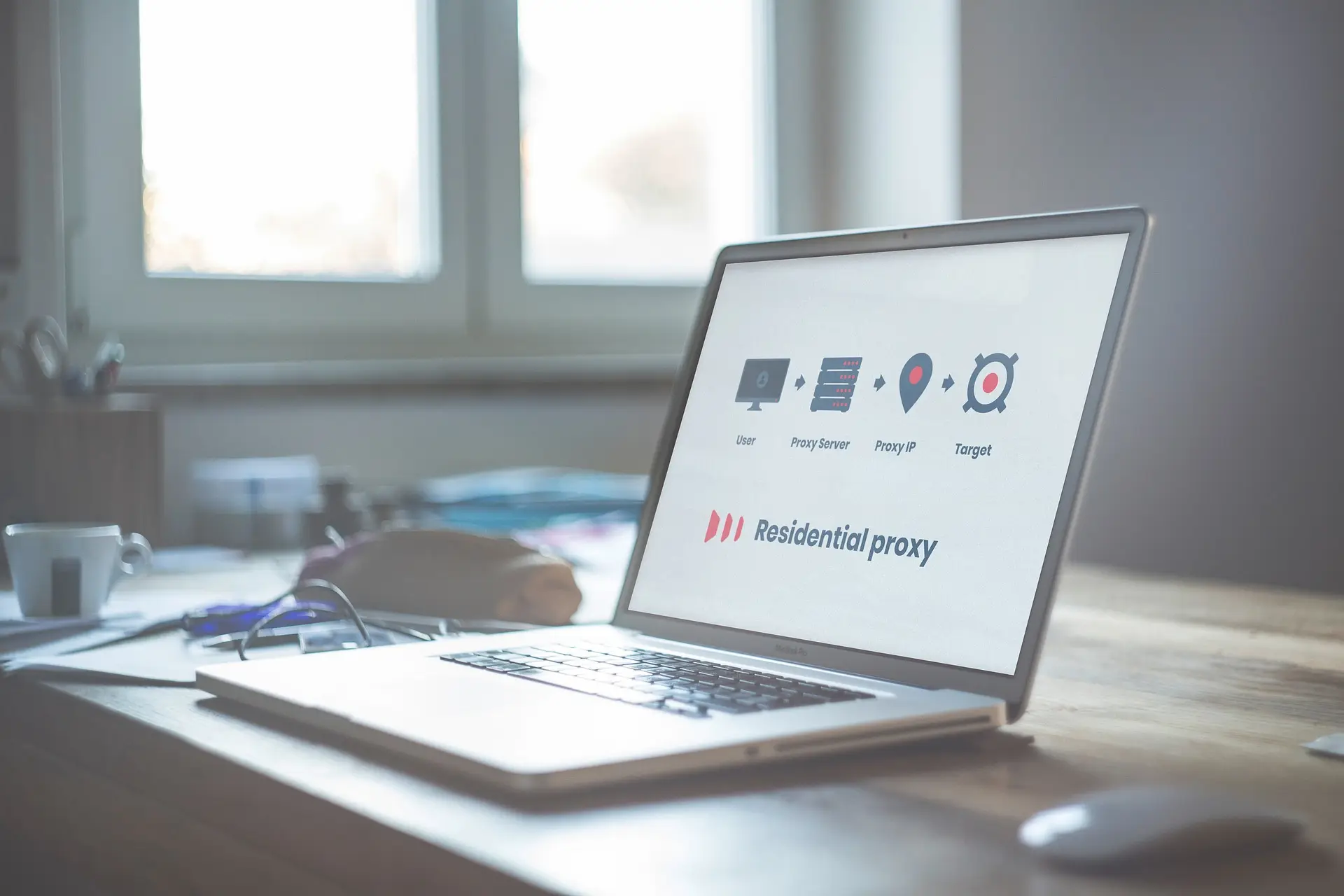
Residential proxies route traffic through real residential IPs provided by internet service providers. These proxies are harder for websites to detect because they appear as legitimate user traffic. This makes them highly effective for tasks like web scraping, accessing geo-blocked content, or bypassing region-specific restrictions. Residential proxies can be static or rotating, allowing users to maintain a consistent or dynamic presence on the internet.
Data Center Proxy
A data center proxy comes from servers located in large data centers rather than residential ISPs. These proxies are fast and cost-effective, making them popular for bulk activities like web scraping or mass data collection. However, because they come from centralized servers, they are more likely to be flagged by websites as suspicious. Despite this, they remain a go-to choice for tasks that require high-speed connections and scalability.
Each type of proxy serves a specific purpose, but they all share the core function of enhancing privacy, improving browsing speed, or providing access to restricted content. Whether you need a simple proxy for web browsing or a more advanced solution for secure, encrypted communication, there’s a type of proxy suited for every need.
How Proxies Work
Now that you have learned the proxy definition and seen the different types of proxies, it’s important to know how they actually work and what benefits they offer. A proxy is like a helper that stands between your device and the internet. It takes your request, sends it to the web, and then brings back the result to you. This simple middleman setup gives several real advantages in everyday use.
Functionality and Operation of Proxies
When you type a website address into your browser, your device normally sends that request straight to the website’s server. A proxy changes this path. First, your request goes to the proxy. The proxy then forwards it to the website. When the website sends back the information—like a web page—the proxy receives it and sends it back to you. Because the proxy has its own address, the website sees the proxy’s address instead of yours. This helps hide your identity and can make your online activity harder to trace.
Here’s a simple example. Imagine you want to see a news site from another country that blocks visitors from your region. If you use a proxy in that country, the news site sees the proxy’s location instead of yours. The site then sends the news to the proxy, which forwards it to you. In this way, proxies can help you reach content that might otherwise be blocked.
Benefits of Using Proxies
Proxies do more than just reroute internet traffic. They provide important benefits that help both individuals and organizations.
Enhanced Security
Proxies can protect your device from unwanted threats. When a proxy forwards your requests, it may also check incoming information for harmful content or risky sites. In business settings, secure proxies act like a simple firewall that screens traffic and helps stop harmful data before it reaches internal systems. This added layer of protection reduces the chance of cyberattacks and keeps networks safer.
For example, a company might route all employee web traffic through a proxy that blocks malicious websites and limits access to risky downloads. This helps reduce security threats and protect sensitive company data.
Anonymity and Privacy
One of the key reasons people use proxies is privacy. Because a proxy hides your real IP address, the websites you visit see only the proxy’s address. This makes it harder for advertisers, trackers, or other online systems to follow your activity or locate your device.
For instance, a researcher checking competitive prices online might use a proxy so websites cannot track repeated visits from the same original IP. This helps protect personal data and browsing habits.
Access to Restricted Content
Proxies can help you view online content that might be blocked or restricted based on location or network rules. For example, some educational videos or news sites may limit access to users in certain countries. A proxy can make it look like you are accessing the internet from a different location, giving you access to content that would otherwise be unavailable.
Schools and workplaces may also restrict access to social media or streaming sites. Using a proxy, network administrators can decide what content is allowed or blocked, helping enforce policies and keep users focused on required tasks.
In summary, the proxy definition shows that a proxy is not just a simple tool, but a useful system that changes how your internet requests travel. By understanding how proxies work and the benefits they bring—like security, privacy, and access—you can see why many people and organizations rely on them for safer and more flexible online use.
Risks and Considerations of Using Proxies
After learning the proxy definition, how proxies work, and the benefits they offer, it’s also important to understand the risks and considerations of using them. A proxy can help protect your privacy and give access to restricted content, but it is not perfect. Some risks come from the design of proxies and from the way they are used.
Potential Risks Associated with Proxy Servers
Even though proxies are useful, they can introduce dangers if not chosen or used carefully. These risks can affect your personal data, privacy, or the security of your devices.
Data Security Concerns
When you use a proxy, your internet traffic goes through another server before reaching the web. If the proxy is untrusted, that server might see your data. Some free or unknown proxies can even capture sensitive information like passwords or login details. In some cases, this type of proxy could sell or misuse that data.
For example, a user connecting to a public proxy list might think they are hiding their IP. But if the proxy logs everything, strangers could see private details. This is especially risky when visiting banking sites or services with personal accounts.
Privacy Issues
Not all proxies protect your identity the way you expect. Some proxies store logs of your internet activity and may share them with advertisers or third parties. This means that instead of hiding your habits, the proxy could track them.
Imagine you think you are browsing privately. Later, you find ads that seem to match the pages you visited. That could be because the proxy logged your actions and passed them on, reducing your privacy instead of protecting it.
Malicious Proxies
Some proxies are set up to harm users. These malicious proxies can intercept or modify your requests. They might inject malware into web pages, redirect you to fake sites, or steal your information. Free proxies are especially risky because they are often created without clear ownership or security measures.
For example, a proxy that claims to be free and fast might actually be run by someone who wants to collect information from every user who connects. These kinds of proxies are dangerous and difficult for average users to detect.
Best Practices for Safe Proxy Usage
You don’t have to avoid proxies entirely to stay safe. You just need to use them carefully and follow some best practices. These steps help protect your data and make the proxy experience safer and more reliable.
Choose Reputable Providers
Avoid free proxy lists with unknown servers. Instead, use paid or trusted services that clearly state how they handle your data. Many quality providers offer clear privacy policies, strong security, and good support.
Use Strong Authentication
Always use proxies that require secure login methods, such as usernames and passwords or IP whitelisting. This reduces the chance that attackers or unauthorized users can access the proxy server.
Check for Encryption
Even a good proxy can expose data if traffic is not secured. Try to use proxies that support encrypted connections (such as HTTPS or SOCKS with SSL/TLS). This ensures the information you send and receive cannot be easily read by others.
Avoid Untrusted Free Proxies
Free proxies may seem convenient, but many come with hidden dangers. They often lack proper security, log your activity, or even inject malware into your session. When possible, stick to providers with a strong reputation and transparent policies.
Stay Aware of Your Settings
Review your proxy settings and make sure you understand how they work. Misconfigured proxies can accidentally expose your data or leave you open to attacks. Regularly checking settings helps ensure you still get the protection you expect.
Understanding the proxy definition includes knowing both benefits and risks. Being cautious about how you choose and use proxies keeps your online experience safer and more secure. By following best practices, you can enjoy many advantages of proxies—like privacy and access to content—without falling into common pitfalls.
Why choose DICloak Antidetect Browsers for your business?
⚡The DICloak Antidetect Browser has become a global favorite for its unparalleled ability to efficiently and securely manage multiple accounts. Designed for professionals in social media management, affiliate marketing, traffic arbitrage, e-commerce, account farming, airdrops, and more, DICloak offers powerful features like RPA automation, bulk operations, and a synchronizer. Additionally, it allows you to customize fingerprints and integrate proxies for each profile, ensuring top-level security and operational efficiency. It’s the ultimate tool for seamless, secure, and scalable operations.

What Makes DICloak Stand Out?
✅ Manage 1,000+ Accounts on One Device:
Stop wasting money on extra hardware! DICloak allows you to manage multiple accounts on a single device, cutting costs and boosting efficiency.
✅ Guaranteed Account Safety, No Ban Risks:
Every account gets its own isolated browser profile with custom fingerprints and IPs, drastically reducing the risk of bans. Your accounts, your control!
✅ Flexible Proxy Configuration for Maximum Performance:
Seamlessly integrate with all major proxy protocols (HTTP/HTTPS, SOCKS5) and manage your proxy pool with bulk operations. No more struggling with IP management—DICloak has you covered.
✅ Streamlined Team Collaboration for Better Results:
Easily manage your team with advanced tools like profile sharing, permission settings, data isolation, and operation logs. Your team works smarter, not harder.
✅ Automate the Grind with RPA:
DICloak's built-in RPA saves you hours of manual work. Automate repetitive tasks, streamline workflows, and focus on what really matters—growing your business.
✅ Powerful Bulk Tools to Scale Your Operations:
Create, import, and launch multiple browser profiles in one click. DICloak makes scaling your business as easy as it gets.
✅ Compatible with All Major Operating Systems:
Based on the Chrome core, DICloak supports simulating Windows, Mac, iOS, Android, and Linux operating systems. No matter what platform you need, DICloak has you covered.
🔗 Ready to Get Started?
Visit the DICloak website to explore more details and choose the plan that’s right for you. Start for free today and experience the power of secure, efficient, and scalable multi-account management!
Conclusion
Proxies can offer great benefits, such as improving privacy, security, and access to restricted content. However, there are also potential risks to consider when using them. While proxies can help protect your identity by rerouting your internet traffic, some untrusted proxies might expose your data to malicious actors. For example, some free proxies might log your browsing activity, and in some cases, they could even sell or misuse this data. More dangerously, malicious proxies can modify the traffic or inject harmful content, which can lead to identity theft or other security issues. Additionally, using proxies that are not encrypted can expose sensitive data, especially when dealing with secure sites like online banking or shopping platforms.
To safely use proxies, it's essential to choose reputable and secure providers. Paid services often offer better privacy protection and stronger security features, such as encryption, which prevents data from being intercepted. Free proxies, while convenient, are more likely to compromise privacy and security. By following best practices, like ensuring proper proxy settings and using encrypted connections, users can reduce the risks associated with proxy definition and its usage. With careful attention, proxies remain valuable tools for enhancing privacy, increasing security, and accessing restricted content, but their use must be approached with caution to avoid exposing sensitive information.
FAQ
What is the proxy definition and how does it work?
A proxy is a server that acts as an intermediary between a user's device and the internet. When you send a request for a website, the proxy handles it and forwards it to the internet, masking your real IP address. This process helps to improve privacy, security, and access to restricted content.
How do proxy servers enhance privacy and security?
Proxy servers work by hiding your real IP address. This helps to ensure that websites cannot track your browsing activity or identify your location. Additionally, proxies can block harmful sites or filter traffic to protect users from online threats.
What are the different types of proxies, and how do they vary?
There are several types of proxies, each designed for different functions. HTTP proxies are used for basic web browsing, HTTPS proxies handle secure encrypted traffic, while SOCKS proxies support various types of internet traffic. Each type of proxy provides unique features, such as enhanced security or anonymity, and helps users fulfill specific needs like bypassing restrictions or managing multiple accounts.
Are there any risks associated with using proxy servers?
Yes, while proxy servers offer benefits, they also come with risks. Some untrusted proxies may expose your data, compromise privacy, or even introduce malicious content into your web traffic. It is essential to use reputable proxy providers to avoid these security threats.
What are the best practices for safely using proxies?
To use proxies safely, always choose reliable providers that ensure data encryption and clear privacy policies. Avoid free proxies, as they may log your activity or even expose your personal data. Additionally, regularly check proxy settings and ensure that they are properly configured to protect your online identity and secure your data.
 Web Proxy Tools
 Free Tools
 Cookie Plugin
 UA Generator
 MAC Address Generator
 IP Generator
 IP Address List
 2FA Code Generator
 World Clock
 Anonymous Check
 WebRTC Leak Test
 UUID Generator
 Free Web Proxy Site
 Proxy Checker
 FB Ad Checker
 AI Web Scraping
 Free SMM Tools
 Twitter Shadowban Checker
 Instagram Name Checker
 UTM Generator
 Username Generator
 AI Hashtag Generator
 LinkedIn Headline Generator
 Social Media Image Resizer