If you've noticed a drop in engagement on Twitter or feel like your posts aren't being seen, you might be dealing with a shadowban. A shadowban quietly limits the visibility of your content without you being notified. Unlike a regular ban, where you're locked out of your account, a shadowban makes your posts harder to find. In this article, we'll explain what a shadowban is, the different types, and how to check if your account is affected. Understanding this will help you keep your Twitter presence strong and visible.
Let's get started!
Understanding Shadowbans
What is a Shadowban?
A shadowban is when a social media platform like Twitter limits the visibility of your account or posts without notifying you. Unlike a typical ban where you are directly told you're blocked, a shadowban quietly restricts your reach. For example, your tweets might no longer appear in search results, and they may not show up on timelines, even for your followers. This means your content can be hidden from others, but you won’t know unless you specifically check. It's like being invisible on the platform, but with no warning.
Think of it like posting a photo in a public space where no one can see it, even though you're standing right there. That's what happens when you're shadowbanned on Twitter – your tweets just won’t show up in front of people who aren't already following you.
Types of Shadowbans
There are a few different types of shadowbans, and they each affect your account in different ways. Knowing what type of shadowban you're facing can help you figure out how to fix it. Here's a breakdown of the most common ones:
Search Suggestion Bans
With a search suggestion ban, your Twitter account won’t show up in any suggestions when others search for similar accounts or topics. This type of shadowban limits your visibility in Twitter's search bar. For example, if someone types in keywords related to your tweets or your account name, your profile won't show up in the search suggestions. Even if you're tweeting about trending topics, your posts won’t pop up, making it harder for new followers to find you.
Search Bans
A search ban is similar to the search suggestion ban, but it’s even more severe. If you've been placed under a search ban, your tweets will not appear in search results at all. Not only will your profile be hidden from users’ suggestions, but your content won’t appear even if people search for the exact hashtag you’re using. This can significantly limit your reach and make it harder to interact with new users.
Ghost Bans
A ghost ban is one of the most frustrating types. When you’re ghost banned, it feels like everything is normal to you. You can still see your posts, and everything seems fine on your end. However, no one else can see them. Your followers won’t see your tweets in their feeds, and even your replies or retweets might be invisible to them. This can cause your engagement to drop, as it seems like no one is interacting with your content.
Reply Deboosting
Reply deboosing happens when Twitter lowers the visibility of your replies to other users. You can still reply to people, but your responses won’t be as visible. If your replies don’t show up on people’s feeds or in the conversation threads, it limits your engagement. This might happen if you’re involved in spammy or controversial activity, or if Twitter’s algorithms flag your account for suspicious behavior.
How to Perform a Twitter Shadowban Test
Now that you understand what a shadowban is and the different types that can affect your account, it's time to learn how to perform a Twitter shadowban test. There are several ways you can test if your account is shadowbanned, ranging from manual checks to using online tools. Below, we'll explore the most effective methods to determine whether you're affected.
Manual Testing Methods
Engaging with Other Accounts
One of the simplest ways to test for a shadowban is by engaging with other accounts. Reply to tweets from people who don’t follow you, retweet popular posts, and see if your interactions show up. If your replies or retweets are not visible to others or fail to generate engagement, this could be a sign that your account is shadowbanned.
For instance, if you reply to a trending topic and no one interacts with your comment, even though it’s relevant, it could indicate that your account is restricted. In contrast, other replies to the same topic might receive plenty of interactions, highlighting the difference in visibility.
Monitoring Visibility in Search Results
Another way to manually check for a shadowban is by searching for your account or tweets while logged out of Twitter. If your profile or tweets do not appear in search results, it’s a strong indicator that you've been shadowbanned. To check this, open an incognito window in your browser and search for your username or specific tweets. If you can’t find your account or posts, it’s time to consider testing your account further for a shadowban.
Utilizing Shadowban Checker Tools
If you want a more precise result, several shadowban checker tools can help you quickly assess your account status. These tools scan your account and detect if Twitter has placed any restrictions on your visibility.
Recommended Tools and Their Features
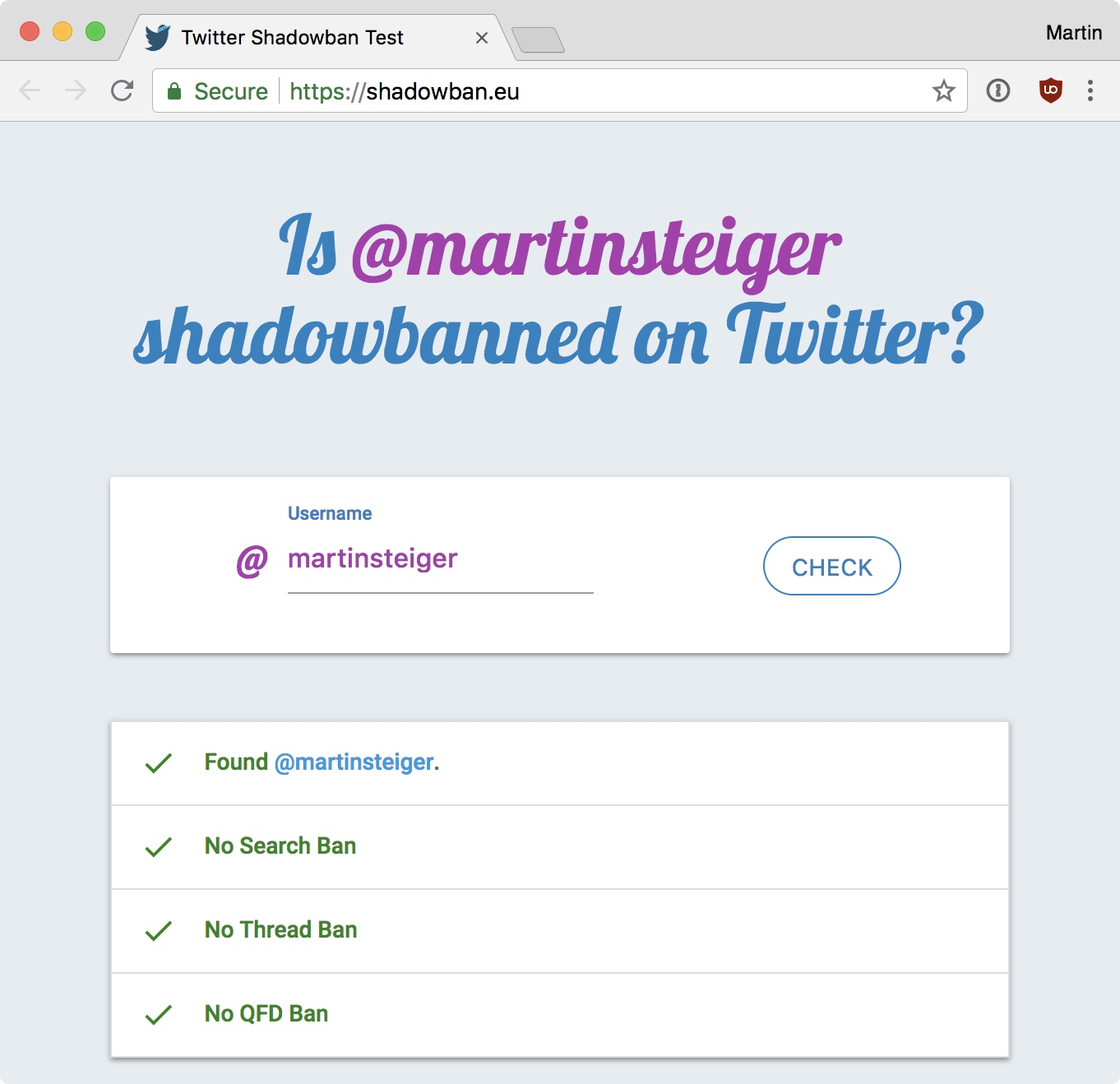
- Shadowban.eu: One of the most popular shadowban checker tools, Shadowban.eu checks whether your account is restricted in various ways, such as search suggestions or search bans. It’s a simple tool that only requires your Twitter username.
- Twitter Shadowban Test: Another reliable tool that checks if you're shadowbanned on Twitter. It runs a series of tests and provides a report on whether your account is affected by restrictions like ghost banning or reply deboosting.
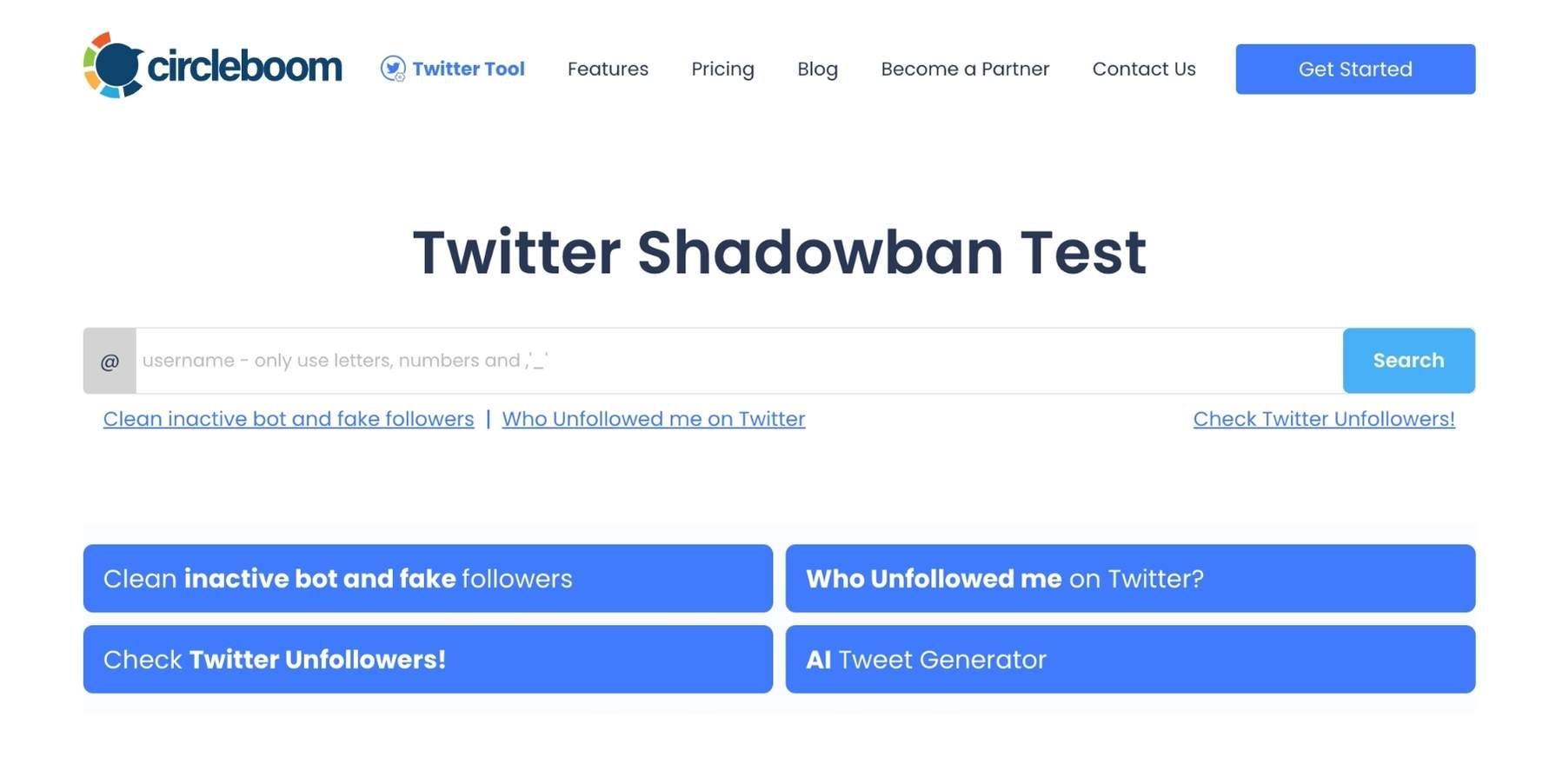
These tools make it easy to perform a Twitter shadowban test without manually checking each of your tweets or searching through your account. Using a tool can save you time and provide a more accurate result.
Analyzing Engagement Metrics
One of the clearest signs that you may be shadowbanned is a sudden drop in engagement. If you notice that your tweets are getting fewer likes, retweets, or replies than usual, it could indicate that your account has been shadowbanned.
For example, let’s say you typically get 50 likes on a tweet, but suddenly you're only receiving 10 or 15, despite posting similar content. This drastic drop could signal that your account has been flagged, possibly due to spammy behavior or violating Twitter’s guidelines. Analyzing your engagement metrics over time is a valuable method for identifying shadowbans and understanding if something has changed in the way Twitter is handling your account.
Common Reasons for Being Shadowbanned
After performing a Twitter shadowban test, you might wonder why your account was shadowbanned. There are several common reasons why this can happen. Let’s look at them in more detail.
Violating Twitter’s Rules and Policies
One of the main reasons for a shadowban is violating Twitter's rules, such as posting offensive language, harassment, or misleading information. For example, repeatedly using hate speech or targeting other users can trigger a shadowban. If you break these rules, Twitter may limit your account’s visibility to protect the platform's safety.
Spammy Behavior and Excessive Hashtags
Spammy behavior, like tweeting too often in a short time, overusing hashtags, or retweeting without adding value, can also lead to a shadowban. Twitter detects these patterns and may flag your account for engaging in suspicious activity. For instance, using irrelevant or too many hashtags may look like an attempt to manipulate engagement, leading to restrictions.
Low-Quality Content and Engagement Manipulation
Posting low-quality content or using bots to manipulate engagement can cause a shadowban. If your tweets are repetitive or overly promotional, Twitter may hide them to promote authentic conversations. Using services to buy followers or inflate engagement can also make your account appear untrustworthy, leading to restrictions.
Incomplete Profiles and High Block Rates
An incomplete profile or a high number of user blocks can also trigger a shadowban. Accounts with missing profile details like photos or bios are often flagged as spam. Similarly, if your account receives many blocks or reports from other users, it signals problematic behavior, which may result in a shadowban.
Understanding these common reasons for shadowbanning can help you avoid them. If you notice a drop in engagement or limited visibility, consider your account activity. Regularly performing a Twitter shadowban test will help ensure your account stays in good standing and visible to others.
Recovery Strategies After a Shadowban
If you’ve confirmed that your account is shadowbanned through a Twitter shadowban test, don’t worry—there are steps you can take to recover and restore your visibility. Below, we’ll discuss the most effective recovery strategies to help you regain your reach on Twitter.
Cleaning Up Problematic Content
The first step in recovery is to clean up any content that may have contributed to the shadowban. Review your past tweets and remove anything that violates Twitter's rules, such as offensive language or misleading information. If you’ve posted content that could be flagged as spammy or low-quality, delete or edit those posts.
For example, if you’ve shared excessive promotional material or tweets that could be seen as harassment, it's important to remove these as soon as possible. This will show Twitter’s algorithm that you're following the rules and help your account regain its visibility.
Reducing Spammy Behavior
Spammy behavior, such as over-posting or using irrelevant hashtags, can contribute to a shadowban. To recover, you need to change your approach to posting. Limit the number of tweets you send in a short period and avoid using too many hashtags that are unrelated to your content.
For example, if you’ve been tweeting multiple times per hour or using excessive hashtags, reduce your activity and focus on posting valuable, relevant content. By doing so, Twitter will view your account as more natural and less likely to be flagged for spammy behavior.
Temporarily Pausing Posting
Sometimes, the best way to recover from a shadowban is to take a break from posting for a short time. Pausing your activity allows Twitter’s algorithms to reset and remove any temporary restrictions on your account. A break of 24 to 48 hours can sometimes help, but be sure not to go silent for too long, as it may affect your engagement levels.
For example, if you’ve been shadowbanned due to over-activity or spam-like behavior, taking a short break will give your account a chance to “cool off.” This time away from the platform can help lift any hidden restrictions and allow you to return with a fresh start.
Contacting Twitter Support for Assistance
If your shadowban persists or you’re unsure why you were flagged, contacting Twitter Support can be a helpful next step. You can explain the situation and ask for a review of your account. Be polite and provide any relevant information to help Twitter understand your case. While not all requests are successful, Twitter may offer advice or clarify why the shadowban was applied.
For example, if you’ve followed the previous steps and your account still seems restricted, reaching out to Twitter’s support team can provide clarity. They may lift the ban if they find no violation or give you specific advice on how to avoid future issues.
Tips for Preventing Future Shadowbans
After recovering from a Twitter shadowban test, it’s important to adopt strategies that will help you avoid future bans. While recovering is possible, prevention is always better. Below are some practical tips to help you stay on the right side of Twitter’s algorithms and keep your account in good standing.
Maintaining a Healthy Follower-to-Following Ratio
Having a balanced follower-to-following ratio is crucial for staying visible on Twitter. If you follow a large number of accounts without gaining followers in return, Twitter might flag your account as suspicious. This could be seen as a sign of automated activity or spam-like behavior.
For example, if you suddenly follow thousands of people but have very few followers, Twitter could interpret this as an attempt to manipulate your account's visibility. To avoid this, aim for a natural following pattern. Follow accounts that interest you and focus on building an organic following through genuine engagement.
Ensuring High-Quality Content
The key to preventing future shadowbans is consistently posting high-quality content. Twitter's algorithms prioritize authentic, valuable posts over spammy or irrelevant ones. Avoid repetitive tweets, excessive self-promotion, or using too many hashtags. Focus on sharing content that adds value to your followers and encourages interaction.
For instance, instead of posting the same message repeatedly, try varying your content, sharing interesting facts, or engaging in meaningful conversations. By posting quality content, you’re more likely to gain genuine engagement, which helps keep your account safe from shadowbanning.
Staying Updated with Twitter’s Policies
Twitter’s rules and policies are constantly evolving, and staying updated is essential for avoiding a shadowban. Ensure that you regularly check Twitter’s guidelines for any changes that may affect your account. Violating even new or updated rules, without realizing it, could lead to restrictions.
For example, in the past, Twitter has updated its rules regarding misinformation, hate speech, and spam. By staying informed and adapting your content to these changes, you can avoid unintentional violations that might result in a shadowban.
To further protect your account from potential issues like shadowbanning, you can use tools designed to enhance your online security and privacy. Using a browser like DICloak can help prevent detection by Twitter's algorithms and other platforms.
Why Choose DICloak Antidetect Browsers?
⚡The DICloak Antidetect Browser has become a global favorite for its unparalleled ability to efficiently and securely manage multiple accounts. Designed for professionals in social media management, and more, DICloak offers powerful features like RPA automation, bulk operations, and a synchronizer. Additionally, it allows you to customize fingerprints and integrate proxies for each profile, ensuring top-level security and operational efficiency. It’s the ultimate tool for seamless, secure, and scalable operations.

What Makes DICloak Stand Out?
✅ Manage 1,000+ Accounts on One Device: Stop wasting money on extra hardware! DICloak allows you to manage multiple accounts on a single device, cutting costs and boosting efficiency.
✅ Guaranteed Account Safety, No Ban Risks: Every account gets its own isolated browser profile with custom fingerprints and IPs, drastically reducing the risk of bans. Your accounts, your control!
✅ Flexible Proxy Configuration for Maximum Performance: Seamlessly integrate with all major proxy protocols (HTTP/HTTPS, SOCKS5) and manage your proxy pool with bulk operations. No more struggling with IP management—DICloak has you covered.
✅ Streamlined Team Collaboration for Better Results: Easily manage your team with advanced tools like profile sharing, permission settings, data isolation, and operation logs. Your team works smarter, not harder.
✅ Automate the Grind with RPA: DICloak's built-in RPA saves you hours of manual work. Automate repetitive tasks, streamline workflows, and focus on what really matters—growing your business.
✅ Powerful Bulk Tools to Scale Your Operations: Create, import, and launch multiple browser profiles in one click. DICloak makes scaling your business as easy as it gets.
✅ Compatible with All Major Operating Systems: Based on the Chrome core, DICloak supports simulating Windows, Mac, iOS, Android, and Linux operating systems. No matter what platform you need, DICloak has you covered.
🔗 Ready to Get Started?
Visit the DICloak website to explore more details and choose the plan that’s right for you. Start for free today and experience the power of secure, efficient, and scalable multi-account management!
Frequently Asked Questions About Twitter Shadowbans
If you're still uncertain about Twitter shadowbans, here are some frequently asked questions that may help clear things up. Understanding the answers to these questions can give you more clarity on how shadowbans work and how to avoid them.
1.How Long Does a Shadowban Last?
The duration of a shadowban can vary depending on the severity of the issue and Twitter’s assessment of your account. In many cases, a shadowban may last anywhere from 24 hours to a week. However, if your behavior continues to violate Twitter's rules or if Twitter detects suspicious activity, the ban could last longer.
For example, if you were shadowbanned for excessive tweeting or using spammy hashtags, a short break from posting and following Twitter’s guidelines can help lift the ban. However, if your account has been flagged for more serious violations, it might take longer to recover.
2.What Are the Signs of Being Shadowbanned?
There are several signs that you may have been shadowbanned. One of the most obvious signs is a sudden drop in engagement. If your tweets no longer appear in search results or on the timelines of users who don’t follow you, you may have been shadowbanned. Another sign is if your replies or retweets aren’t showing up or generating any interaction, even if they’re relevant to a trending topic.
For example, if you tweet about a popular event or hashtag and notice that no one is interacting with your post, despite the topic being widely discussed, it could indicate that your account is shadowbanned.
3.Can Creating a New Account Resolve the Issue?
Creating a new account might seem like an easy solution, but it’s not always the best way to resolve a shadowban. If Twitter has flagged your account for violating its rules, creating a new account could lead to the same issues, especially if you repeat the same behaviors.
Instead of creating a new account, focus on fixing the issues with your current account. Clean up any problematic content, reduce spammy behavior, and follow Twitter's guidelines. This will ensure that your new account doesn’t face the same restrictions. Additionally, performing a Twitter shadowban test on your old account will help you understand whether the shadowban has been lifted.
Conclusion
In this article, we explored how to perform a Twitter shadowban test, the types of shadowbans, and strategies for recovery. We covered steps like cleaning up problematic content, reducing spammy behavior, and maintaining a healthy follower-to-following ratio. Regularly testing your account and staying updated with Twitter's policies will help prevent future shadowbans. By posting high-quality, authentic content and engaging naturally with followers, you can keep your account in good standing and ensure your tweets reach the right audience.
 Web Proxy Tools
 Free Tools
 Cookie Plugin
 UA Generator
 MAC Address Generator
 IP Generator
 IP Address List
 2FA Code Generator
 World Clock
 Anonymous Check
 WebRTC Leak Test
 UUID Generator
 Free Web Proxy Site
 Proxy Checker
 FB Ad Checker
 AI Web Scraping
 Free SMM Tools
 Twitter Shadowban Checker
 Instagram Name Checker
 UTM Generator
 Username Generator
 AI Hashtag Generator
 LinkedIn Headline Generator
 Social Media Image Resizer