The moment you see the "Your Account Was Disabled" message on Instagram is one of pure panic. For creators, influencers, and businesses, it can feel like years of work, thousands of followers, and a vital revenue stream have vanished in an instant. The confusion and frustration that follow are overwhelming, as you're often left with no clear explanation for what went wrong. This guide is designed to cut through that chaos. It provides a clear, step-by-step plan to help you understand why Instagram disables accounts and, most importantly, how to navigate the appeal process to recover yours.
Why Your Instagram Account Was Disabled or Suspended
Instagram takes action against accounts for a wide range of reasons, often detected by automated AI systems. Understanding the potential violation is the first step toward a successful appeal. Below are the most common reasons your account may have been flagged.
Violating Community Guidelines
Instagram strictly enforces its Community Guidelines to maintain a safe platform for its users. Violating these rules, even unintentionally, is the most frequent cause of account suspension.
- Harmful Content: This includes posting or sharing content that contains hate speech, harassment, bullying, graphic violence, or spreads dangerous misinformation. Instagram's AI moderation is sensitive, and even jokes can get flagged if they cross the line.
- Inappropriate Content: Posting content that features nudity or other sexually suggestive material is a common violation.
- Spam: This covers a range of behaviors, such as posting repetitive comments, using engagement pods to artificially manipulate likes and follows, sending the same message in DMs repeatedly, or using banned hashtags.
- Copyright Infringement: Posting content you don't own—such as music, videos, or artwork—without permission from the copyright holder is a serious violation that can lead to an immediate ban, especially if reported by the owner.
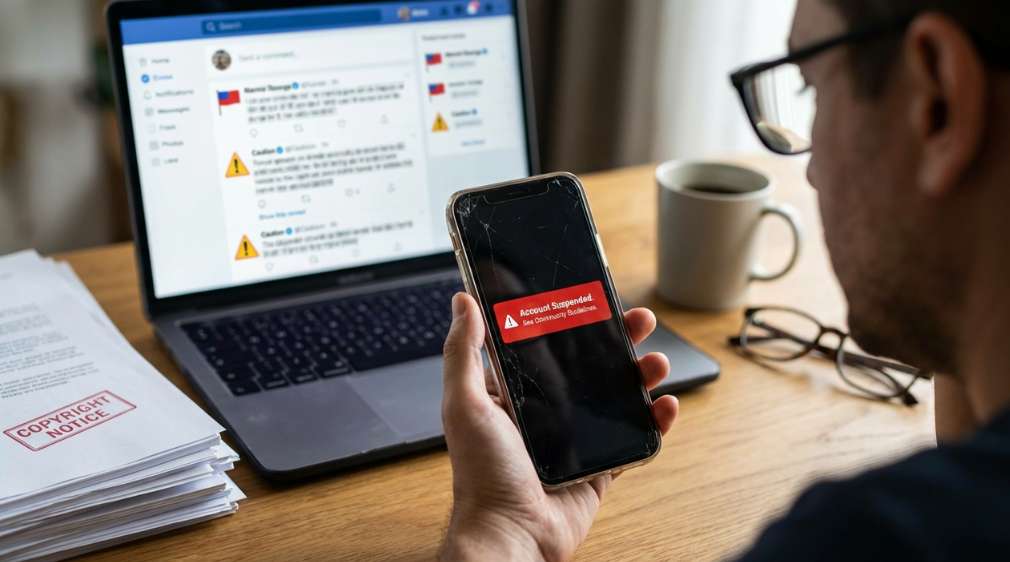
Automated or Suspicious Activity
Instagram's AI is constantly scanning for behavior that mimics bots or spam accounts. If your activity appears unnatural, your account can be automatically flagged and suspended.
- Using Third-Party Bots: Employing apps or services that promise rapid growth through automated liking, commenting, or following is strictly against Instagram's terms of service.
- Rapid Engagement: Mass-following or unfollowing hundreds of accounts in a short period is a classic bot-like behavior that triggers spam detectors.
- Irregular Patterns: Sudden, uncharacteristic spikes in your activity can lead to temporary restrictions or a full suspension as the system tries to determine if your account was compromised.
- Using the Same Phone Number: Registering multiple Instagram accounts with the same phone number can be treated as suspicious activity and may lead to flags on all associated profiles.
Impersonation and Identity Issues
Instagram takes identity fraud very seriously and will act quickly to remove accounts it believes are fake or misleading.
- Pretending to Be Someone Else: Creating an account that impersonates a celebrity, brand, public figure, or another individual can result in an immediate and permanent ban.
- Misleading Profile Details: Using a fake name, birthday, or location in your profile can raise red flags and lead to a suspension.
- Ignoring Verification Requests: If Instagram suspects fraudulent activity, it may lock your account and ask you to verify your identity. Ignoring these requests can lead to the account's permanent deletion after 180 days.
- Target of Mass False Reporting: Even if you've done nothing wrong, your account can be suspended if it is targeted by a coordinated, malicious campaign of mass false reports from other users, which can trigger an automated ban.
Security Concerns
Sometimes, Instagram will disable an account to protect it from being compromised by hackers or unauthorized users.
- Suspicious Logins: Multiple login attempts from unrecognized devices or from drastically different geographical locations can trigger a temporary security lockdown.
- Ignoring Security Alerts: Failing to review and respond to official notifications from Instagram about unusual login attempts or activity can put your account at risk of being suspended for its own protection.
First Steps: Is Instagram Down or Is It Just Your Account?
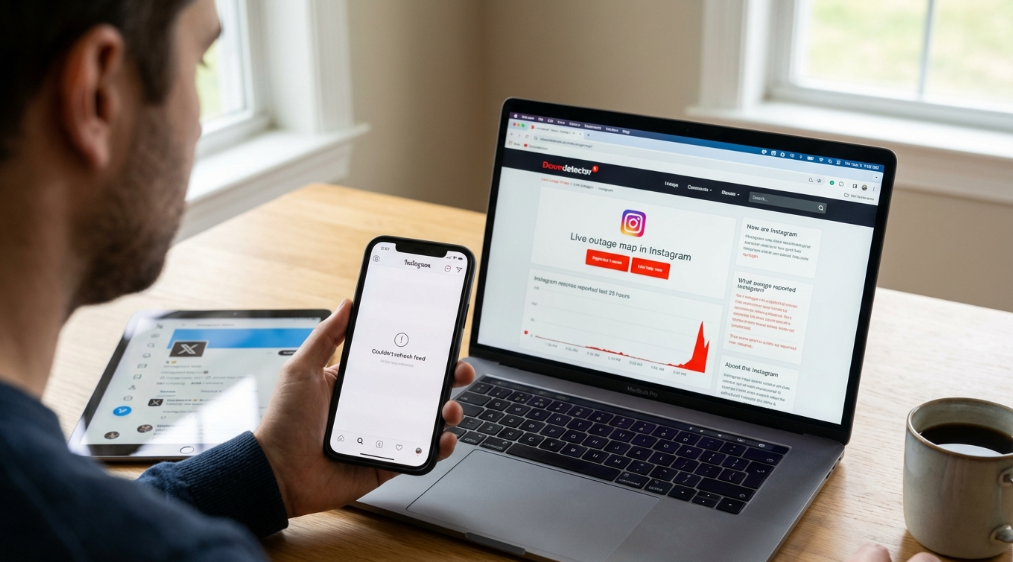
Before you begin the recovery process, it's crucial to confirm that the issue isn't a platform-wide outage. A server problem on Instagram's end can look just like an account suspension. Here's how to check:
- Check Downdetector: Visit a site like Downdetector and search for Instagram. It collects real-time status reports from users, so a sudden spike in reported issues indicates a widespread outage.
- Visit Instagram’s Official Channels: Look for official announcements on Instagram's X (formerly Twitter) account or on Meta’s official status page. They will often post updates about major service disruptions.
- Try Another Device: Attempt to log in to your account from a different device, such as a computer or another phone. You can also switch between your Wi-Fi and mobile data connections to rule out a local network or app-specific problem.
How to Recover Your Instagram Account: A Step-by-Step Guide
If you've confirmed the problem is specific to your account, you need to act quickly. The recovery process depends on the type of suspension and how fast you respond. Timing is critical.
Understanding the Timelines: 30 Days to Appeal, 180 Days to Deletion
There are two crucial timeframes to be aware of when your account is disabled:
- The 30-Day Appeal Window: For most suspensions, Instagram gives you an initial 30-day period to "disagree with the decision" and submit your first appeal through their standard in-app channels. Acting within this window is your best chance for a quick resolution.
- The 180-Day Suspension Period: This is the total time your account remains in a suspended state before it is scheduled for permanent deletion. During these six months, your account is invisible but not erased. While you can still submit appeals during this time, your options become more limited after the first 30 days have passed. After the 180-day period expires, Instagram can take up to 90 additional days to completely remove all your data from their servers, making recovery impossible.
The Instagram Recovery Process
Follow these steps methodically to maximize your chances of recovering your account.
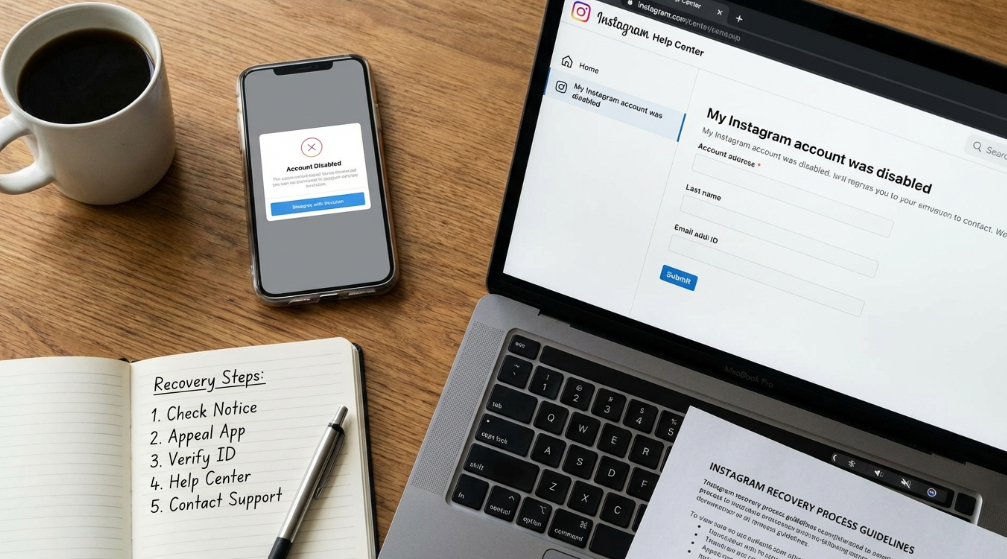
- Check the Suspension Notice: When you attempt to log in, carefully read the notification from Instagram. It will typically state whether your account is temporarily suspended, permanently disabled, or banned for a specific Community Guideline violation. This information will guide your next steps.
- Submit an Appeal Directly Through the App: The disabled account screen will usually have a button that says "Disagree with Decision" or "Appeal." Tap this and follow the prompts. You will be asked to provide a brief explanation. Keep your message simple, polite, and to the point.
- Verify Your Identity: Instagram may require you to prove you are the account owner. This process can involve taking a photo of yourself holding a piece of paper with a handwritten code they provide, submitting a photo of a government-issued ID, or providing business documents for a professional account.
- Use the Instagram Help Center: If the in-app appeal is unavailable or you receive no response, navigate to the Instagram Help Center. Search for the form titled "My Instagram account was disabled" and fill it out completely. This is an alternative channel for submitting your case for review.
- Contact Support (If Possible): You can try emailing
support@instagram.com or appeals@instagram.com, but be aware that direct responses are very rare, and this method is often ineffective. For business accounts, you may have better luck going through Meta's Business Support channels, which can offer more direct assistance.
A Real-Life Recovery Story: When Standard Appeals Fail
When official channels don't work, sometimes you need an unconventional solution. The story of blogger Becky Stone (@DiamondsintheLibrary) is a powerful example of persistence and creative problem-solving.
- The Problem: While on a "romantic vacation for our anniversary" at a "fancy hotel," her Instagram account, with over 95,000 followers and 11 years of work, was suddenly and permanently suspended for falsely violating the "impersonation" rule.
- The Failed Attempts: The standard in-app appeal was immediately rejected. Her paid Meta Verified subscription, which promises account protection and support, proved useless—once the account was disabled, she was locked out of the very interface needed to contact support. A friend who tried to contact Meta Verified on her behalf was met with a chilling, threatening message:
- The Unexpected Solution: Frustrated and out of options, her husband reached out to their local Congressman, Rep. Jamie Raskin. Because "Congressman Raskin is on the Democratic Committee on Oversight and Accountability," his office had leverage with Meta. Within hours of their intervention, her account was fully restored with an apology from Instagram.
- The Likely Cause: In a follow-up conversation, a Meta support agent named Maria suggested that the suspension was likely triggered by a mass of false reports from malicious actors, which overrode the protections her Meta Verified subscription was supposed to provide. Maria also confirmed a critical detail: the only way to contact support for a disabled Instagram account is if you also have a paid Meta Verified subscription on a linked Facebook account. This story shows that when you are certain a mistake has been made, exploring every possible avenue—even those outside the app—can be necessary.
Prevention is Better Than Cure: How to Avoid an Instagram Account Suspension
The best way to deal with an account suspension is to avoid one in the first place. Follow these best practices to keep your account safe and in good standing.
- Know and Follow the Rules: Take the time to actually read Instagram's Community Guidelines. Understanding what is and isn't allowed is the single most important step you can take to protect your account.
- Avoid Automation Abuse: Do not use third-party bots or apps that promise to automatically like, follow, or comment on your behalf. These are a fast track to getting banned. If you are engaging heavily, space out your activity to appear more natural.
- Respect Action Limits: Instagram has invisible limits on actions to prevent spam. For an established account, a rough guide is to stay under 100-150 follows/unfollows and 300-400 likes per day.
- Secure Your Account: Enable two-factor authentication (2FA) immediately. It is the single best defense against hackers. Also, use a strong, unique password that you don't use for any other service.
For Professionals: How to Prevent Chain-Reaction Bans
For social media managers and agencies, the biggest risk isn't just one account getting disabled—it's the chain reaction that takes down every account you manage from the same device. Instagram links accounts that share the same digital fingerprint, putting your entire client roster at risk.
DICloak is a professional antidetect browser built to solve this exact problem. It allows you to create a unique and completely isolated digital environment for each Instagram profile you manage, making it impossible for Instagram to link them together.
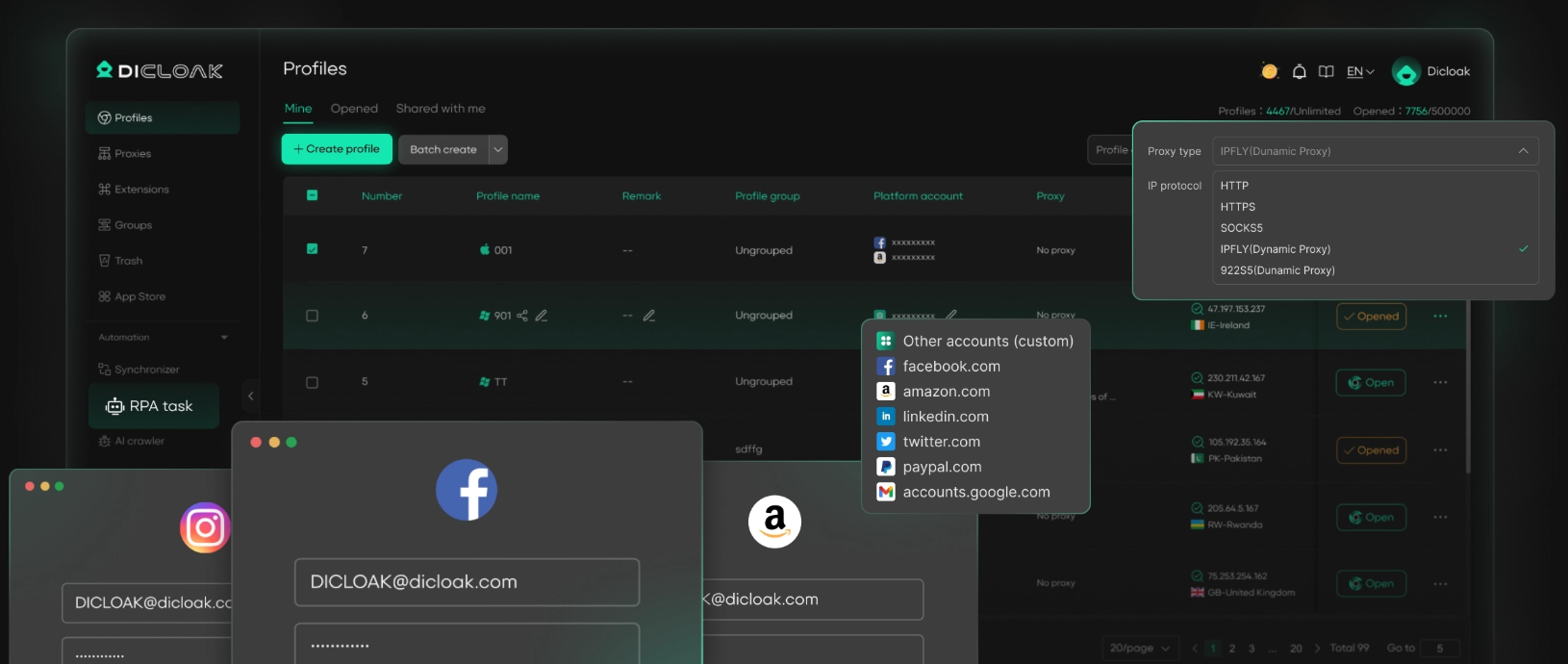
DICloak protects your accounts through several key features:
- Unique Digital Fingerprints: DICloak makes each account appear as a separate, real user logging in from a distinct device. It spoofs critical elements like your IP address, browser type, operating system, and geo-location, preventing Instagram from linking your profiles. Without DICloak, websites can link all your accounts to the same fingerprint. If one account is flagged, others may also be at risk.
- Isolated profiles: Each browser profile runs in its own sandboxed profile. This total isolation means that cookies, cache, and login data are never shared between accounts. A problem with one client's account will have zero impact on your other accounts.
- Team Collaboration: DICloak is designed for agencies, allowing you to securely share account access with colleagues using flexible permissions, without ever having to share passwords.
If you are serious about scaling your social media operations safely, try DICloak to manage your accounts without the constant fear of devastating, chain-reaction bans.
Frequently Asked Questions
- Why was my Instagram account disabled for no reason? This often happens due to errors made by Instagram's automated AI moderation systems. It can also occur if your account has been targeted by a coordinated campaign of mass false reports from malicious users, which can trigger an automatic suspension.
- How long does an Instagram account suspension usually last? Temporary suspensions for minor infractions typically last between 24 and 48 hours. However, more serious or repeated violations can result in longer suspensions (e.g., 30 days) or a permanent ban.
- What is the difference between the 30-day and 180-day notices for a suspended Instagram account? The 30-day window is your primary opportunity to submit your first official appeal through the app. The 180-day period is the total amount of time your account remains suspended before it is scheduled for permanent deletion. After 180 days, recovering the account becomes nearly impossible.
- Can I create a new Instagram account after a permanent ban? It is extremely difficult. Instagram tracks your IP address, device information, email, and phone number. If you attempt to create a new account with the same credentials, it will likely be detected and banned again. To succeed, you would need a completely new email, phone number, and a new digital fingerprint to avoid detection.
- What are my options if my Instagram appeal is denied? Your options are limited. You can try resubmitting the appeal form after a few days. If you have a business account, contacting Meta Business Support may provide another avenue. However, if Instagram reviews your case and confirms the violation was valid, it is nearly impossible to recover the account.
Conclusion
Losing access to your Instagram account is an incredibly frustrating experience, but it doesn't always have to be permanent. By acting quickly, following the correct appeal procedures, and providing clear information, recovery is often possible. In the digital world, your account is your real estate. Protect your investment with vigilance, secure it with best practices, and know your rights when things go wrong. Stay informed, stay safe, and don't let a flawed algorithm have the final word on your hard work.
 Web Proxy Tools
 Free Tools
 Cookie Plugin
 UA Generator
 MAC Address Generator
 IP Generator
 IP Address List
 2FA Code Generator
 World Clock
 Anonymous Check
 WebRTC Leak Test
 UUID Generator
 Free Web Proxy Site
 Proxy Checker
 FB Ad Checker
 AI Web Scraping
 Free SMM Tools
 Twitter Shadowban Checker
 Instagram Name Checker
 UTM Generator
 Username Generator
 AI Hashtag Generator
 LinkedIn Headline Generator
 Social Media Image Resizer