Are you tired of cluttered inboxes filled with spam, newsletters, and unwanted emails? If you’ve ever wanted to sign up for Facebook without linking it to your personal email, temp mail for Facebook is the perfect solution. Whether you're testing new features, creating multiple accounts, or simply keeping your main inbox clean, temporary email services offer a fast, private way to manage your online activities.
In this guide, we’ll show you how to use temp mail for Facebook effectively, from signing up for your first account to managing multiple profiles with ease. We'll also dive into the pros and cons of using disposable emails and provide best practices to maximize security and privacy while managing your Facebook accounts.
Ready to explore the benefits of best temp mail for Facebook? Let’s dive in and start protecting your inbox today!
Understanding Temp Mail for Facebook
Temp mail is becoming a popular tool for those who want to maintain privacy online. Many people choose to use it when registering for websites or services like Facebook. By using a temporary email, you can keep your main inbox safe from unwanted messages, advertisements, and potential spam. In this section, we will explain what temp mail is, how it works, and why it’s a useful tool for Facebook users.
What is Temp Mail for Facebook?
Temp mail is a temporary or disposable email address that you use for a short time. Services like Temp Mail give you a random email address instantly.
You don’t need to sign up, provide a password, or share any personal information.
After some time — usually minutes or a few days depending on the service — the temp mail and all its messages are deleted.
When it comes to Facebook, using temp mail lets you register a new account without involving your real email. This way, your main inbox stays private, and you avoid spam, newsletters, or unwanted messages linked to your real email address.
Many people also call these services “disposable email,” “throwaway email,” or “burner email”.
Why Temp Mail for Facebook is Important
Not all temp‑mail services work well with Facebook. Sometimes Facebook filters or blocks certain email domains.
That’s why it’s important to choose a reliable service. A good temp mail service gives you a stable address, ensures fast delivery of the verification email, and maintains a strong domain reputation so Facebook accepts it and sends you your confirmation code.
Choosing the right temp mail for Facebook means you can sign up quickly, keep your real email private, and avoid spam or unwanted messages, all with just a few clicks.
Creating a Facebook Account with Temp Mail
When you know how temp mail for Facebook works, you can use it to make a Facebook account. This helps you keep your real email safe and clean. In this part, I show you how to do it step by step, why people make more than one account sometimes, and what mistakes you should avoid when you use temp mail for Facebook.
Step-by-Step Guide to Sign Up
First, pick a good temp mail for Facebook service. Some services are free and work well. For example, one reliable site offers a quick, ready‑to‑use mailbox without sign‑up.
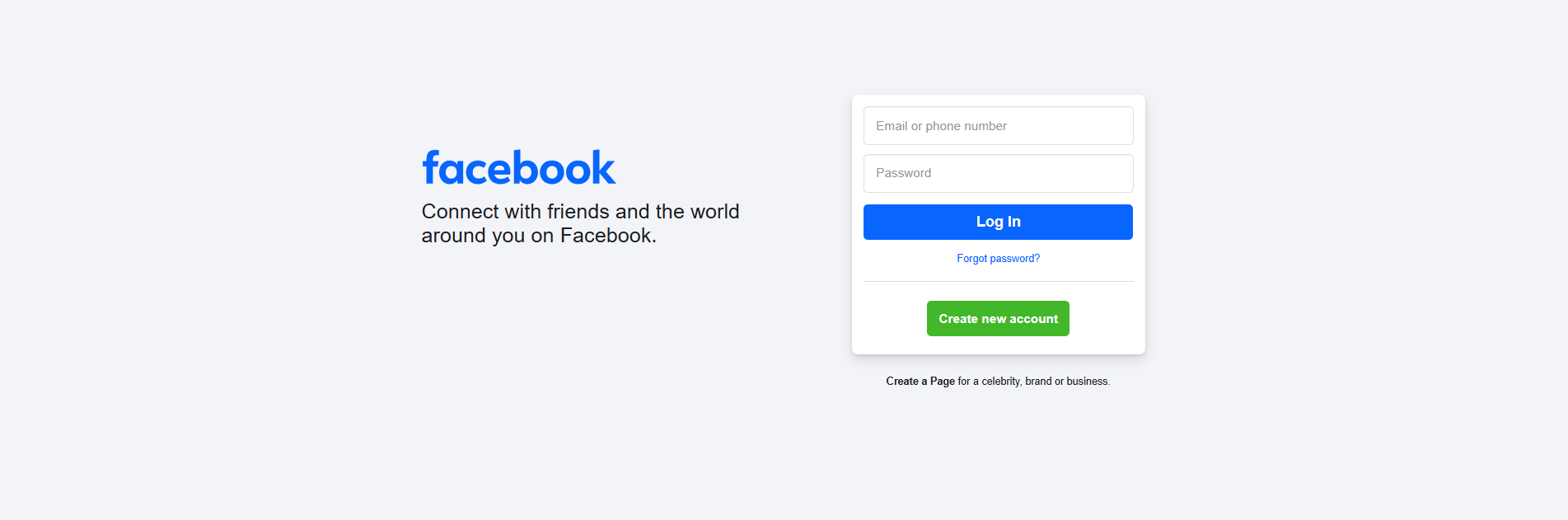
Then go to Facebook’s sign‑up page. Enter the temp mail for Facebook address instead of your real email. Fill in name, password, birthday, and other required info. Submit the form.
Next, check your temp mail for Facebook inbox. Facebook will send a confirmation email. Open that email and click the confirmation link (or enter the code). After that, your new account is ready.
If you want another account, go back to the temp mail for Facebook site and create a new temporary email address. Then repeat the same signup process. This way, you can use temp mail for Facebook to create multiple accounts quickly.
Use Cases for Multiple Accounts
Some people make more than one Facebook account with temp mail for Facebook. Here are common situations where multiple accounts can make sense.
One case is testing. Suppose you work on social media or you want to test a Facebook feature. You might not want to use your main Facebook account. A temp mail for a Facebook-based account can help you test without risk to your real profile.
Another case is privacy. You might want to join a group or check out something online without linking that activity to your main email. A temp mail for a Facebook account keeps things separate, so your main inbox stays private and clean.
Sometimes people just want a short‑term account. For example, you want to browse or comment for a little while. After you finish, you can ignore or discard that account. The temp mail for Facebook will expire, and your real email stays untouched.
Common Mistakes to Avoid
Using temp mail for Facebook can work well. But there are some common mistakes you should watch out for.
A frequent mistake is picking a weak or unreliable temp mail for Facebook service. If the service is slow or the domain is blocked by Facebook, the confirmation email might not arrive. Then you cannot complete registration.
Another mistake is expecting temp mail for Facebook to last forever. Many temp mail for Facebook addresses expire after a few hours or days. If you rely on that email for account recovery (password reset or security alerts), you may lose access when the temp mail for Facebook disappears.
Also, some people reuse the temp mail for Facebook addresses for many accounts. This can cause trouble if the temp mail for Facebook domain becomes known and blocked by Facebook. That can block future signups or stop you from receiving emails.
Finally, using temp mail for Facebook for important or long‑term accounts is risky. If you care about account recovery, notifications, or long-term privacy , long-term — a permanent, real email is a safer choice. Temp mail for Facebook is best for short‑term or low‑risk use.
Advantages and Disadvantages of Using Temp Mail for Facebook
When you know how to make a Facebook account with a temporary email, it helps to also understand what is good — and what is risky — about this choice. Below I show what works well and what you must watch out for when you use temp mail for Facebook.
Pros of Using Temp Mail
Using temp mail for Facebook can bring several real advantages.
- Many temp‑mail services give you a new email address in seconds. You don’t need to give your real email or personal data. This makes signing up easy and quick.
- You can keep your real inbox clean. If you use a temporary email for Facebook, you avoid spam, ads, or unwanted newsletters being sent to your main email.
- Temp mail can protect your privacy. Your main email is private. You don’t share your personal address with many sites. That can help reduce risks if a site leaks or sells email lists.
- Temp mail works well for short‑term or low‑risk needs. For example, you may want a second account to test something, join a group without using your main identity, or just browse without linking to your real email. For these cases, temp mail for Facebook is very useful.
Cons and Limitations
Using temp mail for Facebook also has several drawbacks and limits you should know.
One big problem is that you do not own the temp mail forever. Many temporary email addresses expire after hours or days. If the account tied to that email needs a password reset or security alert later, you lose access. That means your Facebook account could become locked or unusable.
Another issue is security and privacy. Some temp‑mail services show inboxes publicly or use shared domains. That means others might see your emails or the domain might be blocked by Facebook.
Many websites, including Facebook or other services, block known disposable‑email domains. That means sometimes the confirmation email may not arrive — or registration fails. Using temp mail for Facebook may not always work.
Because the email is temporary, you lose long‑term benefits. You cannot reliably use it for account recovery, two‑factor authentication, or future notifications. This limits the usefulness of your account over time.
Also, using temp mail sometimes carries a negative reputation. Some services treat disposable email as suspicious. That may lead to restrictions or even blocking your account.
Comparing Temp Mail with Regular Email Services
Compared with a regular, permanent email (for example from Gmail or Outlook), temp mail for Facebook offers convenience and privacy for short‑term use. You stay anonymous, avoid spam, and protect your personal inbox.
But regular email services give you stability and long‑term control. With a real email you can recover your account, get password resets, receive security alerts, or access important messages. Regular email is more reliable for anything that matters over time.
If you only need a quick account or to test a feature, temp mail may be fine. But if you plan to use Facebook for a long time — with friends, messages, groups, privacy settings — a regular email is safer and smarter.
In practice many privacy experts and security guides recommend not relying on temp mail for important accounts. They suggest using temporary email only for one‑time or throwaway tasks, not for lasting identity or logins.
Best Practices for Maximizing Temp Mail for Facebook Use
Once you know the pros and cons of temp mail for Facebook, you can follow some good practices to get the most benefit and reduce risk. Below are some useful tips to help you use temp mail the right way for Facebook or other accounts.
Managing Multiple Accounts Effectively
If you plan to use more than one account with temp mail, keep each account clean and separate. Use a different temp email address for each Facebook account. This reduces the chance of mix‑ups or confusion. Many experts on email hygiene suggest this kind of “compartmentalization” — separate email for separate purpose.
Do not reuse a single temp email for many accounts. If the address expires or the domain is blocked, you might lose access to all those accounts. Instead, treat each account as a separate project.
Also, keep a simple tracking log (for example in a spreadsheet or notes) of which temp mail you used for which account. Note down when you create it and when it expires. This helps you avoid lost accounts or surprises later.
Automating Engagement on Facebook
If you are managing several Facebook accounts — maybe for testing features, pages, or different identities — using best temp mail for Facebook can make the process easier.
You can combine temp mail with tools or methods that help manage multiple accounts. For example, using a browser or tool that keeps sessions separate so accounts don’t mix or leak information. Some temp‑mail guides mention pairing temporary email with careful account management to avoid linking real identity.
When you use temp mail in this way, you can create accounts, test features, join groups or pages, then abandon them if you no longer need them. This keeps your main identity safe and clean.
But always check the inbox of the temp mail right away. Confirmation emails, group invites, or important notices sometimes come quickly. If you miss them because the temp mail expires or you don’t check in time — you may lose access. Best practices for disposable email say to monitor temporary inboxes, especially if you expect messages.
Ensuring Secure Social Media Management
Even when using temp mail, security and responsibility matter. First, choose a reliable temp‑mail service. Not all services are equal. Good ones state their privacy policy, delete emails automatically after a set time, and do not share your data.
Avoid using temp mail for important Facebook accounts. Do not use it for accounts you care about long‑term. Because temp mail often expires or becomes unusable, you risk losing password resets or security alerts. Many guides warn against using disposable emails for critical or long-term accounts.
Do not share sensitive info through temp‑mail‑connected accounts. If a temp‑mail inbox is public or unsecured, your data (messages, notifications) might be exposed. Disposable-email best practice guides recommend: treat temp mail as just for simple, low-risk tasks, not for sensitive data or important communications.
Finally, if you use multiple accounts often, keep your personal browsing and temp‑mail account browsing separate. Use different browsers, or clear cookies / cache after each session. This reduces the chance that Facebook or other services link your accounts based on device or cookie data.
Conclusion
Using temp mail for Facebook offers an easy and private way to create accounts without sharing your real email. It’s especially useful for short-term tasks, testing features, or keeping your inbox clean. However, it’s important to remember its limitations, such as expiring emails and the lack of long-term benefits like account recovery.
When managing multiple Facebook accounts, combining temp mail for Facebook with tools like DICloak ensures better privacy and security. DICloak’s isolated profiles and custom proxy configurations help maintain a safe, separate environment for each account. This combination allows you to manage several accounts without the risk of them being linked together.
To maximize the effectiveness of temp mail for Facebook, be sure to track your accounts carefully, avoid using it for important long-term purposes, and always ensure your temp mail for Facebook service is reliable.
By following these best practices, you can safely use temp mail for Facebook while protecting your privacy and managing multiple accounts with ease.
Why choose DICloak Antidetect Browsers for your business?
⚡The DICloak Antidetect Browser has become a global favorite for its unparalleled ability to efficiently and securely manage multiple accounts. Designed for professionals in social media management, affiliate marketing, traffic arbitrage, e-commerce, account farming, airdrops, and more, DICloak offers powerful features like RPA automation, bulk operations, and a window synchronizer. Additionally, it allows you to customize fingerprints and integrate proxies for each profile, ensuring top-level security and operational efficiency. It’s the ultimate tool for seamless, secure, and scalable operations.
What Makes DICloak Stand Out?
✅ Manage 1,000+ Accounts on One Device:
Stop wasting money on extra hardware! DICloak allows you to manage multiple accounts on a single device, cutting costs and boosting efficiency.
✅ Guaranteed Account Safety, No Ban Risks:
Every account gets its own isolated browser profile with custom fingerprints and IPs, drastically reducing the risk of bans. Your accounts, your control!
✅ Flexible Proxy Configuration for Maximum Performance:
Seamlessly integrate with all major proxy protocols (HTTP/HTTPS, SOCKS5) and manage your proxy pool with bulk operations. No more struggling with IP management—DICloak has you covered.
✅ Streamlined Team Collaboration for Better Results:
Easily manage your team with advanced tools like profile sharing, permission settings, data isolation, and operation logs. Your team works smarter, not harder.
✅ Automate the Grind with RPA:
DICloak's built-in RPA saves you hours of manual work. Automate repetitive tasks, streamline workflows, and focus on what really matters—growing your business.
✅ Powerful Bulk Tools to Scale Your Operations:
Create, import, and launch multiple browser profiles in one click. DICloak makes scaling your business as easy as it gets.
✅ Compatible with All Major Operating Systems:
Based on the Chrome core, DICloak supports simulating Windows, Mac, iOS, Android, and Linux operating systems. No matter what platform you need, DICloak has you covered.
🔗 Ready to Get Started?
Visit the DICloak website to explore more details and choose the plan that’s right for you. Start for free today and experience the power of secure, efficient, and scalable multi-account management!

FAQ
What is temp mail for Facebook, and how does it work?
Temp mail for Facebook is a temporary email address that you can use to sign up for a new Facebook account without exposing your real email address. It works by giving you a randomly generated email address that expires after a certain period. Once you receive a confirmation email from Facebook, you can use it to complete your account setup while keeping your personal inbox safe from spam and unwanted messages.
Can I use temp mail for Facebook to create multiple accounts?
Yes, temp mail for Facebook is ideal for creating multiple accounts, especially if you want to separate different activities or test features. You can use a new temporary email address for each account, ensuring that your primary email stays private and your accounts remain independent from each other. Just remember to use a reliable temp mail for Facebook service to avoid issues with expired or blocked emails.
What are the main benefits of using temp mail for Facebook?
The main benefits of using temp mail for Facebook include keeping your real email inbox clean, avoiding spam and unwanted notifications, and protecting your privacy. It allows you to create temporary accounts without sharing your personal details. This is especially useful if you’re signing up for short-term activities, testing, or engaging with Facebook anonymously.
Are there any risks or limitations to using temp mail for Facebook?
While temp mail for Facebook offers privacy and convenience, there are some risks. The temporary email addresses typically expire after a few hours or days, which means you may lose access to important recovery emails or notifications. Additionally, Facebook and other services may block certain disposable email domains, preventing you from completing the sign-up process or receiving confirmation emails.
How can I manage multiple temp mail for Facebook accounts securely?
To manage multiple temp mail for Facebook accounts securely, it’s essential to use a separate temporary email for each account. Additionally, pairing temp mail for Facebook with an antidetect browser like DICloak allows you to create isolated profiles for each Facebook account, ensuring they are not linked together. This way, you can avoid detection and keep your activities on Facebook private and secure.
 Web Proxy Tools
 Free Tools
 Cookie Plugin
 UA Generator
 MAC Address Generator
 IP Generator
 IP Address List
 2FA Code Generator
 World Clock
 Anonymous Check
 WebRTC Leak Test
 UUID Generator
 Free Web Proxy Site
 Proxy Checker
 FB Ad Checker
 AI Web Scraping
 Free SMM Tools
 Twitter Shadowban Checker
 Instagram Name Checker
 UTM Generator
 Username Generator
 AI Hashtag Generator
 LinkedIn Headline Generator
 Social Media Image Resizer