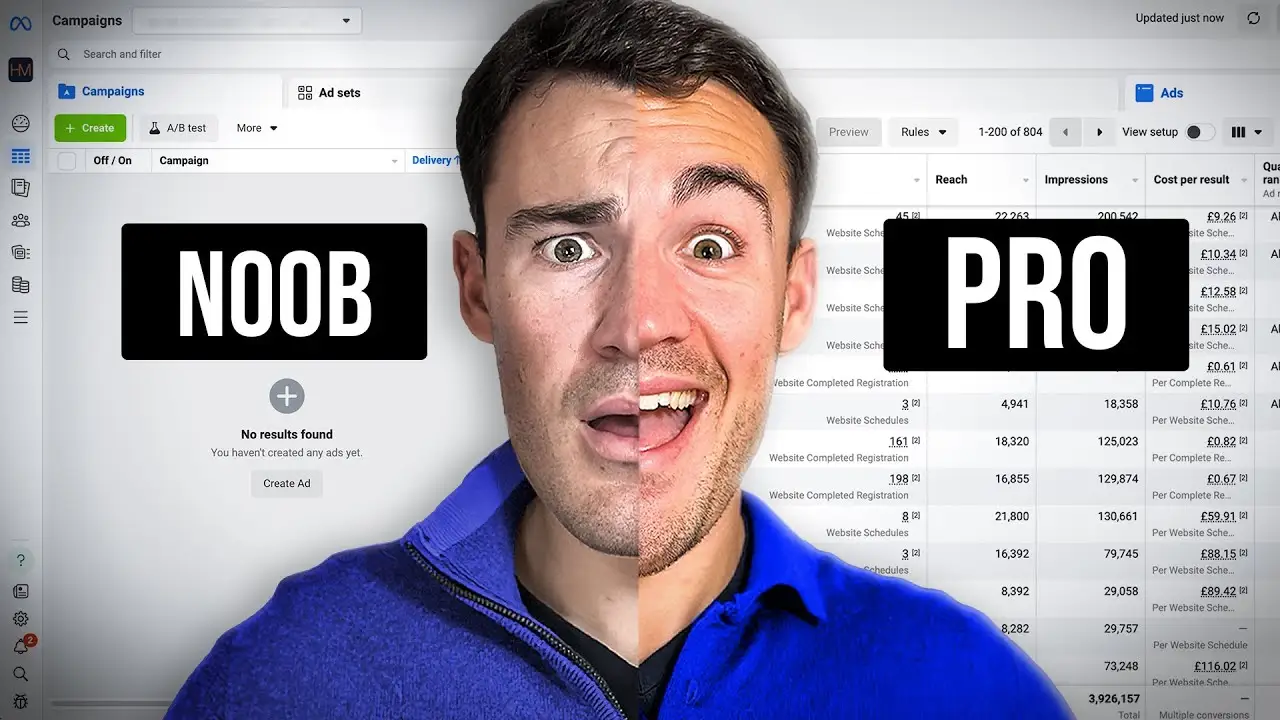
Unlocking the Secrets of Facebook Ads Library
Have you ever wondered how businesses create ads that catch your attention? The Facebook Ads Library is a great tool that helps you explore the world of digital advertising. It shows you all the ads running on Facebook and Instagram. This guide will help you understand how to use it effectively.
What is the Facebook Ads Library?
The Facebook Ads Library is a free online tool. It allows anyone to see ads that are currently running on Facebook's platforms. This tool is useful for marketers, researchers, and anyone curious about advertising. You can find out what ads are popular and learn about different marketing strategies.
Why Should You Use It?
Using the Facebook Ads Library can help you in many ways. Here are some reasons to check it out:
| Reason | Description |
| --- | --- |
| Analyze Competitors | See what ads your competitors are running. |
| Discover Trends | Find out what types of ads are popular right now. |
| Get Inspired | Use successful ads as inspiration for your own campaigns. |
| Research Tools | Gather data for your marketing research. |
How to Use the Facebook Ads Library
To start using the Facebook Ads Library, follow these simple steps:
-
- Go to the Facebook Ads Library website.
-
- Choose your target location from the drop-down menu.
-
- Select the ad category that interests you.
-
- Click on 'All Ads' to see a wide range of ads.
-
- Search for a specific page to see its active ads.
Tips for Maximizing Your Use
Here are some tips to make the most out of the Facebook Ads Library:
- Check the date range of ads to understand their timing.
- Analyze the content of successful ads for ideas.
- Explore the library regularly to stay updated on trends.
- Use the information ethically and for inspiration.
Now that you know how to use the Facebook Ads Library, it's time to dive in! This tool can help you understand ad trends and improve your own advertising efforts. Happy exploring!
Unlocking the Secrets of Facebook Ads Library
Have you ever wondered how brands create ads that catch your eye? The Facebook Ads Library is a great tool to explore this. It helps you see what ads are running on Facebook and Instagram. This guide will show you how to use it effectively.
How to Access the Facebook Ads Library
Step 1: Selecting Your Target Location
First, go to the Facebook Ads Library. You can find it by searching for it online. Once you are there, look for a drop-down menu. This menu lets you choose a country or region. Picking the right location is important. It helps you see ads that are relevant to that area.
Step 2: Choosing the Right Ad Category
Next, you need to select an ad category. This helps you filter ads based on their content. For example, you can choose political ads or commercial ads. This step makes it easier to find ads that match your interests.
After selecting the location and category, click on 'All Ads'. This shows you every ad in your chosen category and location. It's a great way to see current ad trends.
Lastly, you can search for specific pages. Type in the name of a brand or competitor. This will show you all the active ads they are running. It gives you a clear view of their advertising strategies.
Tips for Using the Facebook Ads Library
- Check the date range of ads to understand their timing.
- Use successful ads as inspiration for your own campaigns.
- Explore the library regularly to stay updated on ad trends.
Remember, the Facebook Ads Library is a powerful tool for advertisement analysis. Use it to learn and grow your own marketing strategies. Happy exploring!
Unlocking the Secrets of Facebook Ads Library
Have you ever wondered how businesses create ads that catch your eye? The Facebook Ads Library is a great tool to explore this world. It helps marketers and researchers find out what ads are running on Facebook. Whether you want to learn about marketing strategies or just see what’s trending, this guide will help you navigate the library easily.
Navigating Through Ads: Finding What You Need
To start, go to the Facebook Ads Library. You can find it by searching online. Once you’re there, you’ll see many options. The first step is to choose your target location. This is important because ads can be different based on where you are. Look for a drop-down menu to select a country or region.
Viewing All Ads in Your Selected Category
After picking your location, you can filter ads by category. This means you can see ads related to politics, issues, or even products. Click on the category that interests you. Then, select all ads to see everything in that category. This gives you a broad view of current ad trends.
Searching for Specific Pages' Advertisements
If you want to see ads from a specific page, type the page name in the search bar. This could be a competitor or a brand you like. The library will show you all the active ads from that page. It’s a great way to analyze how brands advertise on Facebook.
| Step | Action |
| --- | --- |
| 1 | Go to Facebook Ads Library |
| 2 | Select your target location |
| 3 | Choose an ad category |
| 4 | View all ads or search for a specific page |
Pro Tips: Always check the date of the ads. This helps you understand when they were active. Use what you learn to inspire your own ads. Remember to check the library often, as digital advertising changes quickly. And always use the information ethically!
Pro Tips for Using the Facebook Ads Library Effectively
Are you curious about how to make the most of the Facebook Ads Library? This tool is great for anyone interested in digital advertising. Here are some tips to help you use it better.
-
- Always check the date range of the ads you view. Knowing when an ad was active can show you a brand's marketing strategies during special events or seasons.
-
- Use the information you find to inspire your own ads. Look at the visuals and text of successful ads for ideas.
-
- Explore the library often. Ad trends change quickly, and staying updated can give you an edge.
-
- Remember to use the information ethically. The library is for inspiration and education, not for copying others' creative work.
By following these tips, you can unlock the full potential of the Facebook Ads Library. Whether you're a marketer or just curious, this tool can help you understand advertisement analysis better.
 Web Proxy Tools
 Free Tools
 Cookie Plugin
 UA Generator
 MAC Address Generator
 IP Generator
 IP Address List
 2FA Code Generator
 World Clock
 Anonymous Check
 WebRTC Leak Test
 UUID Generator
 Free Web Proxy Site
 Proxy Checker
 FB Ad Checker
 AI Web Scraping
 Free SMM Tools
 Twitter Shadowban Checker
 Instagram Name Checker
 UTM Generator
 Username Generator
 AI Hashtag Generator
 LinkedIn Headline Generator
 Social Media Image Resizer