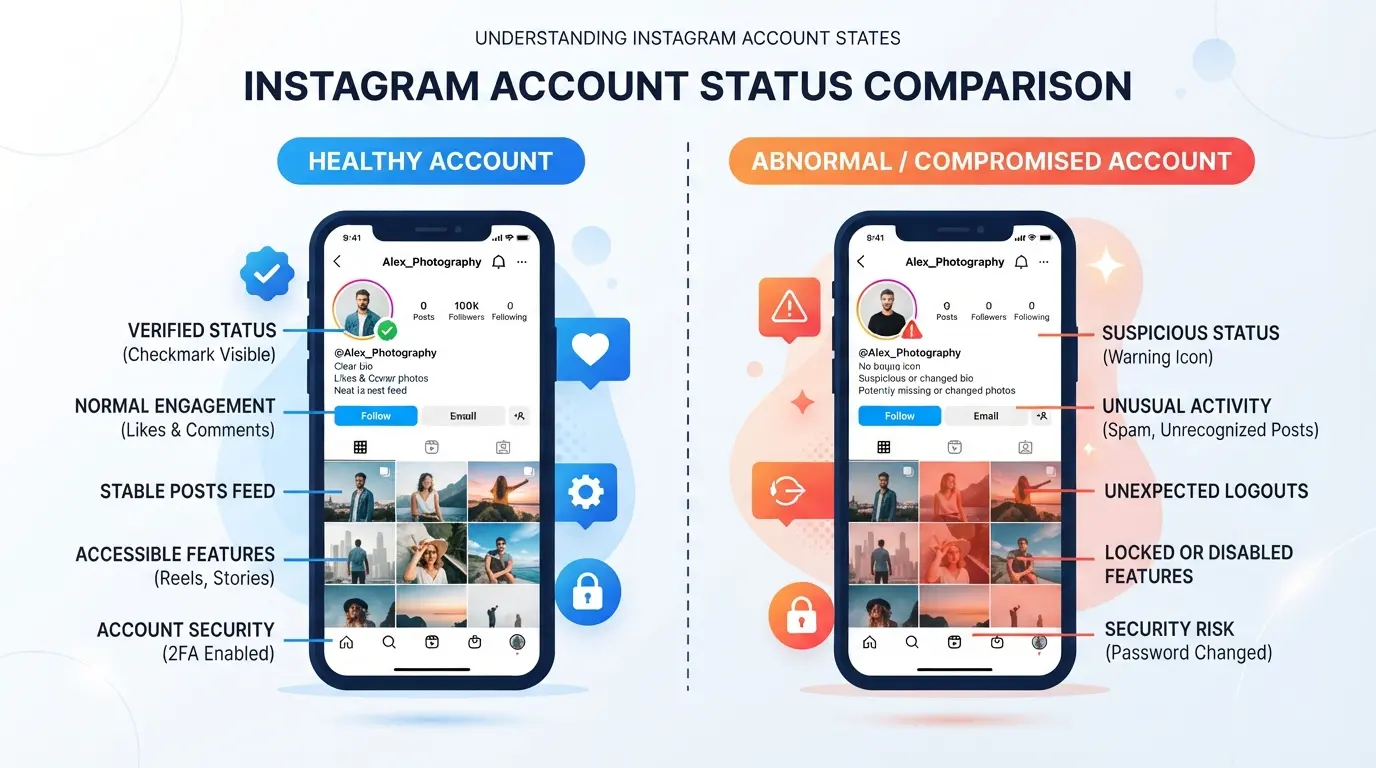
If an IG account suddenly can't log in, with only error messages, posts hidden, or functions seemingly locked, many people can't tell whether IG is blocked or not. Claiming Instagram is blocked sometimes just triggers risk control or account restrictions, but doesn't mean permanent blocking. If you get it wrong, it might be a long effort to save the account but not save it, or you could have appealed but missed the opportunity.
The most frustrating part is that there's no standard answer to IG blocking decisions. Not every time your account appears 'Your account has been disabled,' it's not permanently banned, nor does every functional issue mean your account is hopeless. Common situations like stories not being posted, posts being deleted instantly, or private messages not being delivered are all temporary restrictions and are different from being blocked on IG.
If you only look at surface information, it's easy to misjudge and you might miss the chance to recover your account. To truly distinguish, you need to first understand the types of IG blocks, the system's criteria, and what signs indicate "fake blocks" or "real bans." Some methods reveal at a glance which situations require immediate appeal and which don't require immediate action. Random actions will only make your account harder to recover.
Next, we will clearly explain the common types of IG blocks, the determination process, and how to respond.
What are the obvious signs that IG has been blocked? Latest judgment methods for 2026
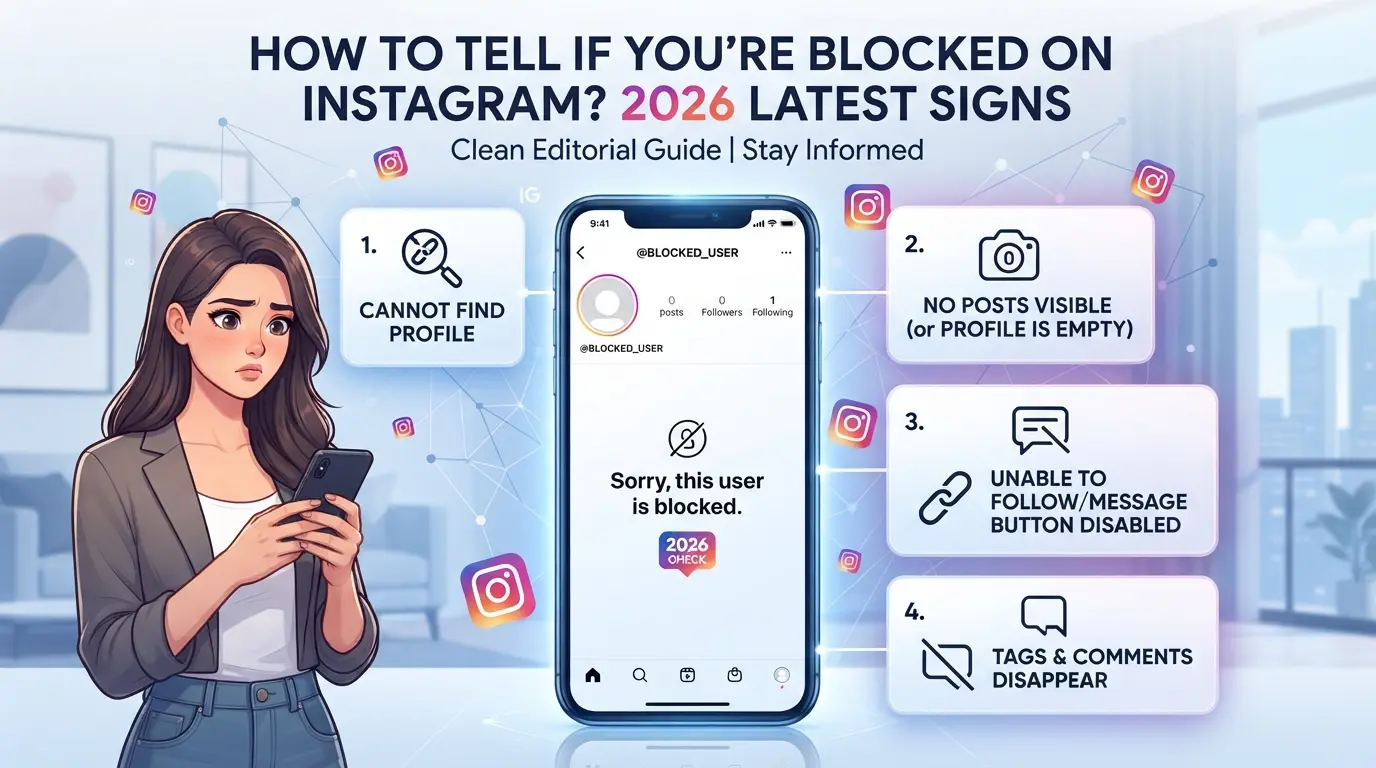
Most people suspect they might be blocked when they encounter abnormal login issues on IG, messages that can't be sent, or posts suddenly disappear. To truly determine if an IG account is blocked, check whether the account has disappeared or become uninteractive to other users, not just that logging in is inconvenient
If you can't find the other person's account, mutual friends still exist
If you can't find the other person's account just by searching, that doesn't necessarily mean you've been blocked. Some people just change their name or set it to a private account, and their name disappears. But if you still see the account name in your mutual friends' follow list, but clicking in shows 'User does not exist' or you can't access their personal page, this is usually a clear sign that Instagram has been blocked.
Chat history becomes Instagram user status, and messages cannot be sent
- The original private message showed the other party had become an 'Instagram user' and their name was missing
- When sending messages, it shows "Delivery Failed" or cannot be sent directly
- You cannot see past messages from both parties, or chat records automatically disappear
Post wall, Stories, and follower count display abnormalities
If this account originally had posts or stories, but suddenly the entire wall is emptied but the followers and followers remain, it's usually not just a simple private update or deleting posts, but rather an IG block indicating that the effect has taken effect. Sometimes the Instagram message shows "Content unavailable" or posts cannot be accessed. These kinds of abnormalities are more noticeable than simple login failures.
Verify using a second account or incognito mode
Rechecking with a small account or incognito window is better than relying solely on the main account to avoid the issue of personal accounts being blocked by default.
- Search for the target account with another IG account to see if it displays properly
- Open your browser in incognito mode, enter the account URL directly to test if it works
- If a public account completely disappears, it is almost certain that the IG account has been blocked rather than hidden by itself
Once these steps are completed, you can usually eliminate false positives. The next step is to distinguish between "blocked," "restricted," "account deactivated," or "deleted" to choose the correct approach.
What are the differences between being blocked, restricted, disabled, or deleted accounts?
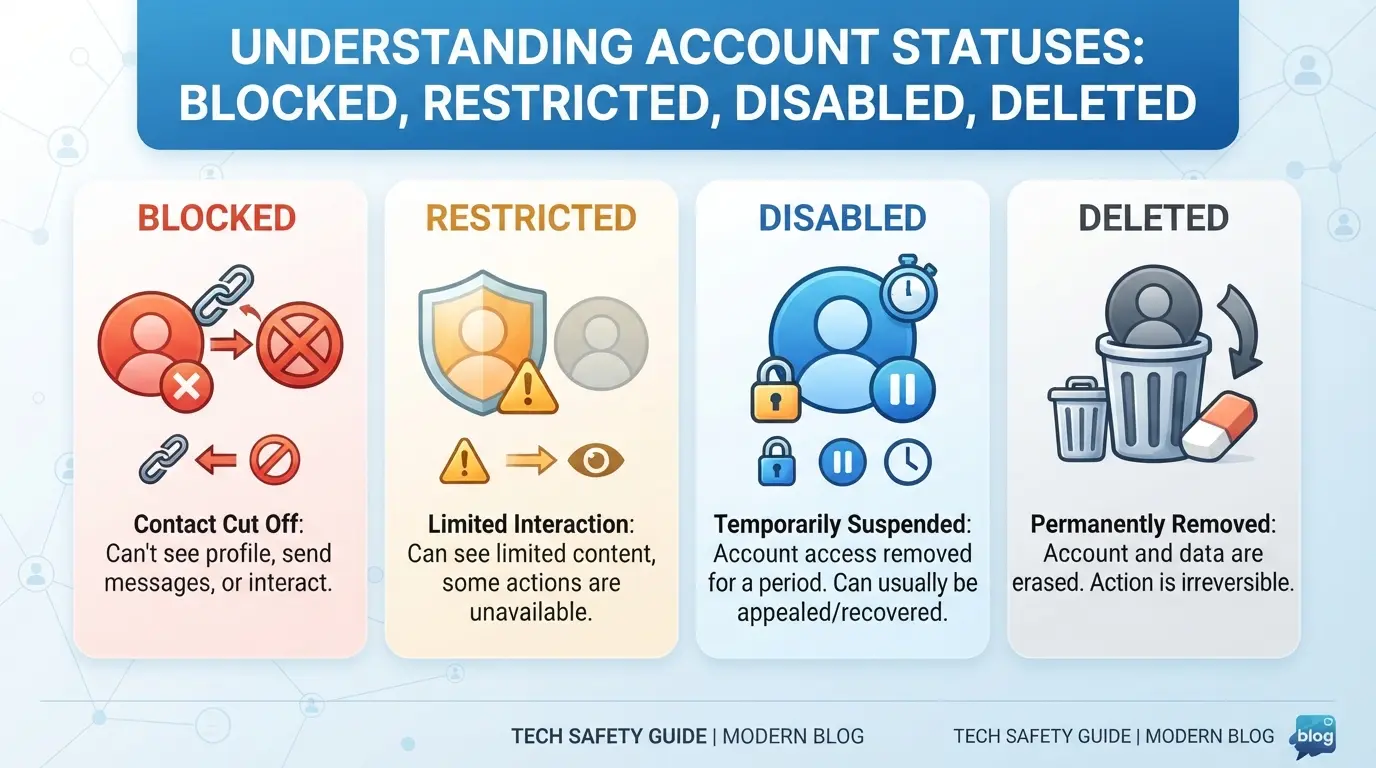
When your IG account is abnormal, you often get a bunch of messages mixed together, making it hard to tell whether you're blocked, restricted, disabled, or deleted directly. These four situations are very different, and if you get them wrong, all your efforts can be wasted. Below is a direct comparison to help you understand which situation you're encountering.
| Status |
Degree of functional limitations |
Is it possible to recover? |
Main signs |
| Blockade |
Complete isolation |
No |
The other person disappeared, and there was no interaction at all |
| Limitations |
Partially restricted |
Yes |
Comments require review and cannot be posted within a limited time |
| Temporarily deactivated |
Temporarily unable to log in |
Yes |
Data is hidden and can be restored automatically |
| Delete the account |
Permanent disappearance |
No |
All records disappeared, no entrance |
Blockade: Completely isolated interactions between both parties
Once blocked, it's as if you don't exist. You can't search or see each other, and all past comments, likes, and messages disappear. This is often seen when a single user blocks you or the system determines that both parties need to be isolated. Blocking is the most thorough isolation, and it's almost impossible to restore the original interaction
Limitations: Interaction is limited but some content is still visible
Under restrictions, the account can still operate, but interactions are controlled. Comments need to be reviewed to be displayed; messages don't go directly to the inbox but to the request section. Simply put, Instagram has temporarily locked you in the "little black room," but still leaves a way to save yourself.
Temporarily disabled: Account temporarily unable to log in
When your account is disabled, your data will be hidden, but in most cases, you can recover it yourself. This situation isn't about being blocked; it's mainly because you deactivate it yourself or the system is temporarily frozen. As long as you follow the official instructions, you can usually reactivate it within a few minutes to a day.
Account deletion: Data is permanently deleted
After deleting the account, all posts, interaction records, and tracking data will be completely gone. This situation is irreversible, and even if you appeal, there's no way to access it. At this point, the account no longer exists.
Once you understand your situation, it's easier to decide whether to save or give up next, avoiding further misjudgments. The next section will explain the common reasons behind IG blocks and the situations for misjudgment.
Why was I blocked by IG? Common reasons and misjudgments
Most IG users are blocked not due to operational errors, but because their account behavior is indeed ruled as a violation by Instagram. First, clarify which situation it is before deciding whether to handle it or appeal further.
Common reasons for being blocked: arguments, harassment, advertisements, violating content
The most common types of IG blocks include: personal attacks, malicious harassment, spam spreading, or posting content that violates community norms (such as violence, nudity, or hate speech). If you are reported in large numbers or the system automatically detects abnormalities, there is a high chance of being blocked outright.
False positive situations: the other party closed the page, changed their account, or unfollowed them
Many users mistakenly think they've been blocked, but in reality, it's just that the other person's account is temporarily suspended, their name changed, or their privacy settings adjusted. For example: If you can't find a friend searching or are removed from your following list, this doesn't mean the IG block judgment is valid. Sometimes the other person just changes their settings themselves, and after the function is restored, the account reappears. A real block means you can't even see your basic profile or send messages. If you only see 'This account does not exist' but nothing else is wrong, it's usually not that you have been banned.
Risks of multi-account operations: team, marketing, and managing small accounts
There are three high-risk situations to pay special attention to when operating multiple accounts simultaneously:
- Multiple small accounts sharing the same device or IP are prone to being blocked together
- Automated marketing and batch posting are often detected by the system as bots
- The team was chaotic and account login locations frequently changed, raising platform concerns
As long as you hit these points, the chance of your account being blocked at the same time increases significantly.
How to further confirm whether you have been blocked by IG? 3 steps to reduce false positives
Just looking at system notifications or single functional anomalies can easily misjudge whether IG is actually blocking. By following these three steps to check, you can quickly eliminate fake alerts and save unnecessary appeals or rescue procedures.
Step 1: Search for the other person using your small account or friend's account
- Use another IG account (alt or friend's account) to directly search for your main account name.
- If you can't find your small account or friends either, it usually means your account has been blocked or disabled.
- If you can find a small account but the main account cannot log in, it is usually a temporary restriction, not a permanent block.
Step 2: Use incognito mode to check public accounts
- Open your browser's incognito window and log out of all IG accounts.
- Directly enter the public link of your account (instagram.com/ your account).
- If the link shows 'User does not exist' or 404, that's when you should worry that your account has actually been blocked.
- If public accounts can still view profile pictures or post thumbnails, most of them are just being restricted or temporarily frozen.
Step 3: Check changes in chat and interaction records
- Check your and your friends' IG private message history; normally, the messages are there.
- If all interactions (comments, likes) suddenly disappear, this situation usually happens only after being blocked.
- If only part of the message disappears or the number of likes is abnormal, it's usually a system restriction, so there's no need to rush to block the message.
If you have checked all three steps and still show obvious signs like "account not found" or "all interactions disappeared," then you need to actively address account security issues.
How to reduce the risk of IG being blocked when managing multiple accounts? Advanced isolation and proxy settings
If you manage multiple IG accounts at the same time, it's hard to evade platform detection by relying solely on time-segmented operations. To truly reduce the chance of the same batch of IG accounts being blocked along with it, the key is to properly isolate the environment and set up proxies, making each account look like a completely different user.
Account isolation: Prevents multiple accounts operating on the same device from being detected by the platform
Using a single phone or the same browser to log in alternately and then to different accounts is actually quite risky. The platform collects device codes, stores cookies, and even compares login environment records. To reduce the risk of linked detection, it is recommended to use multiple physical devices or multiple independent browser profiles. The simplest method is to operate separately with different computer accounts or virtual machines.
Fingerprint configuration: browser fingerprint consistency and differentiation
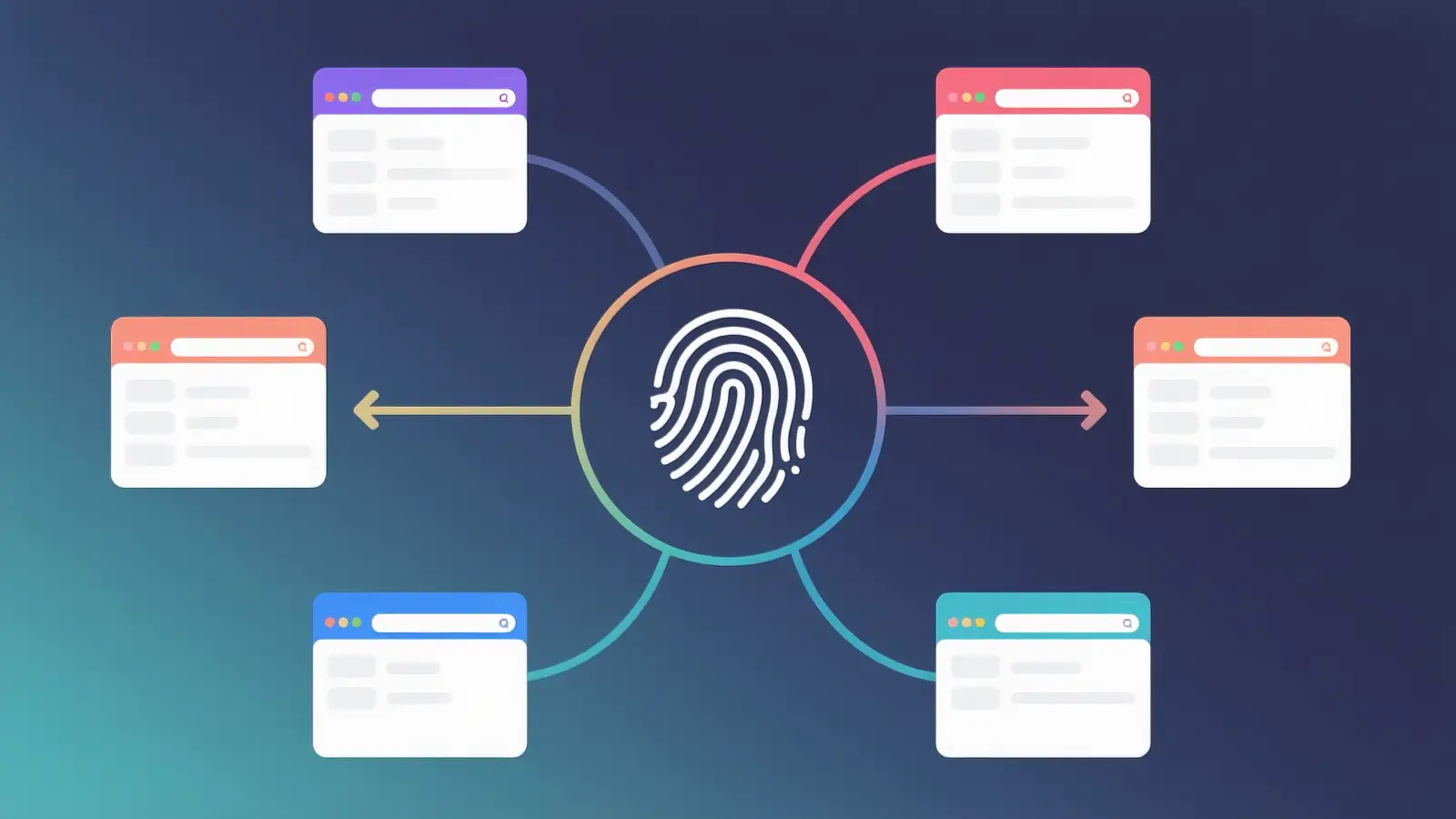
Even if you switch browsers, if each account's fingerprint parameters (such as User-Agent, screen resolution, time zone, font, WebGL information) are all identical, IG's system can still use these "digital fingerprints" to verify that the account actually comes from the same operator. At this point, adjusting the differences in fingerprint parameters becomes crucial. For example, Account A uses Chrome to simulate Windows, while Account B is set to macOS, with different languages, time zones, and even browser extensions. The key is not to change randomly, but to make each account's fingerprint combinations look natural, realistic, and not duplicated. If you just randomly use a fingerprint generator to apply templates with one click, it can easily result in many accounts with identical fingerprints. Such batch accounts will quickly be marked in IG's automated risk control system, and may even be banned en masse. There was once a team that ran 20 small accounts using the same fingerprint template, but within a week, Instagram tucked them all down. This is the result of not properly adjusting the details.
Proxy settings: Each account is assigned a different IP gateway
- Each account is bound to an independent proxy to prevent clustering of multiple accounts and IPs
- The proxy IP's region and time zone should match the account settings to reduce abnormal login alerts
- If your IP is marked by the platform, change it promptly to avoid suffering damage to the entire batch of accounts
Using DICloak for IG Multi-Account Security Management: Isolated Configuration and Proxy Configuration Example
When managing multiple accounts, the biggest concern is when the operating environment and IP are linked by the platform, causing account anomalies or blocks. For marketers or teams managing multiple IG accounts simultaneously, relying solely on manual segmentation is difficult to completely isolate. At this point, consider using DICloak to assign each account to an independent profile, separating browser fingerprints and proxy settings, so that each account's operating environment is truly separate and risks are reduced. Below is an example of this configuration process, explaining the key points and precautions at each step.
Environment isolation and browser fingerprint settings: Each account creates a separate environment
When managing multiple accounts, teams often encounter situations where the platform detects the same device or fingerprint, resulting in chain accounts causing problems. DICloak allows operators to create an independent profile for each account and set parameters for each profile, such as operating system, browser version, language, time zone, canvas fingerprint, and more. In practice, marketers assign each Instagram account to a different profile to avoid being mistakenly identified by the platform as an anomaly when multiple accounts are logged into on the same device. The key point here is that profile environment isolation is only at the browser level and does not automatically affect the IG account's content, status, or platform judgment. When operating, what matters most is whether the environment segmentation is thorough enough; otherwise, chain reactions will erupt. 
Proxy configuration: Assigns different IP outputs to each profile
If multiple accounts share the same IP, once detected by the platform, it often marks an entire batch of accounts as abnormal. DICloak allows administrators to independently set proxies for each profile. As long as you prepare your own HTTP, HTTPS, or SOCKS5 proxy information, you can directly enter it into the profile settings. Once set up, you can use built-in inspection tools to test the proxy connection status, export IP, and time zone to ensure they match the account's operating region. In practice, administrators assign appropriate proxies for different account sources and operating regions, and regularly check for duplicates or abnormal delays in IPs. DICloak itself does not sell proxies; all proxy sources and quality must be self-controlled. This step cannot be skipped; otherwise, no matter how clean the account environment is, the IP will still serve as a linking point. 
With this tiered management, it's easier to trace which link went wrong when Instagram is blocked, and it's easier to make targeted adjustments later.
What can you do after being blocked by IG? Safety response and follow-up recommendations
Try to lift the block or communicate
After being blocked on Instagram, the most direct thing to do is to first confirm the reason with the other person. Ask friends you know to help contact them, or try other ways to get them to unblock you. If you can prove you didn't violate any rules, you can usually try to unblock or reduce subsequent restrictions. But if the other person insists on not understanding, don't insist to avoid your account being marked as abnormal.
Create a new account or adjust your operating habits
- When registering a new account, first adjust your personal information and usage habits
- Reduce the need to add a large number of friends or operate frequently in a short period
- Be sure to check for repeated platform triggers
Secure processes for managing multiple accounts
If a block occurs, team operations must be immediately separated.
- Each account runs independently to avoid associations
- Proxies are set separately and do not share the same IP
- During team collaboration, permission is layered to reduce risk
Next, we will compile answers to common questions about IG blocking.
Frequently Asked Questions about IG Blocks
When facing IG blocks, the most common questions actually revolve around "Is this temporary or permanent?" And "Should I appeal the follow-up?" Addressing these details is more practical than blindly guessing the reason for the block.
How long does it take for IG to automatically unblock?
Most temporary restrictions are automatically lifted within 24 hours, while a few severe cases may last up to 7 days. If it doesn't recover for more than a week, it's basically a permanent lockdown.
How long does it take to get a result after filing?
After appealing, you will usually receive an email notification within 1-3 days. If there is no response within 72 hours, you will most likely need to change your account.
Will IG blocks affect other accounts?
Accounts under the same device or IP may be linked to other accounts. It is recommended to isolate the system and avoid using the same phone to log into multiple IG accounts at the same time.
Frequently Asked Questions About IG Blocking
Will IG notify me if I'm blocked?
Instagram will not proactively notify you if your IG is blocked. Usually, you will find that you cannot search for that account, view its updates, or interact with it. You need to judge for yourself, such as searching with different accounts or checking if interactions are restricted to confirm if you are truly blocked.
What happens to previous comments and likes after being blocked?
After being blocked on Instagram, your comments and likes under their accounts usually disappear or become unviewable. Even using a small account or a friend's account may not be visible to these interaction records. They also cannot see your previous comments and likes, which is a common phenomenon after being blocked.
Is it accurate to verify being blocked using a small account or a friend's account?
Using a small account or a friend's IG account to check if you can search or see someone's data is an effective way to determine if your IG account is blocked. If your main account can't see it but other accounts can browse normally, it means your main account has been blocked. This is currently the most commonly used and accurate way to judge.
Can you still send messages after being blocked on IG?
Once IG is blocked, you usually can't message the other person again. Messages you send will show as "Instagram users" and you won't be able to interact again. They won't receive your messages either, and old chat history may become hidden or unaccessible.
Does multi-account operation increase the risk of being blocked?
If you operate with multiple accounts at the same time without isolated IPs or device environments, Instagram may detect abnormal behavior. This does increase the risk of your IG account being blocked. It is recommended to use them separately to avoid operating multiple accounts on the same device or network.
Now is the perfect time to try out new tools—download them right away and experience the convenience and security they bring. Take action and make information management easier and more effective.
Try DICloak for free
 Web Proxy Tools
 Free Tools
 Cookie Plugin
 UA Generator
 MAC Address Generator
 IP Generator
 IP Address List
 2FA Code Generator
 World Clock
 Anonymous Check
 WebRTC Leak Test
 UUID Generator
 Free Web Proxy Site
 Proxy Checker
 FB Ad Checker
 AI Web Scraping
 Free SMM Tools
 Twitter Shadowban Checker
 Instagram Name Checker
 UTM Generator
 Username Generator
 AI Hashtag Generator
 LinkedIn Headline Generator
 Social Media Image Resizer