- ResourcesOnline Tools


EN

Sharing an Ahrefs account can seem like a practical solution for freelancers, small teams, or agencies looking to save costs and collaborate more efficiently. But with the growing importance of data security and platform policies, how can you ensure you're sharing access safely without risking account bans or data breaches? In this guide, we'll walk you through the risks of sharing your Ahrefs account, the best practices for secure sharing, and introduce you to powerful tools like DICloak that can help you manage multiple accounts securely. Whether you're a solo freelancer or part of a larger team, this guide will provide valuable insights to help you navigate the complexities of sharing your Ahrefs account in 2026.
Sharing an Ahrefs account can be a practical solution for freelancers and small teams looking to manage costs, collaborate efficiently, and access powerful SEO tools. However, it’s important to understand the reasons why individuals or teams may choose this approach. Let’s explore some of the most common motivations for sharing an Ahrefs account and how it can benefit different types of users.
Ahrefs is one of the most powerful SEO tools available, but its cost can be a barrier for small teams and freelancers. The base plan can cost over $129 per month, which only includes one user. Adding more users often results in additional fees, which can reach $40–$100 per person per month.
For many freelancers and small teams, paying for several separate accounts isn’t financially viable. Instead, they may choose to share Ahrefs accounts to cut costs. By sharing one account among multiple people, they can access all the powerful tools in Ahrefs without breaking the budget. This allows smaller operations to stay competitive while using a top-tier SEO tool.
For example, a two-person team working on SEO for local businesses might share an Ahrefs account, each contributing a small portion of the total cost. This shared account setup lets them access keyword data, backlink research, and site audits without needing to buy two separate subscriptions. This cost-saving approach is ideal for freelancers and small teams managing multiple projects but needing to stay within their budget.
Freelancers and agencies often juggle many clients, and each client may have different SEO needs. While some clients prefer managing their own Ahrefs account to access keyword data and website information, others may opt to share access with the freelancer or agency they’re working with. This setup can save time and ensure that both parties have the same data.
However, sharing accounts can lead to complications. If a freelancer or agency manages several clients and uses multiple Ahrefs accounts, logging in and out of each one can cause confusion and slow down the work process. Additionally, multiple accounts accessed from a single device may lead to an account ban due to suspicion of improper account usage or violation of the service’s terms.
For example, if an agency is handling five clients, using one account for each client, the freelancer or agency may share their account to manage everything under a single login. This makes it easier to track progress and access data quickly without switching between accounts. However, they must be careful to follow best practices to avoid triggering any security flags.
Solo freelancers often need to collaborate with others, whether it's a partner, a virtual assistant (VA), or a colleague. In many cases, sharing access to your Ahrefs account makes it easier to delegate tasks such as performing keyword checks or analyzing backlinks. Rather than purchasing another full subscription just for a temporary need, sharing an account can save money and increase efficiency.
For example, if a solo freelancer is managing an SEO project but requires assistance with keyword research, they might share their Ahrefs account with a colleague for a few days or weeks. This temporary collaboration allows both parties to access necessary reports without the need for a new subscription. Sharing access in this way helps freelancers work more effectively, especially when collaborating on a larger project.
Additionally, many freelancers use Ahrefs for data analysis and SEO audits, and collaborating with a partner can help speed up the work. Rather than relying on one person to handle all aspects of the SEO work, sharing the account ensures both individuals can perform tasks simultaneously and streamline their workflow.
Ahrefs charges extra for each additional user added to a plan. If you’re working with a small team, paying $40–$100 per person just for additional access to an SEO tool can quickly become financially unsustainable. Instead of paying for every user, some small teams or solo freelancers choose to share an Ahrefs account to avoid these extra costs.
By sharing an account, small teams or freelancers can avoid the need to purchase multiple user add-ons, which is often more expensive than simply sharing access. In this case, the goal is not to bypass Ahrefs' terms or cheat the system, but to collaborate more effectively while minimizing the costs associated with using a top-tier SEO tool.
When using Ahrefs, it’s important to understand their pricing and account-sharing policies to avoid any issues with account suspension or service interruption. Ahrefs offers four different pricing plans: Lite, Standard, Advanced, and Enterprise. However, each plan only allows one main user, and additional users come at an extra cost. Let’s take a closer look at Ahrefs’ official pricing and account-sharing rules in 2026.
Here’s a quick comparison of the pricing for each Ahrefs plan and the number of additional users you can add:
| Plan | Monthly Cost | Included Users | Cost for Additional Users |
|---|---|---|---|
| Lite | $129 | 1 | $40 per user/month |
| Standard | $249 | 1 | $60 per user/month |
| Advanced | $449 | 1 | $80 per user/month |
| Enterprise | Starts at $14,990/year | 3 | $100 per user/month |
As seen in the table, Ahrefs charges extra for additional users on each plan, with prices ranging from $40 to $100 per user per month. This pricing structure can quickly become costly for small businesses or freelancers who need access for multiple people.
While these pricing plans offer flexibility for adding users, Ahrefs’ Terms and Conditions strictly forbid sharing login credentials with others. The official terms state:
“Your login may only be used by a single user. A single login shared by multiple users is not permitted. We reserve the right to cancel or suspend your access to the Service if we see any suspicious activity in your account that reasonably points out you willingly and/or knowingly shared your credentials with another user.”
This means that while Ahrefs’ pricing plans allow for additional users to be added at an extra cost, sharing your login details with others (such as colleagues, virtual assistants, or clients) is strictly prohibited by Ahrefs.
Now that you know Ahrefs’ official rules on pricing and account sharing, it’s important to understand the real risks of choosing to share Ahrefs account access without following those rules. Many users may think it’s just a quick way to save money, but the problems can go deeper than cost. Below are the key risks you should know before deciding to use an ahrefs shared account.
Ahrefs closely watches where each login comes from. When someone logs in from one city and then another person logs in from a distant city just minutes later, Ahrefs sees this as unusual behavior. The system may respond with security actions like forcing logouts, asking for repeated email approvals, or even temporarily locking the account. The tool does this to protect the account from suspicious access and bot activity. These protections are standard for many online services and are meant to keep your data safe.
For example, an SEO freelancer once shared their login with a colleague in another country. Within hours, the account was locked and the team had to go through multiple verification steps just to get it working again. This type of disruption can delay work and frustrate clients.
When multiple people use the same login, Ahrefs cannot tell who did what inside the tool. There is no clear record of actions like exporting reports, changing settings, or updating projects. This makes it hard to trace mistakes, fix errors, or even show clients what work was done. Professional teams and agencies rely on audit trails to stay organized and accountable. Without them, it’s easy for someone to overwrite important data or lose work without knowing who made the change.
For example, imagine two team members working on the same client project. One exports a keyword report, and the other overwrites it later without saving a copy. With a shared Ahrefs account, there is no clear history to determine who made the change or when it happened.
Ahrefs does not just monitor IP addresses; it also collects device and browser information such as operating system, browser type, and unique identifiers tied to your device. These details help Ahrefs detect unusual usage patterns, like if the same account is accessed from many different machines. According to Ahrefs’ privacy practices, they may use browser and device identifiers to secure your account and protect against fraud.
When you share your login across different devices, Ahrefs may interpret this as a risk. This can lead to more frequent security checks and even temporary blocks. Such blocks can interrupt your work, especially during critical tasks like reporting or client meetings.
Now that you know the risks of an ahrefs shared account, it’s time to look at the best ways to share Ahrefs account access with others. Some methods follow Ahrefs’ rules and keep your data safe. Others may seem easy but carry risks or extra work. We’ll explain each option with clear examples so you can choose what fits your team and work style.
The safest and most official way to share access to your Ahrefs data is to use the built‑in team features in Ahrefs. Instead of sharing a single login, you invite others into your workspace. Ahrefs supports adding team members in all plans from Lite and above. Each invited user gets their own login tied to your subscription.
To do this, go to your Account Settings and open the Members tab. Click “Invite members,” enter their email, and choose a role like Admin, Member, or Guest. Each role has different access rights. For example, an Admin can manage settings and users, while a Member can work on shared projects.
While Ahrefs’ team features are secure, they come with some drawbacks. The cost of additional users can be high, which may be expensive for small teams or freelancers. Additionally, small teams may not need frequent access for everyone, making the extra users unnecessary. Managing user roles and permissions can also become complicated, especially in larger teams. Furthermore, team members cannot collaborate on the same data in real-time, which can slow down projects. These factors make Ahrefs’ team features less ideal for some users due to the added cost and complexity.
Below are some other ways people try to share Ahrefs account, including their benefits and risks. These options are not officially recommended by Ahrefs and require careful use.
The simplest way to share access is by giving someone your username and password. It seems easy, but it comes with real problems. Ahrefs will see logins from different users or places and may trigger security warnings or locks.
For example, Tom gave his login to a freelance writer for a week. At first it worked, but then Ahrefs asked for repeated email confirmations and locked the account temporarily. This disrupted their work and cost time to resolve.
Why it’s risky:
Because of these issues, sharing credentials should be a last resort and only for very short or urgent needs.
A remote desktop lets one person control a computer in another location. Some teams use this method to avoid sharing login details directly. Instead, one person logs into Ahrefs on a secure system and others use remote access to work there.
For example, an SEO team sets up a dedicated computer at the office. Team members log in remotely to run reports on that machine. Everyone works from the same device, so Ahrefs sees one login pattern.
Pros:
Cons:
Remote desktop tools are better than password sharing, but they can be slow and are still not fully supported by Ahrefs.
Some advanced tools—called browser isolation or profile tools—help teams separate sessions without sharing passwords. These tools create separate browser profiles that each user can open independently. Each profile can hold your Ahrefs login data, cookies, and settings without exposing the actual password to others.
For example, a group of freelancers uses a browser isolation tool to store the main Ahrefs login inside separate profiles. Each person opens the browser with their own profile, so Ahrefs sees a consistent session and fewer unusual logins.
Pros:
Cons:
Browser isolation tools are more secure than simple credential sharing, but they are still not the same as using Ahrefs’ built‑in team features.
| Method | Compliance | Ease of Use | Security Level |
|---|---|---|---|
| Built‑in Team Invite | ✅ Official | Easy | High |
| Sharing Credentials | ❌ Not Recommended | Very Easy | Low |
| Remote Desktop | ⚠️ Mixed | Medium | Medium |
| Browser Isolation | ⚠️ Mixed | Harder | Medium‑High |
By comparing these methods, you can see why the safest and most reliable way to share Ahrefs account access is through Ahrefs’ official workspace invites. It complies with the rules, allows controlled teamwork, and helps maintain security and trust. Other methods may offer quick solutions, but they come with risks you should fully understand before using them.
Setting up a shared Ahrefs account using DICloak is easy and doesn’t require any technical expertise. With DICloak, you can securely manage multiple Ahrefs accounts, ensuring that you follow all security protocols while allowing your team to collaborate efficiently. Here's a step-by-step guide to get started.
Visit the official DICloak website, register for an account, and download the application to your computer. Once installed, DICloak will provide you with a secure environment to manage multiple Ahrefs accounts.
To share Ahrefs profiles with your team, you need to subscribe to a DICloak plan. The Base Plan is ideal for smaller teams, while the Share+ Plan is designed for larger teams needing unlimited member access. Select the plan that fits your team size and needs.
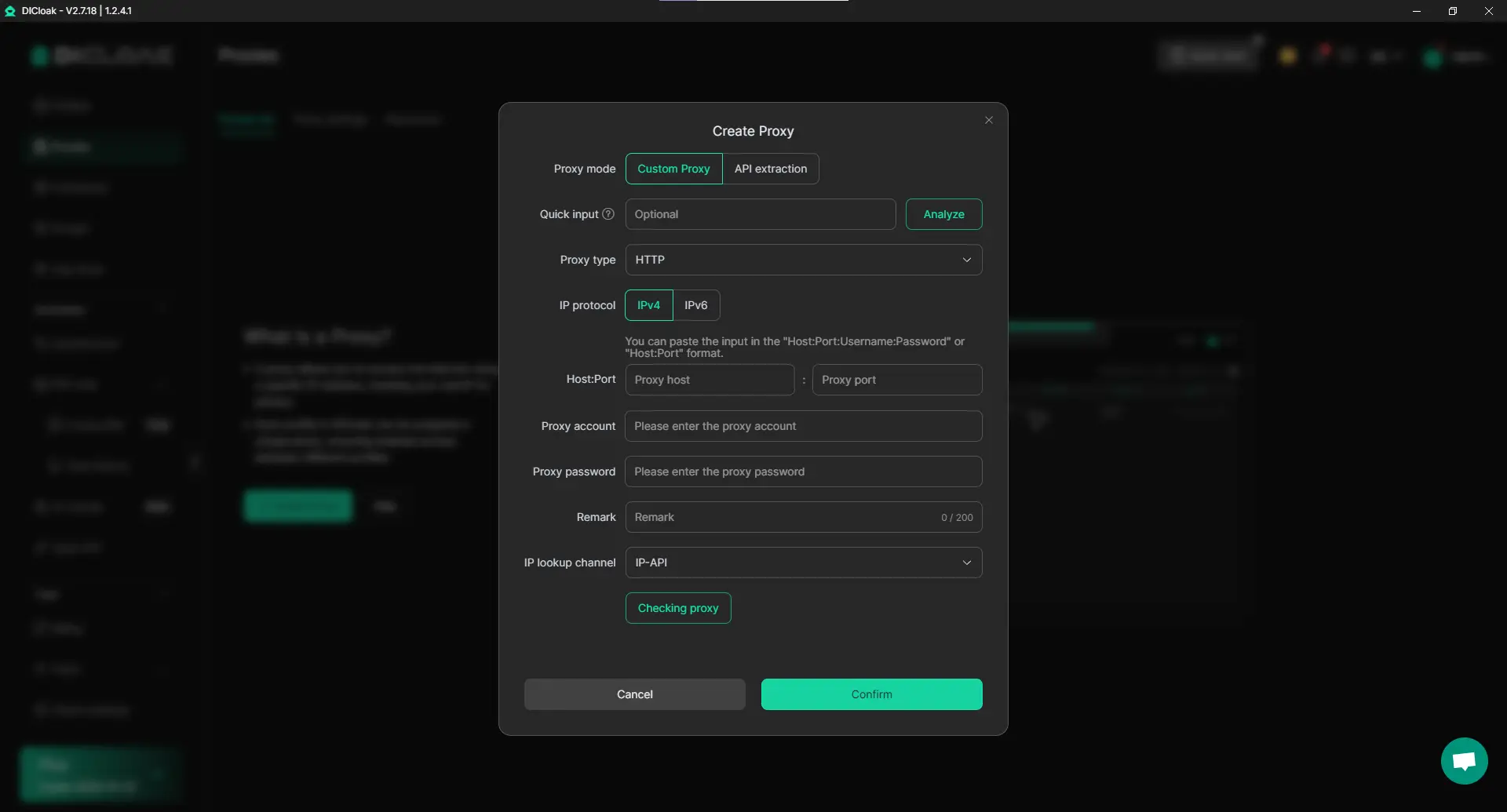
Although not required, using a static residential proxy is highly recommended for improved security. This gives your shared profile a fixed IP address, preventing Ahrefs’ security systems from flagging logins from different locations. This significantly reduces the risk of account lockouts or forced logouts. DICloak works with several third-party proxy providers but does not sell proxies directly.
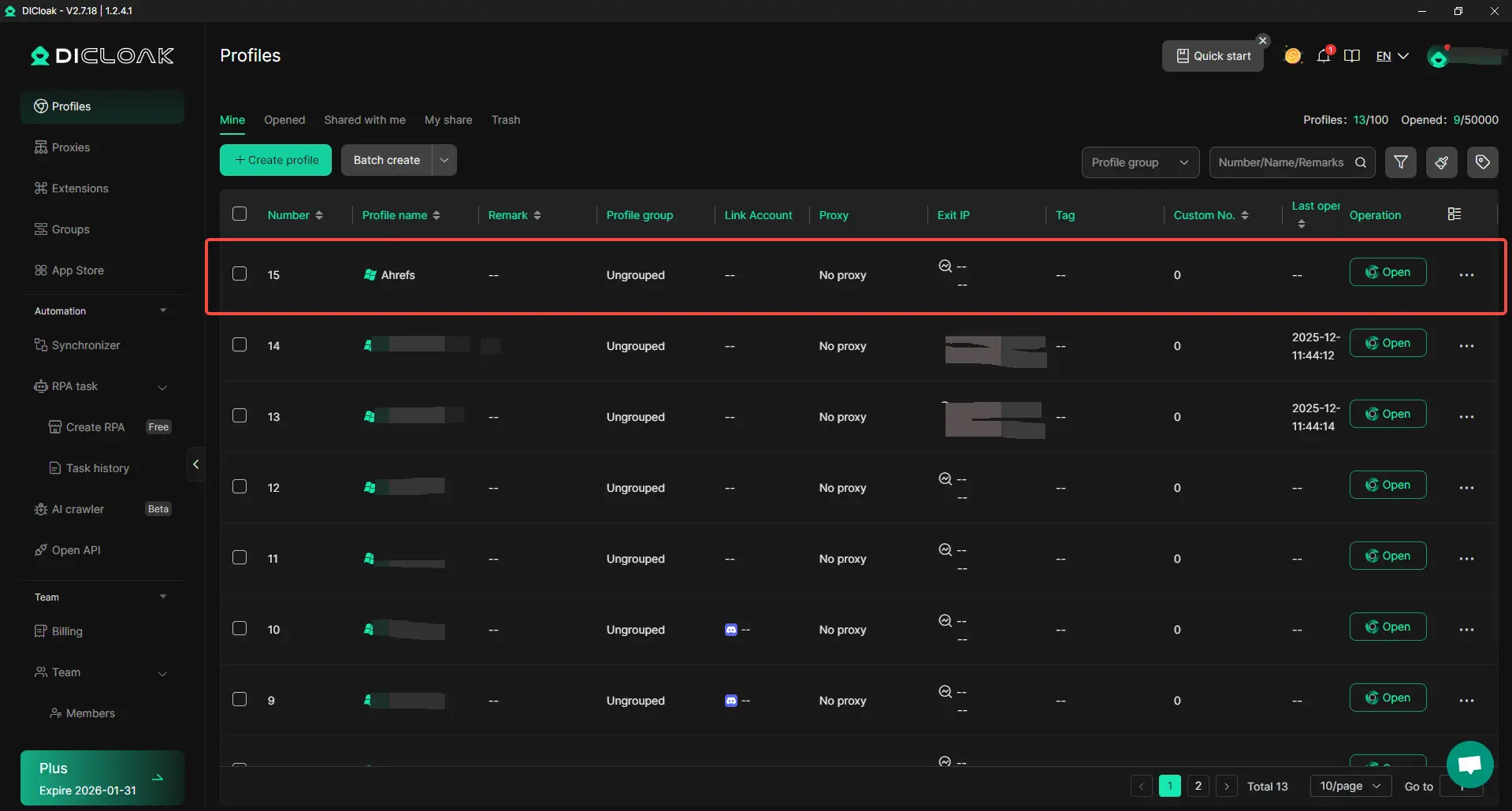
Once inside the DICloak application, create a new browser profile. This profile will be dedicated to your shared Ahrefs account, providing an isolated and secure profile.
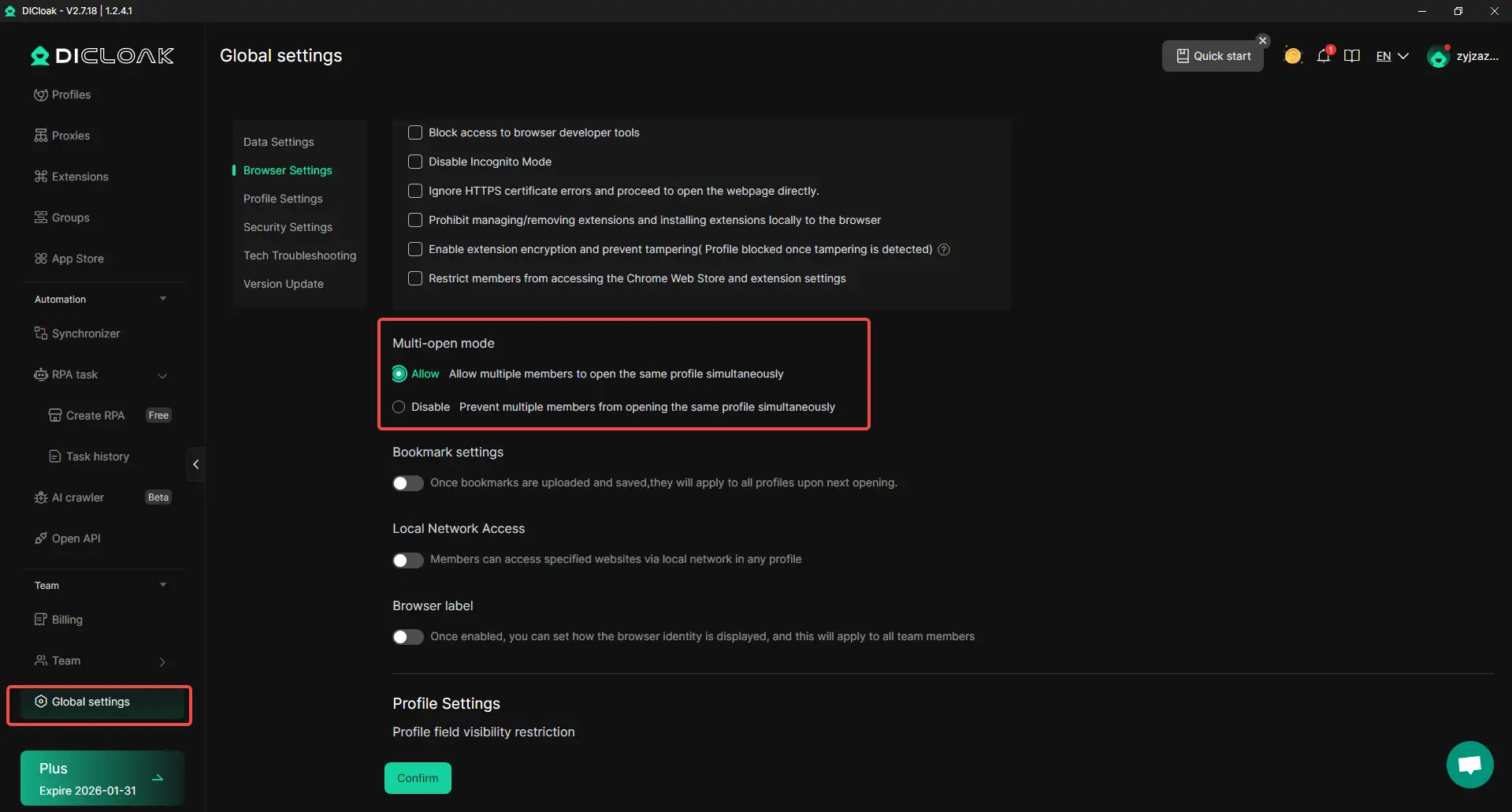
In the Global Settings section, find the Multi-open mode option and select Allow. This feature enables multiple team members to access the same Ahrefs account at the same time, without interfering with each other's sessions.
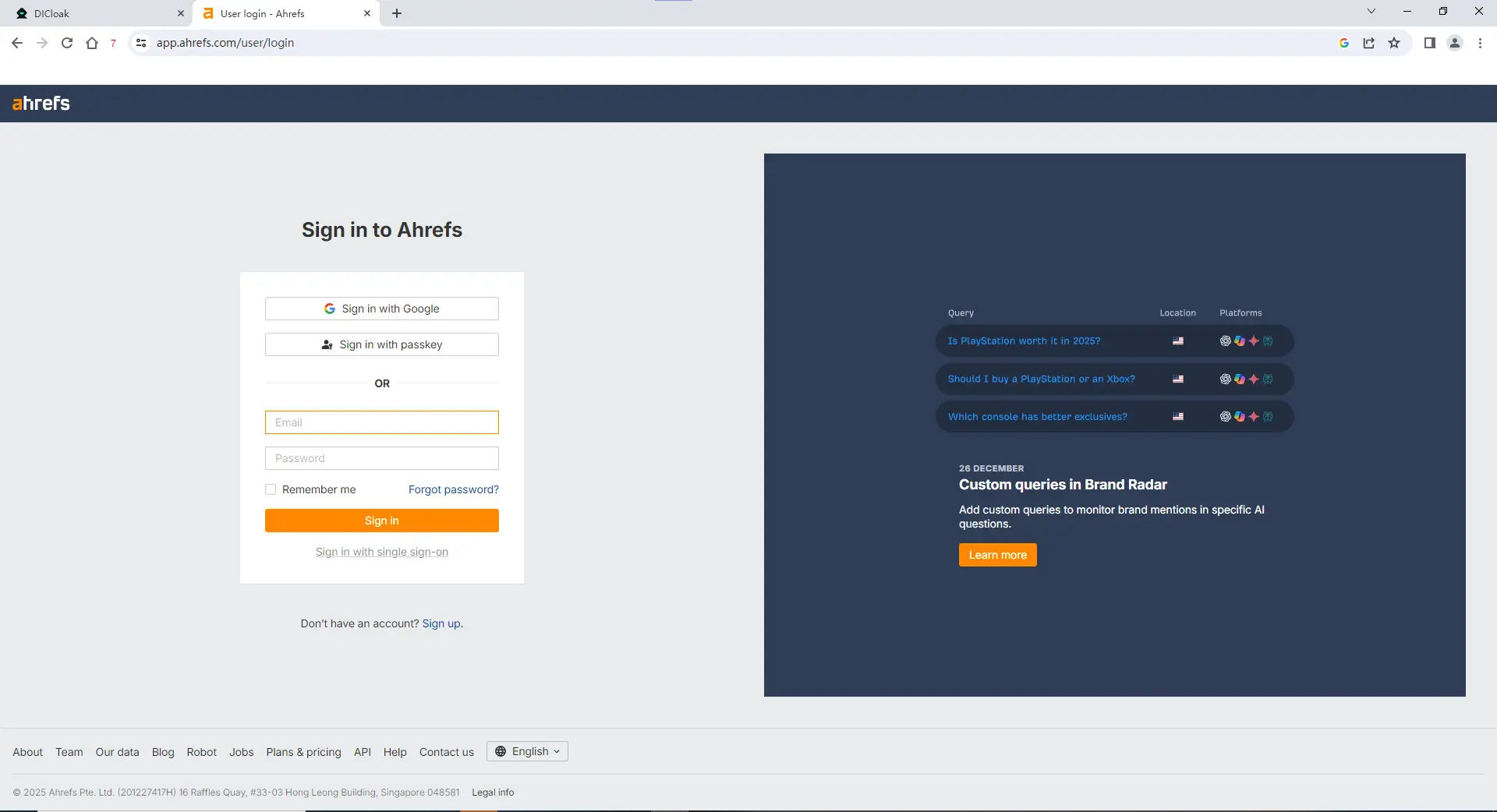
Launch the new browser profile you created. It will open a separate browser window. Navigate to the Ahrefs website and log in with your credentials.
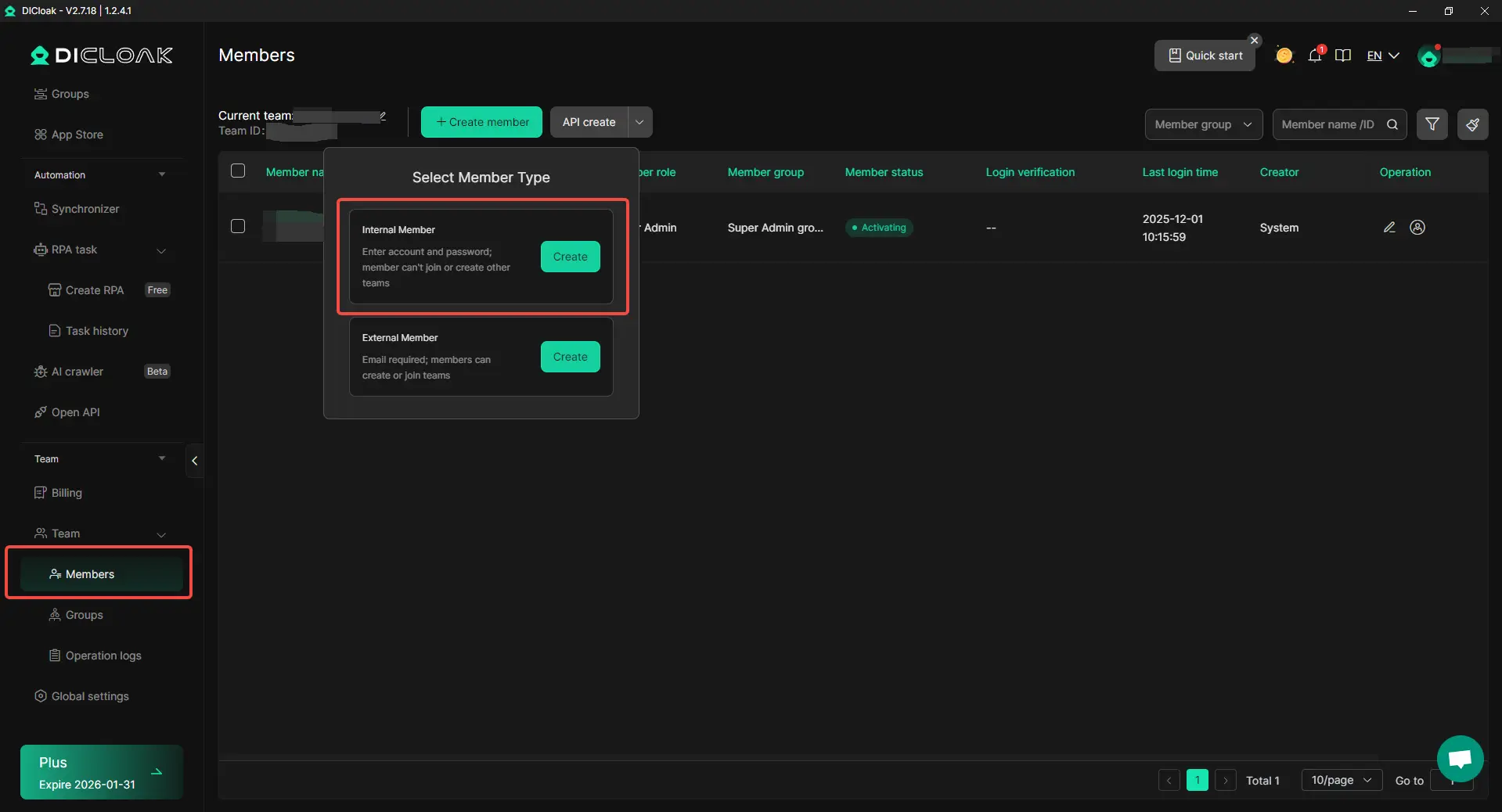
Return to the DICloak main screen. Use the team feature to create members and invite your colleagues to your DICloak team. Simply enter their email and assign appropriate roles.
Once your teammate accepts the invite, the shared profile will appear in their DICloak application. They can launch the profile from their computer and will automatically be logged into the same Ahrefs session, with no need to share passwords or credentials.
Using DICloak Antidetect Browser for secure Ahrefs account sharing ensures that each team member can work independently, without violating Ahrefs’ terms or compromising security. With isolated profiles, customizable fingerprints, and proxy management options, DICloak provides an efficient and safe solution for multi-account management.
DICloak isn’t just ideal for securely managing Ahrefs accounts; it’s a powerful tool for a variety of other platforms where account sharing is necessary but restricted. Here are just a few examples of how DICloak can help you safely share access without risking bans or security concerns:
In short, DICloak is perfect for any platform that restricts shared access, like Amazon Seller Central, business accounts, or even sensitive tools. By providing secure, isolated browser profiles, DICloak lets you collaborate and scale your operations without compromising security.
Sharing an Ahrefs account can help freelancers and small teams save costs, but it comes with risks like account lockouts and security issues. Ahrefs’ official policies prohibit sharing logins, and adding extra users can become expensive. The safest way to share access is through Ahrefs’ built-in team features, which allow each user to have their own login. However, alternative methods like sharing credentials or using proxies can lead to suspensions and data risks. For a secure solution, DICloak Antidetect Browser offers isolated profiles, customizable fingerprints, and proxy management, ensuring safe, efficient multi-account management without violating Ahrefs’ terms.
Sharing an Ahrefs account can be risky if not done properly. Ahrefs strictly prohibits sharing login credentials among multiple users. However, using Ahrefs' built-in team features allows you to securely share access without violating their terms. This ensures each team member has their own login, providing a secure way to share Ahrefs accounts within your team.
To safely share your Ahrefs account, the best method is to use Ahrefs' official team features. By upgrading to a plan that allows multiple users, you can invite team members, each with their own login and role. This avoids the risks of sharing credentials and ensures data security.
Using proxies is one alternative to sharing an Ahrefs account. By assigning a unique proxy to each user, you can reduce the risk of detection. However, proxies alone are not enough to ensure security. It's crucial to follow Ahrefs' guidelines and avoid sharing credentials without proper authorization to prevent account lockouts or bans.
Sharing login credentials for Ahrefs can lead to account lockouts, security breaches, and loss of data. Ahrefs monitors suspicious activity like logins from different locations or devices, and sharing your credentials can trigger security flags. It's best to use the official team features or other secure methods to avoid these risks.
DICloak provides a secure way to share Ahrefs accounts by allowing you to create isolated browser profiles with custom fingerprints and proxy configurations. This ensures that each account is treated as independent, reducing the risk of bans and data exposure. DICloak’s tools like RPA automation and bulk operations help you scale your operations securely while keeping your data safe.