Are you tired of seeing the dreaded "Instagram is blocked" message? Whether you're at school, work, or in a region with strict internet restrictions, access to Instagram can be frustratingly limited. But don’t worry – there are simple and effective ways to get Instagram unblocked and enjoy browsing, posting, and connecting with friends again. In this guide, we’ll show you how to bypass restrictions, fix common errors, and safely access Instagram anywhere. Ready to unlock your Instagram experience? Let’s dive in!
Why Is Instagram Blocked?
Sometimes people try to visit Instagram — but they see a message that the site or app is blocked. This happens for different reasons.
- Government or National Block:In some countries, Instagram is completely blocked due to government-imposed restrictions or national firewalls. These blocks are often implemented to control access to information or maintain strict internet policies.
- Network-Level Block:Many schools, workplaces, or public Wi-Fi networks block access to social media, including Instagram.
- Account-Specific Block:Instagram itself may block an account if it violates the platform's community guidelines.
- Geo-Restrictions or Region Locks:Some regions or countries block access to Instagram based on users’ location (using their IP address). Users in restricted areas might see Instagram blocked even though they are following all the rules.
Methods to Unblock Instagram
If Instagram is blocked, there are several ways to access it again. Here are some methods to get Instagram unblocked.
1. Accessing Instagram via Proxy Servers
A proxy server acts as a middle point between your device and the internet. It hides your real IP address and makes Instagram think you are in a different location.
There are three main types of proxies: residential, mobile, and data center proxies.
- Residential proxies use IPs from real homes or phones, making them harder for Instagram to detect.
- Mobile proxies use IPs from mobile networks, which is similar to using a phone’s data.
- Data center proxies come from large data centers, and while faster, they are often easier for Instagram to detect and block.
Pros: Proxies can give you a new IP address, helping you bypass regional blocks. If you use a good proxy service, Instagram will think you're a regular user from a different place.
Cons: Some proxies, especially free ones, are detected quickly by Instagram. They may block your account or prevent Instagram from loading correctly.
Recommended Proxy Services
- ProxyScrape – Known for its large list of proxies, including residential and data center proxies. It offers both free and premium services.
- Smartproxy – Offers mobile and residential proxies with good performance and reliability.
- Oxylabs – Provides high-quality residential proxies that are difficult to detect, ideal for bypassing Instagram blocks.
- Bright Data – A well-known provider of residential proxies, often used for larger-scale scraping or unblocking tasks.
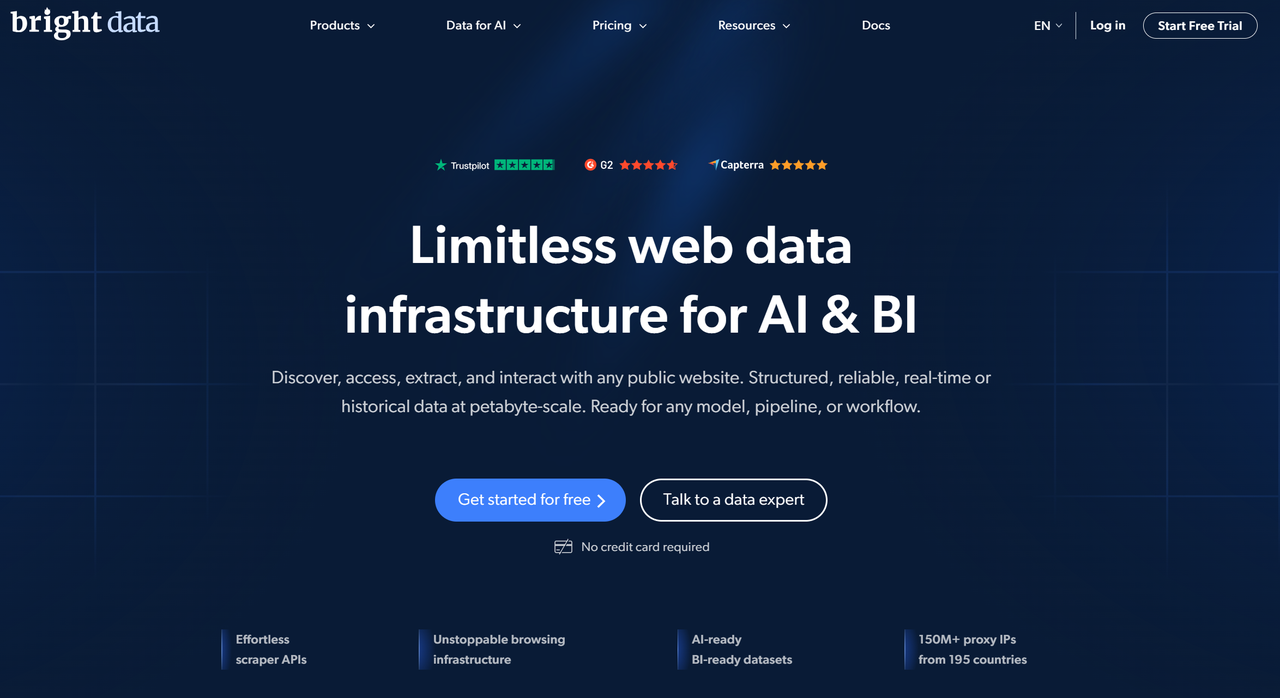
Using a reliable proxy service can make accessing Instagram from restricted regions more seamless, but always keep in mind that not all proxies are equally effective.
Tor is a browser that helps you stay anonymous online by sending your traffic through multiple servers. It hides your real IP address and can help you access blocked websites like Instagram.
How to use Tor for Instagram:
Step 1: Download and install the Tor Browser from its official website.
Step 2: Open Tor, which will connect to the Tor network.
Step 3: Type instagram.com in the Tor browser, and it will load through Tor’s network.
Step 4: If Instagram is still blocked, you can use "bridges" — extra layers that help bypass more difficult blocks.
Pros: Tor provides a high level of privacy and often works when other methods fail.
Cons: Some exit nodes (the last step before Instagram) can be blocked by Instagram, causing Instagram not to load. It may also be slower than regular browsing because of the extra steps involved.
3. Switching to Mobile Data
If Instagram is blocked on your Wi‑Fi network, switching to mobile data can help bypass those restrictions. Mobile data is often not restricted in the same way as Wi‑Fi networks.
Tips:
- Ensure you have enough mobile data, as Instagram uses a lot of data, especially with videos and images.
- If your mobile data is slow, try toggling airplane mode on and off. This can reset your connection and help speed things up.
4. Chrome Extensions for Instagram Unblocked
Some Chrome extensions are designed to unblock Instagram by routing your traffic through different routes, similar to using proxies.
Pros: These extensions are simple to install and use. They do not require technical skills, and you can start unblocking Instagram quickly.
Cons: Be careful when choosing extensions. Not all extensions are secure, and some may leak personal data or get blocked by Instagram quickly. Always choose trusted extensions with good reviews.
5. Google Sites Mirrors
Google Sites mirrors are websites that host copies of Instagram using different domains. These mirrors may still be accessible when the main Instagram site is blocked.
Pros: Mirrors can quickly bypass regional or network restrictions and help you access Instagram even if the main website is blocked.
Cons: These mirrors can be unsafe. Some fake mirrors may try to steal your login details or show malicious ads. Always double-check the site address and avoid entering personal information on suspicious websites.
6. Use a Smart DNS Service
A smart DNS service bypasses regional blocks by redirecting your device's DNS requests, allowing access to Instagram without changing your IP address.
How to use a smart DNS service for Instagram:
Step 1: Choose a Smart DNS provider that supports Instagram unblocking (e.g., Unlocator, Smart DNS Proxy).
Step 2: Register on the provider’s website and obtain the DNS server addresses.
Step 3: Go to the network settings on your device (PC, smartphone, or router) and manually input the provided DNS addresses.
Step 4: After configuring, connect to the internet and open Instagram to access it without restrictions.
Pros:
- Faster speeds than VPNs
- Easy setup
- Doesn’t change your IP address
Cons:
- No encryption, less secure
- Limited device support
- Only unblocks websites, not apps or services

Instagram Unblocked Not Working? Common Errors and Fixes
When trying to access Instagram unblocked, you might face some issues. Here are common errors and what you can do to fix them.
1. “Open Proxy” or “Flagged IP” Error
Error: Sometimes, Instagram blocks access because it detects the IP address as a public or insecure proxy. This happens if you're using a proxy that is shared by too many users, or if it's flagged by Instagram.
Fix: Try switching to a different proxy or network. Use a residential proxy or mobile proxy, as these are less likely to be flagged by Instagram. Avoid free or shared data center proxies. If you're using public Wi‑Fi, try mobile data instead, or choose a trusted proxy service with a clean reputation.
2. Proxy Mis-Configuration or Wrong Proxy Type
Error: If you set up your proxy incorrectly, or if you're using the wrong type of proxy (like a data center proxy), Instagram may block your access. Instagram is very good at detecting proxies that aren’t set up correctly.
Fix: Double-check your proxy settings. Ensure you're using a residential or mobile proxy for better chances of success. Avoid data center proxies if possible, as they are more likely to be flagged. Many proxy providers offer step-by-step setup guides.
3. Unstable or Slow Network Connection
Error: If your internet connection is slow or unstable, Instagram may fail to load or show an error message. This happens when your connection drops while Instagram tries to load.
Fix: Ensure that your internet connection is strong and stable. If you're on Wi‑Fi, move closer to the router for a better signal. If you're using mobile data, try switching to a higher-speed network or toggle airplane mode on and off to reset your connection.
4. Instagram Servers Down or Under Maintenance
Error: Sometimes, Instagram itself is having issues. The site may be temporarily down or undergoing maintenance, preventing you from accessing it, even if you're using a working method to unblock Instagram.
Fix: Wait for a few hours and try again. Instagram typically resolves server issues quickly. If you're still unable to access it, you can check websites like DownDetector to see if Instagram is down globally.
5. Using Anonymous Tools Like Tor or Proxies Flagged by Instagram
Error: Instagram may block users who attempt to access it using tools like Tor or proxies that are flagged. While these tools offer anonymity, they can sometimes trigger errors when trying to access Instagram.
Fix: If you're using Tor, try switching to a different exit node or using Tor bridges to bypass blocks. For proxies, switch to a residential or mobile proxy that is less likely to be flagged by Instagram. Avoid using tools that are frequently associated with suspicious behavior.
Is It Legal to Unblock Instagram?
The legality of unblocking Instagram depends on where you live and how you use tools like proxies. In many countries, using a proxy to change your internet path is not illegal. For example, in the US, UK, and Canada, people use proxies for privacy or testing websites.
However, there are two key factors to consider:
- Local laws: Some countries restrict or ban the use of proxies.
- Terms of service: Even if proxies are legal, bypassing blocks may violate Instagram's terms, leading to account suspension.
In general, using a proxy to unblock Instagram is legal in many countries, but always check local laws and avoid illegal activities.
Privacy Concerns When Unblocking Instagram
Unblocking Instagram also comes with privacy risks.
What you get with a proxy or privacy tool:
- Hides your real IP, protecting your identity and location.
- Reduces the risk of data interception on public Wi-Fi or shared networks.
What you must watch out for:
- Untrusted proxies can leak personal data, especially free or public ones.
- In strict-law countries, using proxies might attract unwanted attention or be illegal.
Good practices for safety:
- Choose trusted proxy services and avoid unknown free ones.
- Avoid using bypass tools for illegal activities.
- Check local laws before using a proxy in countries with strict internet regulations.
Instagram Unblocked at School: Tips for Students
If you're trying to access Instagram at school, it's essential to follow smart steps and use the platform responsibly.
Smart Tips for Students
1. Check Your School Rules:Some schools intentionally block Instagram to keep students focused. Be sure to check your school's policy on social media usage.
2. Use Other Networks When Allowed:If Instagram is blocked on school Wi-Fi, try using mobile data, provided you're allowed to and have data available.
3. Use Proxy Servers Carefully:If proxies are legal at your school, they can help you access Instagram. However, be cautious and choose safe, reputable proxies to avoid security risks.
4. Don't Overuse It:Limit Instagram usage to after class or breaks to avoid distractions during lessons. Schools expect students to focus on their studies.
By following these tips, you can access Instagram unblocked while respecting school rules.
Responsible Use Matters
Even when you unblock Instagram, responsible use is key.
1. Understand the Reasons for Blocking:Schools block social media to help students focus and protect them from distractions.
2. Use Instagram in a Balanced Way:Avoid checking Instagram during class or homework time. Save it for breaks or after school to maintain productivity.
3. Protect Your Privacy: If using proxies or other tools, ensure they're secure and do not expose your personal information.
4. Respect Community Guidelines:Always post responsibly and avoid sharing harmful or inappropriate content.
By following these tips, you can access Instagram unblocked at school and stay safe, focused, and respectful.
Conclusion
Getting Instagram unblocked can be a straightforward process if you know the right methods. Whether you are trying to access Instagram at school, work, or from a region where it is restricted, using tools like proxies can help you bypass these blocks effectively. However, it’s important to ensure you are following the legal guidelines and network policies in your area to avoid any potential issues. If Instagram unblocked isn’t working, check your proxy settings, or try using a different service. Ultimately, with the right approach, you can enjoy Instagram unblocked, no matter where you are.
Why choose DICloak Antidetect Browsers for your business?
⚡The DICloak Antidetect Browser has become a global favorite for its unparalleled ability to efficiently and securely manage multiple accounts. Designed for professionals in social media management, affiliate marketing, traffic arbitrage, e-commerce, account farming, airdrops, and more, DICloak offers powerful features like RPA automation, bulk operations, and synchronizer. Additionally, it allows you to customize fingerprints and integrate proxies for each profile, ensuring top-level security and operational efficiency. It’s the ultimate tool for seamless, secure, and scalable operations.

What Makes DICloak Stand Out?
✅ Manage 1,000+ Accounts on One Device: Stop wasting money on extra hardware! DICloak allows you to manage multiple accounts on a single device, cutting costs and boosting efficiency.
✅ Guaranteed Account Safety, No Ban Risks: Every account gets its own isolated browser profile with custom fingerprints and IPs, drastically reducing the risk of bans. Your accounts, your control!
✅ Flexible Proxy Configuration for Maximum Performance: Seamlessly integrate with all major proxy protocols (HTTP/HTTPS, SOCKS5) and manage your proxy pool with bulk operations. No more struggling with IP management—DICloak has you covered.
✅ Streamlined Team Collaboration for Better Results: Easily manage your team with advanced tools like profile sharing, permission settings, data isolation, and operation logs. Your team works smarter, not harder.
✅ Automate the Grind with RPA: DICloak's built-in RPA saves you hours of manual work. Automate repetitive tasks, streamline workflows, and focus on what really matters—growing your business.
✅ Powerful Bulk Tools to Scale Your Operations: Create, import, and launch multiple browser profiles in one click. DICloak makes scaling your business as easy as it gets.
✅ Compatible with All Major Operating Systems: Based on the Chrome core, DICloak supports simulating Windows, Mac, iOS, Android, and Linux operating systems. No matter what platform you need, DICloak has you covered.
🔗 Ready to Get Started?
Visit the DICloak website to explore more details and choose the plan that’s right for you. Start for free today and experience the power of secure, efficient, and scalable multi-account management!
FAQs About Instagram Unblocked
Why is Instagram Blocked in Some Regions?
Instagram is often blocked in certain regions or institutions due to content regulations, internet censorship laws, or network management practices. These restrictions are implemented by governments, schools, or workplaces to control internet access or prevent distractions.
How Can I Get Instagram Unblocked on My School or Work Network?
To unblock Instagram at school or work, you can use proxy servers or DNS services to bypass network filters. Proxy servers mask your IP address and make Instagram appear as though you are accessing it from a different location, allowing you to access the platform freely.
What Should I Do If Instagram Unblocked Is Not Working?
If Instagram unblocked methods are not working, it may be due to network restrictions, incorrect proxy settings, or using a low-quality proxy service. To fix this, ensure that you are using reliable services and check your settings. Switching to a different proxy or adjusting your DNS settings might help resolve the issue.
Is It Legal to Unblock Instagram Using a Proxy?
Using a proxy to unblock Instagram is not illegal in most countries, but it may violate the terms of service of the network you are accessing, such as school or workplace networks. Always ensure that you are not breaching any local laws or rules before using these methods.
Can I Access Instagram Unblocked on My Mobile Device?
Yes, you can unblock Instagram on your mobile device by using mobile proxies designed for smartphones. These proxies can easily bypass local restrictions and allow you to use Instagram from any location, even in areas where it is blocked.
 Web Proxy Tools
 Free Tools
 Cookie Plugin
 UA Generator
 MAC Address Generator
 IP Generator
 IP Address List
 2FA Code Generator
 World Clock
 Anonymous Check
 WebRTC Leak Test
 UUID Generator
 Free Web Proxy Site
 Proxy Checker
 FB Ad Checker
 AI Web Scraping
 Free SMM Tools
 Twitter Shadowban Checker
 Instagram Name Checker
 UTM Generator
 Username Generator
 AI Hashtag Generator
 LinkedIn Headline Generator
 Social Media Image Resizer