Seeing rate limit exceeded Twitter in the middle of a thread or while switching accounts can break your workflow on X. It feels random, one minute you’re reading or posting, the next you’re locked out, even if you haven’t been scrolling for hours. Sometimes the warning shows up after just a few refreshes, or when you’re running more than one account on the same device.
Most people think waiting is the only fix, but that’s not always true. If you’re using third-party tools, browser profiles, or switching proxies, you can trigger the Twitter rate limit exceeded error much faster than a single user would. Even if you’re careful, X’s backend can link activity between accounts or sessions and apply limits across all of them.
The real issue is that Twitter doesn’t tell you exactly what counts towards your rate limit, and the rules change without warning. Trying to “go slow” helps, but that won’t solve it if your setup looks automated or your IP rotates too often. If you rely on multiple accounts for work, getting blocked mid-task can mean lost time or missed deadlines. You need more than just patience, you need workflow changes that actually reduce the triggers.
Here’s what causes the rate limit on X, what you can change right now, and how multi-account operators are keeping their sessions stable.
What Does 'Rate Limit Exceeded' on Twitter (X) Actually Mean in 2026?
Seeing "rate limit exceeded" on Twitter/X means the platform is blocking you from doing more actions, like reading posts, sending messages, or following accounts, because you’ve hit a hidden cap. These limits are set to prevent spam, bot abuse, and resource strain. But in practice, even regular users can get caught, especially if you use multiple accounts or automation. The message shows up as a warning, stops you from loading more content, and usually locks you out for minutes to hours.
How Twitter/X Detects and Enforces Rate Limits
Twitter/X tracks usage across several actions and applies limits differently depending on the access method. Here’s what matters most:
- Reading posts: Includes scrolling feeds, opening threads, loading replies.
- Posting, following, and DMs: Each has its own cap; mixing actions counts faster.
- API calls: Developer tools and bots face lower limits than regular web/mobile.
These caps reset after a set time, but resets aren’t always instant, sometimes you’ll sit locked out for longer than expected.
What Triggers the 'Rate Limit Exceeded' Message in 2026
In 2026, Twitter/X tightened its limit rules and started grouping sessions by IP, device, and account clusters. That means you can hit the rate cap even if you spread activity across different accounts or devices. For regular users, the error appears after scrolling too much or switching between accounts quickly, often as a popup or a blocked feed. Developers see a detailed API error, "429 Too Many Requests," which stops bots and integrations from fetching data.
The real tradeoff is speed versus stability. If you try to catch up on trending topics fast, or run bulk actions like following hundreds of users at once, you’ll likely trigger the block. What’s tricky is that Twitter/X doesn’t publish exact numbers for each action. You might think going slow will keep you safe, but if your account is linked to others that are also active, their actions count towards your limit too. Worst case, you get locked out mid-task, no warning, just a freeze. When this happens, your only option is to wait for the next reset window, which can range from a few minutes to several hours, depending on how aggressive your activity looked.
The main takeaway, rate limit enforcement in 2026 is far less predictable than before, and even careful users can trip it by accident. That’s why understanding the underlying triggers matters before trying to fix the block or change your workflow.
Why Are You Seeing Rate Limits on Twitter/X? Key Causes in 2026
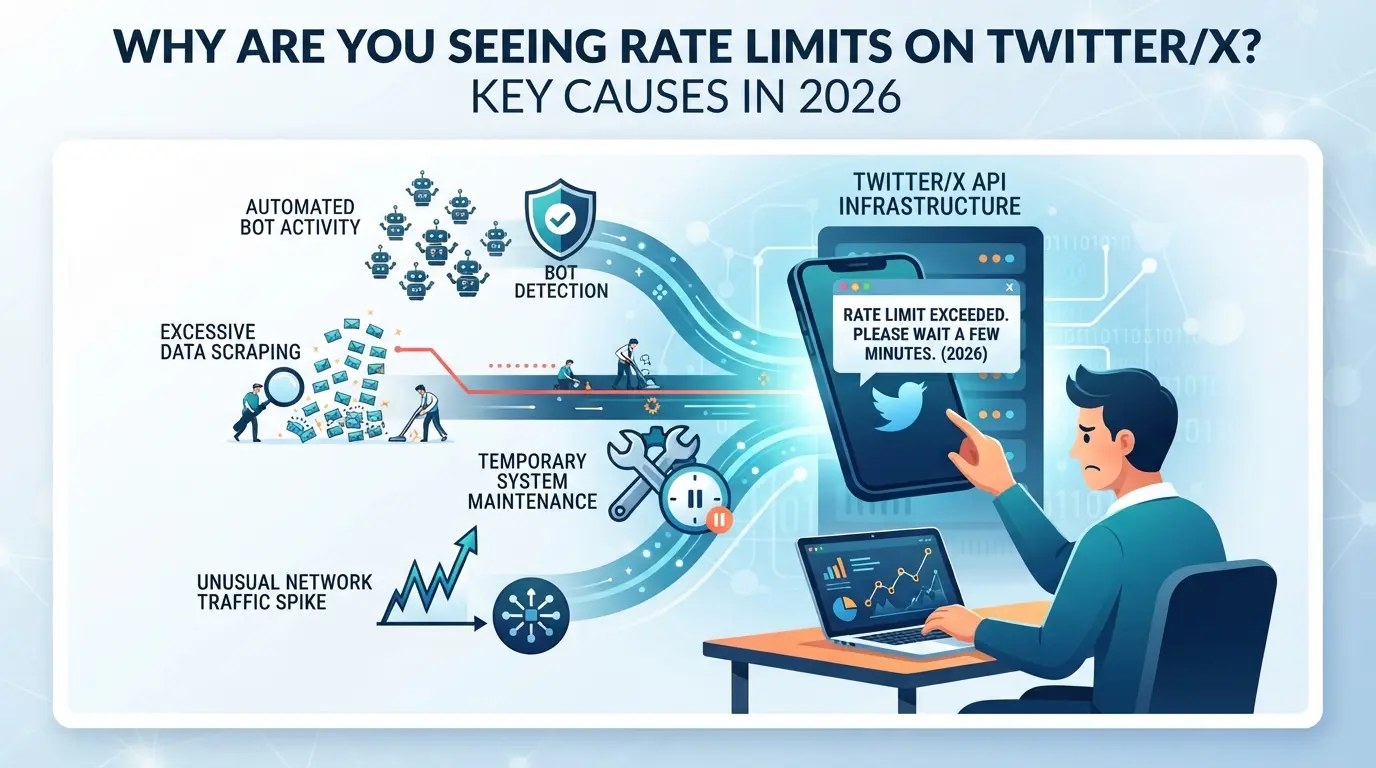
If you’re running into rate limits on Twitter/X this year, it usually means your activity pattern just tripped one of their backend triggers. The main reasons tie directly to how you read, post, or automate actions, plus some stricter rules that rolled out in 2026.
Reading, Posting, or Following Too Quickly
Most people hit rate caps by scrolling or posting too fast. In 2026, X still enforces daily and hourly action limits, but the numbers shift, especially after big events or bot waves. Even reading hundreds of tweets in bursts can block you, and following or unfollowing accounts in rapid succession is a classic trigger.
Using Automation or Third-Party Tools
Bots, browser scripts, and bulk schedulers are easy for X to spot. If you use tools that send lots of requests, even with delays, X’s system can flag your activity as automation. For example, running a script that likes 50 posts in a minute will usually lock you out faster than manual clicking. API keys now come with even tighter quotas, and using unofficial tools can get all your sessions rate limited, sometimes even if you only used them once in the past month. The tradeoff is speed for risk: automating saves time, but one mistake (like running your script on public Wi-Fi or a shared proxy) can get every account you touch rate limited at the same time. If you rely on automation, expect to spend time recovering from sudden lockouts.
Multiple Accounts or Shared Devices
If you manage more than one account, X tries to group them by device, browser fingerprint, or IP address. For example, logging in to five accounts from the same laptop on the same network will often get all of them rate limited together, even if only one was active. Teams and agencies see this most when working from coworking spaces or rotating proxies.
Account Flags, Suspicious Patterns, or Recent Policy Updates
- Sudden login locations, especially across countries, draw extra checks
- Repeating the same action (like sending the same DM) gets flagged
- 2026’s new “burst traffic” filter blocks sessions after just a few minutes if you cross set thresholds
If you’re already seeing these errors, you’re in the group X is watching closest. Next, you’ll want steps that actually let you recover access and keep work moving.
How to Fix 'Rate Limit Exceeded' on Twitter/X: Immediate Steps
When you hit a rate limit on X, you need practical steps, waiting isn’t your only option, but rushing can make things worse. Here’s how to reset your access and avoid getting stuck in a loop.
Wait for the Cooldown: How Long Does It Take?
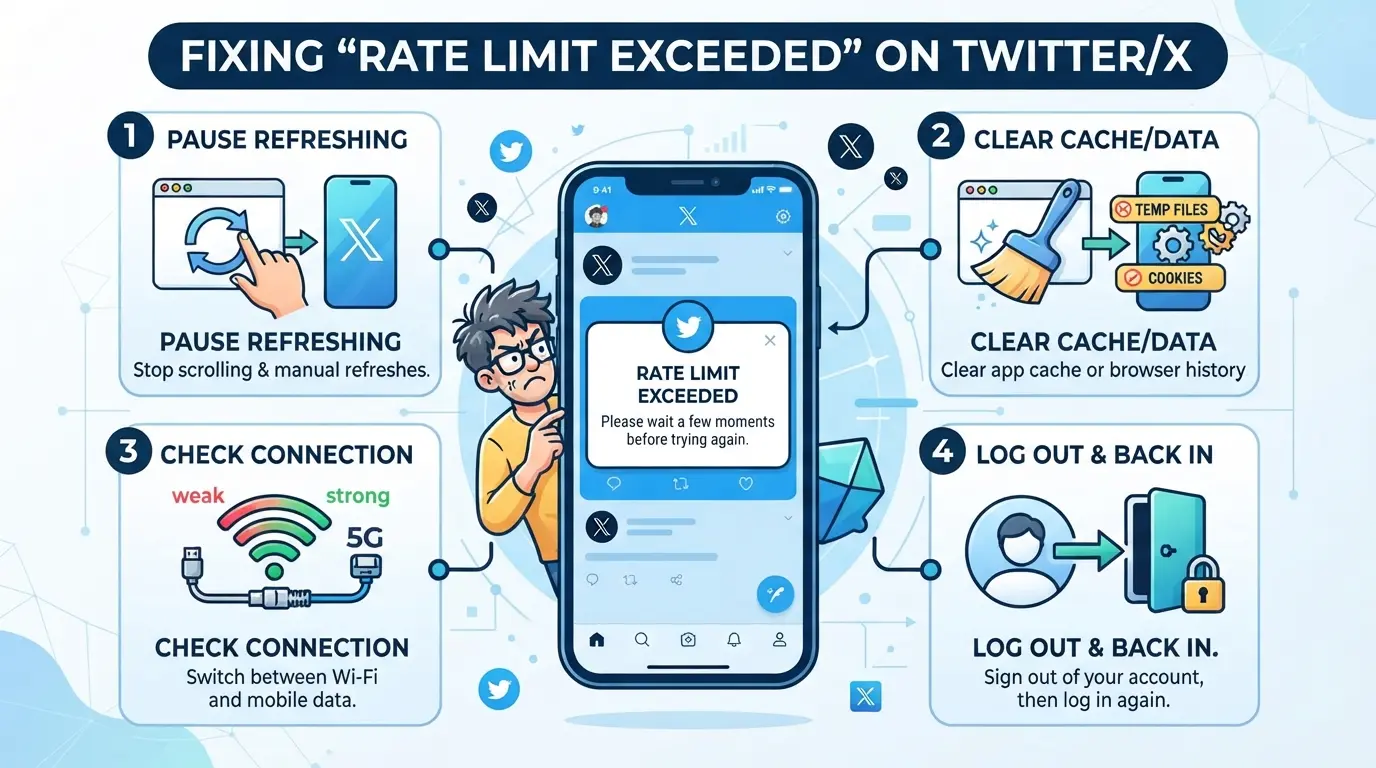
- Check your action type, reading tweets, sending DMs, or posting. Most limits reset within 15-60 minutes, but posting bans can last up to 3 hours.
- Refresh the app or website every 10-15 minutes to see if your limit lifts. If you still see the error after 1 hour, you likely triggered a higher threshold.
- Avoid interacting with the platform while waiting. Even scrolling counts as activity and can delay the reset.
- If you hit the limit again right after the cooldown, your account or IP may be flagged. Move to the next steps.
Log Out of Third-Party Apps and Devices
- Go to Settings → Security → Apps & Sessions. Disconnect every app you don’t need right now, including automation tools, schedulers, or analytics plugins.
- Log out from all devices except your main phone or computer. Each extra session increases your rate limit risk.
- If you use browser extensions for X, disable them and restart your browser. Extensions often send hidden requests that count toward your quota.
- If you see the rate limit error immediately after disconnecting, your account may have been flagged, wait out the cooldown before logging back in.
Switch Devices or Networks (With Caution)
- Only switch devices if you’re certain your browser profile is clean, reusing an old session or fingerprint can trigger another block.
- Changing networks (Wi-Fi to mobile data) helps if your IP is flagged, but switching too often sets off automated risk detectors.
- If you see the error on both devices, your account, not just your IP, is limited. Wait for the reset instead.
- Never use public Wi-Fi or unknown proxies for X, these networks are often blacklisted and can get all accounts restricted.
Check for Platform-Wide Issues or Policy Changes
- Visit status.x.com for outage reports and official updates.
- Scan #TwitterDown or #RateLimitExceeded tags for user complaints, if thousands report the same issue, it’s not just you.
- If X confirms a mass rate limit change, don’t try to force access, wait for their fix or clarification.
- If there’s no official problem, your account setup likely triggered the block. Review your session and device history before trying again.
If you keep hitting limits even after these steps, you need to adjust your workflow, see the next section for practical prevention tips.
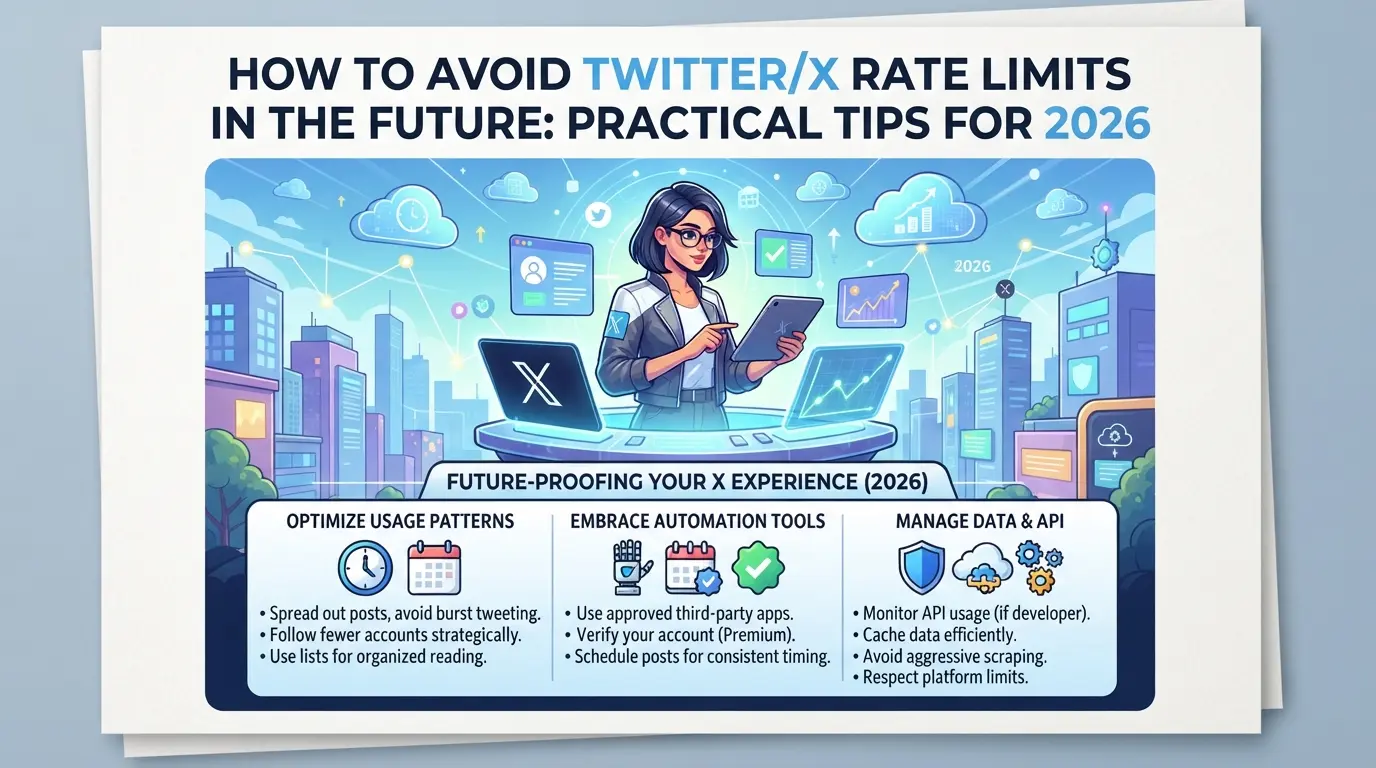
How to Avoid Twitter/X Rate Limits in the Future: Practical Tips for 2026
If you want to avoid running into rate limit issues on Twitter/X again, you need to change both how you interact and how your setup looks to their backend. Simple fixes won’t prevent the same error from popping up next week, long-term stability depends on clear, practical changes.
Space Out Your Actions and Avoid Bursts
The easiest way to avoid rate limits is to pace yourself. Read no more than 300 tweets per hour, spread posts across the day, and wait at least 60 seconds between follows or likes. Scheduling tools help, but pick those that set minimum intervals and don’t bunch actions together. The fastest way to get flagged is doing all your activity in a 5-minute window.
Minimize Connected Apps and Automation
- Remove any third-party apps you no longer use from your Twitter/X account settings.
- Check your automation tools and shut down any scripts that run outside your normal login hours.
- Change passwords after disconnecting old apps, this forces session resets and clears hidden connections.
Understand How Twitter/X Tracks Devices and Fingerprints
Twitter/X logs browser fingerprint details, device IDs, and sometimes even your screen resolution. Using one browser for multiple accounts or switching between devices in the same hour often triggers cross-account limits. If you share a device for work and personal accounts, you risk both getting blocked.
Consider Upgrading to X Premium (If Needed)
Premium accounts get higher rate limits, but the upgrade only helps if your workflow stays within their published boundaries. For heavy users and teams, paying for X Premium makes sense when you need to read, post, or follow far more than the free tier allows.
- Check the latest X Premium rate limits before upgrading.
- Compare your actual activity logs against the free and premium quotas.
- Only upgrade if your needs consistently exceed free limits, otherwise, the cost isn’t justified.
If you run several accounts or share devices with teammates, the next section will cover the risks that come with bigger setups and what power users need to watch for.
When Managing Multiple Twitter/X Accounts Gets Risky: What Teams and Power Users Should Know
Running several accounts on Twitter/X can trigger stricter limits, especially if your setup looks automated or accounts overlap in device, IP, or browser fingerprint. Teams often discover the real problem only after seeing “rate limit exceeded twitter” hit multiple logins at once. The risk isn’t just individual blocks, one misstep can mean all your accounts get flagged together.
How Twitter/X Links Accounts by Device, IP, and Fingerprint
If you use the same browser, device, or IP for different accounts, X can connect them and apply mass blocks. Isolating browser profiles for each account is the most reliable way to reduce cross-account bans.
Common Mistakes That Lead to Account Linking or Bans
Sharing browsers or devices, even for quick checks, creates a direct link in X’s backend.
- What can go wrong: All accounts may get locked or rate limited together, even if only one triggers a review.
- Safer move: Set up each account with a separate browser profile and dedicated proxy. Avoid reusing any device or IP between accounts, even temporarily.
How to Separate Twitter/X Account Environments with DICloak: Safer Multi-Account Setup
If you handle several Twitter/X accounts on one device, treating each login as a silo is the only way to avoid accidental crossover. Teams and power users who’ve hit “rate limit exceeded twitter” know that browser data and network overlap are the main triggers for accounts being linked or rate-limited together. The next step is setting up isolated browser profiles and proxy connections, this is where DICloak fits for anyone running parallel X sessions.
Create Separate Browser Profiles and Configure Fingerprints
Operators can create a new DICloak browser profile for every X account they use. Each profile keeps cookies, storage, and browser fingerprint signals fully separate, so tabs from different accounts never share the same device traits, local data, or session. The real advantage is that you can manually set each profile’s reported device, time zone, language, and core browser signals to match the intended environment, which stops accidental overlap between accounts. This scope stays at the browser level; it never manages the Twitter/X account itself. 
User-Provided Proxy Configuration for Assigned Profiles
For each browser profile, users can assign and test their own proxy setup. You enter the proxy details, HTTP, HTTPS, or SOCKS5, then use DICloak’s built-in check to confirm the exit IP and region before logging in. The proxy configuration is handled per profile, not per account, and the operator decides which proxy to use. DICloak only stores and applies the proxy; it never sells or chooses one for you. 
Twitter/X Rate Limits for Developers and API Users: What Changed in 2026
Developers face stricter API limits than regular users, especially since the 2026 policy update. The main difference is that Twitter/X counts every API call, while regular user actions in the app are measured in broader chunks. If you hit the rate limit exceeded twitter error, the API will block requests for a set period.
API Rate Limits by Endpoint and Account Type
Twitter/X API limits depend on both your account tier and the endpoint you call. Here’s a quick breakdown:
| Account Type |
Read/Write Limit per 15 min |
Endpoint Access |
| Free |
100 requests |
Basic endpoints only |
| Premium |
10,000 requests |
All endpoints |
| Enterprise |
100,000+ requests |
Custom + bulk endpoints |
If you see a 429 error, your script needs to pause and retry after the cooldown. Premium and enterprise users can handle more automation, but free accounts hit limits fast.
Recent Policy Changes Affecting Bots and Automation
In 2026, X started counting failed login attempts and repeated bot actions toward API limits. Scripts now need to handle cooldowns and randomize timing, or you’ll trigger blocks even if your request count is low. This change means automation must adapt, sticking to old patterns can get your accounts locked out.
X Premium vs Free: How Rate Limits Compare in 2026
If you keep hitting the rate limit exceeded twitter error, the main difference comes down to whether you pay for Premium or stick with a free account. Limits for reading, posting, and following are set much higher for Premium users.
Side-by-Side Rate Limit Table: Free vs Premium
| Action |
Free Account Limit |
Premium Account Limit |
| Tweets Read |
600/day |
6000/day |
| Tweets Posted |
100/day |
1000/day |
| Follows |
50/day |
500/day |
Source: Official X Help Center
Heavy users who need to run multiple accounts or monitor trending topics all day should expect far fewer blocks on Premium, most teams upgrade for this reason. Free accounts hit the wall quickly, while Premium buys more breathing room, but neither option removes the cap completely.
Frequently Asked Questions About rate limit exceeded twitter
How long does a Twitter/X rate limit last in 2026?
The cooldown for most Twitter/X rate limits ranges from 15 minutes to one hour, depending on the action (like tweets, follows, or DMs). New or unverified accounts face stricter limits, sometimes up to 3 hours. After the cooldown, you can use those features again. Heavy API use may have daily caps that reset every 24 hours.
Can I get permanently rate limited or banned for hitting limits too often?
Repeatedly hitting limits usually leads to temporary restrictions. However, if Twitter/X thinks you’re spamming, using automation, or breaking rules, you could get a permanent suspension. Most users just see temporary blocks, but using multiple accounts or bots to avoid limits often triggers harsher penalties.
Does using a proxy or changing my IP help avoid Twitter/X rate limits?
A proxy or new IP might bypass some rate limits, but it’s risky. Twitter/X tracks account behavior, not just IPs. If you switch IPs too much or use shared proxies, your account could be flagged or locked. Proxies don’t guarantee you’ll avoid rate limiting and can even make things worse.
Why do I get rate limited even when I'm not very active?
You might get a "rate limit exceeded twitter" error because of background apps, browser extensions, or third-party tools connecting to your account. If you share devices or networks, someone else’s activity could count against your limit. Sometimes, Twitter/X also applies sitewide limits during heavy traffic.
Is the 'rate limit exceeded' error the same as being shadowbanned on Twitter/X?
No, they are different. The "rate limit exceeded on X" error means you’ve hit a usage cap and can’t use certain features for a while. Shadowbanning means your posts are hidden or reach fewer people, but you won’t see any error message. Rate limits are temporary; shadowbans can last longer.
Taking proactive steps, such as adjusting your usage patterns or exploring alternative tools, can help you avoid interruptions in your social media workflow. If you're seeking a reliable way to maintain access without hitting unexpected roadblocks, considering new solutions could be your next move. Try DICloak For Free
 Web Proxy Tools
 Free Tools
 Cookie Plugin
 UA Generator
 MAC Address Generator
 IP Generator
 IP Address List
 2FA Code Generator
 World Clock
 Anonymous Check
 WebRTC Leak Test
 UUID Generator
 Free Web Proxy Site
 Proxy Checker
 FB Ad Checker
 AI Web Scraping
 Free SMM Tools
 Twitter Shadowban Checker
 Instagram Name Checker
 UTM Generator
 Username Generator
 AI Hashtag Generator
 LinkedIn Headline Generator
 Social Media Image Resizer