Trying to save an Instagram video without logging in usually brings up a simple roadblock: most tools either ask for your account or quietly fail when pasted links come from private or recently updated profiles. The promise of “instagram video download without login” sounds easy enough, but as soon as you start hunting for a working solution, you’ll notice half the sites are broken, load with popups, or demand you enter your credentials after all.
What catches people off guard is the risk that comes with even basic downloads. Some browser plugins or online “Instagram video downloader no login” sites inject tracking scripts or redirect through sketchy domains, turning a quick save into a privacy headache you didn’t sign up for. Not every method is as safe as it looks, and what works on public posts today might be blocked tomorrow.
If you’re just looking to download Instagram videos without an account, the real question is which workflow keeps things simple, avoids popups and malware, and doesn’t put your data at risk. The right approach depends on whether the video is public, if you need the highest quality, and how often you need to repeat the process. Tools change fast, but some practical tricks still work if you know the limits.
Let’s break down what’s working for public Instagram video downloads, no login required, and how to avoid the usual traps.
What You Need to Know Before Downloading Instagram Videos Without Login
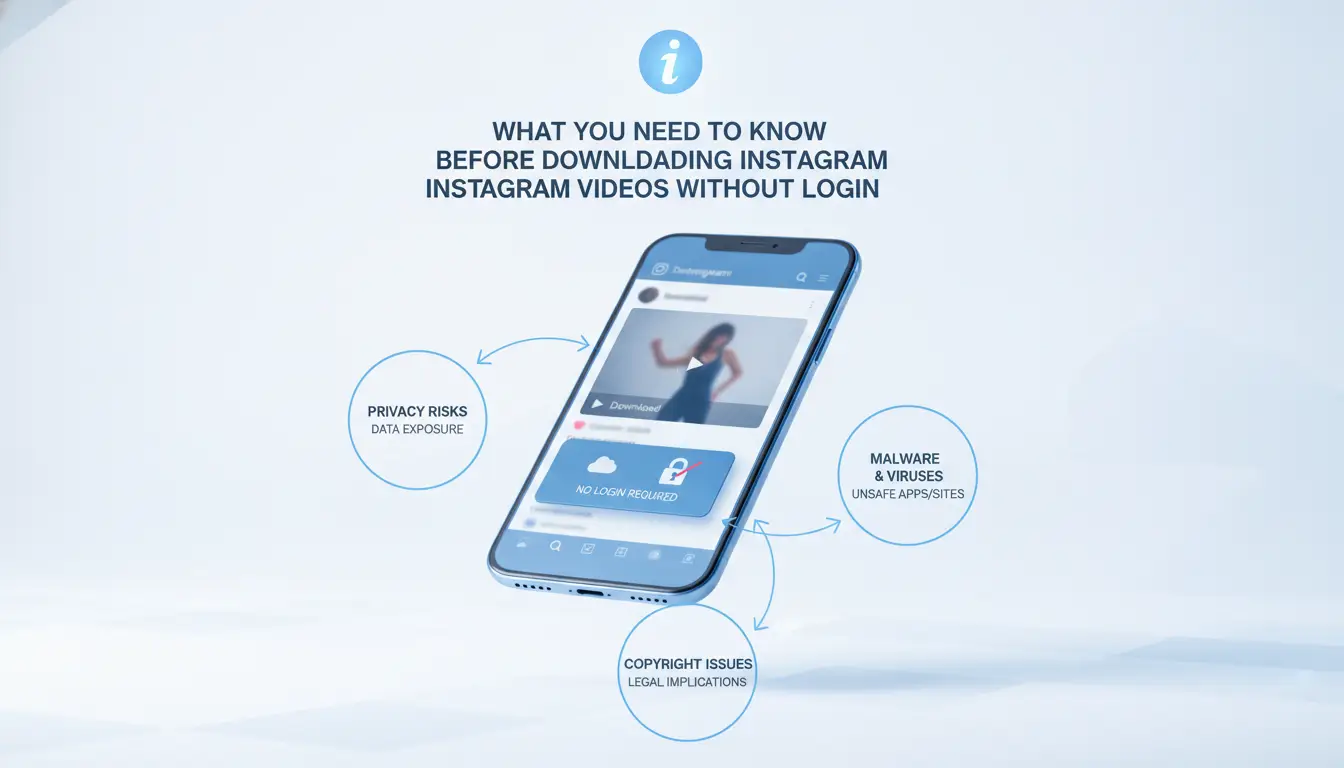
If you want to download Instagram videos without logging in, you need to know where the real risks are, most issues come from privacy leaks, malware, or breaking platform rules, not just picking the wrong tool. Understanding what Instagram blocks and why helps you avoid getting tripped up by hidden limits or sketchy sites.
Why Instagram Restricts Video Downloads
Instagram doesn’t make downloading easy for a few reasons, and not knowing these can get you stuck or in trouble.
- Copyright claims: Instagram is required by law to protect creators’ content; downloading without permission can cross legal lines, especially if you share or use the video elsewhere.
- Platform policy: Their terms of service ban scraping, automated downloading, and saving others’ content without consent. Most “no login” tools break these rules, even if they seem harmless.
- Technical barriers: Instagram uses dynamic URLs, expiring tokens, and scripts that block direct access to video files. Tools that work today may fail tomorrow if Instagram changes its protections again.
Risks of Downloading Without Login
The biggest problem with “instagram video download without login” tools isn’t that they don’t work, it’s what they do behind the scenes. Most sites that promise quick, no-login downloads make their money by injecting tracking code, pushing aggressive ads, or redirecting you to fake update popups. For example, one common tactic is for a download button to trigger a browser notification permission, which then spams you with scam alerts for weeks. Even trusted-looking sites can quietly log your IP and browsing habits, or worse, drop unwanted extensions if you click through enough popups.
Trying to save Instagram videos without an account also means you give up all content filtering and reporting options. If a file is malicious or the site tries to inject malware, you have no recourse, Instagram support won’t help because you never authenticated. The risk jumps if you’re on a shared device or using a work machine, since one bad download can expose saved passwords or let someone else hijack your browser session. This tradeoff, ease versus security, catches a lot of casual downloaders off guard. If you only care about a one-off save and don’t mind sorting through a few ads, you might get away with it, but repeated use increases your chance of landing on a site that hijacks your browser or collects your personal data.
Before moving forward, double-check if the video is even available for public viewing. Many Instagram videos are locked to followers or private accounts, so even the best no-login method won’t work for those. Up next, you’ll see which types of Instagram videos can realistically be downloaded without signing in, and where the brick walls start to show.
Which Instagram Videos Can You Download Without Logging In?
You can only download videos from public Instagram accounts, private videos are not accessible without logging in, no matter what any tool claims. If the video lives on a private profile or close friends story, you’ll hit a wall: the content won’t load, or you’ll get a generic error from every downloader you try. For public posts, download success depends on how the video is published and what features the downloader supports.
Public vs Private Videos
Not all Instagram videos are fair game for download without logging in. Here’s what you actually can (and can’t) save:
- Public feed videos and reels are downloadable if you have the direct post URL.
- Private account videos, including posts, stories, and reels, are blocked, tools can’t fetch them without login.
- “Close Friends” stories and archived stories are never available without account access.
If you try to download from a private or restricted account, most downloaders will either return a blank file or prompt you to sign in. That’s usually a dead end.
Stories, Reels, IGTV: What’s Supported?
Most online Instagram video downloaders handle public Reels and standard feed videos, but stories and IGTV are hit-or-miss. For example, public stories can sometimes be saved if you grab the story’s direct link during its 24-hour window, but many tools don’t support this format. The same goes for IGTV, some downloaders treat IGTV like a regular post and work fine, while others choke on the longer video format and throw “unsupported link” errors. If you’re aiming for story or IGTV downloads, check tool compatibility first, most failures happen because the tool doesn’t support the format, not because your link is broken.
Having a public post URL is necessary, but not always enough. Stories expire, Reels can be moved or deleted, and even public profiles sometimes restrict certain posts from being embedded or scraped. If you keep running into errors, it often means the video type or profile privacy is blocking you, not just a technical glitch.
That’s why the next step is to pick a method that matches your target video type, otherwise you’ll waste time retrying links that will never work.
Step-by-Step: How to Download Instagram Videos Without Login (2026 Methods)
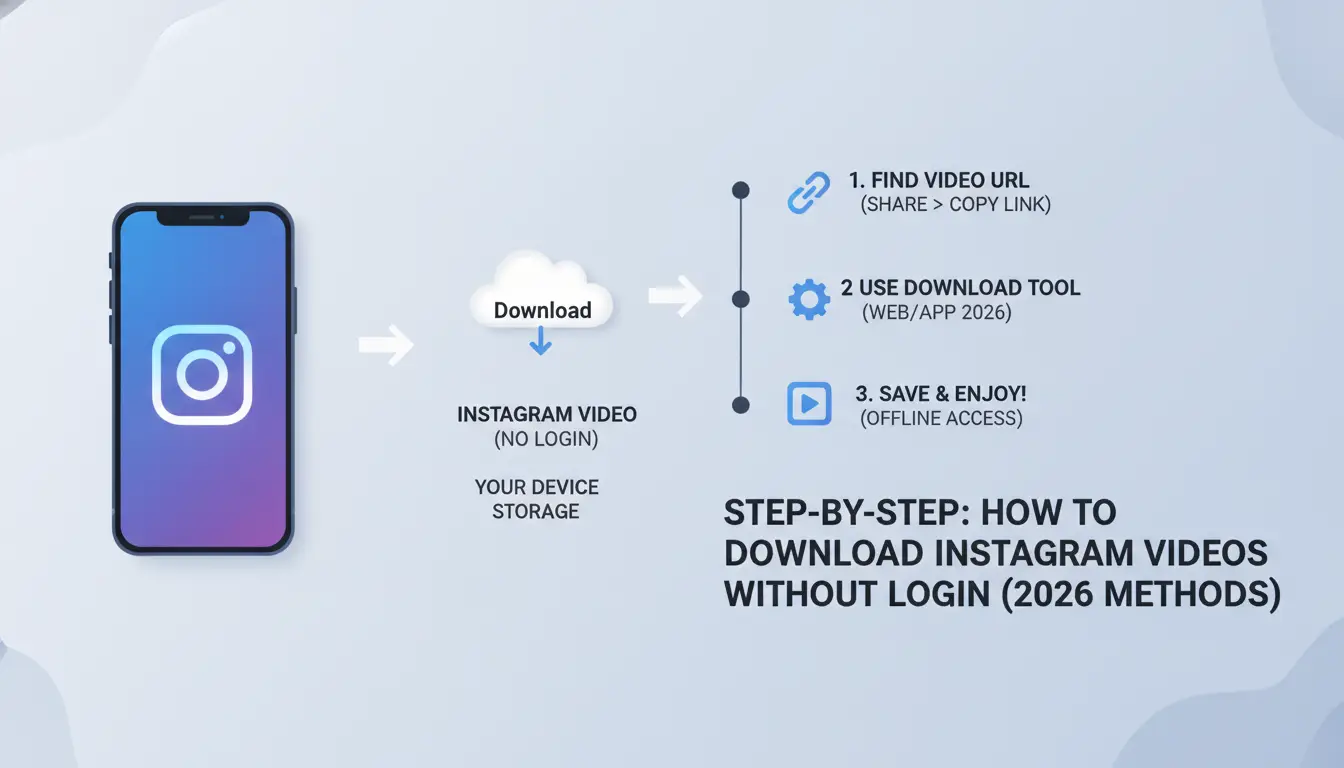
If you want to save a public Instagram video without logging in, you need a method that works in 2026, avoids scams, and won’t flood your device with pop-ups or malware. Here’s how to get it done, safely and with the best chance of success, even if the platform keeps changing its defenses.
Using Online Web Tools
- Search for a web-based Instagram video downloader. Stick to results from tech forums, Reddit threads, or privacy-focused blogs in 2026, most ad-heavy sites push fake download buttons or malware.
- Copy the public Instagram video URL. Right-click the video’s timestamp or use the browser’s address bar, but make sure it’s a direct post link, not a story or private account.
- Paste the link on the chosen downloader’s page. If it loads the video preview, click “Download.” If you see more than one download button or a forced redirect, close the tab, this is where most people get trapped by junkware.
- Check the downloaded file. If it’s not an MP4 or you get a ZIP/archive, delete it and try another tool, this prevents you from opening a bundled adware installer.
Browser Extensions and Add-ons
- Pick an extension from the Chrome Web Store or Firefox Add-ons, sorted by recent reviews from 2025 or 2026. Avoid any that request “read all website data” unless you trust the developer, these can harvest private info.
- Install and pin the extension. Open Instagram in a new tab (no login needed), find the public video, and see if a “Download” button appears over the post.
- Click to save the file. If the extension asks for extra permissions or tries to open a new tab, cancel. The safest add-ons never redirect you off Instagram’s domain.
- Disable or remove the extension after use. Leaving it on can slow your browser, break site layouts, or cause security alerts during future updates.
Mobile Apps for iOS and Android
- Open the App Store or Google Play and search “Instagram video downloader.” Read recent reviews, avoid apps with lots of complaints about ads, failed downloads, or privacy issues.
- Install an app with clear permissions (ideally, it shouldn’t ask for contact access or background location). Open the app and paste the public Instagram video link.
- Tap “Download.” If the app redirects you to a browser or another app, stop, this is where most fake apps try to push ads or collect tracking data.
- Check your gallery for the saved video. If the file is missing or corrupt, uninstall the app and try a different one with a better track record.
Next, it’s worth looking at the mistakes and risks that trip up most people when downloading Instagram videos without signing in, knowing what to avoid can save you hours of cleanup.
Common Mistakes and Risks When Downloading Instagram Videos Without Login
Most mistakes with instagram video download without login come from trusting the wrong site or tool. Even one bad click can mean malware or a privacy breach you didn't expect.
Fake Download Sites and Malware
Scam downloaders are everywhere, sites that copy the look of real tools but push popups, make you click fake “Download” buttons, or ask for extra permissions. The most dangerous ones will trigger downloads with .exe or .apk files when all you wanted was a video, or they’ll redirect through chains of ad-laden pages that try to get you to install browser extensions. If your device slows down, or you see new toolbars or search engines after a download, you’ve already been hit.
Unintended Privacy Leaks
Even tools that actually work can collect your download history, IP address, or device info. If you’re not careful, you could leak more data than you save.
- Check for aggressive tracking scripts or cookies, block them with your browser privacy settings.
- Never enter your Instagram credentials on a third-party site, real downloaders don’t need your login.
- Use disposable browsers or private mode to reduce the risk if you must try an unknown tool.
If you plan to grab videos in bulk or repeat the process, the risks multiply. The next section covers safer ways for marketers to handle this at scale.
How Social Media Marketers Can Safely Manage Bulk Instagram Video Downloads (with DICloak Workflow)
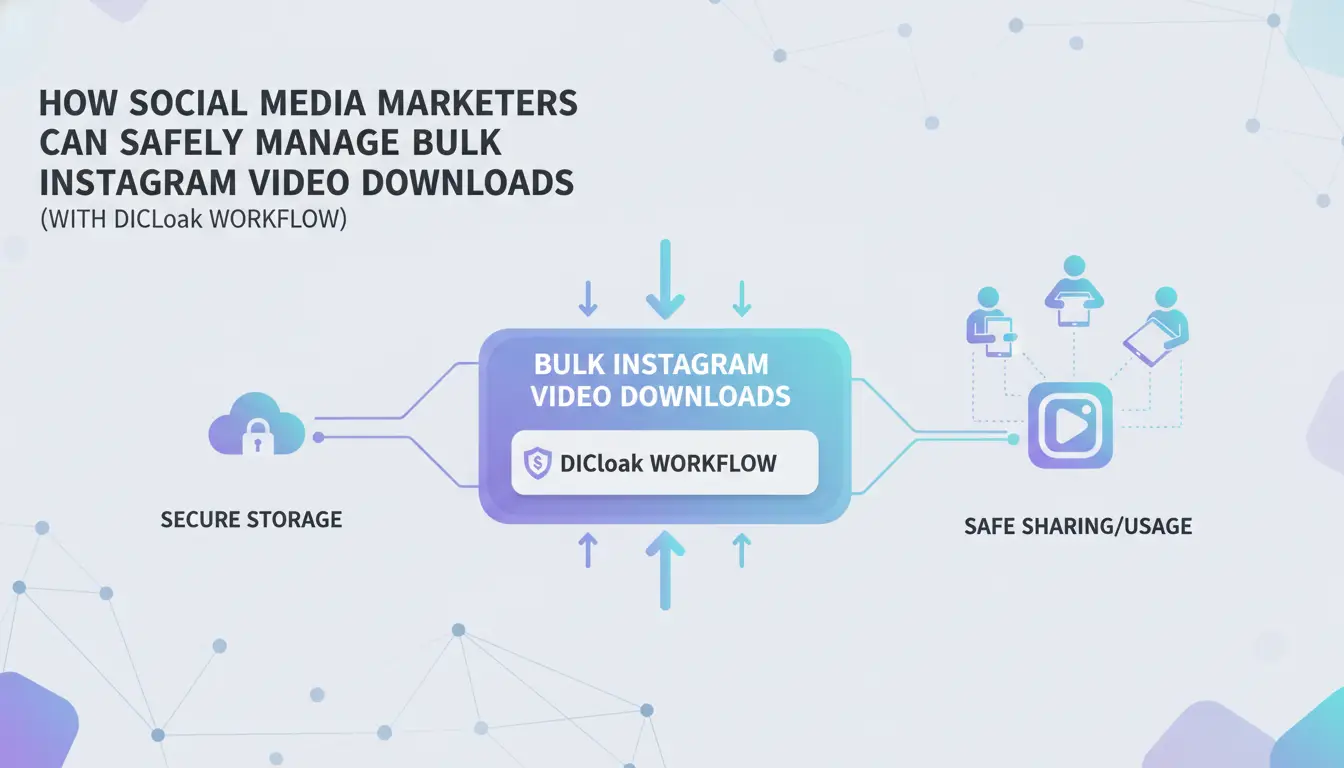
Marketers who handle bulk Instagram video downloads, especially with no login, face two main problems: platform detection and privacy risks. The safest workflow keeps every session separate, blocks tracking, and cuts down on manual errors.
Why Bulk Downloading Gets Risky
Bulk saving Instagram videos without logging in sounds low-risk, but the real trouble starts when multiple downloads come from the same device or IP. That pattern can flag your traffic as automated, leading to temporary blocks, forced captchas, or even blacklisting from download services.
DICloak Workflow for Safe Bulk Downloads
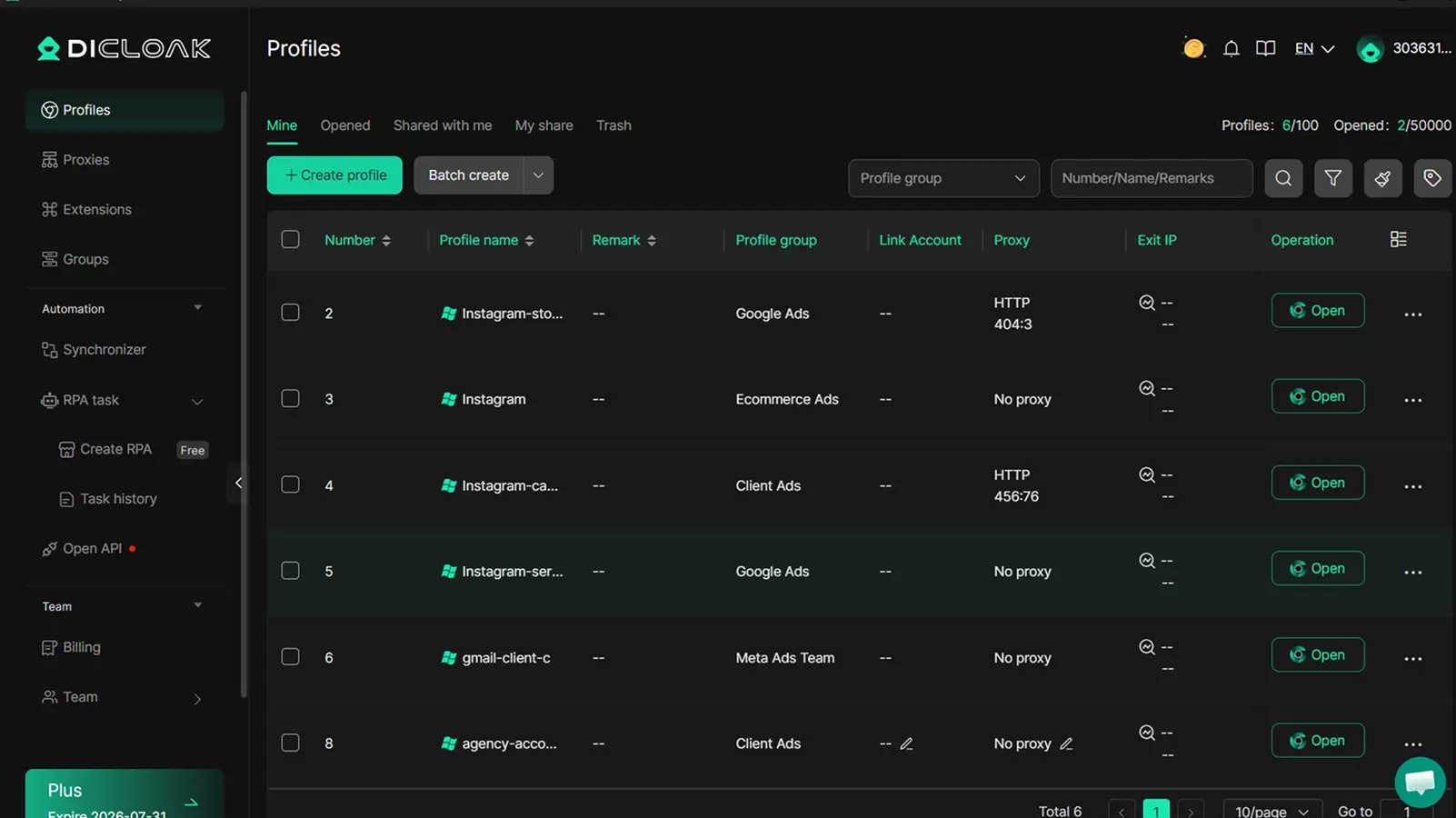
Handling many Instagram video downloads at once means you need more than just a fast internet connection. Every download session should use a unique browser profile with a separate fingerprint. This hides links between actions, making your activity look like regular users instead of a script running in the background. Pairing each profile with its own proxy adds another layer, because most download services and Instagram itself look for repeated requests from the same IP or browser setup. If a tool lets you run real browser windows in parallel, each with its own settings, you can automate repetitive steps using RPA (robotic process automation). For example, you might script: copy a public post link, paste it into a downloader, trigger the save, then close the session. If something breaks, like if you hit a rate limit or the download site starts forcing popups, stop the automation immediately or you risk locking out all your proxies. The biggest mistake is reusing the same browser session for dozens of downloads in a row, this almost always leads to blocks or low-quality files.
Setup Tips and Limits
- Isolate each download in its own browser profile, never use a single session for all jobs.
- Rotate proxies often, but don’t buy cheap shared ones, those are usually flagged already.
- RPA and browser profile tools can handle browser-level tasks, but they don’t manage Instagram account ownership or guarantee file quality.
This workflow helps you avoid common traps, like leaking your real IP or getting hit with bot detection, when you need to save many public Instagram videos for marketing. Next, you’ll see how the main download tools and browser extensions stack up for bulk jobs without requiring an Instagram login.
Comparing Online Tools, Extensions, and Apps for Instagram Video Download Without Login
If you want to download public Instagram videos without signing in, the safest workflow usually comes down to picking the right tool for the job, not just grabbing the first site or app that promises a quick save.
Web Tools vs Extensions vs Apps: Pros and Cons
| Tool Type |
Security & Privacy |
Ease of Use |
Device Compatibility |
| Web Tools |
Can leak browsing data; risky redirects common |
Easiest, just paste link |
Works on any browser |
| Extensions |
Access to browser data; permissions matter |
One-click, but setup needed |
Desktop browsers only |
| Apps |
Often request device access; malware risk |
Simple once installed |
Mobile only |
For quick downloads, web tools work on any device but often carry privacy risks. Extensions need careful permission review. Apps can be fast but most malware reports come from here.
DICloak Workflow for Safe Bulk Downloads
Teams handling bulk Instagram downloads can create separate browser profiles in DICloak, set proxies per profile, and run RPA automation to avoid linking sessions or leaking account info. Operators still need to check tool safety, DICloak does not guarantee detection avoidance or manage Instagram videos directly. This setup helps keep workflows clean and reduces the chance of cross-account issues.
What to Watch Out For
Even with the right setup, a single risky download tool can still compromise privacy. Always check permissions, avoid random apps, and prefer web tools only for public posts.
Ready for safer practices? The next section covers actionable steps for secure downloads.
Best Practices for Safe Instagram Video Downloading Without Login in 2026
Checklist for Safe Downloading
Stick with trusted online tools, avoid browser extensions that demand extra permissions or apps from unknown developers. Always check that the download link is direct (not through multiple redirects). Never enter your real Instagram credentials or personal info to access downloads.
How to Avoid Platform Detection
Quick downloads from public posts rarely trigger issues, but scraping too many videos in one session or using the same IP for bulk saves can get you flagged.
- Switch to a new private browser window before each batch
- Use a reputable proxy if privacy is a concern
- Clear cookies and site data after each download session
Frequently Asked Questions About instagram video download without login
Is it legal to download Instagram videos without logging in?
Downloading Instagram videos without logging in can break Instagram’s terms of service. Most videos are protected by copyright, so saving them without the owner's permission may be illegal in some countries. Always check your local laws and respect creators' rights before using any instagram video download without login method.
Can I download private Instagram videos without login?
No, you cannot download private Instagram videos without logging in. Private content is only visible to approved followers. Tools that let you save Instagram videos without signing in can only access public posts, not private ones. Trying to access private videos without permission violates Instagram’s rules.
What should I do if a download tool asks for my Instagram credentials?
Never enter your Instagram username or password into third-party download tools. Legitimate Instagram video downloader no login services will not ask for your account details. Sharing your credentials can lead to hacked accounts or stolen data. Always choose tools that work without requiring a login.
How can I check if a download tool is safe and trustworthy?
Look for tools with many positive reviews and a secure website (https). Avoid sites full of pop-up ads or asking for personal info. If a site requests your Instagram credentials or downloads unwanted files, it’s likely a scam. Stick to well-known services and research before using new tools.
Will Instagram notify the video owner if I download their video?
Instagram does not notify users when someone downloads their public videos using third-party tools. However, downloading and sharing someone else’s content without permission can break privacy expectations and copyright laws. Always respect the rights of content creators before saving or sharing their videos.
If you’re ready to save your favorite Instagram videos quickly and securely, consider using a reliable tool that doesn’t require you to log in or compromise your privacy. Making this choice simplifys the process and helps you keep media for offline viewing without hassle. Try DICloak For Free
 Web Proxy Tools
 Free Tools
 Cookie Plugin
 UA Generator
 MAC Address Generator
 IP Generator
 IP Address List
 2FA Code Generator
 World Clock
 Anonymous Check
 WebRTC Leak Test
 UUID Generator
 Free Web Proxy Site
 Proxy Checker
 FB Ad Checker
 AI Web Scraping
 Free SMM Tools
 Twitter Shadowban Checker
 Instagram Name Checker
 UTM Generator
 Username Generator
 AI Hashtag Generator
 LinkedIn Headline Generator
 Social Media Image Resizer