Reddit doesn’t make it obvious how to delete your account, most users stumble around the settings, click “deactivate,” and wonder whether their data actually disappears. If you’re searching for how to delete reddit account, you’re probably tired of seeing old posts resurface, or you want to make sure your profile and activity are gone for good. What catches people off guard is that deleting your Reddit profile is not the same as erasing all traces; your posts often stay behind, still visible under “deleted” usernames unless you remove them one by one.
It’s easy to think you can just click a button and walk away, but the reality is messier. Deactivation sounds final, yet Reddit keeps your content unless you manually remove it first. Even after you delete your reddit account, your comments and posts stay put unless you clear them out, so if privacy matters, skipping this step can leave more behind than you expect.
The biggest mistake is rushing through the process without checking what’s still linked to your account. If you forget to unlink third-party apps or leave recovery options active, you might run into problems later, like locked-out sessions or lingering data in search engines. Planning your removal workflow saves hassle and avoids surprises, especially if your account connects to sensitive topics, business, or automation tools.
Here’s what to check before starting the deletion process.
What You Should Know Before Deleting Your Reddit Account
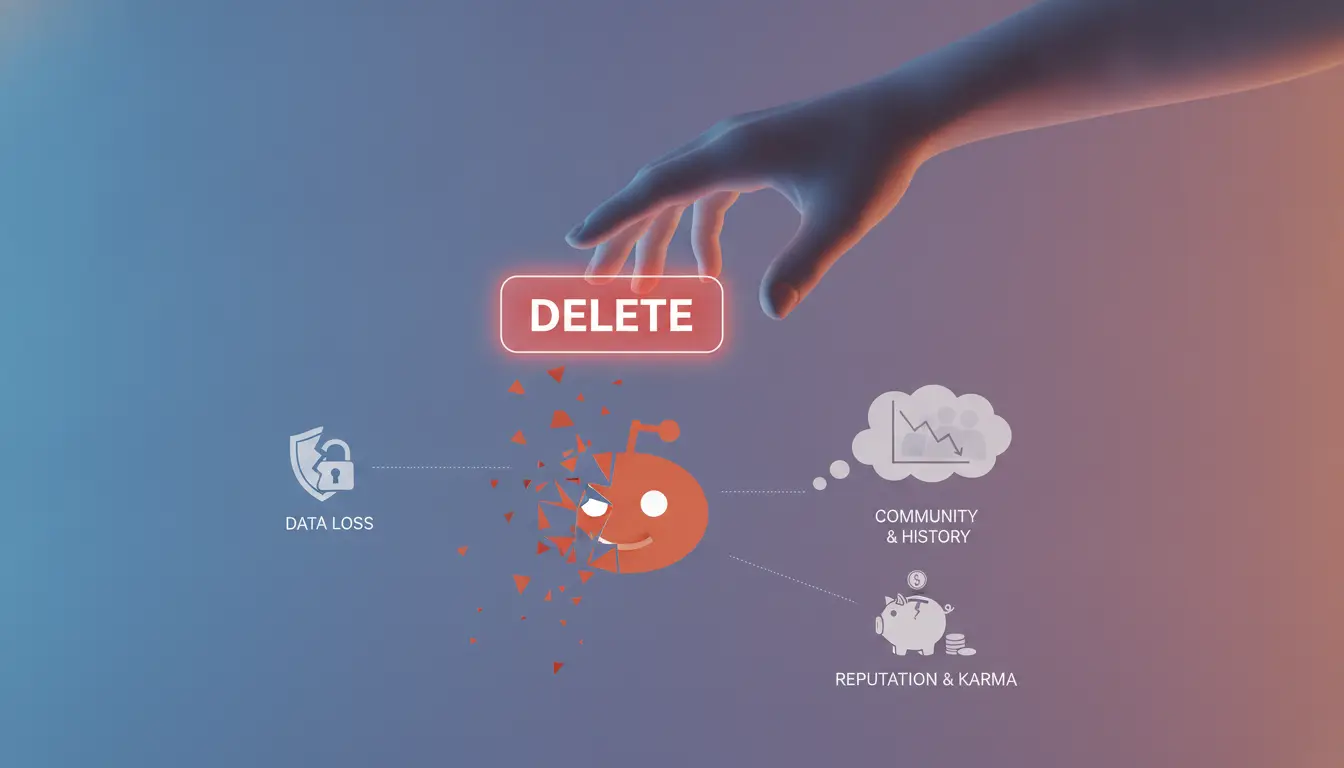
Deleting your Reddit account means you lose access forever, but your posts and comments often stay behind. If you want true privacy or a clean break, you need to handle more than just pressing “delete.” Here’s where most people get tripped up.
Does deleting your Reddit account remove your posts and comments?
No, Reddit does not erase your posts or comments by default. Deletion only strips your username from the content, but the text itself remains public and linked to “[deleted].” If you need posts gone, remove them manually before deleting your profile.
What data is permanently lost?
Once you delete your Reddit account, you lose access to everything tied to that profile, no recovery, no undo. This includes private messages, saved posts, chat logs, subscriptions, and any awards or coins. If you forget to download important messages or post archives, there’s no way to get them back. For example, if you run a business subreddit or moderate a large community, deleting means you lose all mod tools and history attached to that login. The real risk is deleting your account before you’ve double-checked for backup, users often regret not saving direct messages or exportable data, especially if those contain sensitive info or conversations needed later. Once you press delete, Reddit support will not restore your account or its content under any circumstance.
When should you delete vs. deactivate or just log out?
- Delete: You want your profile removed and will not return. This is final, no way to restore the account.
- Deactivate: Reddit does not offer a true “deactivate” option. Deletion is permanent; logging out just ends your session.
- Log out: You want a break but may come back later. Logging out leaves all data and access untouched.
If you’re unsure, logging out first gives you a chance to reconsider before making a permanent move.
Next: If you’re set on deletion, the next section will walk you through the exact steps for 2026, including what to click, what to check, and how to avoid common mistakes.
How to Delete Your Reddit Account: Step-by-Step for 2026
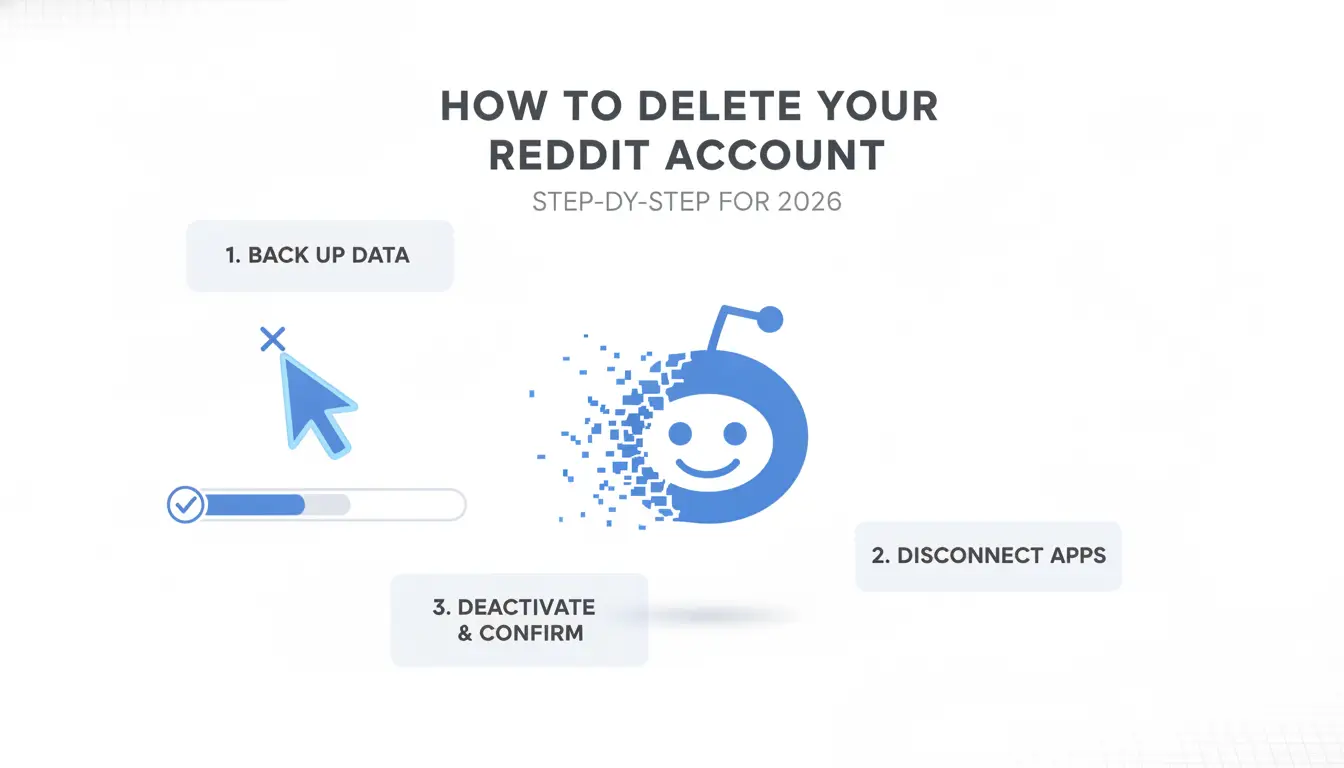
Reddit makes deletion permanent, once you confirm, you can’t get the account back. Here’s exactly how to remove your Reddit account on web or mobile, with the main mistakes to avoid so you don’t leave data behind.
Deleting your Reddit account on desktop (browser)
- Log in at reddit.com. Click your profile icon in the top right, then select “User Settings.” This menu is easy to miss if you have Reddit in compact view, expand the sidebar first if needed.
- In the settings page, scroll down to the bottom. Click “Delete Account.” Reddit moved this option in late 2025: it’s no longer called “deactivate.” If you only see “deactivate,” update your browser or clear your cache, then reload.
- Enter your username and password, check the final confirmation box, and hit “Delete.” If you get a password error, double-check for autofill mistakes. Some password managers forget to update after a recent change.
- Wait for the confirmation pop-up. If nothing appears, reload and try again, browser extensions can block this dialog. No success after two tries? Switch to reddit.com in private/incognito mode.
Deleting your Reddit account on the mobile app
- Open the Reddit app and log in. Tap your avatar in the top right, then select “Settings.” Some Android devices hide the settings menu under the three-line “hamburger” icon, tap that if you don’t see your avatar.
- Scroll to “Account settings” and tap “Delete account.” Reddit updated the label from “Deactivate account” to “Delete account” in 2026, if you don’t see this, update your app.
- Enter your password, check the warning box, and tap “Delete.” If you get a network error, switch to Wi-Fi or wait until Reddit’s servers are less busy (avoid deleting during US evenings).
- The app should exit to the login page. If you’re still logged in, force-close and restart the app. Stuck in a loop? Uninstall and reinstall the app, data can linger if you use old app versions.
Common mistakes to avoid during deletion
- Failing to download important data before deletion. Reddit will not recover your messages, saved posts, or account info, download what you need in advance. Recovery is not possible after deletion.
- Forgetting to remove third-party app access. Apps like old bots, automation tools, or “Sign in with Reddit” logins can keep data tied to your account. Go to account settings and revoke access before deleting.
- Not logging out of all devices. If you stay logged in on a phone, deleting on desktop can leave your session open. After deletion, force-close Reddit on every device, otherwise, cached sessions could still post or upvote for a short time.
- Skipping the final confirmation step. Reddit requires you to check a warning box and re-enter your password. If you miss this, nothing gets deleted, even if you think you finished.
The easiest way to lose control is skipping these last checks, undoing a missed step is either impossible or takes hours of extra work.
After deletion, Reddit does not remove your public posts or comments automatically. The next section lays out what actually happens to your content, and what you can (and can’t) erase.
What Happens to Your Posts, Comments, and Data After Deletion?
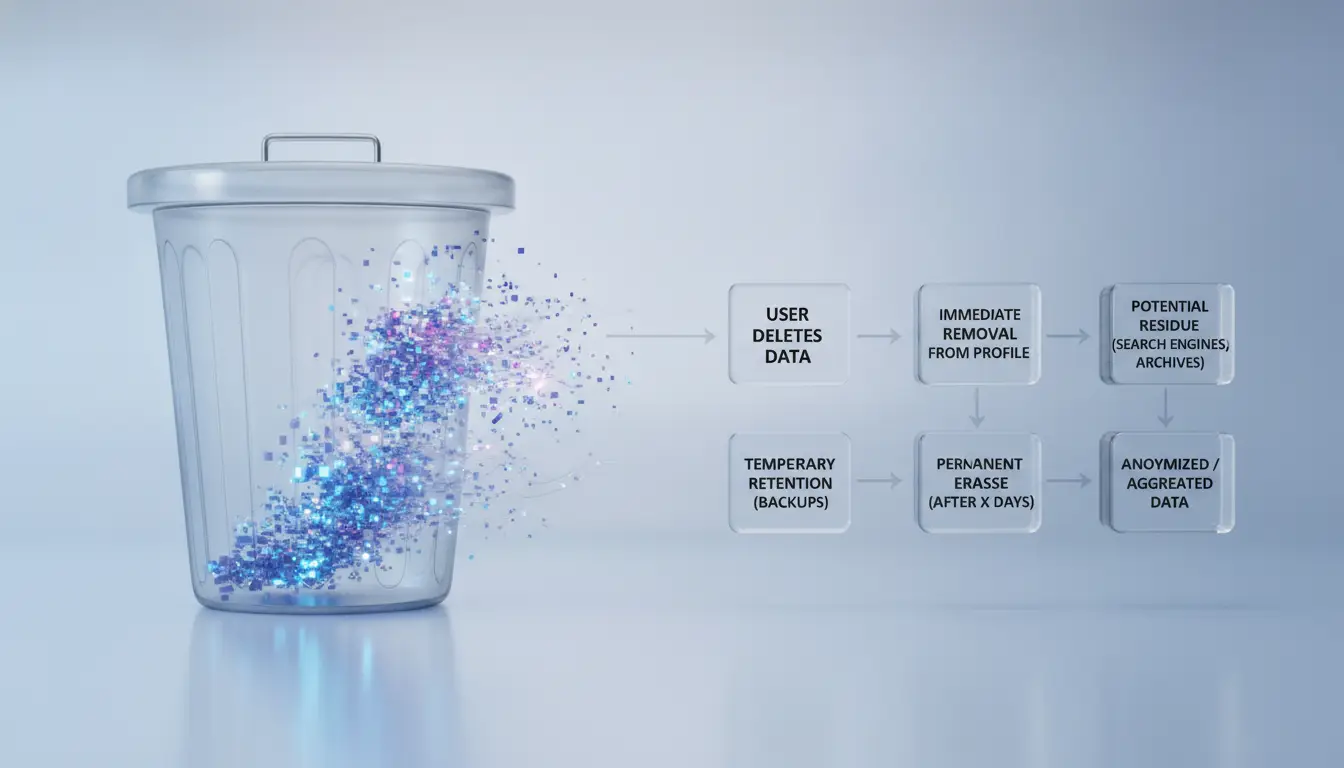
Deleting your Reddit account doesn’t erase everything you’ve posted, most content stays visible, but your username disappears from public view. If you want to fully control what remains, you need to handle your posts and comments before starting the deletion steps.
Are your posts and comments deleted or anonymized?
When you remove your Reddit account, your username gets wiped from your profile, posts, and comments. Content stays live, but it now shows “deleted” as the author. Your posts and replies are not erased unless you delete them individually beforehand.
How to remove or edit posts before deleting your account
If you want your Reddit history gone, you have to clear it yourself. Reddit doesn’t offer bulk delete, so you must remove posts and comments one by one, or use browser extensions and scripts for mass deletion. It’s easy to miss a few: posts are scattered across subreddits, and old comments can hide deep in threads. For example, deleting 200 posts by hand takes about 20-30 minutes if you work steadily, but you risk leaving traces unless you double-check each section. Failing to clean up before deactivation means your content stays searchable through Reddit and Google, even after your account is gone.
What about messages, saved posts, and subscriptions?
- Private messages are not deleted, recipients keep their copies.
- Saved posts and comments are lost to you, but originals stay up if you don’t remove them.
- Subreddit memberships are erased, but your past posts/comments in those groups remain visible.
Reddit’s approach means that deleting your account is only a partial wipe. Most users only realize later that their old posts can still be found by anyone searching or browsing old threads. If privacy is your main reason for leaving, it’s smarter to remove or edit everything yourself before you start the deletion process. This step avoids the common pitfall where people expect all traces to disappear, then find their content still indexed days or weeks later.
Moving forward, the biggest risks come from irreversible actions, once your account is gone, you can’t recover posts or undo the deletion.
Risks and Irreversible Actions: What to Double-Check Before You Delete
Before you start, remember: once you delete your Reddit account, you cannot reverse it or get access back. Many regret not checking old posts, connected apps, or backups. Rushing this step can leave traces you can't remove later.
Can you recover a deleted Reddit account?
No, Reddit does not let you recover a deleted account, this action is permanent. If you change your mind, you’ll need to create a new profile; there’s no way to restore your username, karma, or history once deletion is complete.
What to do with linked emails, third-party logins, and connected apps
- Unlink Reddit from Google, Apple, or any other service in your account settings.
- Remove Reddit account access in connected apps (like bots, social tools, or password managers).
- Update your email address on other platforms if you used the same one for Reddit.
How to back up important data before deletion
You get one shot to grab your info. Reddit does not let you access messages, posts, or comments after deletion, even via support.
- Request an account data download from Reddit’s settings, then save the file.
- Manually copy any private messages or posts you want to keep.
- Note your account preferences or settings if you’ll reuse them elsewhere.
Ready to delete more than one account? The next section covers how marketers and teams can handle bulk deletions without missing key steps.
How to Safely Manage and Delete Multiple Reddit Accounts (for Marketers & Teams)
Handling several Reddit accounts means every deletion step can trigger cross-account risks, one wrong move, and you might expose your IP or link profiles. Here’s how to avoid trouble.
Risks of deleting or switching between multiple Reddit accounts
- Log out fully before switching accounts. Otherwise, device fingerprints can overlap, linking your profiles.
- Use different devices or browser profiles for each account. Shared environments raise ban risk.
- Clear cookies and cache after each session. Reddit tracks persistent data, leftover cookies can connect accounts.
- Never delete accounts in bulk from the same IP. Sudden mass actions flag your activity for review.
Best practices for separating accounts before deletion
- Assign a unique browser profile and proxy to each Reddit account. This stops Reddit from matching sessions.
- Avoid importing bookmarks or extensions across profiles. Hidden syncs can tie accounts together.
- Check that no device permissions overlap, Bluetooth, location, or app integrations must stay separate.
How teams can coordinate account deletions safely
- Set clear roles: Only trusted team members should handle account removal.
- Keep a checklist, document each deletion step for compliance tracking.
- Review permissions before deletion to prevent lost access or accidental data leaks.
Taking these steps reduces accidental cross-linking and keeps your agency’s workflow clean. Next, see how account profile tools can automate and enforce safe deletion routines.
Using DICloak to Manage Reddit Account Deletion Workflows Safely
Teams deleting multiple Reddit accounts face two main risks: cross-account linkage and accidental mix-ups. DICloak fits here by letting operators isolate each account in a separate browser profile and manage workflow access.
Isolated browser profiles for each Reddit account
Operators can set up unique browser profiles for every Reddit account, each tied to its own fingerprint and proxy. Isolation cuts the chance of Reddit linking sessions or IPs across accounts during deletion.
Try the first step Create and set your profile with DICloak. 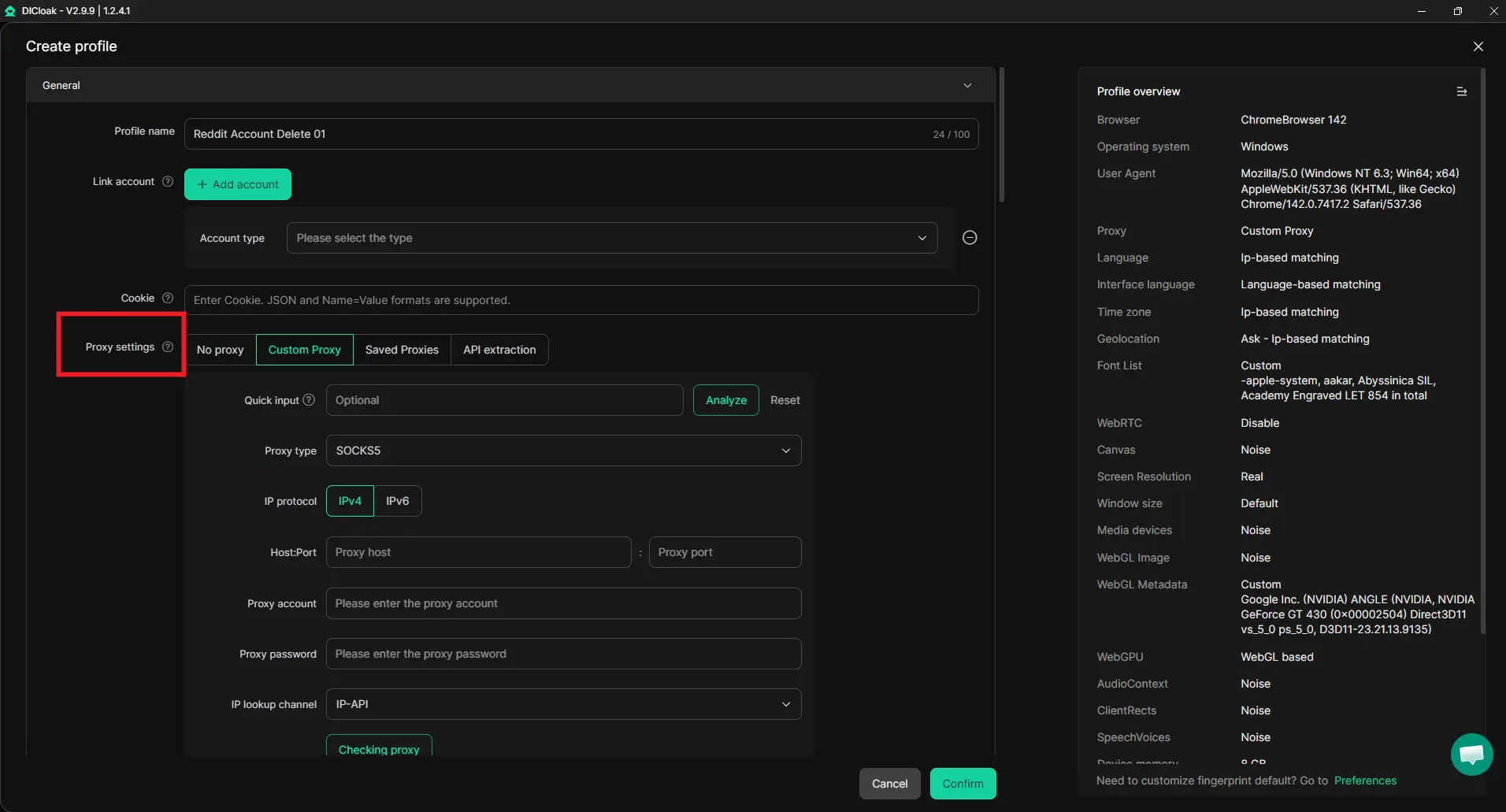
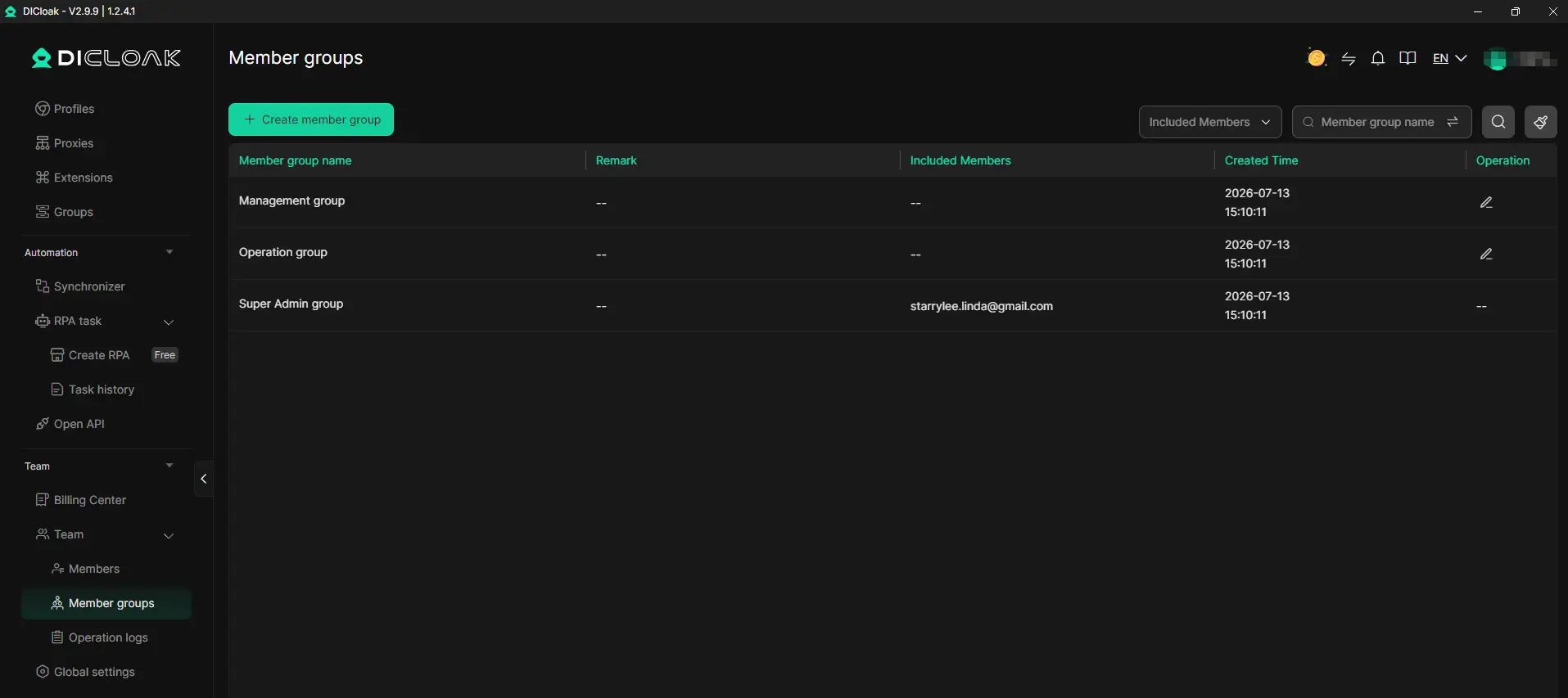
Team collaboration and permission control during account deletion
Admins assign access so only approved team members handle specific Reddit accounts. Logs track who starts deletion and when, making mistakes easier to spot after the fact.
Automating repetitive deletion and cleanup tasks
- Use RPA tools to trigger multi-account deletion
- Document every step in the workflow for future audits
- Review logs to catch missed sessions or leftover data
For further information, you can refer to our website's help center.
DICloak does not guarantee deletion success, Reddit platform errors can still affect the outcome.
What to Do If You Can't Access Your Reddit Account to Delete It
If you’re locked out and can’t delete your Reddit account directly, your options depend on how much access you can recover. The process changes if you’ve forgotten your login, lost your email, or run into two-factor authentication problems.
Recovering your Reddit account credentials
- Start with Reddit’s password reset page.
- If your email is gone or you can’t get two-factor codes, check if you still have backup codes from when you set up 2FA.
- If nothing works, try recovering your email account, Reddit won’t let you bypass email or 2FA directly.
Contacting Reddit support for account removal
If you can’t recover access, submit a request through Reddit’s support portal. Explain your situation, include your username, and ask for account removal. Response time can stretch beyond a week, so prepare for delays, support almost never deletes accounts without clear proof of ownership.
Alternatives to Deleting Your Reddit Account: Privacy and Break Options
Not everyone who searches how to delete reddit account needs to go that far, sometimes, a few quick changes can solve the real issue.
Adjusting your Reddit privacy and notification settings
- Hide your activity by setting posts and comments to private.
- Turn off email and push notifications under account settings.
- Limit data sharing in the “Safety & Privacy” tab to reduce tracking.
Temporarily logging out or uninstalling the app
Logging out or removing the Reddit app gives you a break without deleting your profile. Your posts and messages stay untouched, so you can return at any time, just log back in and pick up where you left off. For people second-guessing deletion, this low-effort pause is all you need to see if you actually miss Reddit.
Frequently Asked Questions About how to delete reddit account
Can I delete my Reddit account from the mobile app in 2026?
Yes, you can delete your Reddit account directly from the mobile app in 2026. The steps are a bit different from the desktop version. Usually, you’ll tap your profile icon, go to Settings, and find the “Delete Account” option under your account section. Make sure to check the mobile app section for the latest step-by-step instructions.
Will deleting my Reddit account remove all my posts and comments?
No, deleting your Reddit account will not erase your posts and comments. They stay on Reddit but are shown as posted by “[deleted]” instead of your username. If you want all your content gone, you need to delete each post and comment manually before you remove your Reddit account.
Can I recover my Reddit account after deletion?
Once you delete your Reddit account, you can’t get it back. Reddit makes this process permanent. Account names can’t be reused or restored either. If you might want to come back later, consider logging out or changing your privacy settings instead of deleting your profile.
What should I do if I have multiple Reddit accounts to delete?
To delete several Reddit accounts, use different browser profiles or private browsing modes for each. This helps you log in and out without confusion. For extra privacy, use proxies or proxys. Check the multi-account management section of this article for a clear workflow and extra tips before you start.
Is there a way to temporarily disable my Reddit account instead of deleting it?
Reddit does not let users temporarily deactivate their accounts. You can log out to take a break or change your privacy settings to hide your activity. If you’re not sure about deleting your Reddit profile forever, these options let you step away without losing everything.
Once your profile has been removed, consider how to manage your online privacy going forward. Exploring tools and habits that safeguard your digital footprint can help prevent unwanted exposure or data collection. Try DICloak For Free
 Web Proxy Tools
 Free Tools
 Cookie Plugin
 UA Generator
 MAC Address Generator
 IP Generator
 IP Address List
 2FA Code Generator
 World Clock
 Anonymous Check
 WebRTC Leak Test
 UUID Generator
 Free Web Proxy Site
 Proxy Checker
 FB Ad Checker
 AI Web Scraping
 Free SMM Tools
 Twitter Shadowban Checker
 Instagram Name Checker
 UTM Generator
 Username Generator
 AI Hashtag Generator
 LinkedIn Headline Generator
 Social Media Image Resizer