As we move into December, here’s a look back at the key features and improvements released in November. From smarter batch proxy assignment and enhanced cache management to custom RPA workflow imports and improved team controls, these updates were designed to boost efficiency, security, and ease of use for all DICloak users.
Key Takeaways – DICloak Latest Updates
- Profiles: Random proxy assignment for batch profiles, clear locally saved passwords, and flexible cache management with optional cloud sync.
- Proxies: Batch create or import multiple proxies with full IPv6 support for faster, large-scale management.
- RPA: Import custom workflows via Automa and manage task windows in a grid layout; skip or close tasks if already open.
- Members: Deactivate accounts based on first login for precise team management.
- Open API: Use HTTP API (available for Share+ and Plus Plans) to remotely add, edit, delete, or retrieve profiles.
Profiles Update: Batch Proxy Assignment and Advanced Cache Options
1. Random Proxy Assignment for Batch Profiles
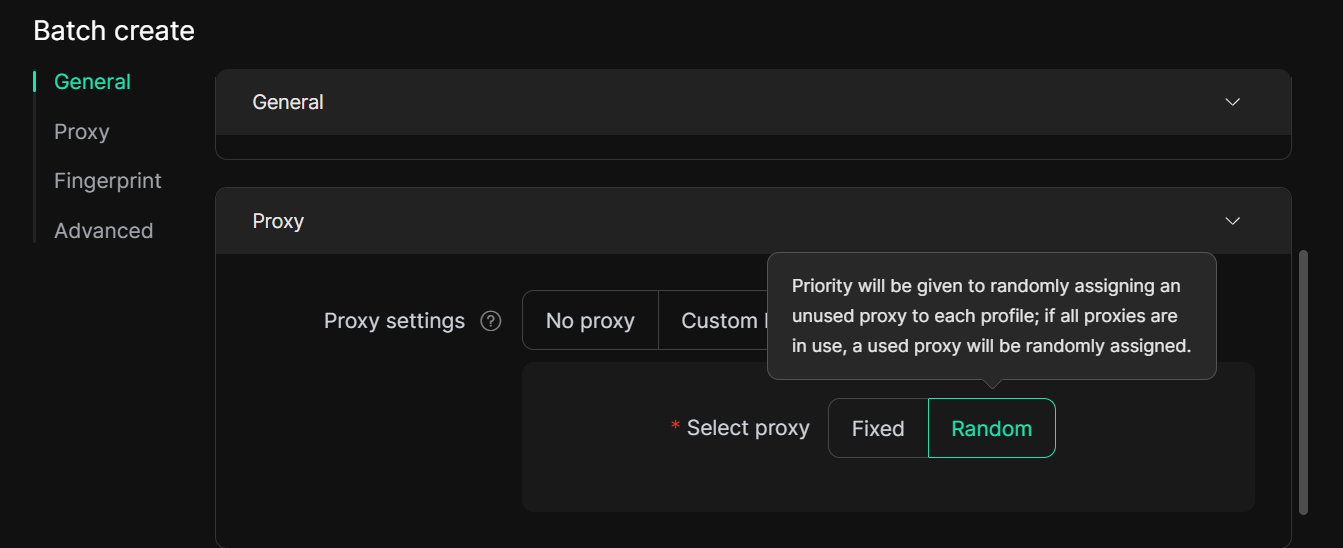
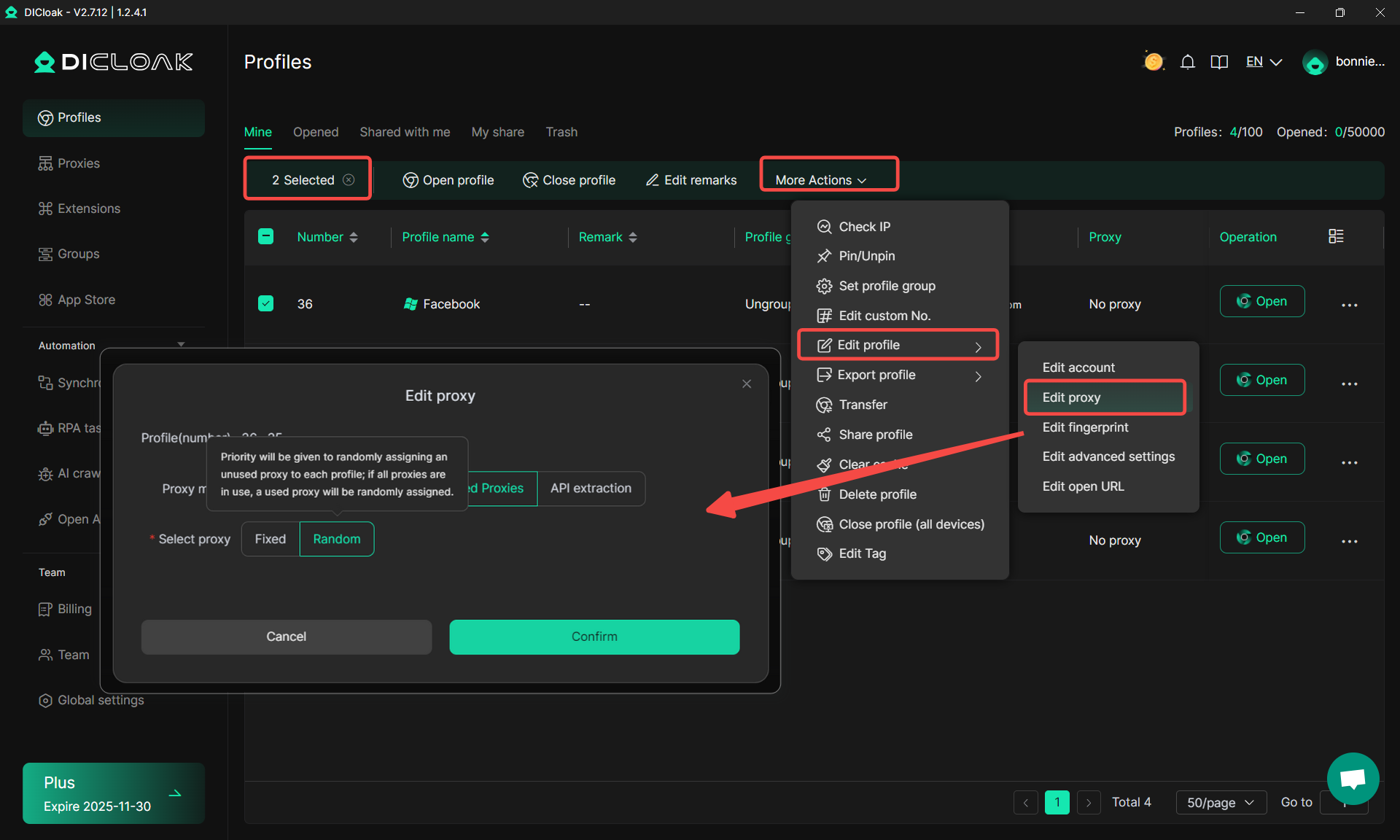
You can now assign proxies randomly when creating or editing batch profiles. Simply select “Random” in the Saved Proxies section, and the system will automatically allocate a proxy to each profile, prioritizing unused ones. This feature ensures that each profile quickly receives a unique proxy, saving time and minimizing the risk of account linkage.
Batch Creation:
Batch Editing:
2. Clear Locally Saved Passwords
Users can now clear locally stored account passwords, enhancing privacy and keeping local data secure and clutter-free.

3. Flexible Cache Management with Cloud Sync
Admins and managers can now set custom intervals for clearing a profile’s local cache and decide whether to sync cloud data afterward. This provides teams with greater control over data management and strengthens account security.

Proxies: Batch Creation & Import with IPv6 Proxy Support
DICloak now allows users to batch create or import multiple proxies with full support for the IPv6 proxy, making large-scale proxy management faster and more flexible.

New RPA Features: Import Workflows and Streamlined Task Management
1. Support for Custom RPA Workflow Import via Automa
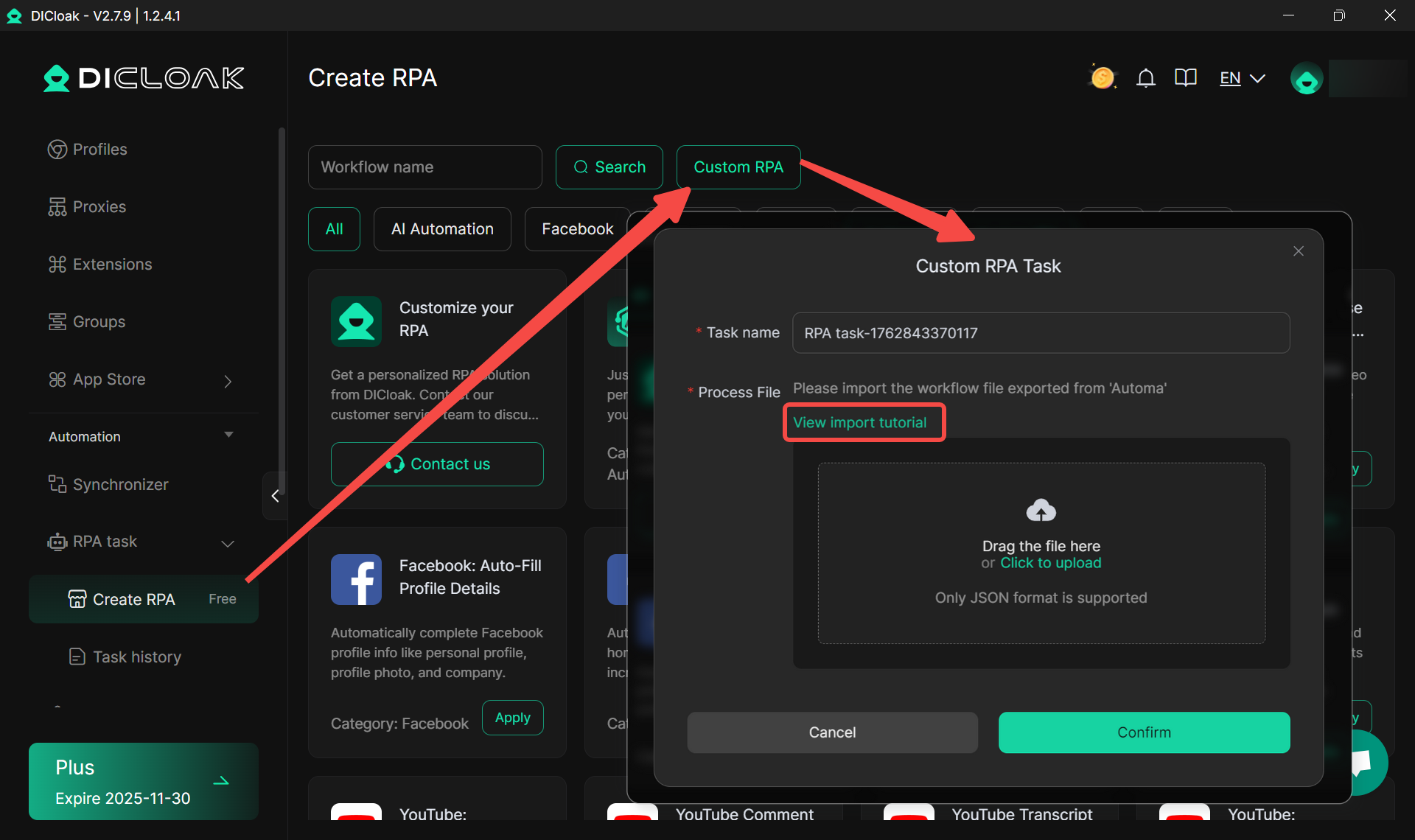
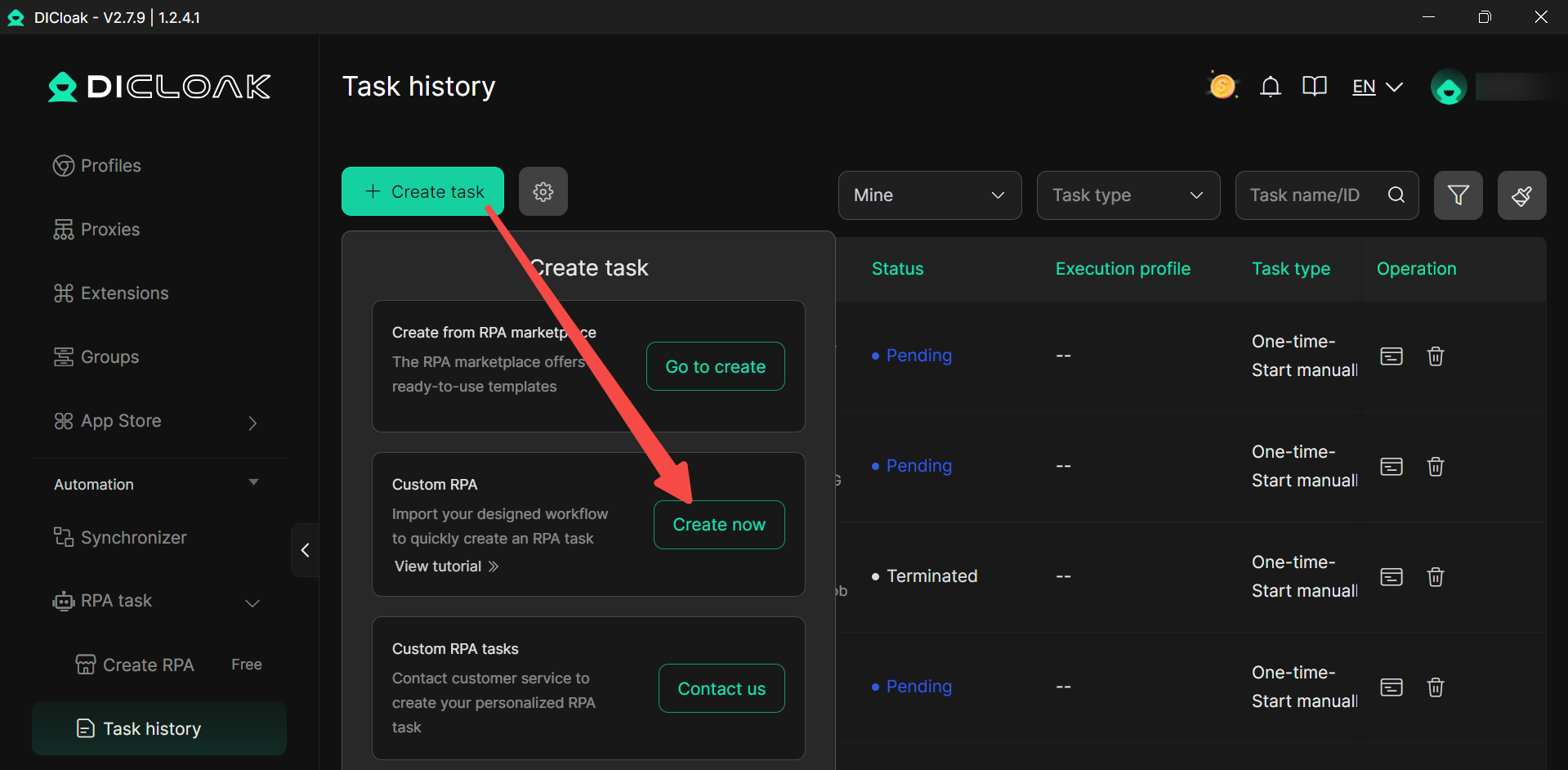
You can now import custom automation workflows created in Automa by following our step-by-step tutorial.

You can import a RPA Task in Create RPA.
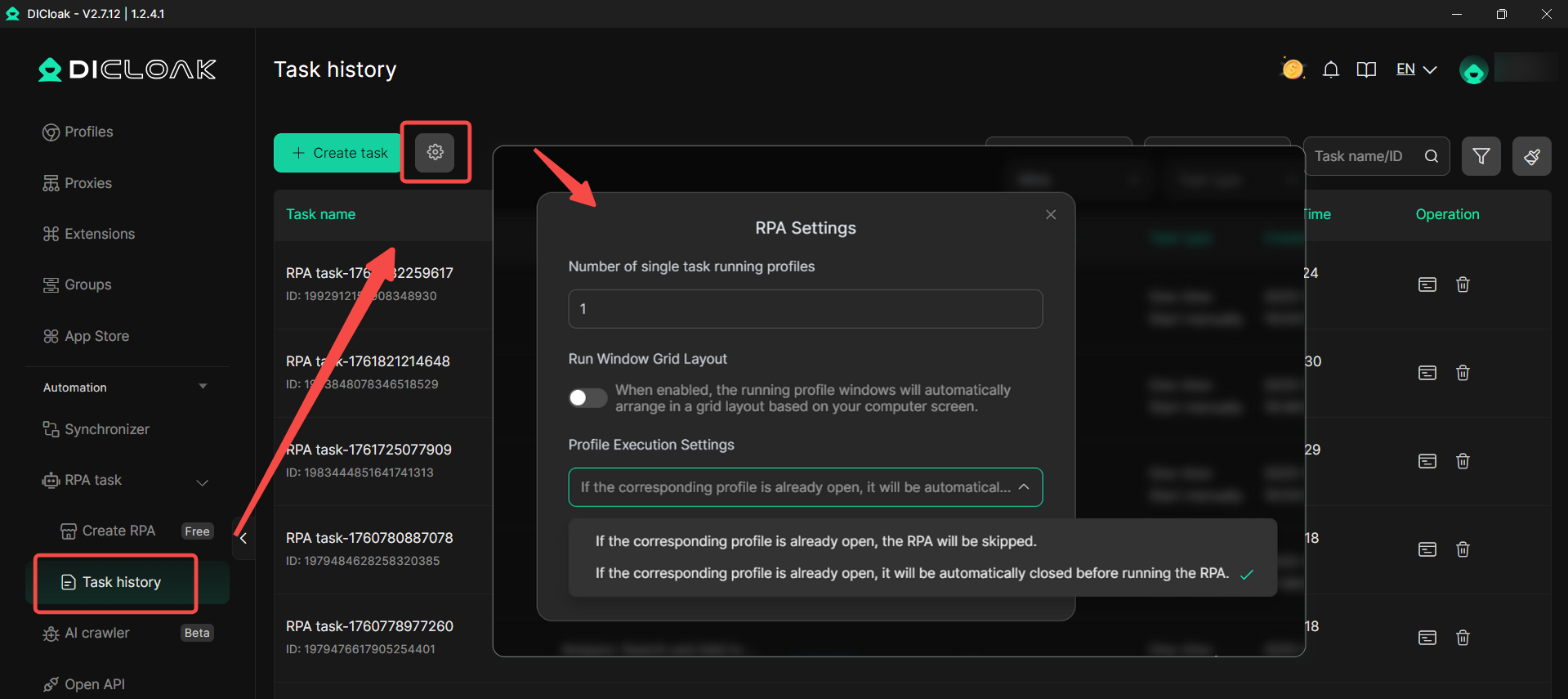
And also import your RPA in RPA Task History. This allows users to create, tailor, and run their own RPA task flows based on specific use cases rather than relying solely on the built-in templates.
2. RPA Settings in RPA Task History
You can now configure RPA task windows to display in a grid layout via RPA Settings, making it easier to monitor multiple profiles simultaneously and improving efficiency for large-scale tasks. Additionally, RPA settings let you choose to skip the RPA or close the profile if it’s already open, ensuring tasks run smoothly and without interruption.
Members: Deactivate Accounts Based on Members' First Login
Teams now are allowed to set deactivation times for member accounts based on each member’s first login, making team management and account lifecycle control more precise and convenient.

Open API: HTTP API for Remote Calls
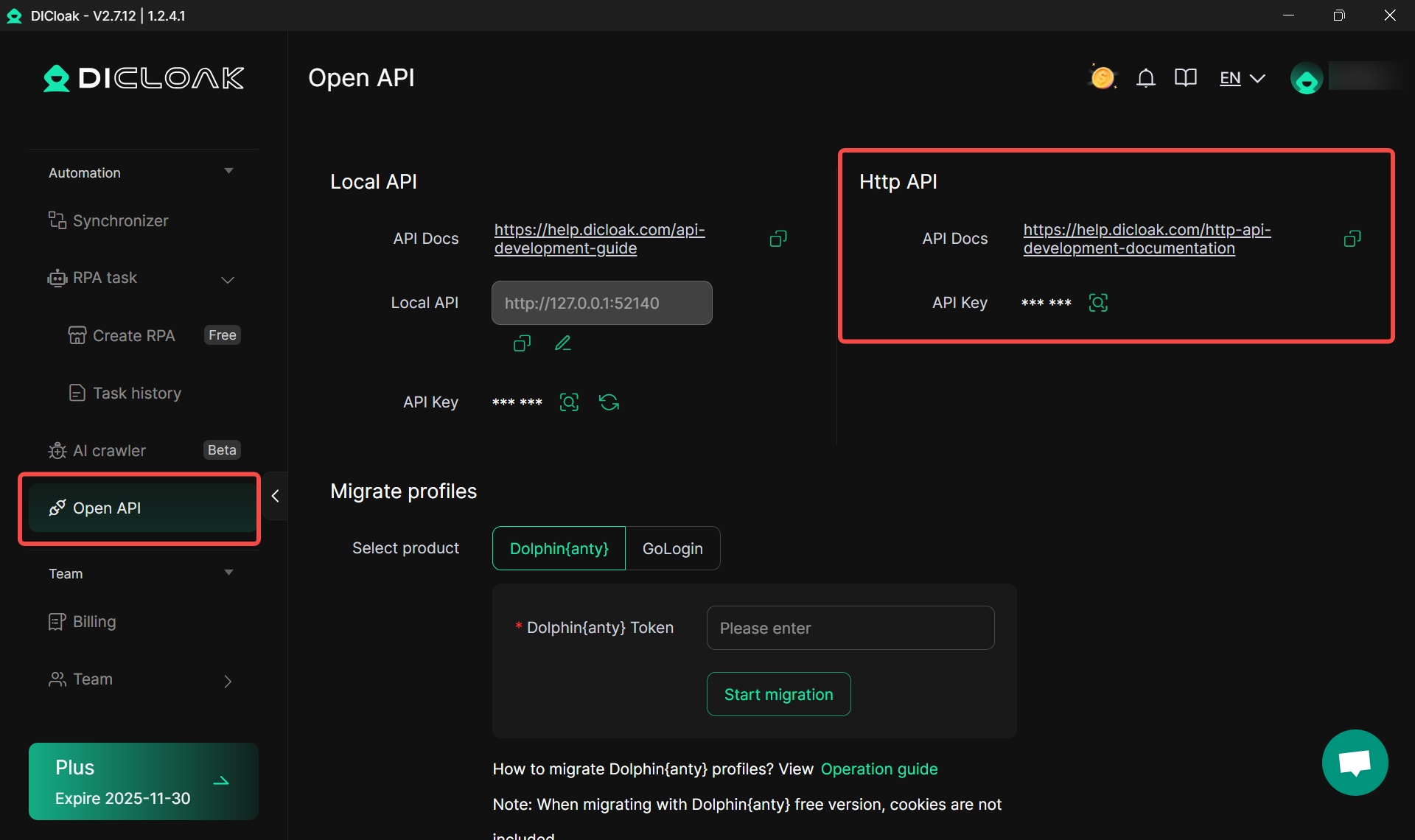
Open API (available for Share+ and Plus Plans) now supports HTTP API, enabling remote API calls for easy integration and automation. With HTTP API, you can obtain profile lists, add new profiles, edit existing profiles, delete profiles, and completely remove profiles.
Final Mega Sale – 50% Off Annual Plan!
Don’t miss out on our Final Mega Sale! Subscribe now for a 360-day plan and enjoy a limited-time 50% discount. Take advantage of this offer to upgrade your workflow, boost efficiency, and make the most of all the latest DICloak features!

 Web Proxy Tools
 Free Tools
 Cookie Plugin
 UA Generator
 MAC Address Generator
 IP Generator
 IP Address List
 2FA Code Generator
 World Clock
 Anonymous Check
 WebRTC Leak Test
 UUID Generator
 Free Web Proxy Site
 Proxy Checker
 FB Ad Checker
 AI Web Scraping
 Free SMM Tools
 Twitter Shadowban Checker
 Instagram Name Checker
 UTM Generator
 Username Generator
 AI Hashtag Generator
 LinkedIn Headline Generator
 Social Media Image Resizer