Facing an "Access Denied" message or seeing your ChatGPT Plus subscription suddenly revert to a "Free" status is more than a technical glitch—it is a critical failure in your professional infrastructure. For those leveraging AI for enterprise-grade logic, complex architectural coding, or high-velocity content research, these interruptions represent a massive opportunity cost. While these declines often appear arbitrary, they are typically the result of specific defensive triggers within OpenAI’s security stack. Identifying the root cause is the only way to restore your workflow and prevent permanent blacklisting.
Why is my ChatGPT access or payment being declined?
When access is revoked, the system is responding to either a financial mismatch or a perceived security threat. Distinguishing between these two is the first step in remediation.
Payment failures and subscription cancellations
A Plus subscription may be declined due to regional banking restrictions or card-specific failures. In 2026, OpenAI’s payment processors have become increasingly sensitive to "virtual cards" or payment methods originating from non-supported territories. If your bank flags the recurring transaction as high-risk, OpenAI will automatically downgrade the account to the Free tier, often without a grace period.
Access Denied vs. Account Disabled
- An "Access Denied" error is usually environmental, meaning the system dislikes your current IP address or browser configuration.
- An "Account Disabled" or "Account Suspended" status is far more severe; it indicates a direct administrative action taken against your credentials due to a flagged violation of the Terms of Service.
OpenAI maintains a dynamic "reputation score" for every IP address connecting to its servers. If you are using a shared IP—common with public Wi-Fi or low-tier VPNs—you are sharing a reputation with every other user on that node. If a "bad actor" uses that same IP for malicious activity, OpenAI may decline the entire connection block to maintain platform integrity, leaving you as collateral damage.
How to Identify the Exact Error Message When ChatGPT Free or Plus Gets Declined?
Diagnostics begin with a precise reading of the interface signals. OpenAI uses specific error strings to categorize the nature of the restriction.
Common Diagnostic Indicators:
- "Account Suspended/Disabled": High-confidence policy violation.
- "Access Denied": Network-level block (IP or firewall).
- "User not found": Potential account purge or database de-indexing.
- Missing Chat History: A critical signal. If your sidebar is suddenly empty and won't reload, it is a high-signal indicator of an imminent or active account ban.
Checking for service outages
Before troubleshooting your local environment, rule out a global failure. Consult the official OpenAI Status page or community-driven tools like DownDetector. If the platform is "at capacity" or experiencing a server-side outage, your "declined" status is a systemic issue rather than an individual ban.
Signs of a "Soft Ban" or IQ Degradation
You may still have access but find the AI's output has become sluggish or illogical. This "IQ degradation" is a deliberate "soft ban" used to deter suspicious traffic. By serving shorter, less coherent answers, OpenAI reduces the compute cost spent on accounts it suspects are non-human or low-trust, effectively "throttling" your productivity without a hard disconnect.
Why OpenAI flags accounts: Policy violations and technical triggers
OpenAI’s automated moderation systems look for five primary behaviors that trigger immediate account declines or permanent bans.
Content policy and jailbreaking
Generating prohibited content—including hateful, harassing, or illegal material—is the fastest route to a ban. Furthermore, the use of "jailbreak" prompts (such as "DAN" variations) designed to bypass safety filters is actively tracked. Repeated attempts to circumvent ethical boundaries are flagged as intentional attacks on the model’s safety layer.
Spam and Phishing
Using ChatGPT to generate bulk deceptive content, unsolicited marketing materials, or phishing templates is a tier-one violation. OpenAI’s systems are trained to recognize the linguistic patterns of mass-generated spam.
Suspicious automation and scraping
The ChatGPT interface is designed for human-speed interaction. Using unauthorized scripts or "headless" browsers to scrape data or mass-generate responses at machine speed will trigger a ban. OpenAI expects human-like telemetry; any deviation into automated patterns is flagged as API misuse.
Multiple account triggers
Managing several accounts from a single browser is a significant red flag. When accounts share the same browser cache, cookies, and digital fingerprint, they are seen as a "botnet" cluster. This cross-contamination often leads to "cascading bans" where every account linked to that device is terminated simultaneously.
Illegal Activities
Any request that facilitates criminal enterprise, fraud, or the creation of harmful substances will result in an immediate, irreversible ban. OpenAI maintains a strict zero-tolerance policy for activities that pose a real-world threat.
Regional blocks vs. personal bans: Knowing the difference
It is essential to determine if the problem is your behavior or your geography.
Countries with mandated restrictions
OpenAI does not operate in regions with strict data censorship or international sanctions. As of 2026, access remains blocked in China, North Korea, Iran, Syria, Cuba, Venezuela, and specific regions of Russia. If you are in these territories, "Access Denied" is the default state.
Organizational firewalls
Corporate and academic networks often implement internal firewalls to prevent "shadow AI" usage or data exfiltration. If you see a decline only while at the office or on campus, the block is likely at the network admin level rather than OpenAI.
The IP-location mismatch
Modern AI security systems check for consistency. If your VPN is set to London but your browser’s time zone, system language, and WebGL metadata point to Tokyo, the "regional hopping" flag is triggered, leading to a connection decline.
Steps to recover a declined or banned account
If you have been flagged, follow this structured recovery protocol.
The official appeal process
OpenAI provides a formal channel via their help center. When filing an appeal:
- Maintain a professional tone: Avoid confrontational language.
- Acknowledge the policy: State that you understand why the flag occurred.
- Provide context: If the violation was accidental (e.g., a misunderstood prompt), explain the context clearly.
Handling subscription refunds
If your Plus account is permanently disabled, OpenAI generally issues a pro-rated refund for the remaining subscription period. This is typically automated, but you should monitor your statements and contact support if the credit does not appear within 7-10 business days.
When to consider a new account
If an appeal is denied, a new account is the last resort. However, simply creating a new email is insufficient. You must ensure the new account has no digital link to the banned one—this requires a fresh IP address, a different payment method, and an entirely new browser profile to avoid a "shadow ban" on your new credentials.
How to Deal with IP Contamination and AI "IQ Degradation"?
Performance issues are often a direct result of "dirty" network environments.
The problem with shared data center IPs
Free or low-cost VPNs use "data center IPs" that are flagged by default. Because these IPs are shared by thousands, they are often associated with scraping bots. OpenAI responds by defaulting these connections to low-priority compute, leading to the "short, dumb" answers characteristic of IQ degradation.
The value of static residential IPs
For high-trust AI interactions, professionals use static residential IPs. These addresses are assigned by Internet Service Providers (ISPs) to actual homes. They provide a high-trust signal to OpenAI, ensuring you receive the full "IQ" of the model and preventing the logic-throttling associated with shared proxies.
How to Set Up a Professional Workflow for More Stable ChatGPT Access?
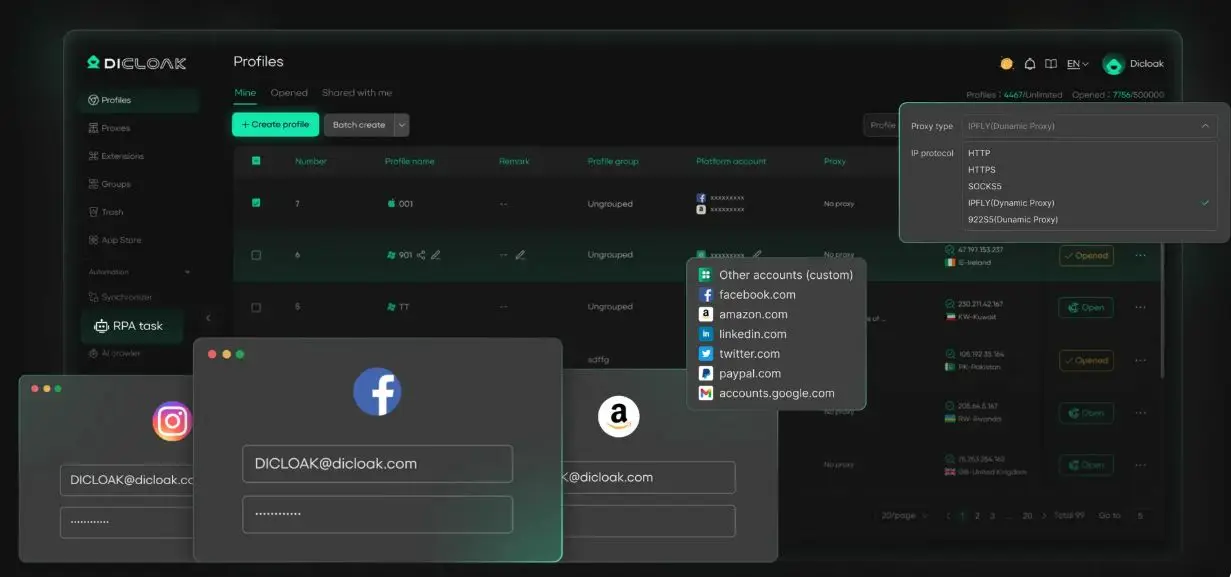
For power users who cannot risk workflow disruptions, a hardened technical environment is mandatory. Using an anti-detect solution like DICloak allows you to maintain a clean digital footprint.
The Professional Access Workflow:
- Isolate the Environment: Create a dedicated browser profile in DICloak for your ChatGPT account. This ensures that cache, cookies, and local storage are entirely separate from other accounts, eliminating cross-contamination risk.
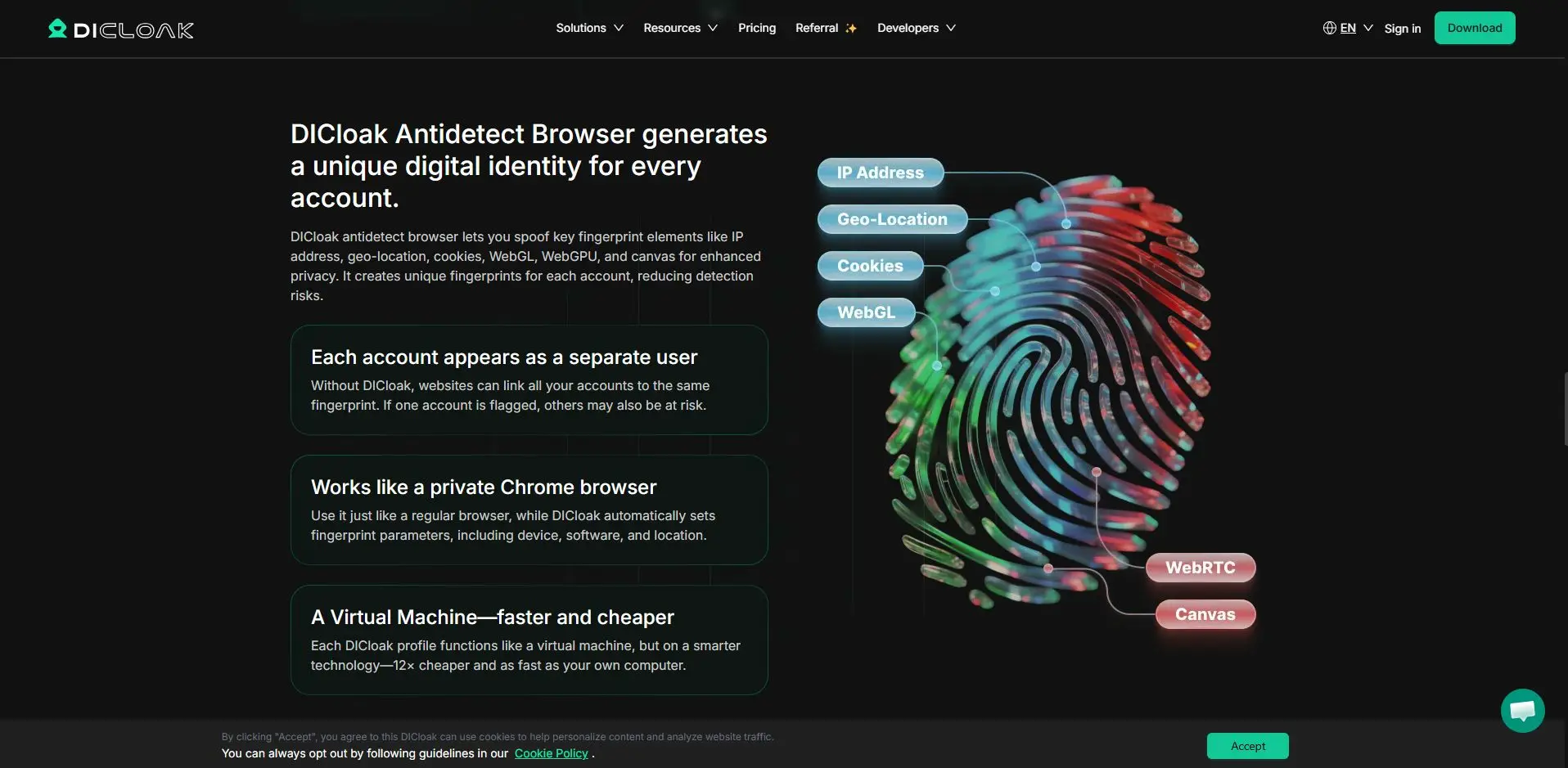
- Minimize Fingerprint Surface Area: Use DICloak to randomize hardware metadata, such as Canvas and WebGL parameters. This hides the "Entropy" of your device, preventing OpenAI from identifying your hardware as a recurring visitor across different IPs.
- Integrate a Clean Proxy: Attach a dedicated residential proxy to the profile. This ensures your IP reputation remains pristine and prevents "IQ degradation."
- Synchronize Metadata: Enable DICloak’s environment simulation to automatically match your system’s time zone and language settings to the proxy’s location. This creates a natural, high-trust footprint that avoids "regional hopping" triggers.
Common mistakes that lead to permanent bans
To protect your recovered access, avoid these operational pitfalls:
- Using "dirty" proxies: Cheap proxy lists are almost always blacklisted. One login from a "dirty" IP can result in an instant ban.
- Rapid account switching: Do not log in and out of multiple accounts in the same session. This triggers the "botnet" defense system.
- Ignoring ToS updates: OpenAI updates usage policies frequently. Using the AI for tasks that were allowed last year but are restricted now will still result in a ban.
Frequently Asked Questions (FAQs)
Q1: How long does a ChatGPT ban typically last?
Policy-based bans are generally indefinite. Temporary suspensions for rate-limiting or minor technical flags may last 24 to 48 hours.
Q2: Can I get a refund if my Plus account is banned?
Yes, OpenAI typically processes a pro-rated refund for the unused portion of the month once the account is disabled.
Q3: Why is the AI giving me shorter, dumber answers suddenly?
This is likely IQ degradation due to a low-reputation IP. OpenAI is saving compute costs by serving a lower-tier response logic to a connection it deems suspicious.
Q4: Is it safe to use a VPN with ChatGPT?
It is safe if the VPN provides high-quality residential IPs. Free VPNs using data center IPs often lead to access declines or throttled performance.
Q5: What should I do if my appeal is denied?
If denied, your best option is to gather more concrete evidence—such as logs or context for the flagged prompt—and resubmit a polite, evidence-based appeal. If that fails, move to a completely isolated environment (like DICloak) to start fresh.
Most ChatGPT access issues in 2026 are not arbitrary; they are the result of technical signals your browser and network are sending. By adopting a "clean footprint" strategy and utilizing isolated workflows, you can ensure that your access to high-level AI remains uninterrupted.
 Web Proxy Tools
 Free Tools
 Cookie Plugin
 UA Generator
 MAC Address Generator
 IP Generator
 IP Address List
 2FA Code Generator
 World Clock
 Anonymous Check
 WebRTC Leak Test
 UUID Generator
 Free Web Proxy Site
 Proxy Checker
 FB Ad Checker
 AI Web Scraping
 Free SMM Tools
 Twitter Shadowban Checker
 Instagram Name Checker
 UTM Generator
 Username Generator
 AI Hashtag Generator
 LinkedIn Headline Generator
 Social Media Image Resizer