A single mistake, like logging in from a flagged country or using a proxy that’s already blacklisted, can get your chatgpt banned account within hours. Hundreds of developers on forums like Stack Overflow report losing access after routine API calls, not realizing that OpenAI’s ban triggers can change without warning. It’s common to think bans only hit when you break clear rules, but real cases show accounts get blocked for things as simple as rapid IP changes or repeated failed logins. Many users try to recover banned ChatGPT accounts by appealing, but find support responses are slow and generic, leaving them locked out for weeks.
The real problem isn’t just the ban itself, it’s not knowing which triggers matter most. Some bans come from sharing accounts across teams, others from using automation scripts that leave obvious traces. If you rely on ChatGPT for daily tasks or critical workflows, ignoring these signals can mean lost access at the worst possible time. This guide breaks down the actual ban reasons, what works (and doesn’t) for recovery, and practical steps to avoid getting locked out again. Here’s what users with banned accounts learned the hard way, and what you should check before your next login.
What Actually Triggers a ChatGPT Account Ban?
Getting a chatgpt banned account often feels random, but most bans follow clear patterns. Users who rely on ChatGPT for work or daily tasks need to know what actually triggers a ban, and which mistakes are easiest to avoid. Missing these signals is what keeps people locked out, sometimes for weeks with no clear reason.
Violating OpenAI’s Usage Policies: What Counts as a Red Flag?
OpenAI’s usage rules matter more than most users realize. Posting prohibited content, like hate speech, spam, or attempts to generate harmful code, almost guarantees a chatgpt account ban. Account bans also hit users who run automation scripts or bots that send too many requests per minute. OpenAI’s backend checks for repeated abuse signals, so even moderate misuse adds up. If your account shows signs of scraping, bulk automation, or anything that violates the OpenAI Terms of Use, expect trouble. The fastest route to a banned account is ignoring these policy lines, even once.
Network, Device, and Location Anomalies: Why They Matter
Most people overlook how often network changes trigger a chatgpt ban. Logging in from several countries within hours, frequent IP switching, or using proxies that aren’t stable can flag your account. Device fingerprint mismatches, like logging in from different browsers or computers that look nothing alike, are another common signal. OpenAI tracks these changes and combines them with usage behavior. If your login history jumps from New York to Paris in minutes, or your device info doesn’t match past logins, the system sees it as suspicious. Recovering a banned chatgpt account rarely works if these patterns continue. Before your next login, check that your network and device look consistent, otherwise, you risk another ban.
How to Tell If Your ChatGPT Account Is Really Banned (Not Just a Glitch)
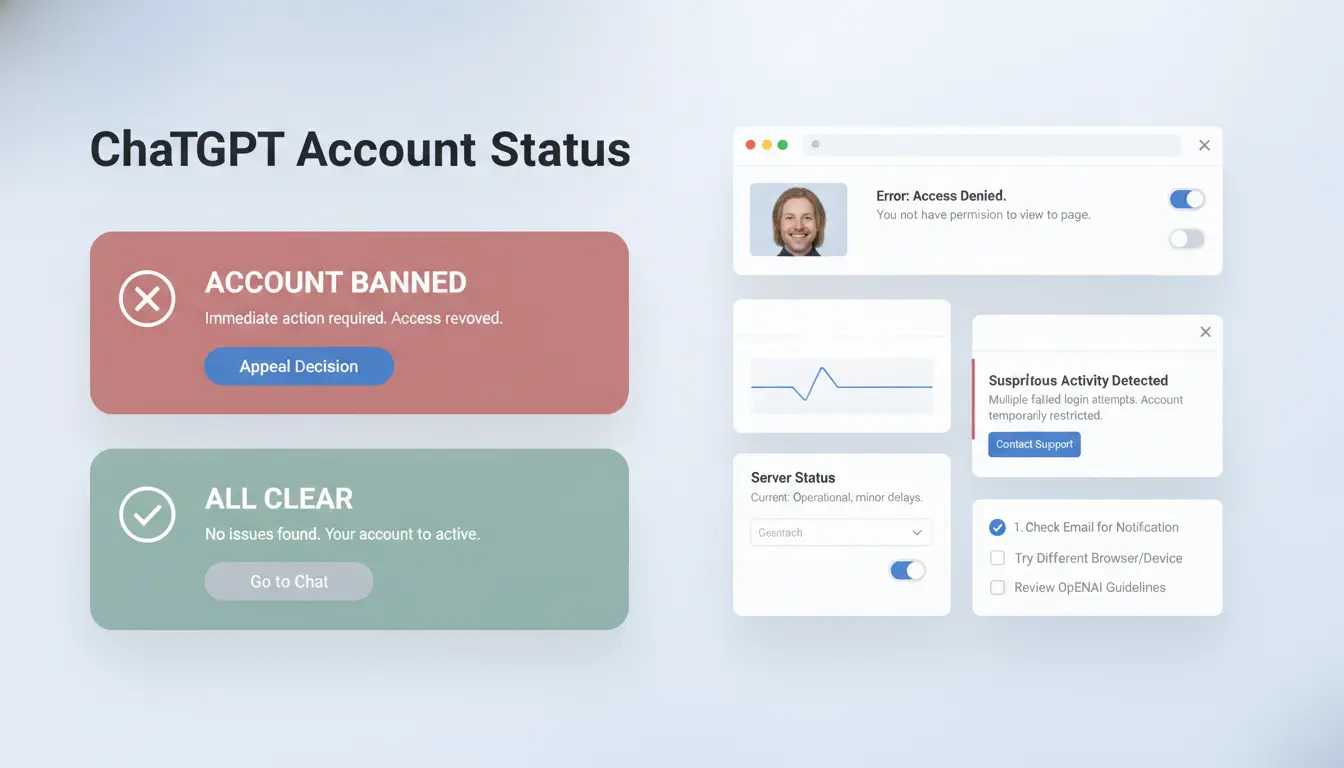
Worried your access is gone for good, or just hit a glitch? Many users panic at the first error, but not every lockout means you have a true chatgpt banned account. Spotting the difference early helps you avoid wasted time on fixes that don’t work. Here’s how to check what’s really going on before you appeal or start a new account.
Typical Ban Messages and Error Codes
When OpenAI bans a ChatGPT account, the message is usually direct: “Your account has been suspended due to suspicious activity,” or “Access is disabled for policy violations.” These show up on both web and app logins, not just one device.
Common error codes for real bans include 403 (Forbidden) and sometimes a support link. In contrast, a simple “Network Error” or “Unable to connect” message is often a temporary glitch, not a ban. If you’re only seeing timeouts or loading failures, especially after an update or heavy traffic, wait and try again before assuming the worst.
How to Check Account Status and Access History
Don’t just rely on one device. Try logging in from a different browser, your phone, or a new computer. A true chatgpt account ban will block you everywhere. If you can get in on one device but not another, it’s likely not a full ban.
Check your recent account activity if you can still access settings. Sudden logouts from all devices, or emails warning of “unusual activity,” point toward a ban. Still have access? Download your account data from OpenAI’s dashboard for a record.
When to Suspect a Device or Network Block Instead
Sometimes, it’s not your account, it’s your device or network. OpenAI may block access by IP address or browser fingerprint after repeated failed logins or automation. If your chatgpt banned account error only appears on your home Wi-Fi but works on mobile data, this is a strong clue.
Changing networks or using a different browser can help confirm if it’s a device-level block. The biggest mistake is assuming you’re banned when it’s only a local restriction, don’t reset your whole setup until you’re sure. For more on browser fingerprints, see Cloudflare’s explanation.
Why Some ChatGPT Accounts Get Banned Faster Than Others
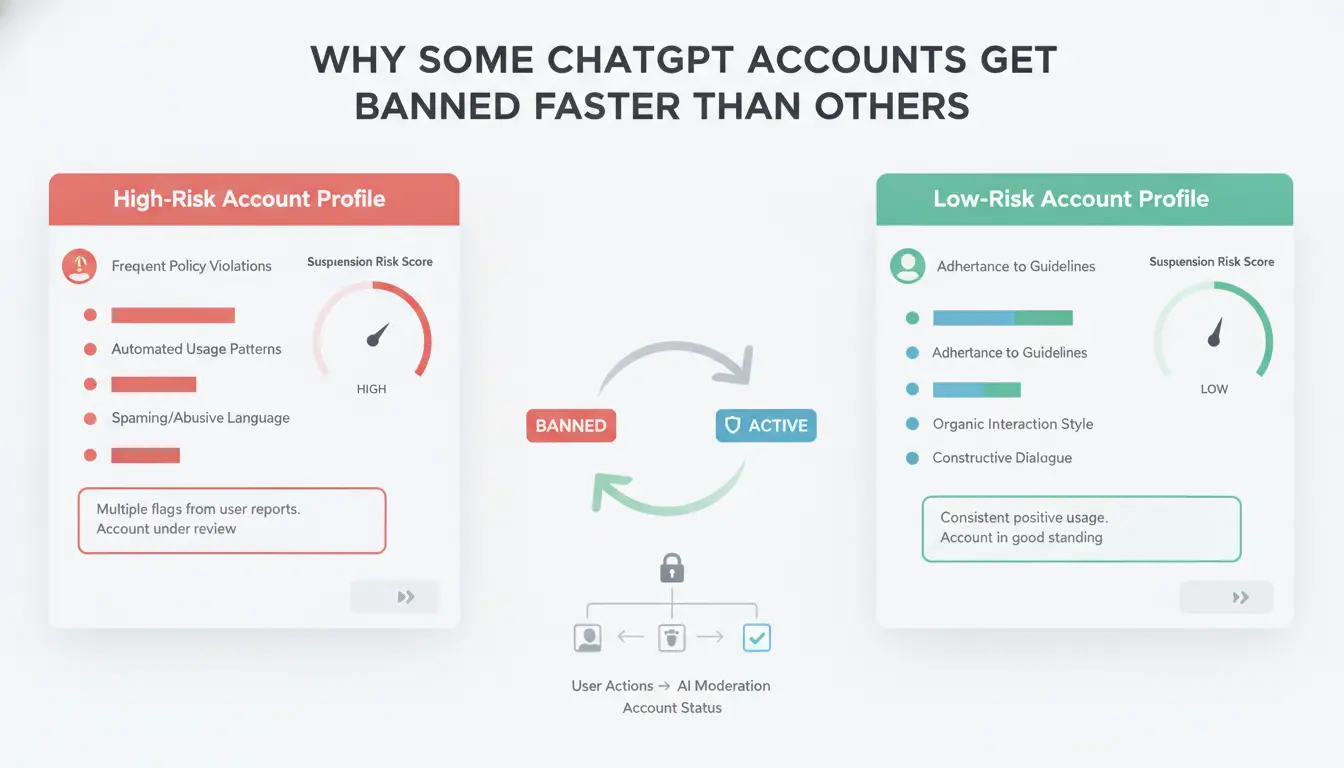
The gap between a working account and a chatgpt banned account often comes down to small details users overlook. OpenAI doesn't publish a full ban list, so most risk factors are pieced together from user reports and support responses. If you log in from a new device, change countries suddenly, or let teammates share access, your account may get flagged within hours. Users trying to recover banned ChatGPT accounts often discover that the ban reasons are more technical than expected.
Fresh Accounts vs. Aged Accounts: Does It Matter?
Not all accounts are treated equally. Fresh accounts, with little history, trigger more scrutiny. OpenAI checks for trust signals like consistent usage, linked phone numbers, and regular payment history. If you create a new account and log in from different locations or devices right away, the system sees this as unusual. In contrast, aged accounts with a steady login pattern and clean history face fewer instant bans. Many chatgpt account ban reports involve new accounts that got flagged after a few rapid actions.
Payment Method and Country Mismatches
Payment issues are a major ban trigger. If your payment method doesn't match your account country, or if you switch countries without warning, OpenAI may lock your access. For example, buying ChatGPT Plus with a card from one country and logging in from another is a known risk. Country and IP mismatches set off alarms, especially for users who travel or use proxies. Some users find their chatgpt banned account was linked to failed payments or mismatched billing details.
Multiple Logins and Shared Access Pitfalls
Sharing accounts among team members or logging in from several devices is a common mistake. OpenAI detects unusual patterns like simultaneous logins or frequent device changes. If two people use the same account from different cities, the system may treat it as suspect. This is why team use often leads to chatgpt ban reasons that seem random at first. To reduce risk, keep logins consistent and avoid sharing credentials. For more details on account security, see OpenAI help and Reddit user reports.
What to Do Immediately After Your ChatGPT Account Gets Banned
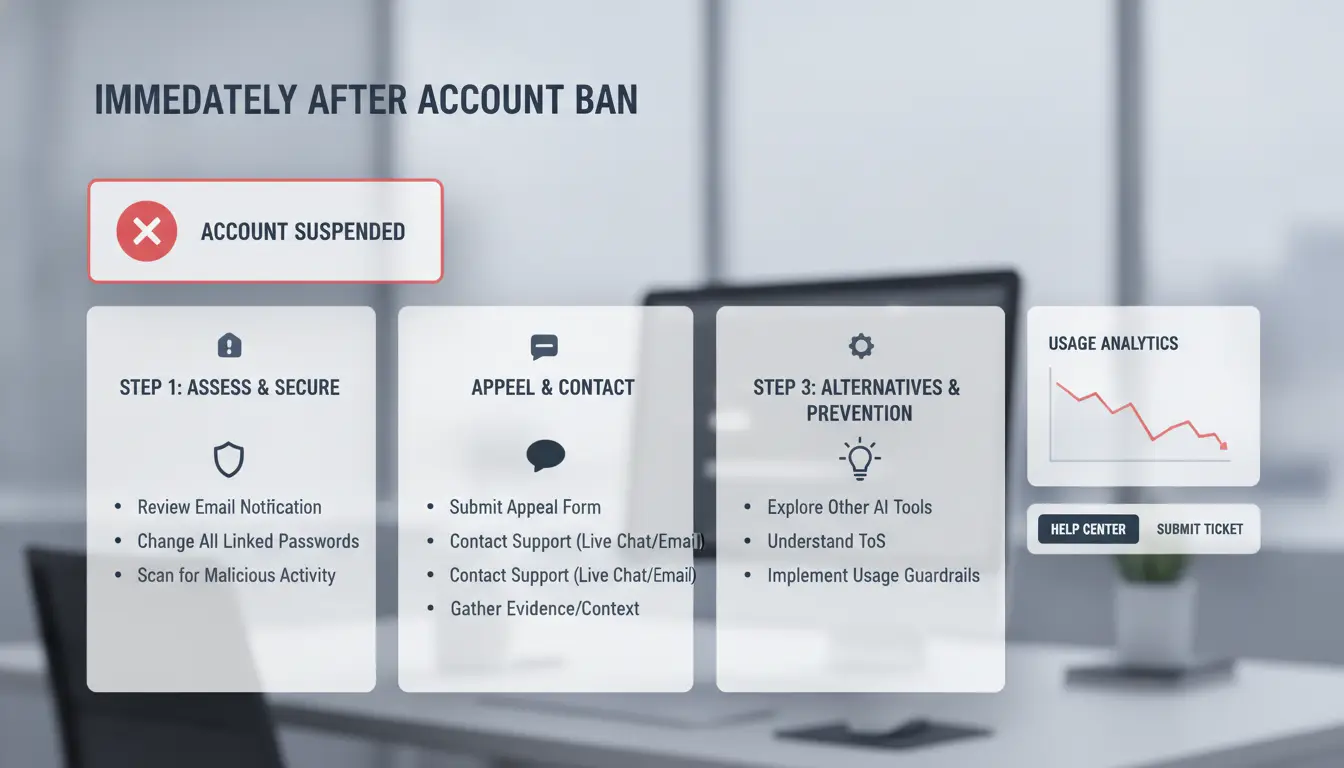
A sudden ChatGPT account ban can cut off access to daily tools and past conversations. Moving fast is key, both to protect your data and to raise your chances of getting the account back. Here’s what experienced users do right after a ban.
Confirm the Ban and Gather Evidence
Don’t guess. Check for a clear ban message or repeated login errors. Take screenshots of the error and any related messages. Saving logs or browser console output helps, especially if you used scripts or automation. Write down your recent actions, like sharing your account, using unusual proxies, or changing login patterns. This record can show which ChatGPT ban reasons apply and help if you appeal later.
Secure Your Data and Linked Services
If you can still access past conversations, download or copy anything important. Many users lose work when their chatgpt banned account is locked, so don’t wait. Check if you had third-party apps or integrations linked to your ChatGPT, disconnect them now to prevent extra issues or security risks. Some platforms, like OpenAI’s official docs, show how to manage linked services.
Avoid Common Mistakes That Make Recovery Harder
After a chatgpt account ban, avoid spamming support with repeated requests. This often delays responses. Don’t rush to create new accounts using the same email or device, this can trigger more bans. Before you appeal, leave your profile unchanged; changing info or settings may confuse support or make your case look suspicious. The biggest mistake is acting before you understand what triggered the ban, collecting evidence first gives you the best shot at recovery.
For more details on appeal steps, see OpenAI support and real user experiences on Reddit’s ChatGPT forum.
How to Recover a Banned ChatGPT Account: Step-by-Step Guide
Getting locked out of your ChatGPT account can disrupt daily work or key projects. If you see a ban notice, don’t rush to register a new account right away. Most users have a better chance of getting their original access back by following a clear appeal process. Here’s what actually works when facing a chatgpt banned account.
How to Submit an Effective Appeal to OpenAI
Start by heading to the OpenAI help center and clicking “Submit a request.” Choose the account issue option and attach a clear subject line, like “Account banned, appeal request.” In the message, explain what happened before the ban. List any actions you remember, like using a proxy, team sharing, or automation scripts. Attach screenshots of error messages if possible. Include your email, the account’s registration date, and device types used. Giving specific details about your chatgpt account ban makes it easier for support to review your case.
What to Expect During the Review Process
After you file your appeal, you’ll usually get an automatic reply within a few hours. Actual review times can range from two days up to two weeks, based on user reports. You may get a follow-up asking for more information. Possible outcomes include a full account restore, a request for additional ID, or a permanent ban. If support replies with a generic message, reply back with any new facts or context to keep your case open.
When (and How) to Safely Register a New Account
Trying to create a new account right after a ban can trigger more restrictions. OpenAI often tracks device fingerprints and IP addresses, so re-registration from the same setup can fail. If you must start over, use a new email, a different device, and a stable proxy. For teams or frequent users, managing profiles safely with tools like DICloak can help avoid repeat chatgpt banned account issues.
How to Safely Manage Multiple ChatGPT Accounts Without Getting Banned
Why Multi-Account Management Gets Risky
Running several ChatGPT accounts from the same device or IP is the fastest way to trigger account linking. OpenAI tracks browser fingerprints and login patterns. Even small overlaps, like using similar devices or connecting from the same Wi-Fi, can lead to a chatgpt banned account. Account bans often happen after repeated overlaps, not just one mistake. Recovery is tough: most users who try to recover banned ChatGPT accounts report slow responses and little chance of getting access back.
How DICloak Helps Teams and Power Users Stay Safe
You can use tools like DICloak to create isolated browser profiles for each ChatGPT account. Each profile gets its own fingerprint and proxy, so accounts look completely separate to OpenAI. This setup stops chatgpt ban reasons like device or IP overlap. Teams can share access using permission controls and keep operation logs for every session. Keeping accounts fully isolated is the single most reliable way to prevent account linking and bans.
Best Practices for Team Collaboration and Access Control
Profile sharing with permission settings means only authorized users handle each account. Operation logs and audit trails help spot risky actions before they cause a chatgpt account ban. Teams that follow these steps rarely face linked bans or lost access.
How to Avoid Future ChatGPT Bans: Proactive Tips and Common Mistakes
Staying clear of another chatgpt banned account is easier when you know what triggers bans and which habits trip users up. Many people only learn the hard way, losing access right when it matters. Here’s how to avoid common pitfalls and keep your account safe for the long haul.
Follow OpenAI’s Rules and Monitor Policy Updates
OpenAI’s official usage policies explain what you can and cannot do with your account. Updates can add new rules or change acceptable use, so don’t assume last year’s habits still work. Check the OpenAI blog or their status page for changes, especially if you use automation or share access. Many users miss policy updates and end up with a chatgpt banned account for actions that were allowed before.
Keep Your Network and Device Setup Consistent
Frequent device switches, random IP addresses, or sharing logins across locations flag your account as risky. OpenAI’s system looks for patterns that match bot use or account sharing. Use a stable proxy if you need to mask your location, but always stick to one IP and device for each account. Tools like DICloak help by creating isolated profiles, so your main device and proxy stay the same every session. Avoid browser extensions or scripts that automate ChatGPT, logs show these can trigger instant bans.
Mistakes That Still Get Users Banned in 2024
Some old habits keep causing bans. Logging into many accounts from the same device, especially in a short time, almost always triggers OpenAI’s risk checks. Ignoring warning emails or “suspicious activity” alerts is another mistake. These messages usually mean your account is close to being flagged. If you get a warning, change your setup and review recent activity right away. Recovering a banned ChatGPT account is much harder after repeated alerts. The most reliable way to prevent a chatgpt account ban is to keep your login habits stable and respond to any warning the same day.
Missing warning signs and reusing devices for multiple accounts are the main reasons people lose access.
When You Should Rethink Your ChatGPT Account Strategy
Some users try shortcuts, buying, sharing, or bulk-creating ChatGPT accounts, to get around bans or usage limits. But these moves often lead to more trouble than they solve. If you’re facing a chatgpt banned account, or worried about chatgpt account ban triggers, here’s when your strategy may need a reset.
When Buying or Sharing Accounts Backfires
Buying accounts from online marketplaces looks quick but hides real risks. Sellers often promise instant access, yet you rarely know the account’s real history. Many buyers report that their “new” account gets banned within days, sometimes because it was flagged before transfer. Marketplace scams are common, fake listings, recycled accounts, or sellers vanishing after payment. Shared accounts are risky, too. OpenAI’s systems track login patterns and device fingerprints. If the same account starts logging in from different places, or multiple people use it at once, chatgpt ban reasons kick in fast. Recovery attempts rarely work when OpenAI spots these patterns.
When Organic Growth or Official Channels Are Safer
Trust grows when you build your account slowly. Using official features like OpenAI Team or Enterprise plans reduces ban risk. These channels let you add members legally, and each user gets their own access. OpenAI’s official documentation explains how team features work. Accounts created and used through approved methods are less likely to trigger bans, even if you need to scale.
How to Decide If Multi-Account Use Is Worth the Risk
Sometimes people run multiple accounts to bypass limits, but the cost can pile up. Compare the money spent buying accounts, the time lost after bans, and the stress of trying to recover banned chatgpt account situations. The table below shows key tradeoffs:
| Method |
Ban Risk |
Cost |
Recovery Chance |
| Marketplace Buy |
High |
Medium |
Low |
| Sharing Account |
High |
Low |
Low |
| Official Team Plan |
Low |
Higher |
High |
Source: OpenAI docs and user reports
If bans keep happening, or you rely on ChatGPT for work, it’s time to scale back risky moves. Long-term access depends on sticking to official channels and avoiding shortcuts.
Frequently Asked Questions
Is it possible to recover a permanently banned ChatGPT account?
OpenAI treats permanent bans on ChatGPT accounts seriously. Most bans are final, especially for severe policy violations like fraud or abuse. However, if you believe your chatgpt banned account was disabled by mistake, you can appeal. Appeals sometimes work if you provide clear evidence. If OpenAI denies your appeal, the ban usually stays.
Can using proxies help avoid a ChatGPT account ban?
Using proxies might let you access ChatGPT from a different location, but it’s risky. OpenAI can detect suspicious proxy use or multiple logins from one IP. This can lead to a chatgpt account ban. Using trusted networks and following the rules is safer than trying to hide behind proxies.
Does buying a ChatGPT account increase the risk of a ban?
Yes, buying a ChatGPT account is risky. OpenAI tracks account activity and device fingerprints. Purchased accounts often show signs of unusual access, triggering automatic bans. Accounts sold online may also be stolen or flagged. Using your own account is the safest way to avoid a chatgpt banned account.
How many ChatGPT accounts can I safely use on one device?
Using several ChatGPT accounts on the same device can trigger detection systems. Device fingerprinting lets OpenAI spot multiple accounts linked to one computer or phone. To avoid a chatgpt ban, stick to one account per device and follow OpenAI’s rules for personal use.
What should I do if my appeal to recover a ChatGPT account is rejected?
If your appeal fails, wait before trying again, OpenAI may block repeat requests. Check for updates, and review the ban reasons. Meanwhile, you can use other AI services or create a new account, but only if you follow all rules to avoid a new chatgpt banned account.
Understanding the common reasons behind a ChatGPT banned account can help users avoid potential pitfalls and ensure uninterrupted access to AI tools. Staying informed about platform policies and seeking reliable alternatives is essential for those affected by restrictions. Try DICloak For Free
 Web Proxy Tools
 Free Tools
 Cookie Plugin
 UA Generator
 MAC Address Generator
 IP Generator
 IP Address List
 2FA Code Generator
 World Clock
 Anonymous Check
 WebRTC Leak Test
 UUID Generator
 Free Web Proxy Site
 Proxy Checker
 FB Ad Checker
 AI Web Scraping
 Free SMM Tools
 Twitter Shadowban Checker
 Instagram Name Checker
 UTM Generator
 Username Generator
 AI Hashtag Generator
 LinkedIn Headline Generator
 Social Media Image Resizer