Getting banned from posting on Instagram can feel confusing and stressful, especially when you are not sure what caused it. In some cases, the problem is temporary. In others, it may be linked to content rules, unusual activity, or account status issues. The good news is that many posting restrictions can be checked, understood, and sometimes fixed. In this guide, we will look at the most common reasons Instagram may stop you from posting, what you can do next, and how to lower the risk of it happening again.
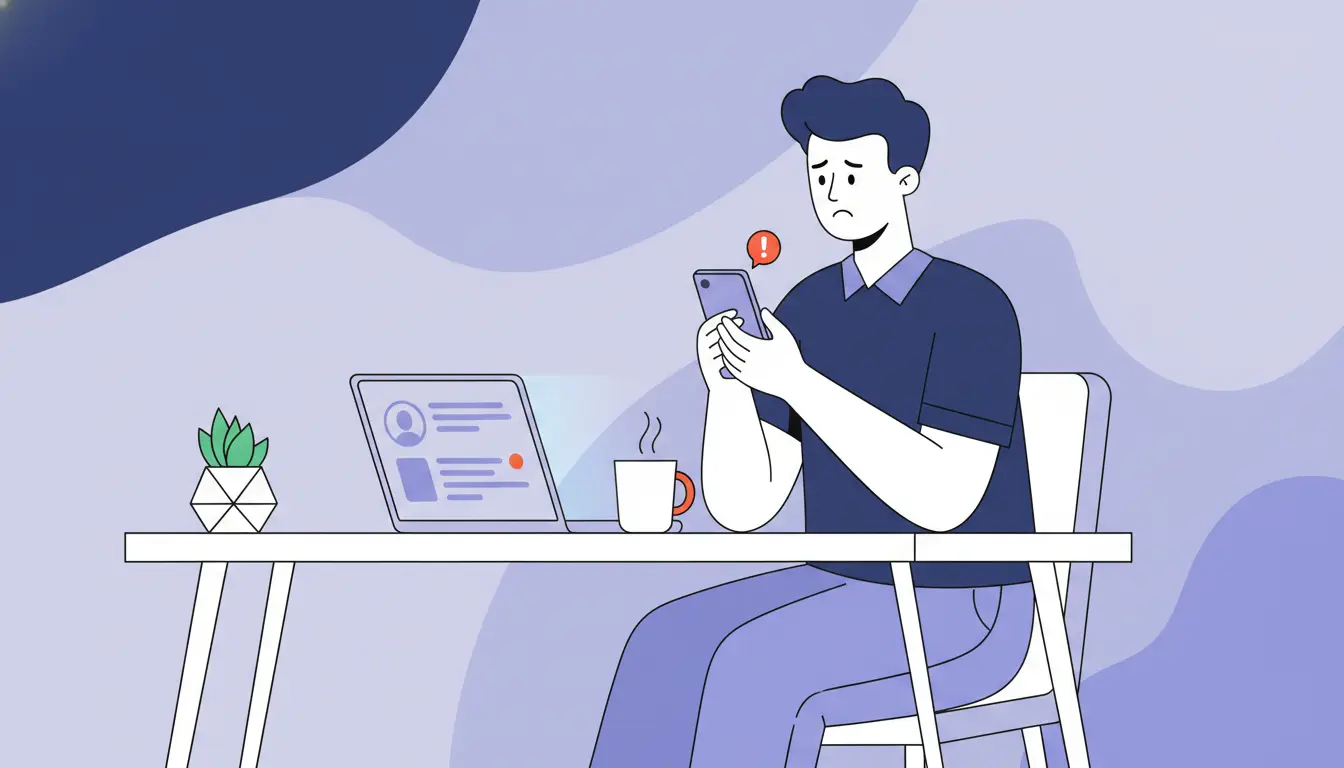
What Does “Banned From Posting on Instagram” Really Mean?
When people say they are banned from posting on Instagram, they are often talking about more than one problem. Sometimes Instagram blocks a feature for a while. Sometimes it removes a post. In other cases, the account itself has a status issue that affects what the user can do. Instagram’s own help pages show that Account Status can display removed content, features you cannot use, and whether your content may be shown less often. That is why the first step is not to panic. It is to figure out which kind of restriction you are actually dealing with.
Is it a posting block, content removal, or account restriction?
These are not all the same thing. A posting block usually means Instagram has temporarily limited what your account can do. A content removal means one specific post, story, reel, or comment was taken down for breaking a rule. An account restriction is broader and can affect reach, recommendations, or account features. Instagram says Account Status can show content removed for going against its rules, features you cannot use, and content that may be recommended less often. In simple terms, a user who feels banned from posting on Instagram may actually be dealing with a feature limit, a removed post, or a wider account-level problem.
How can you tell whether Instagram limited your account?
The clearest way is to check inside the app. Instagram says users can use Account Status to view removed content, features they cannot use, and content that may not be eligible for recommendation. There may also be warnings, review options, or a notice that a feature is limited. For example, if you can still scroll and message people but cannot upload a post or reel, that usually points to a feature-level restriction rather than a fully disabled account.
Why do users confuse posting bans with shadowbans or reach drops?
Because the symptoms can feel similar. If a post disappears, gets very little reach, or stops showing up as expected, many users assume they were banned from posting on Instagram. But lower reach is not always the same as a posting block. Instagram says Account Status can also show when content may be shown less often, which is different from being unable to post at all. So a real posting restriction affects what you can do, while a reach drop affects how far your content goes. That difference matters, because the fix may be different too.
Why Do People Get Banned From Posting on Instagram?
After understanding what banned from posting on Instagram can mean, the next step is knowing why it happens. In many cases, Instagram does not block posting for one single reason. The issue can come from rule violations, spam-like behavior, or activity that looks unusual enough to trigger limits. Instagram’s help pages show that the platform may remove content, apply strikes, or limit account features when rules are broken or suspicious patterns appear.
Can violating Instagram’s Community Standards trigger posting restrictions?
Yes. Instagram’s Community Standards explain what is not allowed on the platform, and content that breaks those rules can be removed. In some cases, that can also affect account status and what the user is allowed to do next. Instagram also says some users may be able to remove a first-time strike after content is taken down, which shows that policy violations can directly affect account standing. So if someone feels banned from posting on Instagram, one possible reason is that their content crossed a rule line.
Does spam-like behavior lead to temporary posting blocks?
Yes, it can. Instagram has specific help pages about spam, scams, and temporary limits. For example, Instagram says temporary limits can be placed on accounts that switch between public and private too many times, which shows that repeated or unusual actions can trigger restrictions even without a permanent penalty. This helps explain why fast, repetitive, or unnatural activity can sometimes lead users to feel banned from posting on Instagram, even when the issue is temporary.
Can repeated reports or suspicious activity affect your ability to post?
They can be part of the problem. Instagram says users can report posts or profiles that do not follow its rules, and it also says it uses data to investigate suspicious activity or policy violations. That does not mean every report leads to a posting restriction, but it does mean reports and unusual account behavior can lead to review, warnings, or limits. A simple example is an account that suddenly changes behavior, gets reported often, and also shows suspicious signals. That kind of pattern is more likely to create trouble than normal account use.
How to Check Why You Were Banned From Posting on Instagram
If you feel banned from posting on Instagram, the most important step is to stop guessing and check the account directly. Instagram gives users a built-in way to review problems through Account Status. That section can show removed content, features you cannot use, and cases where your content may be shown less often. It can also show when a review option is available. So before trying random fixes, it helps to check what Instagram is actually telling you inside the app.
How do you use Instagram Account Status to check problems?
Instagram says you can use Account Status to see whether content was removed, whether certain features are limited, and whether your content may be recommended less often. If you think Instagram made a mistake, this is also where you may find the option to request a review for removed content. In simple terms, Account Status is the first place to look when you think you were banned from posting on Instagram.
What warning signs inside the app should you look for?
The clearest warning signs are notices that content was removed, messages that some features cannot be used, or alerts that your account is at risk or under review. Instagram also says suspended accounts are usually informed by email and when the user tries to access the account in the app or browser. So if posting stops working, pay attention to any in-app messages, emails from Instagram, or new alerts in Account Status instead of assuming it is only a bug.
When does Instagram show a review or appeal option?
Instagram may show a review option when content was removed and you believe the decision was wrong. Its help pages explain that users can go to Account Status, open Removed content, select the item, and tap Request a review. Instagram also says some users may be able to remove a first-time strike by requesting a review in the same area. That means if you were banned from posting on Instagram because of a content decision, a review option may already be built into the account tools.
How to Fix a Banned From Posting on Instagram Problem
If you feel banned from posting on Instagram, the best next step is to slow down and check the account carefully. Many users make the mistake of posting more, switching devices, or repeating the same action too fast. That usually does not help. Instagram’s own tools are a better place to start, especially Account Status, where you can check removed content, feature limits, and possible review options.
What should you do first after Instagram blocks posting?
First, check whether Instagram is showing a clear reason. Open Account Status and look for removed content, feature limits, or warnings tied to your account. Also check your email and in-app notices, because Instagram says users are informed there when an account issue is serious, such as suspension. In simple terms, your first job is to confirm whether this is a temporary posting limit, a content decision, or a bigger account problem.
How can you request a review if you think Instagram made a mistake?
If Instagram removed content and you think the decision was wrong, you may be able to request a review. Instagram says you can do this through Account Status by opening Removed content, selecting the item, and tapping Request a review. In some cases, Instagram also says a first-time strike may be removed after a successful review. That means the review option is one of the most important tools to use when you believe the posting problem started from a wrong content decision.
What actions should you avoid while the restriction is active?
Avoid behavior that may look more suspicious. Do not keep retrying the same blocked action over and over, and do not rush into spam-like activity while waiting. Instagram says temporary limits can be applied when behavior looks repetitive or unusual, such as switching certain settings too often. So while the restriction is active, the safer approach is to wait, review your account status, remove any questionable content or connected apps if needed, and avoid making the pattern look worse.
How Long Does a Posting Ban on Instagram Usually Last?
If you feel banned from posting on Instagram, one of the first questions is how long it will last. In many cases, the restriction is temporary, but Instagram does not always give the same timeline for every account. That is why it is better to think in terms of severity. Some issues are short feature limits. Others point to a larger account problem that needs review. Instagram’s help pages focus more on checking Account Status, removed content, and feature limits than on promising one fixed length for every case.
Are most posting bans temporary?
Often, yes. Many users who feel banned from posting on Instagram are dealing with a temporary feature block rather than a permanent account loss. Instagram says Account Status can show features you can no longer use and also gives users ways to take action, such as requesting a review in some cases. That suggests many posting problems are limited actions, not final account removals.
What factors can make a restriction last longer?
Restrictions can feel more serious when the issue is tied to repeated rule problems, suspicious activity, or unresolved content decisions. Instagram’s Community Standards and help pages make clear that removed content, strikes, and account-level concerns can affect what your account is allowed to do. If the behavior continues, the problem may last longer or lead to stronger enforcement.
When should you worry that the issue is more serious?
You should be more concerned when the problem is no longer just about posting. For example, if Instagram shows that your account is suspended, or you receive clear warnings by email and when trying to access the account, the issue is more serious than a normal temporary posting block. Instagram says suspended accounts are usually informed this way, which helps separate a short feature limit from a much bigger account status problem.
How to Avoid Getting Banned From Posting on Instagram Again
Once you recover from being banned from posting on Instagram, the next goal is making sure it does not happen again. The safest approach is usually simple: post more carefully, keep your account secure, and avoid patterns that look spammy or risky. Instagram’s own help pages point users toward Account Status, Community Standards, and account security tools, which shows that prevention is not only about content. It is also about how the account is used.
Which posting habits reduce the risk of future restrictions?
The best habits are steady and natural ones. Avoid posting in ways that look repetitive, spammy, or too aggressive in a short period of time. Instagram’s help center has separate guidance around spam, scams, and other suspicious activity, which is a sign that unnatural behavior can create account problems even if the content itself is not extreme. In practice, this means slower, cleaner posting habits are usually safer than trying to do too much too fast.
Why does content quality matter for account safety?
Content quality matters because Instagram checks whether content follows its rules. If posts break Community Standards, they can be removed, reviewed, or used to affect your account status. Instagram also lets users see removed content and related issues in Account Status, which makes it clear that safer content choices play a big role in keeping the account healthy. A simple example is this: a post that feels risky, misleading, or too close to a policy line can create bigger problems than a normal low-performing post.
How can account security and clean device habits help?
Account safety is not only about what you post. It is also about keeping the account secure and stable. Instagram recommends tools like two-factor authentication, checking for suspicious emails, and protecting your login details. If an account is compromised or shows unusual activity, that can create extra problems on top of posting restrictions. So clean device habits, secure logins, and careful account access all help reduce the chance of future trouble.
Managing Multiple Instagram Accounts More Carefully
If you manage more than one profile, account safety becomes more important. A lot of users who end up banned from posting on Instagram are not only dealing with content issues. In some cases, messy account handling can also create problems. Instagram says it may restrict certain features when an account appears not to follow its rules, and it also warns users to secure accounts against suspicious access and phishing. That is why cleaner multi-account habits matter.
Why can poor account switching create extra risk?
Poor account switching can create extra risk because it often leads to mistakes. People log into the wrong profile, lose track of which email belongs to which account, or react too fast when something looks wrong. Instagram’s security guidance tells users to protect login details, watch for suspicious messages, and keep their accounts secure. If several accounts are handled carelessly, it becomes easier for unusual activity or access problems to pile up.
What setup mistakes make Instagram activity look suspicious?
The biggest setup mistakes are usually repetitive or unstable ones. Instagram says temporary limits can be placed on accounts that repeat certain actions too often, and its help pages on spam, scams, and suspicious behavior show that unnatural activity can trigger review. In practice, this can mean fast switching, repeated actions across accounts, weak security, or account setups that do not stay consistent over time.
How can teams keep multi-account workflows more organized?
The best approach is to keep access and account roles clear. Teams should know who is responsible for each account, which login details belong to it, and whether there are any warning signs in Account Status. Instagram’s help pages also show that users should check account issues inside the app and secure accounts when suspicious activity appears. In simple terms, organized access, cleaner switching, and stronger account security usually reduce mistakes before they turn into bigger posting or account problems.
How DICloak Can Help Teams Manage Instagram Accounts More Safely
For teams managing multiple Instagram accounts, a messy browser setup can create extra problems. Based on your document, DICloak is designed for multi-account work, with isolated browser profiles, proxy support, and team management tools that help make account handling more organized.
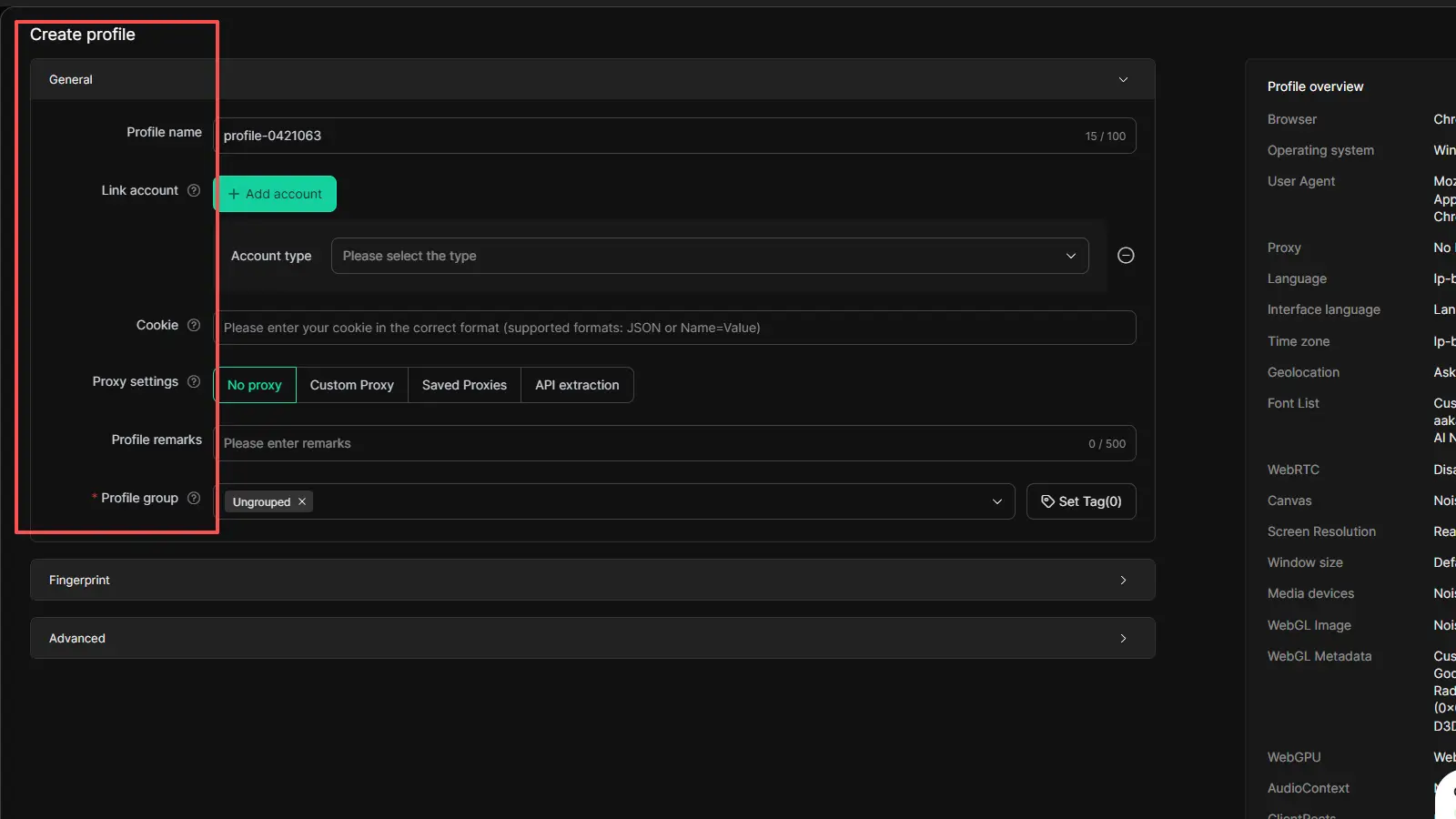
DICloak lets each account run in its own browser profile. This helps keep cookies, browser data, and profile settings separate instead of mixing them in one session. The document also mentions bulk profile operations, which is useful for teams handling many accounts.
Reducing Cookie Conflicts and Account Crossover
A common problem in multi-account work is cookie mixing and account crossover. DICloak helps reduce that risk by separating each profile and supporting proxy setup for different accounts. This gives teams a cleaner way to switch between accounts and manage different account environments.
Supporting Shared Workflows with Permissions and Access Control
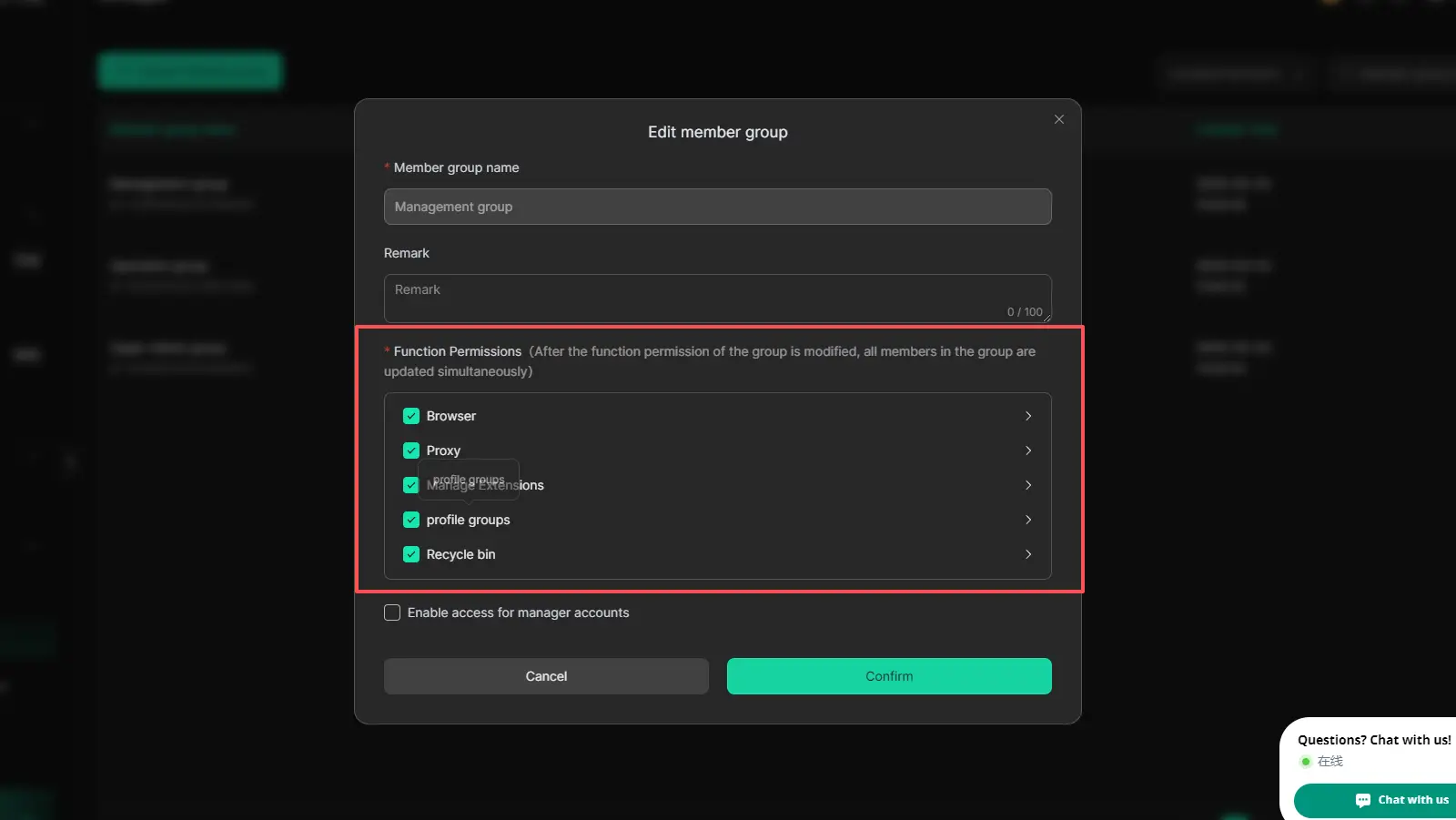
DICloak also includes team features like profile sharing, member permissions, and operation logs. Your document also mentions website access restrictions and security protection mode, which can help teams manage shared access in a more controlled way.
FAQs About Banned From Posting on Instagram
Q1: Why am I banned from posting on Instagram but can still scroll?
If you are banned from posting on Instagram but can still scroll, it often means Instagram limited one feature instead of disabling the whole account. In many cases, users can still browse, like, or message, while posting, commenting, or other actions are temporarily restricted. Checking Account Status is the fastest way to see whether Instagram limited a specific feature or removed content from your account.
Q2: How do I know if Instagram removed my content after I was banned from posting on Instagram?
If you feel banned from posting on Instagram, open Account Status in the app. Instagram uses this section to show removed content, limited features, and content that may be shown less often. If a post, reel, story, or comment was removed, this is usually the clearest place to confirm it.
Q3: Can I appeal a banned from posting on Instagram restriction?
Yes, in some cases you can. If the problem is tied to removed content and you believe Instagram made a mistake, you may be able to request a review through Account Status. This depends on the type of action taken. So if you were banned from posting on Instagram, it is worth checking whether a review option appears next to the affected content.
Q4: How long does a banned from posting on Instagram problem usually last?
A banned from posting on Instagram issue is often temporary, but the exact length can vary. Some restrictions are short feature limits, while others last longer if the account has repeated policy problems, suspicious activity, or unresolved content issues. If the restriction does not go away and Instagram starts showing stronger warnings, the problem may be more serious than a normal temporary block.
Q5: What is the safest way to manage multiple accounts if I want to avoid getting banned from posting on Instagram?
The safest way to avoid getting banned from posting on Instagram while managing multiple accounts is to keep your workflow clean and organized. That means avoiding messy account switching, keeping access clear, protecting login details, and using a more structured setup for team work. In simple terms, stable account habits and stronger account security usually lower the risk of future posting restrictions.
Conclusion
Getting banned from posting on Instagram can feel frustrating, but it does not always mean your account is permanently lost. In many cases, the problem is tied to posting limits, removed content, unusual activity, or account status issues. That is why the best response is to check the real cause first, use Instagram’s review tools when needed, and avoid actions that may make the restriction worse. Over time, safer posting habits, stronger account security, and cleaner multi-account management can all help lower the risk of running into the same problem again.
 Web Proxy Tools
 Free Tools
 Cookie Plugin
 UA Generator
 MAC Address Generator
 IP Generator
 IP Address List
 2FA Code Generator
 World Clock
 Anonymous Check
 WebRTC Leak Test
 UUID Generator
 Free Web Proxy Site
 Proxy Checker
 FB Ad Checker
 AI Web Scraping
 Free SMM Tools
 Twitter Shadowban Checker
 Instagram Name Checker
 UTM Generator
 Username Generator
 AI Hashtag Generator
 LinkedIn Headline Generator
 Social Media Image Resizer