You just created a new TikTok account, found a few creators you like, and tapped Follow. But nothing happened. Maybe the button changed back, or TikTok showed a “following too fast” message. It can be frustrating, especially when you only want to build your feed or start a new page.
If you can't follow people on new TikTok account, it does not always mean your account is banned. In many cases, the issue comes from fast follow activity, low account trust, incomplete profile details, app cache problems, or a temporary TikTok follow restriction. This guide explains the most common reasons, how to check your account, and what to do before the problem gets worse.
Why You Can't Follow People on New TikTok Account
It can feel confusing when you create a new TikTok account, tap Follow, and nothing changes. Sometimes the button turns back after a second. Other times, TikTok may show a “following too fast” message. This is a common reason users search for can't follow people on new TikTok account.
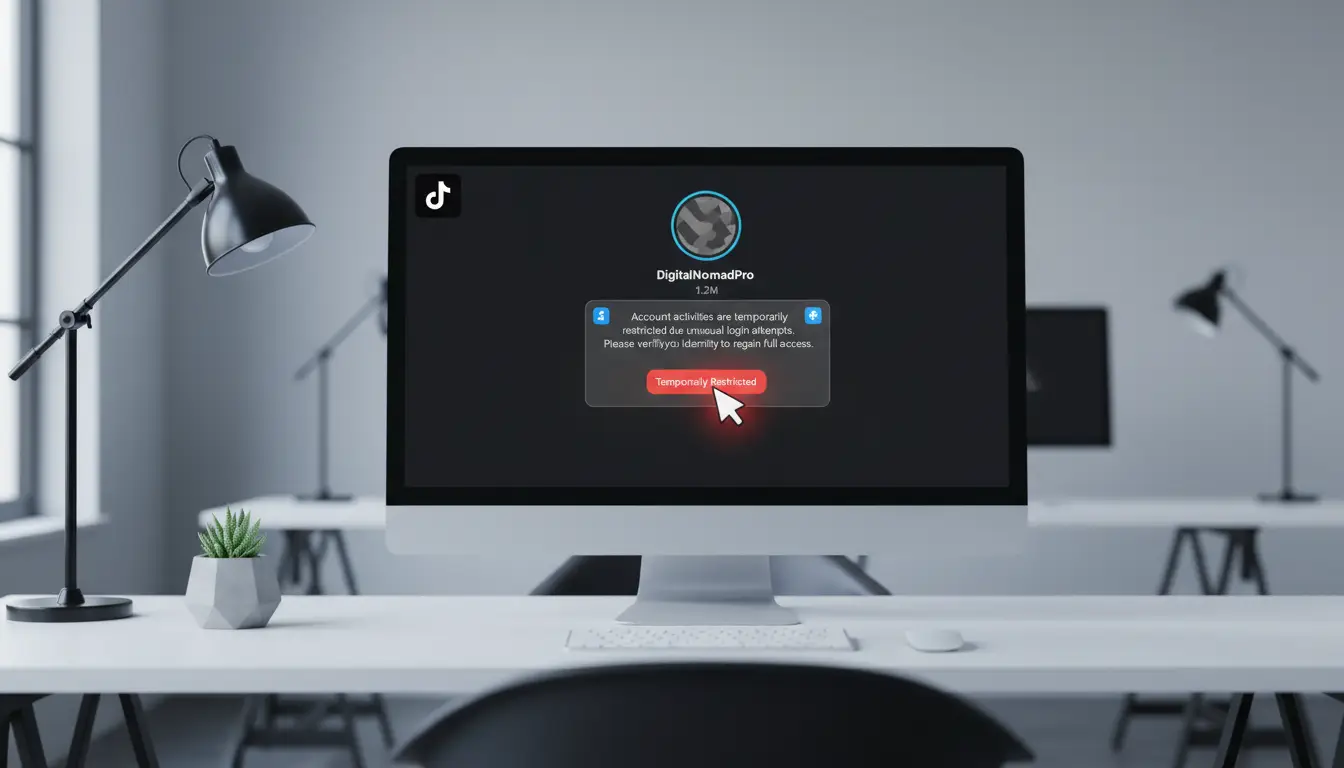
A new account may face a temporary TikTok follow restriction because it has little activity history. TikTok may slow down follow actions when an account follows too many people in a short time. This does not always mean the account is banned. It may only mean TikTok wants the account to act more like a normal user.
Your new account may be too active too soon
A fresh account can look risky if it starts following many people right after sign-up. For example, a new brand account may follow 30 creators in a few minutes to build its feed. To the user, this feels normal. To TikTok, it may look like mass-following. There is no public fixed TikTok follow limit for every new account. Some accounts may follow more people than others before getting blocked. New accounts are usually more sensitive, so slower activity is safer.
TikTok may pause following when behavior looks spammy
If TikTok shows “following too fast,” the account may have repeated follow actions too quickly. In some cases, there is no clear warning. Users may only see the TikTok follow button not working, or the account follows someone and then unfollows after refresh. When TikTok won’t let me follow anyone, do not keep tapping Follow again and again. That can make the activity look worse. Stop for a while, watch videos, like a few posts naturally, and try again later.
Account age and trust signals can affect follow actions
Account age matters because a new profile has little trust history. It may have no watch pattern, no stable login history, and no clear interests yet. This can make fast following look less natural. A complete profile, verified email or phone number, and normal viewing activity can help over time. If the issue is temporary, waiting 24 to 48 hours often helps. If the account still cannot follow people after several days, report the problem inside the TikTok app.
Common Reasons TikTok Won’t Let a New Account Follow People
After a new account gets a follow block once, it is easy to think the whole account is broken. Most of the time, the reason is smaller than that. The account may be moving too fast, missing basic details, or dealing with an app issue.
- You followed too many accounts in a short time: Fast following can trigger a temporary TikTok follow restriction. For example, a new fitness account that follows 20 or 30 creators right after sign-up may see the follow button stop working.
- Your account details are still incomplete: An empty profile with no photo, bio, watch history, or clear interests may look less trusted. Finish the basic profile first, then use the account normally before following many people.
- Your email or phone number is not verified: A new account with no linked email or phone number may have fewer trust signals. Verification will not remove every TikTok follow limit, but it gives the account a cleaner setup.
- The account you want to follow is private, restricted, or has blocked you: If only one profile cannot be followed, the issue may be with that account. If every public account fails, your own account may have a restriction or technical problem.
- TikTok may have an app, cache, or server issue: A bad cache, old app version, weak connection, or app glitch can make the follow button fail. Clear cache, update TikTok, restart the app, and test again later.
How to Check If Your TikTok Account Is Restricted
After checking the common causes, the next step is to see whether the issue is a real account limit or just a small app problem. This matters because the fix is different. If the app is glitching, clearing cache or updating TikTok may help. If there is a TikTok follow restriction, the better move is to slow down and wait.
Signs your account may be limited
One clear sign is that TikTok lets you tap Follow, but the action does not stay. The button may change for a moment, then turn back after you refresh the page. Some users also see messages like “following too fast” or “take a break.” These signs often appear after repeated follow actions in a short time.
Another sign is that the problem happens with many accounts, not just one. If you try to follow five public accounts and none of them works, the issue may be on your side. This is when many users start searching TikTok won’t let me follow anyone or can't follow people on new TikTok account. It may be a temporary limit, not a full ban.
How to check TikTok notifications for alerts
Open TikTok and check your inbox, system notifications, and account status area. If TikTok has limited your account for a clear reason, you may see a warning or notice there. TikTok also has an Account status section in the Safety Center, where users can check whether their account has a warning sign or other issue.
Do not expect every follow problem to show a detailed alert. Some limits are soft and may not come with a full message. For example, if you hit a TikTok follow limit after fast activity, the app may only stop the action. That is why you should check both the account alerts and the way the follow button behaves.
Why the follow button changes back after you tap it
When the TikTok follow button not working issue appears, the app may show the follow as successful for a second. Then it changes back after refresh. This can happen when the follow action is not accepted by the system, even if the button reacted on your screen.
For example, a new music account may follow several artists, producers, and fan pages within a short time. The user taps Follow, sees the button change, and thinks it worked. Later, the account count drops back. This pattern can happen during a temporary restriction, especially when TikTok sees the account as TikTok following too fast.
What a shadowban may look like on a new TikTok account
A shadowban is harder to prove than a follow block. People often use the word when their views drop, comments get less reach, or their account feels hidden. For a new account, it may look like videos get almost no views, follows do not stick, and engagement feels frozen. Still, these signs do not always mean a shadowban.
A new TikTok account can have low reach simply because it has little history. It can also be affected by weak content signals, repeated actions, or a temporary follow limit. If the only problem is that you cannot follow people, treat it as a possible follow restriction first. Slow down for 24 to 48 hours, avoid repeated taps, and check whether normal actions start working again.
How to Fix the “Can’t Follow People” Issue on TikTok
Once you know the account may be limited, do not rush to create another account. Many follow issues can be fixed with time, cleaner app data, and slower activity. If you can't follow people on new TikTok account, treat it as both an account behavior issue and a possible app issue. Work through the fixes in a calm order, so you do not make the restriction worse.
1. Stop following for 24 to 48 hours
If TikTok shows “following too fast” or the follow button keeps changing back, stop following new accounts for a while. Repeated taps can make the account look more like spam. A short pause gives the system time to reset the action limit.
During this time, use TikTok in a normal way. Watch videos, search topics, save useful posts, and like only what you really enjoy. For example, if a new fashion account hit a TikTok follow restriction after following many creators, it should stop following for one or two days before trying again.
2. Clear TikTok cache and restart the app
If the TikTok follow button not working issue happens without any warning, the app cache may be part of the problem. TikTok’s general troubleshooting steps include restarting the app and device, checking the internet connection, and clearing app cache when the issue continues.
Open TikTok, go to Settings and privacy, then clear the cache from the app settings. After that, close TikTok fully and open it again. Try following one public account, not many accounts in a row.
3. Update TikTok to the latest version
An old app version can cause strange problems. The button may react slowly, fail to save the action, or show wrong account data. This can make it look like TikTok won’t let me follow anyone, even when the issue is only technical.
Go to the App Store or Google Play and check for an update. After updating, restart your phone and test again. If the follow works on the new version, avoid fast following for the rest of the day.
4. Check your device and login environment
Device and login changes can also affect new accounts. If you create an account on one phone, then quickly log in from another device or browser, TikTok may treat the activity as less stable. This does not always cause a block, but it can add risk when the account is already new.
Use one trusted device first. Keep the login environment steady while the account is still fresh. If you manage several TikTok accounts, do not switch between them too quickly on the same browser or device, because mixed sessions and repeated logins can make account checks harder to understand.
5. Report the problem if the issue does not go away
If the problem lasts for several days, report it inside TikTok instead of guessing. Go to Profile, tap the menu, open Settings and privacy, choose Report a problem, and follow the steps for the issue. TikTok also provides a feedback form for users who need to report account or app problems.
Write a short message with clear details. Mention that your new account cannot follow public accounts, the follow button changes back, and you already cleared cache and updated the app. Add screenshots if you have them. This gives support a cleaner case than sending many repeated reports.
What to Do If TikTok Says “Take a Break” When Following
If you see “Take a Break” while following people, treat it as a warning sign. It often means the account has repeated one action too quickly. This is close to the TikTok following too fast issue. For a new user, it may feel like TikTok won’t let me follow anyone, but in many cases, the block is temporary.
Why the “Take a Break” message appears
The message usually appears when TikTok sees too many follow actions in a short time. A new account may trigger it faster because it has less account history. For example, if you create a fan account and follow many creators in one session, TikTok may stop the action to slow things down.
This does not always mean you broke a serious rule. It may only mean you reached a temporary TikTok follow limit. TikTok notes that “following too fast” can happen when users follow many accounts very quickly, and the action may be disabled for 24 hours to prevent spam.
How long you may need to wait
In many cases, waiting 24 hours is enough. Some new accounts may need 48 hours, especially if the user kept tapping Follow after the first warning. If you can't follow people on new TikTok account after two days, then the issue may be more than a short pause.
During the wait, test only one public account after some time has passed. Do not follow many people at once to “check” if it works. If the TikTok follow button not working issue returns right away, stop again and give the account more time.
What not to do during the waiting period
Do not keep pressing Follow again and again. Do not unfollow and refollow many accounts to force the action through. Do not use mass-follow tools, because they can make the pattern look worse.
Use the account in a normal way instead. Watch videos, search topics, and interact slowly with content you actually like. If the TikTok follow restriction was caused by fast activity, calmer behavior gives the account a better chance to return to normal.
How to Avoid Future Follow Restrictions on a New TikTok Account
After a “Take a Break” message, the safest move is to change how the account behaves. A new account should not start with heavy following. If you can't follow people on new TikTok account, slow down and let the profile build normal activity first. TikTok may pause actions when users follow many accounts very quickly, because fast repeated actions can look like spam.
Warm up the account before following many people
A new TikTok account needs a little history before you push follow actions. Spend time watching videos, searching topics, and saving content related to your niche. Then follow a few accounts slowly instead of following many creators in one session.
For example, a new beauty account should not follow 50 makeup creators right after sign-up. It can first watch makeup tutorials, like a few useful videos, and complete its profile. This makes the account look more like a real user, not a page made only to follow others.
Use normal viewing, liking, and profile activity first
Normal activity helps TikTok understand what the account is about. Watch videos fully, open profiles, read comments, and like posts that match your real interest. Do not only tap Follow again and again.
This is helpful when TikTok won’t let me follow anyone after a short burst of activity. The account may need a cleaner behavior pattern before follow actions work again. If the TikTok follow button not working issue stops after a day or two, keep the same slow pace for a while.
Avoid mass-follow tools and repeated fast actions
Mass-follow tools are risky for new accounts. They can repeat the same action too fast and trigger a TikTok follow restriction. TikTok’s integrity rules also target spam-like account behavior and fake engagement, so automation that pushes artificial growth can create more trouble than value.
Repeated manual actions can cause the same problem. Following, unfollowing, and refollowing many users in a short time can look unnatural. If you see TikTok following too fast, stop the action instead of trying to force it through.
Build a natural following pattern over time
A healthy following pattern should look steady, not sudden. Follow a few accounts that match your interests, then spend time using the app normally. Come back later and follow more if the account feels stable.
There is no public fixed TikTok follow limit that works for every new account. New accounts, older accounts, and accounts with different behavior may face different limits. A slower pattern is safer because it avoids the signals that often cause follow blocks.
Managing Multiple TikTok Accounts More Safely with DICloak
If you manage several TikTok accounts, a normal browser can get messy fast. Cookies, sessions, local storage, and login records may mix. When one account hits a TikTok follow restriction, it becomes harder to know whether the issue comes from fast activity, app data, or account environment. This is why users who can't follow people on new TikTok account should also pay attention to how each account is managed.
Create a separate browser profile for each TikTok account
Users can create one DICloak browser profile for each TikTok account. Each profile keeps its own cookies, sessions, local storage, and login state. This makes account switching cleaner and reduces confusion when the TikTok follow button not working issue appears.

Set custom fingerprints and proxy configuration
Users can set different fingerprint settings for each profile, such as user agent, screen size, language, and time zone. They can also configure custom proxies, including HTTP, HTTPS, and SOCKS5. This helps keep each TikTok account in a more stable and consistent login environment.

Use RPA and Synchronizer carefully
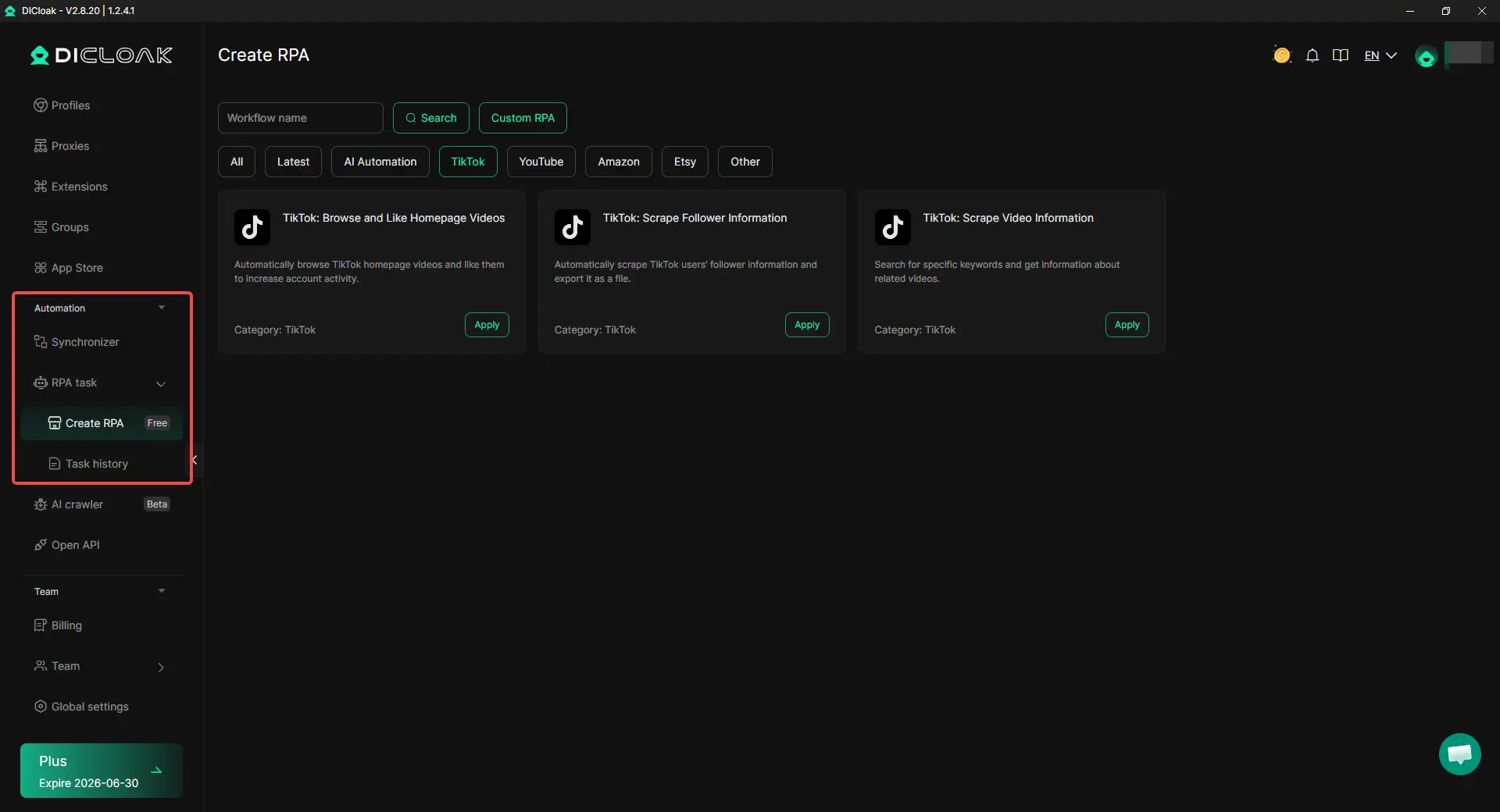
For repeated work, users can use RPA templates to browse and like homepage videos, scrape follower information, or scrape video information. The Synchronizer can also help handle simple actions across selected profiles. These tools are better for research, warm-up, and account checks, not for mass-follow behavior, especially if TikTok shows following too fast.
Manage team access without sharing passwords
For agencies and teams, users can share profiles, set permissions, and check operation logs. This helps team members work on the right TikTok account without passing passwords around. It also reduces the risk of mixed login environments across different accounts.

Frequently Asked Questions about Can’t Follow People on New TikTok Account
Why can't I follow people on new TikTok account?
You may can't follow people on new TikTok account because the account is too new or too active too soon. If you follow many users in a short time, TikTok may pause the follow action. This is often a temporary limit, not a permanent ban.
How long does TikTok stop a new account from following people?
Many follow limits last about 24 to 48 hours. The time can be longer if you keep tapping Follow after the first warning. If you can't follow people on new TikTok account after several days, check your notifications and report the problem in the TikTok app.
Why does the TikTok follow button change back after I tap it?
This usually means the follow action did not save. It can happen when your account hits a follow restriction, when the app has a cache issue, or when TikTok detects fast follow behavior. If you can't follow people on new TikTok account, stop trying repeatedly and test again later.
Can a new TikTok account follow people right away?
Yes, a new TikTok account can usually follow people right away. But it should follow slowly. If you follow too many accounts right after sign-up, TikTok may treat the activity as spam-like and limit the account.
What should I do if I can't follow people on new TikTok account?
Stop following for 24 to 48 hours first. Then clear TikTok cache, update the app, and use the account normally by watching videos and liking posts naturally. If you still can't follow people on new TikTok account, report the issue through TikTok’s in-app support.
Conclusion
If you can't follow people on new TikTok account, it is often a temporary limit. It may happen because the account followed too fast, has little history, or has an app cache issue. Stop following for 24 to 48 hours, update TikTok, clear cache, and use the account normally. Watch videos, like posts naturally, and follow people slowly. For multiple TikTok accounts, keep each account in a separate browser profile to avoid mixed sessions and messy login data.
 Web Proxy Tools
 Free Tools
 Cookie Plugin
 UA Generator
 MAC Address Generator
 IP Generator
 IP Address List
 2FA Code Generator
 World Clock
 Anonymous Check
 WebRTC Leak Test
 UUID Generator
 Free Web Proxy Site
 Proxy Checker
 FB Ad Checker
 AI Web Scraping
 Free SMM Tools
 Twitter Shadowban Checker
 Instagram Name Checker
 UTM Generator
 Username Generator
 AI Hashtag Generator
 LinkedIn Headline Generator
 Social Media Image Resizer