Grok can be useful for research, content ideas, market updates, coding, and other day-to-day team work. Once one account starts holding useful chats, files, and ongoing research, it is easy to see why a team would want to share it instead of starting from scratch on separate accounts.
But sharing Grok is not just a question of giving someone the password. You also need to decide whether your team only needs shared results, whether each person needs their own Grok access, or whether several teammates need to work from the same browser Profile. This guide compares Grok pricing, Grok Business, shared account options, and how an antidetect browser like DICloak can fit into a team workflow.
Why Do Teams Want to Share a Grok Account?
Teams often want to share Grok because useful work is already happening inside one account. A marketing, research, ecommerce, or content team may want several people to continue the same research, work with the same files, or pick up an existing conversation without starting over.
Grok fits these workflows well because it can help with current research, content ideas, coding, file analysis, and other knowledge-heavy tasks. A marketing lead, for example, might use Grok to research competitors and recent industry changes. Later, an SEO specialist or content writer may need that same research to plan the next step.
Here are some common reasons teams think about sharing Grok include:
- Continue existing research: Teammates can build on work that has already been done instead of repeating the same prompts and searches.
- Follow current topics: Grok can support research around trends, competitors, news, and social media discussions.
- Work from the same project material: Reports, documents, and previous conversations may already contain useful context for the next person.
- Cut down repeated setup: A team may prefer to keep one established workflow rather than rebuild the same context for every user.
In many cases, the team is not really trying to share a password. They are trying to keep the same research, context, and workflow available to more than one person. Cost then becomes the next question, especially when several teammates need regular access instead of only seeing the final results.
How Much Does Grok Cost for a Team in 2026?
Grok pricing changes quickly once more than one person needs direct access. As of September 2026, the individual plans range from $10 to $300 per month, while SuperGrok Business costs $30 per seat with monthly billing selected. For a small team, that makes the number of active Grok users more important than the total number of people on the team.
| Plan |
Current price |
What it means for a team |
| SuperGrok Lite |
$10/month |
Basic individual access with lower limits |
| SuperGrok |
$30/month |
Full individual plan with higher limits and more advanced tools |
| SuperGrok Plus |
$100/month |
Higher usage for one heavy user |
| SuperGrok Heavy |
$300/month |
Highest individual usage and access to the most powerful options |
| SuperGrok Business |
$30/seat |
Separate team seats plus sharing, collaboration, centralized billing, and team management |
| SuperGrok Enterprise |
Custom pricing |
Adds controls such as SSO, SCIM, custom role-based access, and data retention options |
The cost difference is easy to see with a small team. Two SuperGrok Business seats cost $60 per month, three cost $90, and five cost $150 at the displayed monthly rate. If five people all need to work in Grok every day, paying per seat gives each person their own access and gives the company a clearer way to manage the team.
But not every five-person team needs five Grok seats. A content team may have one researcher using Grok every day while writers only need the research brief. In that case, an individual plan may cover the actual workflow. The decision changes when several teammates need to open Grok themselves, continue conversations, and work inside it on a regular basis.
This is also why the cheapest-looking option is not always the lowest-cost setup. A $100 SuperGrok Plus account or $300 SuperGrok Heavy account may offer much more usage for one person, but it still does not provide the same team structure as Business. SuperGrok Business adds features built around multiple users, including sharing and collaboration, centralized billing, seat management, user reporting, and domain verification.
Pricing therefore depends on how many people actually need to use Grok, not simply how many people are on the team. Once that is clear, it becomes much easier to compare the practical ways to share Grok without paying for access the team does not need.
What Are the Ways to Share Grok with Your Team?
There are three practical ways to share Grok with a team: share the work Grok produces, use Grok Business for separate team access, or use an antidetect browser to let trusted teammates work from the same authorized Grok browser Profile. The best choice depends on whether your team needs the result, individual Grok access, or access to the same Profile.
Method 1: Share Grok Results Without Sharing the Account
If only one person uses Grok regularly, sharing the output may be enough. A researcher can use Grok to compare competitors, follow market changes, review documents, or prepare campaign ideas, then send the useful results to the rest of the team.
This works well when coworkers need the information but do not need to open Grok themselves. For example, one SEO specialist may handle keyword and competitor research in Grok while writers work from the finished brief. In that setup, buying a separate Grok seat for every person may add little value.
The limitation appears when another teammate needs to continue the work directly in Grok. Sharing a report or conversation can pass along the result, but it does not give the next person access to the same logged-in Profile or let them continue working from the account itself.
Method 2: Use Grok Business for Regular Team Access
Grok Business makes more sense when several people need to use Grok as part of their own regular work. Each teammate gets their own seat instead of everyone relying on one shared login.
Take a three-person marketing team. One person may research competitors, another may develop campaign ideas, and a third may analyze customer feedback. If all three use Grok throughout the week, separate seats are usually easier to manage because each person has their own access while the company manages the team from one Business setup.
Grok Business also adds team-focused features such as sharing and collaboration, centralized billing, seat management, and user reporting. It costs more than keeping one individual subscription, but the extra cost is paying for a real multi-user setup rather than simply giving several people the same login.
Method 3: Use an Antidetect Browser to Share a Grok Profile
If several teammates need to work from the same Grok account, an antidetect browser can make the setup easier to manage. Instead of logging in again on different devices, the Grok account can stay inside one dedicated browser Profile with its cookies and session data saved together.
With an antidetect browser like DICloak, the account owner can sign in to Grok once and share that Profile with selected team members. Team permissions control who can open the Profile, so teammates can continue working from the same Grok session without repeatedly passing login details around.
For example, a content team may keep one Grok Profile for competitor research and campaign planning. The content lead sets up the Profile, then gives access to the SEO specialist and writer who also need to use it. When the project changes, Profile access can be adjusted without rebuilding the Grok setup. This option works best when the team wants to keep one Grok login and its existing session available to several people.
Why Use DICloak to Share Grok Accounts with Your Team?
When several teammates need to use the same Grok account, the bigger hassle is usually keeping the login and session easy to access without asking each person to set everything up again. An antidetect browser like DICloak can keep the Grok account inside one dedicated browser Profile and let selected team members work from that same Profile.
The setup is useful for a few practical reasons:
- Keep the Grok session in one Profile: The Profile stores its own cookies and session data, so teammates do not need to log in again every time they take over the task.
- Share the Profile instead of passing login details around: With profile sharing, the account owner can set up Grok once and give selected teammates access to the same Profile.
- Control who can use the Grok Profile: Team permissions make it easier to limit access to the people working on that project and adjust access when responsibilities change.
- Make team handoffs easier: A content lead can finish competitor research in Grok, then let an SEO specialist or writer continue from the same Profile without rebuilding the setup.
- Keep shared account work more organized: If a team uses several AI or client accounts, separate browser Profiles help keep each login and session in its own place.
For example, a content team may keep one Profile called Grok Research for competitor analysis and campaign planning. The content lead signs in first, then shares the Profile with the SEO specialist and writer who also need to use Grok. Everyone works from the same Profile, while access stays limited to the team members involved in that task.
How to Share a Grok Account with Your Team Using DICloak
If your team needs to reuse the same Grok browser Profile, you can keep the signed-in session in one Profile and share that Profile with selected teammates. This makes handoffs easier because the team can return to the same Grok session instead of setting up the account again on every device.
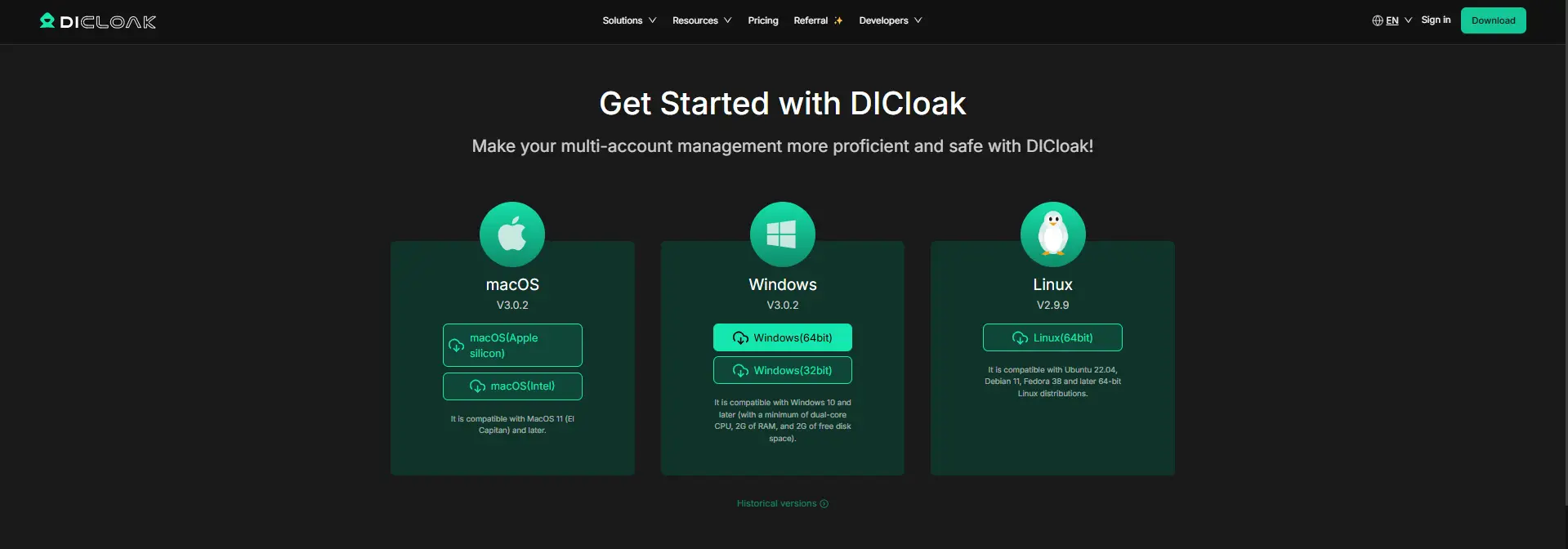
Step 1: Install DICloak and Choose a Team Plan
Download DICloak, create an account, and choose a plan based on your team size and the number of browser Profiles you need.
Step 2: Create a Browser Profile for Grok
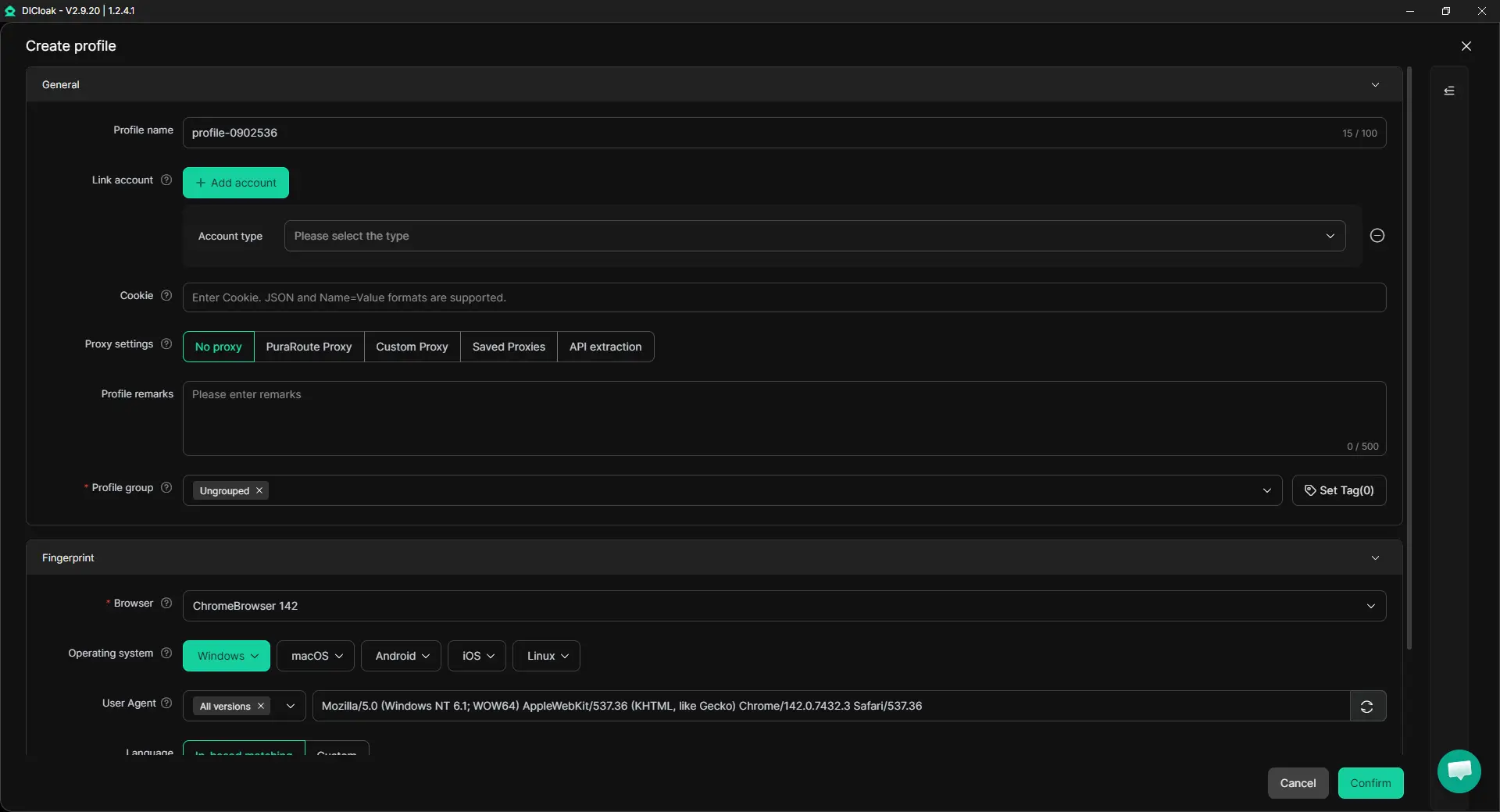
Create a dedicated browser Profile for Grok so its cookies, login session, and browser settings stay together. You can also enable Multiple Sessions for team use and turn on Hide Password if you do not want saved credentials to be visible to other members. If the Grok account already uses a specific proxy as part of its normal setup, that proxy can also be configured for the Profile.
Step 3: Sign In to Grok
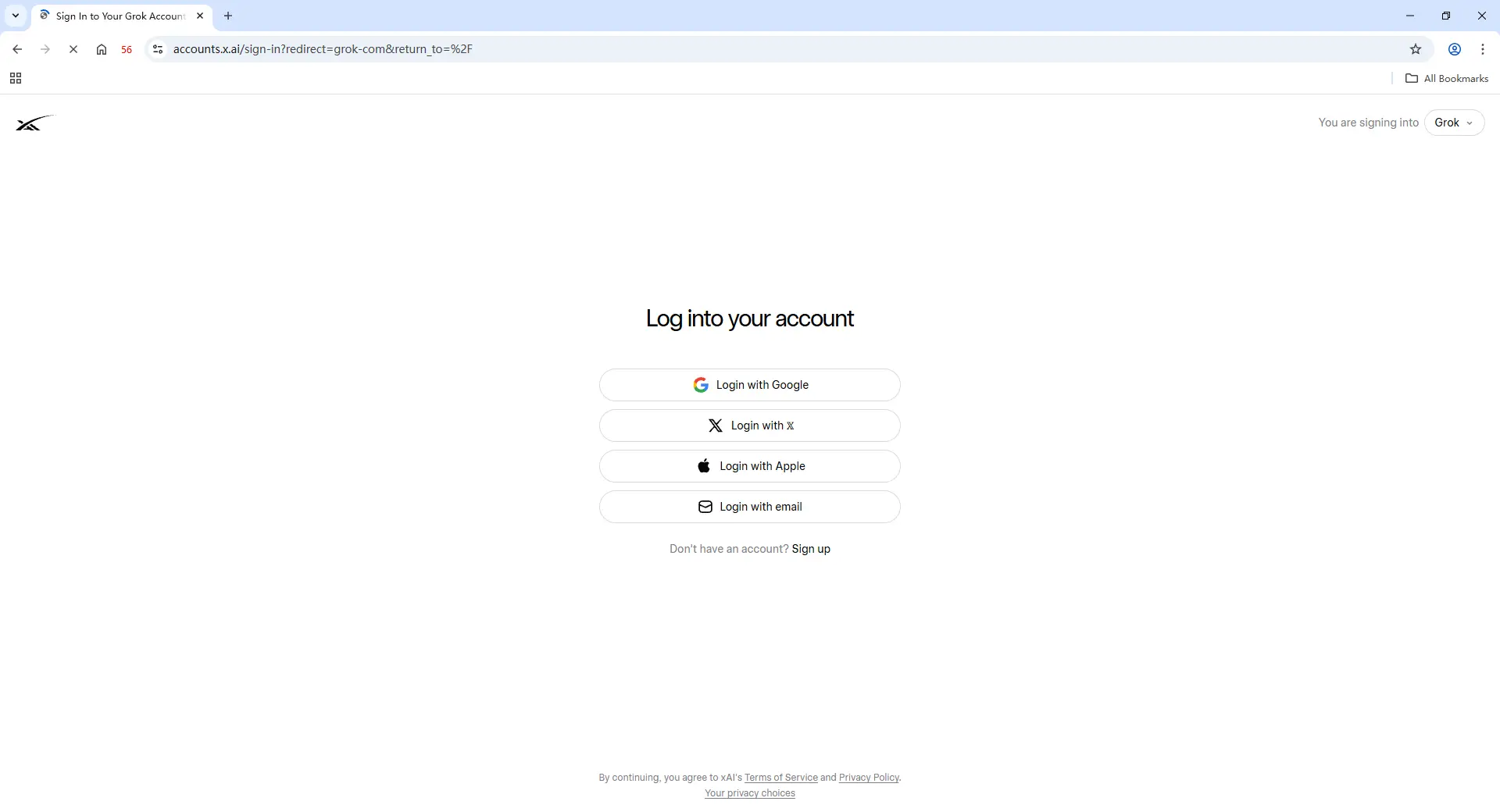
Open the new Profile and sign in to Grok as usual. Once the session is saved, the same Profile can be reopened later with the existing login state, which is useful when several teammates need to continue the same research, content work, or other Grok tasks.
Step 4: Add Team Members and Share the Grok Profile
Invite the teammates who need access, then assign the Grok Profile using profile sharing and team permissions. Access can be given only to the people working with that Grok account, and it can be changed or removed when project roles change.
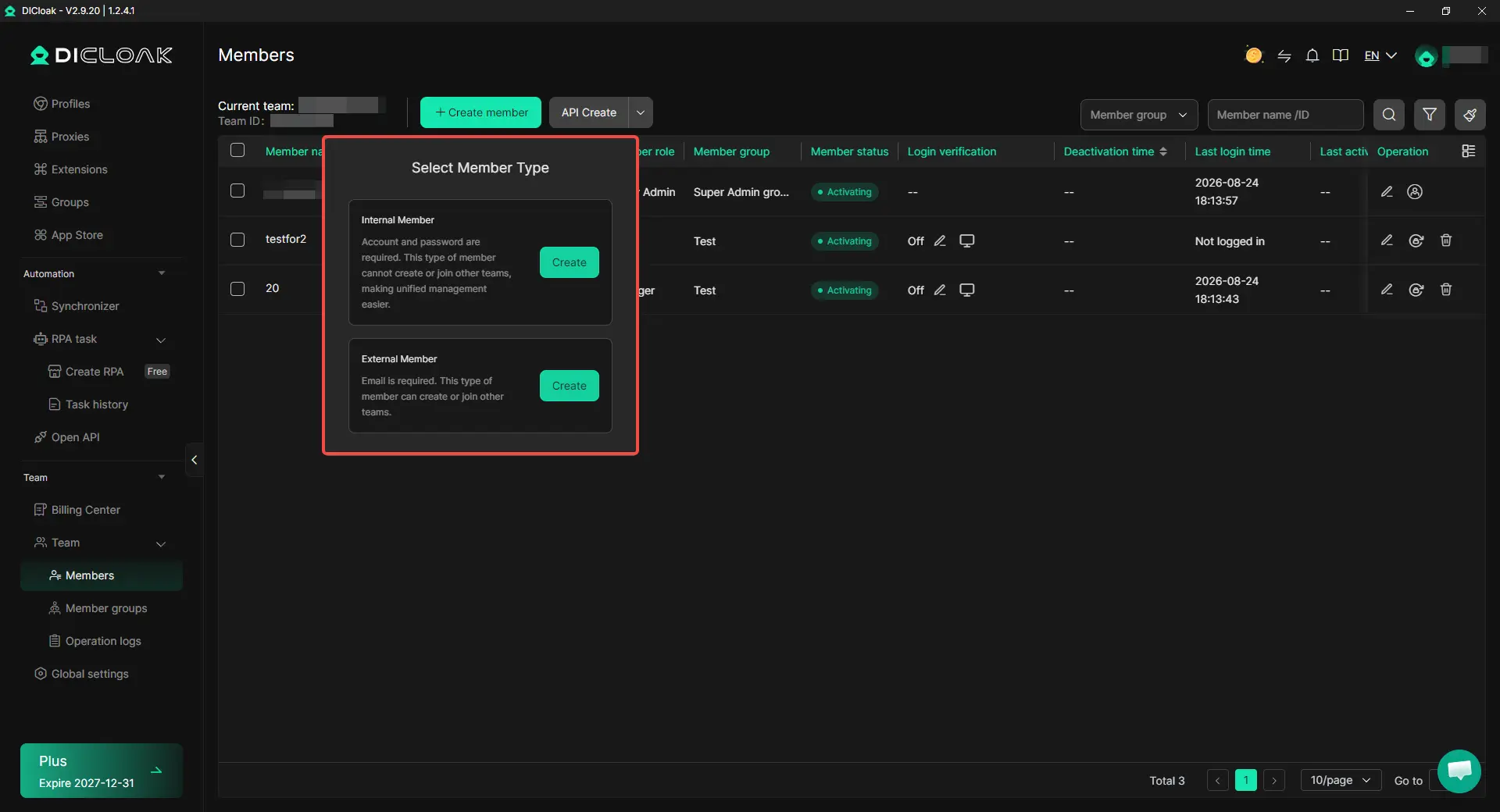
Step 5: Open the Shared Profile and Continue Working
Teammates with permission can open the shared Grok Profile from their own DICloak account and continue from the existing session. For example, a marketing lead can finish competitor research in Grok, then let an SEO specialist open the same Profile and continue the next part of the task without rebuilding the login.

Keeping the Grok workflow inside one reusable browser profile makes the handoff much cleaner. The account session stays with the Profile, while team access can be managed separately as people join or leave the project.
Frequently Asked Questions About Sharing a Grok Account with Your Team
Can multiple people use the same Grok account for team work?
Yes, some teams may choose to work from the same Grok account when several people need access to the same ongoing research or conversations. The main challenge is keeping the login session and browser Profile easy to hand off between teammates. If everyone needs their own regular workspace and identity, Grok Business is usually a better fit than relying on one shared account.
Is Grok Business worth it for a small team?
It depends on how many people actually need to use Grok directly. A five-person team may only need one Grok user if the other four people only receive research briefs or finished content. Grok Business becomes more useful when several teammates need their own access, work in Grok throughout the week, or need clearer member management rather than one shared login.
Can I share Grok with my team without giving everyone the password?
Yes. One option is to keep the signed-in Grok session inside a dedicated browser Profile and share access to that Profile instead of repeatedly sending the password. With an antidetect browser like DICloak, profile sharing, team permissions, and Hide Password can make this kind of team handoff easier to manage.
Can several teammates work from the same Grok Profile with DICloak?
If several team members need to work from the same Profile, Multiple Sessions can support that workflow while the Profile keeps its cookies and login session together. This is useful for a research or content team that wants to keep one Grok Profile available to more than one member instead of setting up the account again on separate browsers.
What happens if a teammate no longer needs access to the shared Grok Profile?
You can remove that teammate’s access to the Grok Profile without changing access for the rest of the team. With an antidetect browser like DICloak, team permissions and profile sharing let you adjust who can open the Profile as projects or roles change, while the remaining teammates can keep using the same Grok session.
Conclusion
Using Grok as a team in 2026 comes down to what your team actually needs to share. If only one person uses Grok and others only need the results, sharing research or conversations may be enough. If several teammates need their own regular access, Grok Business is the cleaner choice because it gives each person a separate seat and team-level management. For teams that want to reuse the same Grok browser Profile, an antidetect browser like DICloak can make the workflow easier by keeping the login session in one Profile and sharing access with selected members.
 Web Proxy Tools
 Free Tools
 Cookie Plugin
 UA Generator
 MAC Address Generator
 IP Generator
 IP Address List
 2FA Code Generator
 World Clock
 Anonymous Check
 WebRTC Leak Test
 UUID Generator
 Free Web Proxy Site
 Proxy Checker
 FB Ad Checker
 AI Web Scraping
 Free SMM Tools
 Twitter Shadowban Checker
 Instagram Name Checker
 UTM Generator
 Username Generator
 AI Hashtag Generator
 LinkedIn Headline Generator
 Social Media Image Resizer