The Evolution of Pinterest Marketing and the Role of the pin toolbox
Pinterest marketing has transitioned from a simple social discovery platform into a sophisticated visual search engine that demands a high volume of quality content to maintain visibility. For growth practitioners, the primary bottleneck is not just content creation, but efficient content curation and acquisition. A pin toolbox has become an essential asset acquisition utility in this environment, allowing marketers to bridge the gap between discovery and asset management.
While curation tools facilitate rapid growth, they must be integrated within a broader framework of platform security. As a senior analyst, I must emphasize that efficiency gained from bulk curation is frequently negated by inadequate infrastructure. To scale a Pinterest presence effectively, practitioners must balance aggressive content strategies with rigorous isolation protocols. Simply acquiring content is insufficient; you must also manage the digital footprint generated during that acquisition.
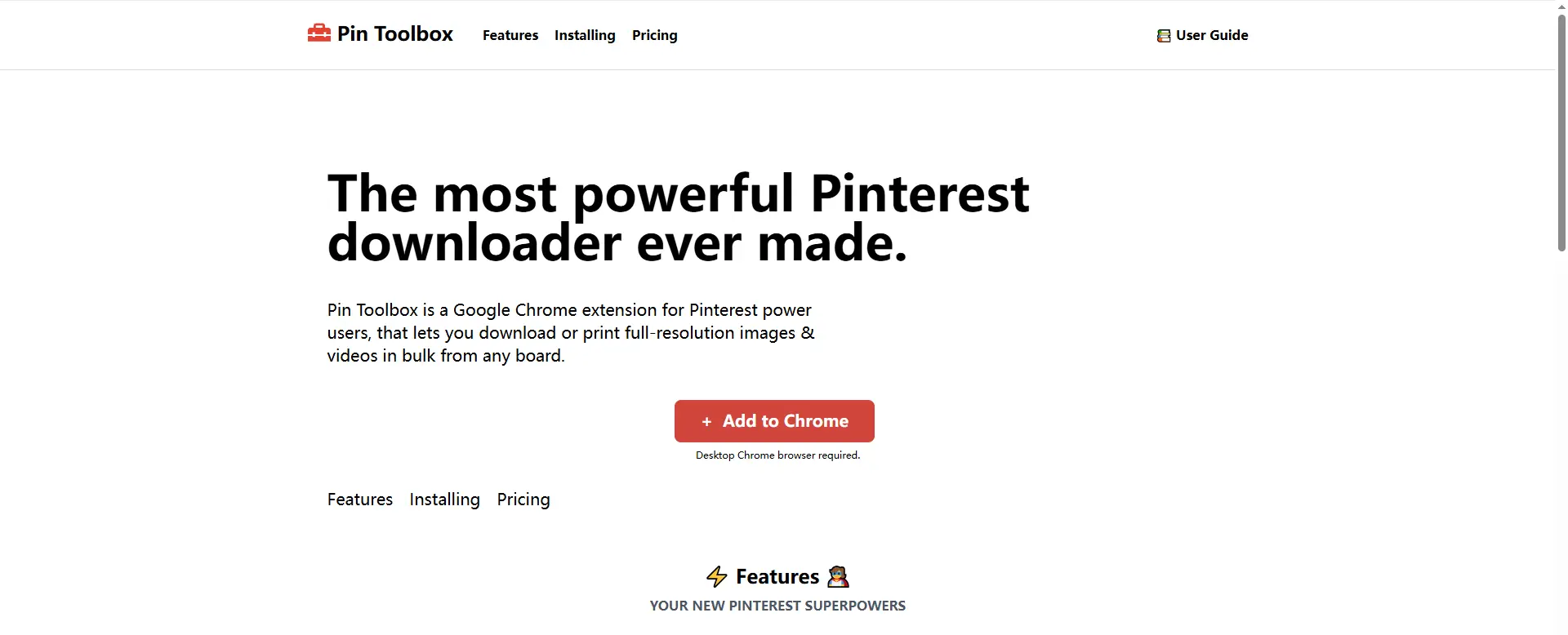
Core Capabilities: How a pin toolbox Facilitates Bulk Content Curation
Technical efficiency in Pinterest growth begins with the ability to acquire high-performing assets without the friction of manual saving. The pin toolbox operates as a Chrome extension-based downloader, enabling users to scrape board data directly from the Pinterest interface. This tool is particularly recommended for practitioners who need to grab small batches of images or videos for rapid campaign testing.
The mechanism utilizes a "bulk download" process where users select specific visual assets across a board. Once the selection is finalized, the tool processes these files into a local storage format. To assist in organizational management and team distribution, the pin toolbox offers a ZIP file output mechanism, consolidating all selected assets into a single compressed package. This ensures that the raw marketing assets are organized and ready for the next phase of the workflow.
Understanding Download Limits and Asset Quality
Marketers must recognize the operational constraints of extension-based utilities. The free tier of the pin toolbox is restricted to a 15-item limit per download session. For professional operations requiring the acquisition of entire boards, upgrading to the paid version is essential to download "without restrictions." Maintaining asset quality is the primary utility here, as the tool allows for the preservation of visual integrity during the bulk scraping process.
The Risk Profile: Why Basic pin toolbox Workflows May Trigger Platform Flagging
From a cybersecurity perspective, downloading and re-uploading content creates a "digital footprint" that modern anti-spam algorithms monitor with high precision. When multiple accounts are managed through a standard browser profile, Pinterest tracks activity via sophisticated browser metadata, making it easy to link disparate accounts to a single operator.
The Mechanics of Canvas Fingerprinting and Hardware ID Tracking
Browsers reveal unique hardware signatures—including Canvas fingerprinting, WebGL configurations, and AudioContext data—to the platforms you visit. These parameters create a unique identifier for your device. If a practitioner curates content using a pin toolbox and then re-uploads those assets across multiple accounts on the same hardware profile, Pinterest’s algorithms will associate those accounts with a single identity, leading to "chain-reaction" bans that can dismantle an entire network in minutes.
IP Reputation and the Pitfalls of Non-Isolated Connections
IP reputation is the second layer of detection. Shared network environments or inconsistent IP usage increase the risk of account association. Without network isolation, the efficiency of bulk tools is wasted. Consistent hardware and network profiles are the primary signals used by anti-spam systems to identify automated or high-volume marketing networks.
Pro-Tip: Fingerprint isolation is non-negotiable when managing more than five accounts. Failure to isolate hardware signatures is the most common cause of infrastructure-wide penalties.
Moving Beyond the Browser: Isolate Your Digital Footprint with Professional Infrastructure
To scale Pinterest operations to an industrial level, practitioners must move beyond standard browser profiles and adopt antidetect technology like DICloak. This infrastructure allows for the creation of "isolated browser profiles," where each profile operates as a completely separate entity with its own custom fingerprint and dedicated IP. This technology is the same standard used in high-stakes fields such as traffic arbitrage and airdrop farming.
Simulating Diverse Operating Systems for Account Authenticity
Advanced isolation requires more than just masking an IP; it requires the simulation of an authentic user environment. Since DICloak is built on the Chrome core, it maintains perfect compatibility with the pin toolbox extension while allowing practitioners to simulate diverse operating systems including Windows, Mac, iOS, Android, and Linux. This "Chrome core" foundation is critical because it ensures the curation tools behave as expected while the underlying hardware signals are customized to appear as unique, decentralized users.
Proxy Management and Network Isolation Protocols
Professional-grade network isolation is achieved through the integration of HTTP/HTTPS and SOCKS5 protocols. This level of Proxy Management ensures that each Pinterest account operates on its own unique network path. By assigning dedicated proxies to individual profiles, you prevent the "cross-contamination" of IP reputation that frequently leads to account suppression.
Strategic Comparison: Standard pin toolbox Use vs. Integrated Profile Isolation
| Feature |
Standard Methods (Downloader Only) |
DICloak Integrated Management |
| Device Requirements |
Requires multiple physical devices for safety |
Manage 1,000+ accounts on one device |
| Account Safety |
High risk of "chain-reaction" bans |
Isolated profiles with custom fingerprints |
| Scalability |
Limited by hardware and manual tracking |
High; supports bulk operations and RPA |
| Team Collaboration |
Difficult to share assets safely |
Profile sharing, permissions, and operation logs |
| IP Management |
Shared or inconsistent IPs |
Dedicated Proxy Management (SOCKS5/HTTP) |
| Audit Trail |
No record of internal operations |
Detailed operation logs for security |
Scaling Operations: Implementing RPA Automation in Your pin toolbox Workflow
Once the infrastructure is secured, the strategy must transition from manual labor to Robotic Process Automation (RPA). This is essential for "account farming" and "warm-up" strategies, where new profiles must exhibit human-like behavior before being used for aggressive marketing.
Bulk Operations for Efficiency at Scale
Professional infrastructure allows for bulk operations that drastically reduce operational overhead. Marketers can create, import, and launch hundreds of browser profiles with a single click. This allows a lean team to manage a massive portfolio of accounts, curating content via the pin toolbox in one window while automated systems handle posting or engagement in another.
Streamlining Team-Based Workflows and Data Isolation
Scaling involves multiple team members, which introduces internal security risks. Professional infrastructure provides data isolation at the profile level, ensuring that team members only access the accounts they are assigned. Furthermore, the inclusion of "operation logs" provides a clear audit trail of all activity, protecting the business from internal leaks and ensuring operational accountability.
Objective Evaluation: Analyzing pin toolbox Features and Limitations
As a targeted asset acquisition tool, the pin toolbox has a specific place in the professional workflow.
Pros:
- Enables bulk downloading of Pinterest images and videos.
- Granular selection of specific assets from a board.
- ZIP file output facilitates organized asset management and data isolation for teams.
Cons:
- Free version is restricted to a 15-asset limit, necessitating a paid upgrade for professional scaling.
- Requires a paid version to download entire boards without restrictions.
- As a Chrome extension, it contributes to "browser bloat," which can increase fingerprint uniqueness and trackability unless managed within an isolated profile.
Frequently Asked Questions About pin toolbox and Account Safety
Can using a pin toolbox lead to an account ban?
The tool itself is a passive downloader, but it adds to your "browser bloat"—the collection of extensions that make your fingerprint more unique. The primary cause of bans is not the tool, but the method of re-uploading content across multiple accounts without isolating your digital fingerprints and hardware IDs.
How does a proxy management system protect my Pinterest accounts?
A proxy management system ensures each profile has a unique IP via SOCKS5 or HTTP/HTTPS. This IP isolation prevents Pinterest from linking multiple accounts to a single source, which is essential for mitigating the risk of "chain-reaction" bans across your network.
What is the difference between a simple downloader and an antidetect browser?
A simple downloader like the pin toolbox is a content acquisition utility. An antidetect browser like DICloak is the security infrastructure that allows you to use those tools and manage your accounts without being detected by platform security algorithms.
Is it possible to manage 100+ Pinterest accounts from a single computer?
Absolutely. By utilizing profile isolation and custom fingerprinting, managing 100+ or even 1,000+ accounts on one device is standard industry practice. This is achieved by sandboxing each account within its own environment, complete with a unique OS signature and hardware ID.
Pro-Tip: Never use residential and datacenter proxies interchangeably on the same account. Maintaining a consistent proxy type is essential for preserving the account's trust score over its entire lifecycle.
 Web Proxy Tools
 Free Tools
 Cookie Plugin
 UA Generator
 MAC Address Generator
 IP Generator
 IP Address List
 2FA Code Generator
 World Clock
 Anonymous Check
 WebRTC Leak Test
 UUID Generator
 Free Web Proxy Site
 Proxy Checker
 FB Ad Checker
 AI Web Scraping
 Free SMM Tools
 Twitter Shadowban Checker
 Instagram Name Checker
 UTM Generator
 Username Generator
 AI Hashtag Generator
 LinkedIn Headline Generator
 Social Media Image Resizer





