Is sharing a TikTok account safe for team collaboration? It can be, but sending the same password to every editor, community manager, or agency operator creates more risk than most teams expect. TikTok Business Center now lets brands assign account access based on member roles, so many tasks no longer require sharing the main password. This guide explains the real risks of TikTok account sharing, how to choose between official permissions and a controlled browser session, and how to keep access limited, traceable, and easy to remove.
Is Sharing a TikTok Account Safe for Team Collaboration?
Sharing a TikTok account can be safe for team collaboration when access is controlled. The main risk is not that several people use the account. It is that everyone may receive the same password, publishing rights, and control over recovery details.
A content editor, community manager, and ad specialist do not need the same level of access. Giving every team member the full login creates unnecessary risk and makes mistakes, verification requests, and offboarding harder to manage.
What Are the Real Risks of Sharing One TikTok Account?
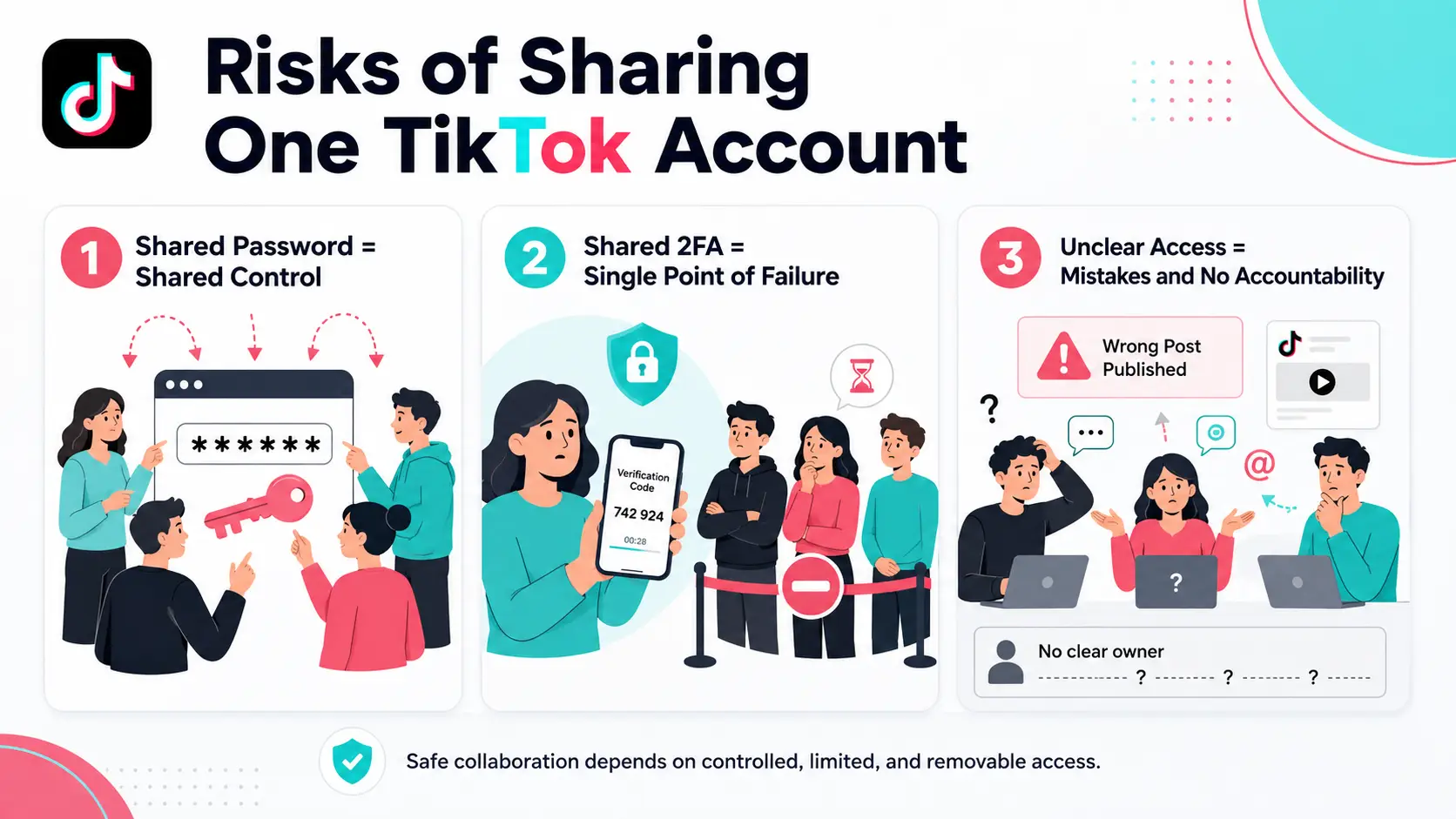
The main risk is not that several people use the account. It is that everyone may receive the same password, the same level of control, and no clear limit on what they can change.
Shared Passwords Turn Account Access Into Account Ownership
A shared password often gives people more access than their role needs. An editor may only need to upload content, while a community manager only needs to reply to comments. With the full login, both may also be able to publish videos, change profile details, or save the password on a personal device.
This becomes harder to control when freelancers leave, agencies change staff, or the password has been shared through several chats. Sharing a password does not only share a task. It shares control of the account.
Shared 2FA and Recovery Details Create a Single Point of Failure
A company account can become dependent on one person when the recovery email, phone number, or two-factor authentication belongs to an employee or agency contact.
If that person is unavailable, the team may be unable to log in or complete a security check. If they leave, the company may know the password but still struggle to recover the account. The brand or client should keep control of all recovery details.
Unclear Permissions Lead to Wrong Posts and No Accountability
When everyone uses the same login, mistakes are easier to make and harder to trace. A draft may be published too early, a reply may come from the wrong brand voice, or a former team member may keep an active session.
The problem is usually not poor training. It is an access setup that gives every role the same control. Team sharing becomes risky when access cannot be limited, linked to a person, or removed without affecting everyone else.
Which TikTok Access Method Should Your Team Use?
Use TikTok’s official permissions when they cover the work your team needs to do. Direct password sharing should be the last choice, while an antidetect browser is more suitable when a member needs the full TikTok Web session.
| Access method |
Best for |
Main limitation |
| TikTok Business Center |
Ads, account management, and role-based team access |
It may not cover every TikTok task |
| Direct password sharing |
Short-term emergency access |
Everyone receives broad account control |
| Antidetect browser |
Sharing a full logged-in web session |
It does not replace TikTok permissions or account security |
Use TikTok Business Center When Official Permissions Cover the Task
TikTok Business Center should be the first choice for brands and agencies. Admins can assign access to members or partners without giving everyone the main account password.
Permissions can be matched to the work. For example, a marketing team can receive ad delivery access, while account operators can handle tasks such as analytics, direct messages, and profile updates. This gives a customer service agent or media buyer less control than the account owner.
Organization Accounts offer another option for businesses that want the company, rather than one employee, to own the TikTok account. They support access for multiple members and role-based permission allocation.
Avoid Direct Password Sharing for Routine Collaboration
Sending the TikTok password through email or team chat may feel faster, but it gives every recipient almost the same starting point. An editor who only needs to prepare content may also be able to change profile details or save the login on a personal device.
Password sharing also makes team changes harder. When a freelancer leaves or an agency replaces an operator, the account owner may not know where the password was saved or who still has an active session. Changing it can then interrupt access for the whole team.
TikTok recommends two-step verification and lets account owners review devices that currently use or recently accessed the account. These tools help protect the login, but they do not turn one shared password into separate team permissions. A shared password is not a permission system because it cannot limit access by role.
Use an Antidetect Browser When Full TikTok Login Is Necessary
Sometimes official permissions do not cover the task a team member needs to complete. An agency may need to continue an existing TikTok Web session, or a remote operator may need full browser access without asking the account owner for a password and verification code each time.
An antidetect browser can keep the approved TikTok session inside one separate browser Profile. The Profile can then serve as a controlled account workspace instead of asking every operator to create a new login on a personal browser.
This method is most useful when:
- full TikTok Web access is required;
- the password should remain with the brand or client;
- an existing session must be handed between approved members;
- the account must stay separate from other client workspaces.
The right access method is the one that completes the task while exposing the least account control.
Why Use an Antidetect Browser to Share TikTok Accounts With a Team?
An antidetect browser can help a team share one approved TikTok Web session without asking every member to log in through a personal browser. It is most useful when the team needs full account access, but the password and recovery details should stay with the brand or client.
Keep the TikTok Login Session Available Across Team Handoffs
Team handoffs often slow down because each new operator has to log in again, request a verification code, and rebuild the same working setup. This is common for agencies, remote teams, and shift-based support teams. A separate browser profile keeps the TikTok login session, cookies, and browser storage in one workspace, so the next approved member can continue the work without starting from zero. A shared session makes handoffs easier because the workspace moves between members without repeated login steps.
Share Account Access Without Sending the Password to Every Member
Sending a password through email or team chat gives every recipient a copy that may stay on a personal device. It also creates more work when members keep asking the account owner for verification codes. With a shared browser profile, approved team members can use the active TikTok session without receiving the password directly, while the brand or client keeps control of the email, phone number, and two-factor authentication. This is especially useful when an outside agency needs to manage the account but does not need permanent access to the client’s credentials.
Control Which Team Members Can Access the TikTok Workspace
Not every employee should have access to every TikTok account. An agency may manage several brands, while each operator is responsible for only one client or campaign. Antidetect browsers with profile sharing and team permissions can limit each workspace to selected members, and access can be changed when roles move or a partnership ends. Clear profile names also reduce mistakes by helping operators confirm the correct brand and account before posting or replying.
An antidetect browser is most useful for team collaboration when it keeps the login session stable, limits access to approved members, and reduces the need to share passwords across the team.
How to Share a TikTok Account With DICloak
With DICloak, a team can share one TikTok browser session without sending the password to every member. The brand or client should still keep control of the password, recovery email, phone number, and two-factor authentication.
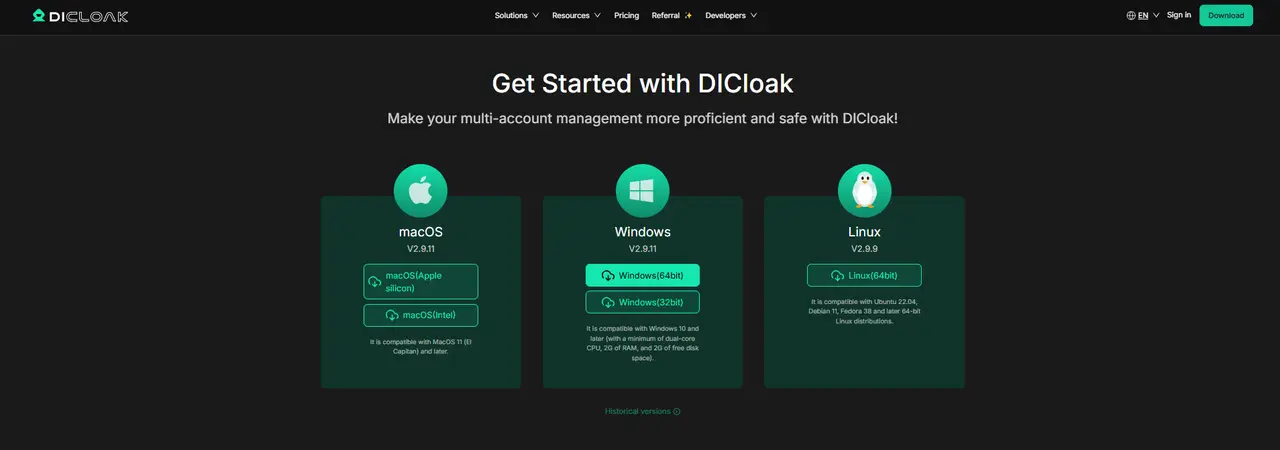
1. Download and Install DICloak
Download and install DICloak, create an account, and choose a plan based on the number of Profiles and team members you need.
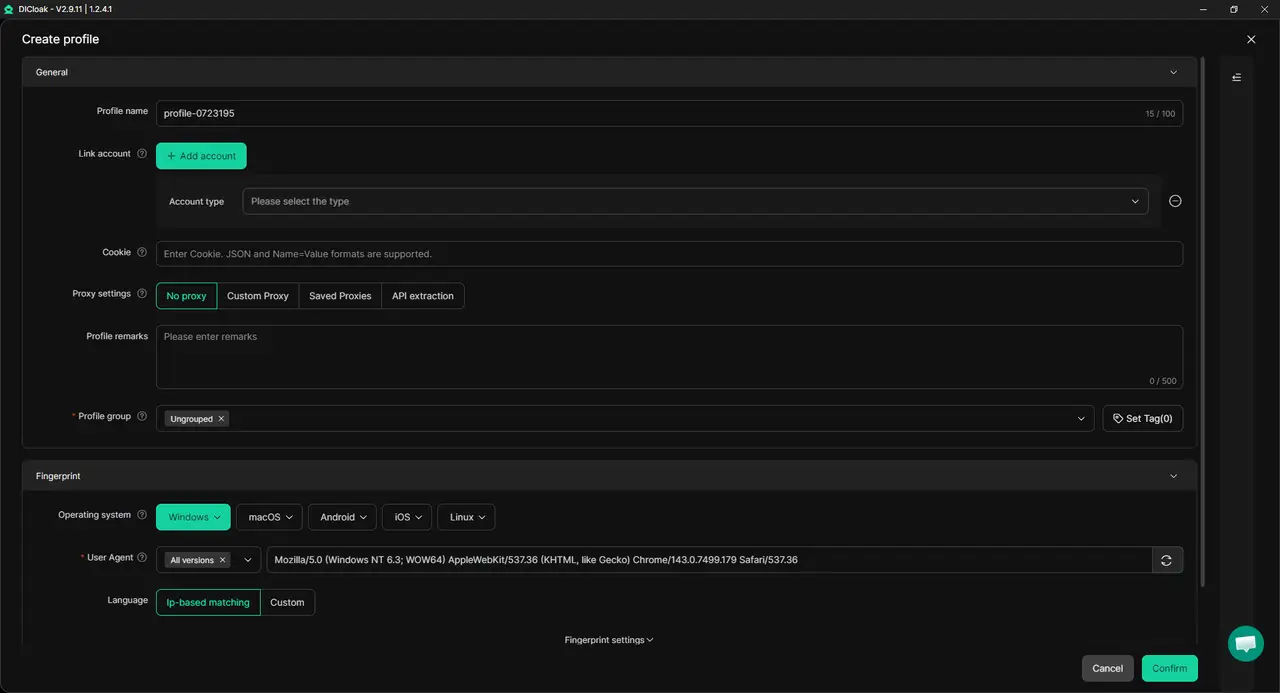
2. Create a TikTok Browser Profile
Create one separate browser Profile for the TikTok account. Use a clear name such as Brand A – TikTok – Community Team to reduce the risk of opening the wrong client workspace.
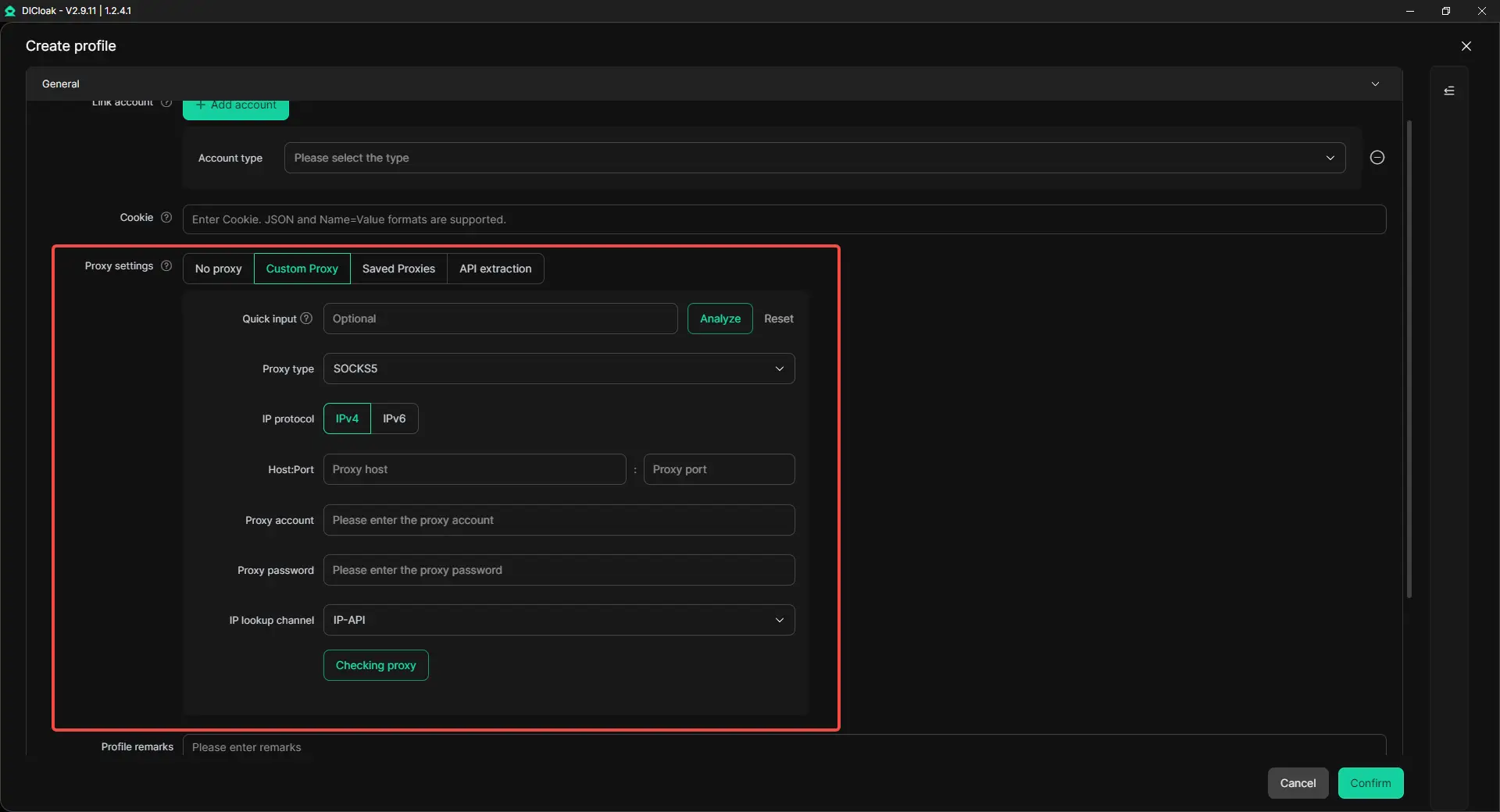
3. Add a Stable Proxy if Needed
Teams working from different locations can add one stable third-party proxy to the Profile. Keep the setup consistent instead of changing the network location each time a new member opens it.
4. Log In as the Account Owner
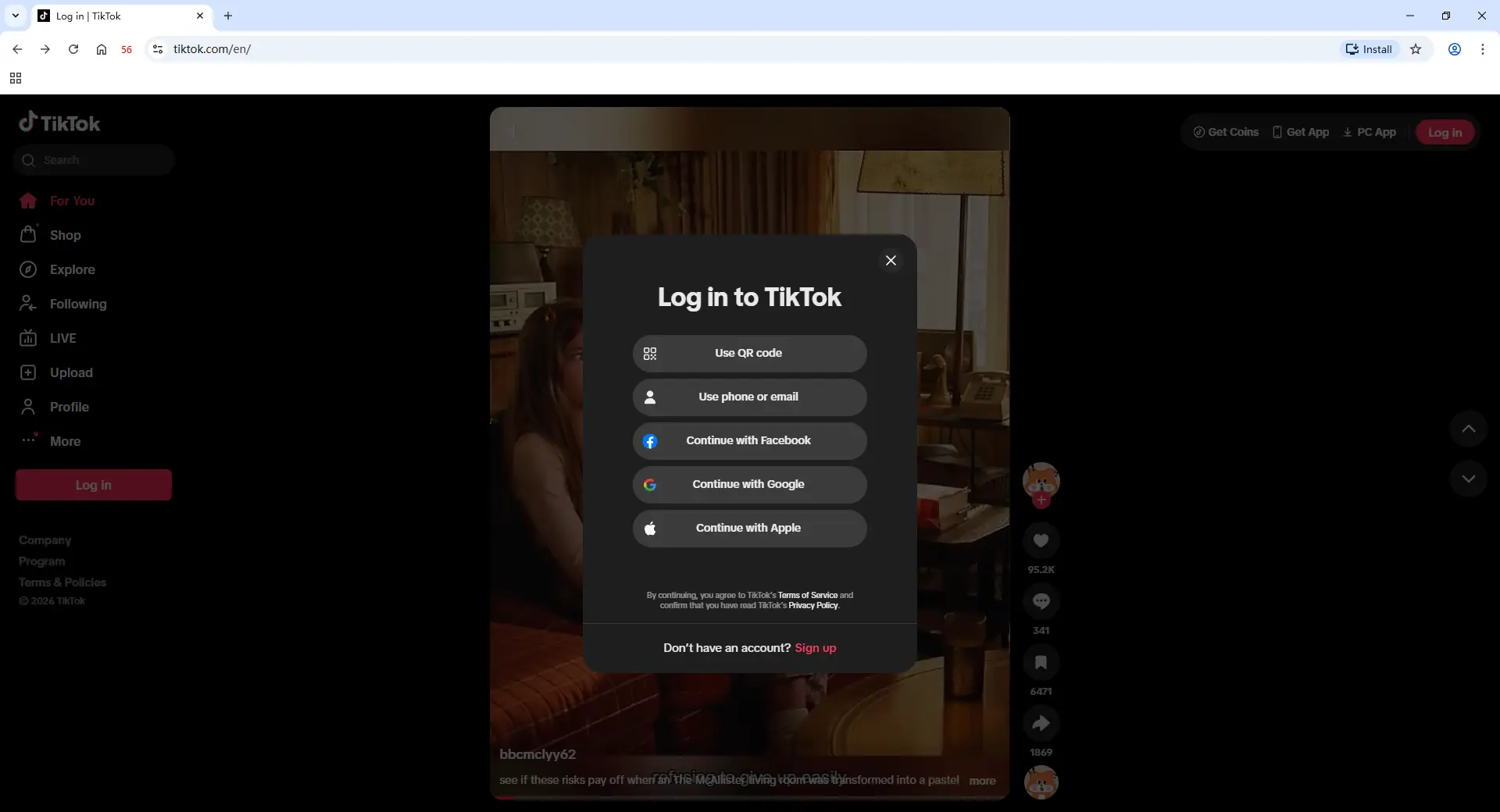
Launch the Profile and sign in to TikTok. The brand owner or account administrator should complete the first login and any required verification. The login session will remain inside the Profile, while the account credentials stay with the owner.
5. Share the Profile With Approved Members
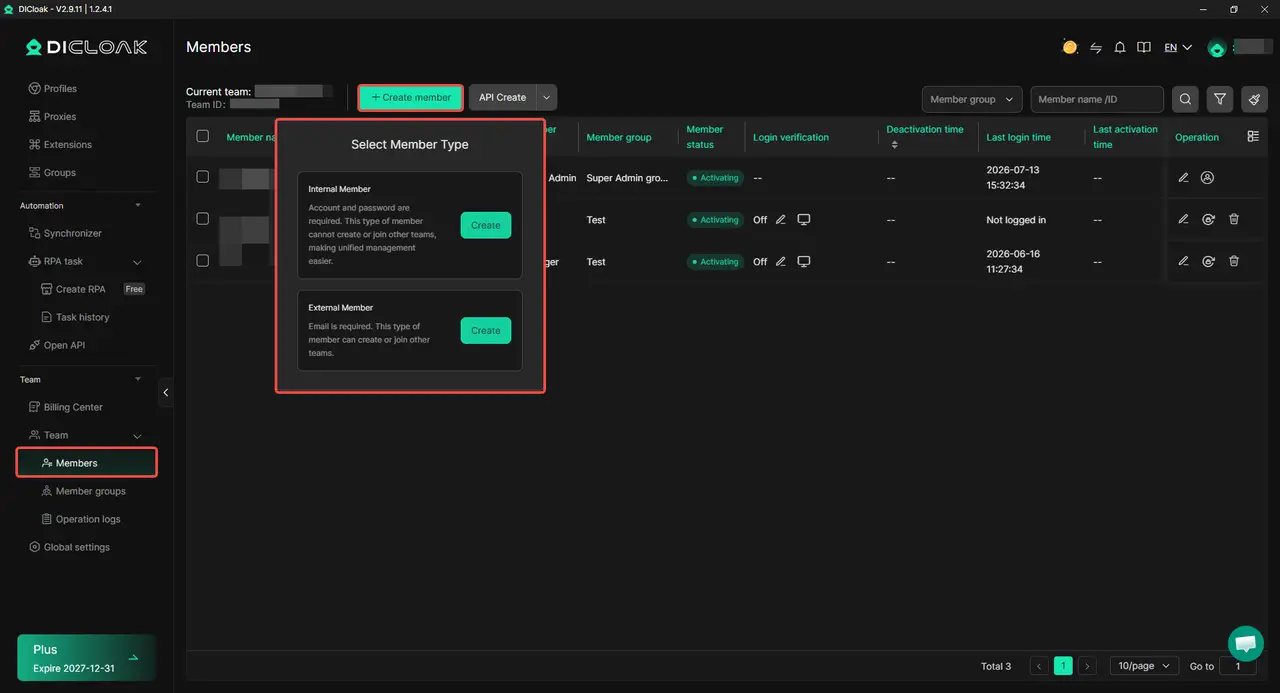
Invite members to the DICloak team and assign the TikTok Profile only to people who need full access. Enable Multiple sessions in Global Settings only when several approved members need to open the same Profile at the same time. Once access is assigned, members can open the saved TikTok session from their own computers without receiving the password.
6. Remove Access When Work Ends
Remove Profile access when a member changes roles, leaves the team, or finishes a client project. Operation Logs can help administrators review Profile activity during a handoff.
Frequently Asked Questions About Sharing a TikTok Account With a Team
Can Multiple Team Members Use the Same TikTok Account?
Yes, several team members can work on the same TikTok account, but they should not all receive the same password and account control. Use official TikTok permissions when they cover the required task. When full TikTok Web access is needed, share a controlled browser session only with approved members.
Is It Safe to Give a TikTok Agency Your Password?
Giving an agency your TikTok password is not the best choice for long-term collaboration. The password may be saved, forwarded, or used by operators you do not know. The brand should keep control of the password and recovery details while giving the agency only the access needed for its work.
Who Should Control TikTok 2FA and Recovery Information?
The brand or account owner should control the recovery email, phone number, password, and two-factor authentication. These details should not belong only to one employee, freelancer, or agency contact. A second trusted owner should also be able to recover the account if the main owner is unavailable.
What Should You Do When a Team Member Leaves?
Remove the member’s TikTok permissions and shared workspace access as soon as their work ends. Review active devices and recovery details, then change the password if it was shared directly or saved outside the approved workspace. Removing access should be part of every employee and agency handoff.
Can an Antidetect Browser Help a Team Share a TikTok Account?
An antidetect browser like DICloak can keep a TikTok login session inside a separate browser Profile and share that Profile with approved team members. This allows the team to continue working without sending the password to every operator. Team permissions and operation logs can also support access control and account handoffs, while the brand keeps ownership of the credentials and 2FA.
Conclusion
Sharing a TikTok account can support team collaboration, but direct password sharing creates unnecessary risk. The safest setup keeps the password, recovery email, phone number, and two-factor authentication under company control. Team members should receive only the access needed for their role, and that access should be easy to review and remove.
TikTok Business Center is the best choice when official permissions cover the task. When full TikTok Web access is still required, a controlled browser Profile with DICloak can help approved members use the same saved session without sending the password to every operator. Sharing a TikTok account is safest when access is limited, traceable, and removable, not simply shared with everyone.
 Web Proxy Tools
 Free Tools
 Cookie Plugin
 UA Generator
 MAC Address Generator
 IP Generator
 IP Address List
 2FA Code Generator
 World Clock
 Anonymous Check
 WebRTC Leak Test
 UUID Generator
 Free Web Proxy Site
 Proxy Checker
 FB Ad Checker
 AI Web Scraping
 Free SMM Tools
 Twitter Shadowban Checker
 Instagram Name Checker
 UTM Generator
 Username Generator
 AI Hashtag Generator
 LinkedIn Headline Generator
 Social Media Image Resizer






