Let’s be candid, encountering that “Confirm your phone number” screen when setting up a new Google account can be irritating. Perhaps you prioritize your privacy, need several accounts for marketing efforts or various tasks, or just prefer not to associate your primary number. Whatever the motive, you're probably wondering: “Is it truly possible to establish a Google account without providing my phone number?”
Revised guide here — effective as of November 2025. Don't miss out!
The straightforward reply is yes, this is frequently achievable, though Google’s stipulations can seem inconsistent. Although Google states the phone number is optional, they sometimes mandate it, particularly if they detect unusual activity.
This tutorial explores tried-and-true techniques for bypassing Google’s phone confirmation in 2025, ranging from elementary workarounds to sophisticated tools like antidetect browsers (we'll clarify those!). We'll detail why Google requests your number and outline how to secure the accounts you require, safely and efficiently.
Why Google Requests Your Phone Number, and When It's Necessary for a Google Account Without Phone Number
During Google account creation, the “Phone number” field is frequently a non-mandatory item. Google utilizes the phone number for:
- Combating Spam and Bots: Confirming a phone number helps deter fraudulent actions and mass account generation by automated programs. It adds an extra layer of defense to confirm the account is being set up by a verified individual.
- Account Retrieval: Should you lose your password or need to regain access to your account, a linked phone number assists in resetting it. It’s a method to secure your access so you can retrieve it if necessary.
- Two-Factor Authentication (2FA): Google often incorporates phone numbers into the 2FA process. This means a confirmation code is sent to your handset to verify your identity during login.
Nonetheless, Google’s official guidance indicates the phone number field is optional—you can bypass it. Yet, in practice, Google sometimes deems it required, especially if you've created numerous accounts from the same IP address or device. Phone verification is mainly for security, but by using the correct approaches, avoiding it is doable.
Quick Tips to Bypass Phone Verification for a Google Account Without Phone Number (Sometimes Effective!)
These are the initial steps to attempt. Their success may differ based on your geographical area, IP address history, and browser, as Google’s detection systems are always evolving.
1.The “Skip” Button Tactic:
- How: On the Google registration page (on desktop or mobile), simply attempt to leave the phone number slot blank. Look closely for a “Skip” prompt or link.
- Why it might succeed: If Google’s systems don't flag your attempt as suspect (e.g., you haven't made many recent sign-ups from the same device/IP), they might let you proceed without a number.
- Drawback: This method is highly unreliable. If you’ve registered accounts before, or if Google is being especially strict, the “Skip” choice could disappear.
2.Incognito Mode or a Fresh Browser Profile:
- How: Launch an Incognito (Chrome) or Private (Firefox/Safari) window, or establish an entirely new user account within your browser before navigating to the Google sign-up portal.
- Why it might succeed: This action stops Google from observing cookies or prior session data, making your attempt appear to originate from a completely new user. This can sometimes lessen the verification demands.
- Drawback: Still not guaranteed, especially if your IP address has been linked to several recent registrations.
3.Registration Via Mobile Device Settings:
- How (Android): Navigate to Settings > Accounts > Add Account > Google > Create Account. Follow the on-screen instructions.
- How (iOS): Go to Settings > Mail (or Contacts/Calendar) > Accounts > Add Account > Google > Create Account.
- Why it might succeed: A significant number of users report that creating an account directly through the device's settings interface (instead of a mobile web browser) is more prone to presenting the “Skip” option for the phone number.
- Drawback: Success rates fluctuate based on the device, operating system iteration, and region.
4.Signing Up via a Different Google Service:
- How: Instead of navigating directly to the main Google account creation page, try initiating the sign-up through another service like YouTube. Go to YouTube, tap “Sign In,” then “Create Account.”
- Why it might succeed: Occasionally, the registration flow initiated from a specific service may feature slightly different verification checks.
- Drawback: Less frequent nowadays, but worth testing if the basic methods fail.
Established Ways to Form a Google Account Without a Phone Number
Let’s review several straightforward techniques many individuals use to bypass phone confirmation:
Bypass the phone number field on Google’s registration page
On both desktop and mobile versions of Google’s sign-up form, the phone number field is frequently optional. If Google doesn’t note suspicious behavior, such as numerous account creations from the identical device, you can omit this step. However, if you have already established several accounts from the same IP, Google might remove the “Skip” choice. In such cases, you can visit YouTube, click “Sign In,” and choose “Create Account” to circumvent the requirement for a phone number.
Utilize Incognito mode or new browser profiles
Launching a fresh incognito window or employing a new browser profile aims to prevent Google from reading your existing cookies and browsing history, making the sign-up resemble a pristine user setup. If Google still demands a phone number, try switching browsers or using a portable software version like Google Chrome Portable.
Register Through a Mobile Handset
The Gmail application on both Android and iOS sometimes permits you to skip the phone number entry. On Android, access Settings > Accounts > Add Account > Google > Create Account, and select the “Skip” directive. A comparable maneuver is possible on iPhone/iPad, where you can incorporate your Google entry without inputting a phone number. This approach enjoys popularity among users, as noted in numerous online discussions.
Employ Cloud or Portable Browsers
Certain platforms, such as DICloak, enable you to mimic numerous devices using a temporary Android browser profile. These virtual devices usually do not prompt for a phone number when setting up a Google account. Alternatively, a recent installation of Google Chrome can also allow you to bypass phone verification.
Use Android Emulators (e.g., DICloak)
Android emulators mimic the functionality of a physical Android device, providing a clean slate for account genesis. Tools such as DICloak and GeeLark let you produce Google accounts within these emulated Android settings without necessitating a phone number. Every fresh session adopts a distinct device signature, which Google generally doesn't flag for phone verification.
Alternative Confirmation Options for a Google Account Without Phone Number
If Google consistently requires a phone number, you can turn to different means of obtaining a temporary phone number for the confirmation stage.
Virtual Phone Services
Platforms like Google Voice or TextNow grant you a secondary cellular number you can apply for verification. Be aware, however, that Google sometimes flags VoIP or shared numbers, so these might only facilitate one-time verifications.
Temporary SIM Cards
If you prefer a tangible phone number, you could procure a prepaid SIM card or utilize a trial SIM from a carrier such as Verizon or T-Mobile. These SIMs furnish a valid number for confirmation, and you can dispose of the number post-verification. Nevertheless, Google might request re-confirmation later on.
Public SMS Websites
Some websites offer disposable phone numbers for receiving text messages. While these sites can be useful in a pinch, they are often shared among many individuals, posing potential privacy hazards. Google might also blacklist these numbers after a brief duration, making this a less dependable route.
While these techniques may prove effective, they carry inherent privacy concerns and reliability drawbacks. For more consistent outcomes, leveraging DICloak’s antidetect browser and accompanying proxy functionality is the superior choice.
The Advantage of Antidetect Browsers for Avoiding Google's Phone Verification
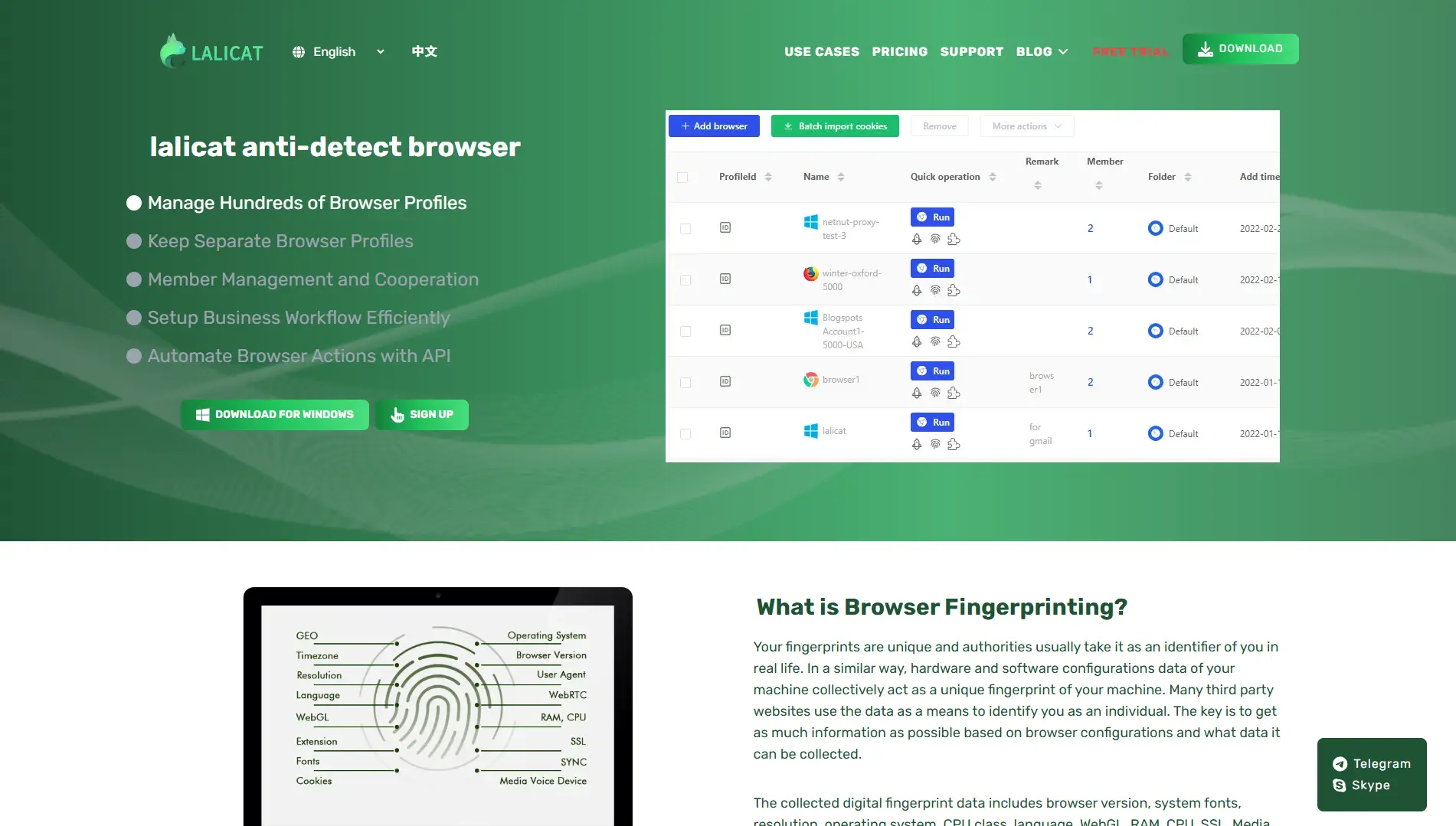
An antidetect browser such as DICloak mimics the operational profile of multiple machines on a single computer, with each profile possessing its own distinct digital signature (screen dimensions, browser kind, operating system, etc.). This assures that every account you establish remains separate from the others, making it appear to Google that you are a distinct, genuine user.
What Exactly is an Antidetect Browser for Creating a Google Account Without Phone Number?
Envision possessing numerous separate computers and internet links, with each utilized for only a single Google account. That is essentially what an antidetect browser replicates on one machine. It generates segregated browser profiles, each equipped with a unique digital “signature” (encompassing elements like browser build, version, screen resolution, installed fonts, OS, time zone, and more). When paired with distinct proxies (IP addresses), each profile presents itself to websites like Google as a completely separate, authentic individual.
How DICloak Tackles Phone Verification Hurdles in Google Account Creation Without a Phone Number:
DICloak stands out as a premier anti-detect browser, built for securely handling numerous online personas. Here is how it assists in bypassing phone checks:
- Distinct Device Signatures: Every DICloak profile emulates a unique piece of hardware, stopping Google from connecting your accounts via browser attributes.
- Flexible Proxy Configuration: With DICloak, you can easily assign a unique IP address (proxy) to each profile. By using residential or mobile proxies, you can ensure that each profile appears as a legitimate user, preventing IP-based account linking by Google.
- Authentic User Simulation: It skillfully fabricates variables like WebRTC, Canvas signatures, fonts, and more, making every profile seem genuine.
- Enduring Sessions: Contrary to Incognito mode, DICloak preserves cookies and session details within each separate profile. This helps cultivate Google's trust over time and lessens requests for verification.
- Link Avoidance: By keeping all elements separate (signature, IP, stored data), DICloak significantly reduces the likelihood that Google will tie your accounts together or mandate phone confirmation due to detecting multiple registrations.
Nations with Restricted or Absent SMS Service
In certain territories, Google might refrain from requesting phone verification entirely. This is often the case in countries where SMS functionality is unreliable or unavailable. For instance, Mongolia and Colombia are noted for SMS verification complications, and in these scenarios, Google might grant account activation manually after reviewing the registration attempt.
If you are situated in one of these areas or plan to utilize a proxy originating from these nations, it's wise to look into choosing a proxy from a location with limited SMS verification requirements. This strategy might help you circumvent the need for a phone number altogether. By configuring the proxy accordingly, you can present yourself as signing up from a region where phone verification isn't necessary, boosting the chances of overlooking the phone number requirement.
Insider Tip: Always check the latest guidance on Google’s support pages to confirm you are adhering to the current protocol for your locale.
Step-by-Step Guide to Setting Up Google Accounts Without a Phone Number Using DICloak — Verified Working as of 2025
- Download DICloak for Free and Register: DICloak is available for free download, and the free version provides access to essential features. With the free plan, you can use up to 5 profiles, limited to 1 member, and up to 15 daily profile openings.
- Establish a DICloak Profile: Open DICloak and select “+ Create profile.” Assign a label. Select an operating system (Windows, Mac, Linux, Android) and a Browser (Mimic copies Chrome, Stealthfox copies Firefox). You can generally keep the signature settings as defaults or modify them if needed.
- Customize Proxy Settings: In the “Proxy settings” section of your profile, you can configure your own custom proxy. And you will need to input your own proxy credentials to ensure secure browsing. Utilizing a high-quality proxy (residential or mobile) is vital for positive outcomes. Connect a proxy from a jurisdiction with minimal SMS needs.
- Initiate the Profile and Register: Launch the profile, navigate to the Google registration page, and complete the necessary fields. If prompted for a phone number, the “Skip” option should appear more consistently than in a standard web browser.
The usual registration path begins by selecting "Create account" for "My personal use."
Following that, proceed through the standard screens to input your name, date of birth, and establish a password. These initial steps remain constant.
Subsequently, Google might request supplementary details. At times, you’ll be asked to furnish a recovery email address, which you have the option to supply or bypass.
At this juncture, Google might also ask for a cell phone number. In certain instances, this is optional, allowing you to proceed without inputting one.
Once this is resolved, finalize the registration to obtain a new account with email access.
That's the process! Quite straightforward, wouldn't you agree? The core advantage is that DICloak employs sophisticated signature technology, making it appear as though you are operating from a standard home computer. To Google, you look like a genuine, credible user.
Note: You might need to attempt this a couple of times; there's an element of chance, though it worked for me on the first attempt.
Consider giving DICloak a trial—it's engineered for substantial outcomes. A premium product like this warrants a fee, which is understandable. However, for its cost, it delivers entirely on your requirements—steadiness, anonymity, and complete oversight of your accounts.
Enter a Recovery Email: Always set up a recovery email address to ensure you can recover your account if necessary.
Repeat for Further Accounts: To generate additional accounts, repeat the procedure using a fresh DICloak profile linked to a different proxy.
Note: Whether the phone number step is avoidable hinges on Google’s current guidelines and the trust level associated with your session (device, IP, location, etc.). Sometimes it’s mandatory, sometimes not.
However, this is precisely the kind of challenge that DICloak addresses—by managing signatures and session variables, it facilitates a smoother registration path, often allowing you to skip the phone number requirement, as previously stated.
By leveraging DICloak and choosing appropriate proxy configurations, you can guarantee that every Google account you establish remains protected, private, and clear of mandatory phone verification.
Don't Neglect Account Recovery for Google Accounts Without a Phone Number!
Regardless of whether you bypassed the phone number step or used a temporary one, establishing a recovery email is essential.
- Access your new Google Account settings (myaccount.google.com).
- Navigate to "Personal info" > "Contact info" > "Email" > "Recovery email."
- Input an email address you are certain you can access reliably.
This serves as your primary method to regain entry if you forget your password or encounter login troubles without an associated phone number.
Method Comparison: Which Approach Suits You Best for Creating a Google Account Without a Phone Number?
Set to begin? Bypass phone verification — form Google accounts with ease! Test It Out.
Summary: Master Your Google Account Sign-ups Without a Phone Number
Establishing a Google account without supplying your mobile number is certainly possible in 2025. While straightforward hacks might occasionally succeed, they aren't dependable. Options involving temporary numbers carry certain dangers.
For individuals requiring steady outcomes, several accounts, or increased anonymity, employing an antidetect browser such as DICloak paired with distinct proxies represents the strongest approach. This tackles the primary reasons Google might request verification by presenting each registration as a distinct, valid user.
If you're looking to manage multiple Google accounts easily and securely, the free version of DICloak covers your basic needs. For those requiring more advanced features, such as multi-profile environments or account management, affordable paid upgrades are available.
Common Queries | Making Google Accounts Without a Phone Number
Is there an assurance I can make a Gmail without a phone number?
No assurances exist. Google's scrutiny methods advance. Nevertheless, employing techniques such as anti-detect browsers with quality proxies substantially boosts your likelihood of success, particularly compared to simple workarounds.
Is forming accounts without a phone number secure?
It potentially can be, provided you safeguard your account correctly with a robust password and a trustworthy recovery email address. Relying on fleeting numbers you lose entry to is precarious. Utilizing public SMS platforms is not recommended for security.
Can I attach a phone number later if I opt to?
Absolutely. You retain the option to append a phone number to your Google Account down the road via the security configurations for regaining access or two-factor authentication, should you decide.
What is the "Dot + Alias" Gmail strategy?
This method does not generate separate accounts. Gmail disregards periods (.) in user names and any characters following a plus sign (+). Thus, [email protected], [email protected], and [email protected] all arrive at the [email protected] inbox. Handy for sorting incoming mail or subscribing to services using variations, yet fundamentally it remains just a single Google account.
 Web Proxy Tools
 Free Tools
 Cookie Plugin
 UA Generator
 MAC Address Generator
 IP Generator
 IP Address List
 2FA Code Generator
 World Clock
 Anonymous Check
 WebRTC Leak Test
 UUID Generator
 Free Web Proxy Site
 Proxy Checker
 FB Ad Checker
 AI Web Scraping
 Free SMM Tools
 Twitter Shadowban Checker
 Instagram Name Checker
 UTM Generator
 Username Generator
 AI Hashtag Generator
 LinkedIn Headline Generator
 Social Media Image Resizer