Over 900,000 people have signed up for Amazon’s affiliate program, but most never earn more than a few dollars a month (Amazon Associates). The real problem is not how to sign up, but how to avoid the early mistakes that keep beginners stuck, like picking the wrong products, missing simple setup steps, or misunderstanding Amazon’s rules and payout system. If you’ve searched for how to become an amazon affiliate, you’ve probably seen “easy money” claims or guides that skip the parts where most new affiliates get confused: what counts as a valid sale, which links actually pay, and how to keep your account active after approval.
The truth is, joining the Amazon Associates program is open to almost anyone, but turning clicks into real income takes more than just adding banners to a blog. This amazon affiliate program guide breaks down every step you actually need, from registration to your first payout. You’ll see what to check before you apply, how to choose products people actually buy, and why tracking your sales matters if you want to get paid. If you want a straight answer to “how to make money with amazon affiliate” without getting lost in hype or outdated advice, you’re in the right place. Here’s how beginners get started the right way.
What Should You Know Before Becoming an Amazon Affiliate?
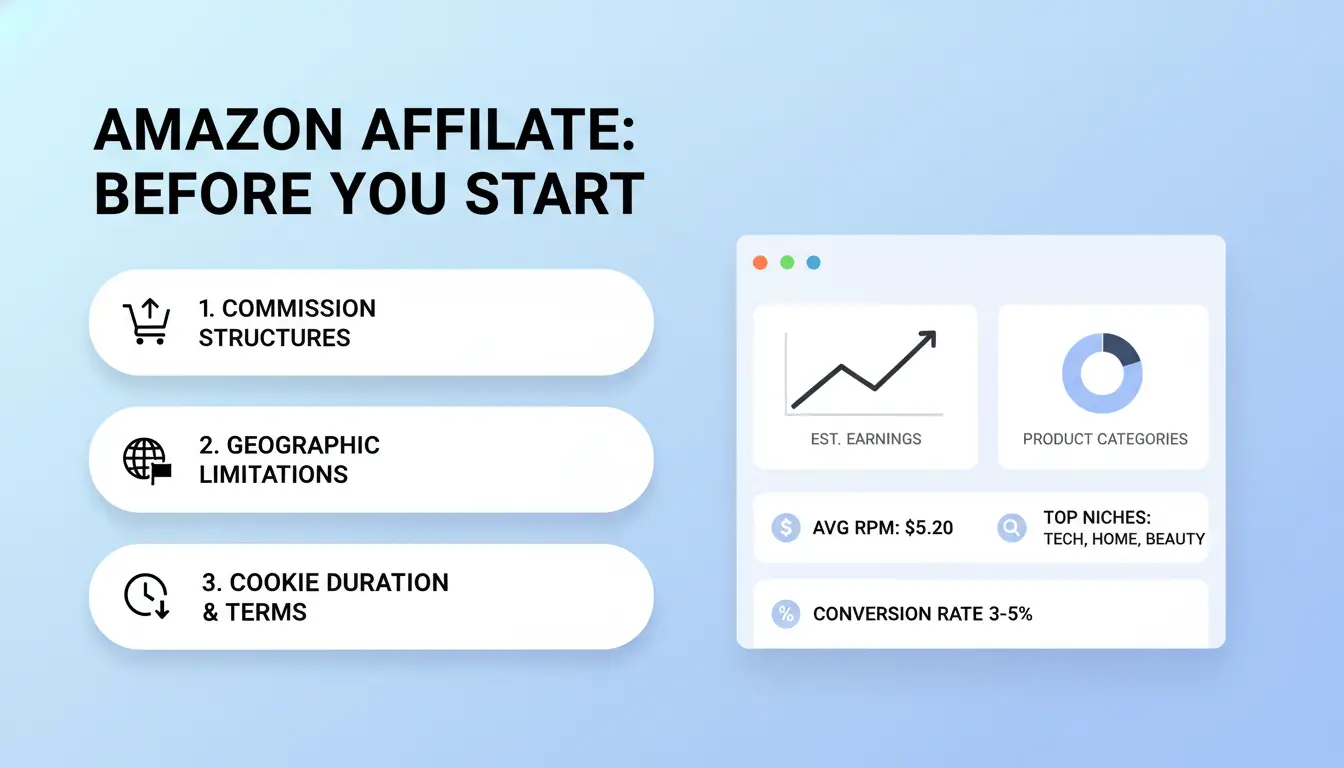
Jumping into the Amazon Associates program seems easy, but skipping the rules or missing small details can get your account rejected or banned. Before you search "how to become an amazon affiliate," it pays to know how the system works and what Amazon expects from you. A clear grasp of the basics will save you wasted effort, and knowing the main risks keeps your account safe from the start.
How the Amazon Associates Program Works
Amazon lets you earn a commission by sharing special affiliate links. When someone clicks your link and buys a product within 24 hours, you get paid a small percentage. Typical rates range from 1% to 10% depending on the category, see the current commission rates. Affiliate links can be used on blogs, YouTube, Facebook, Instagram, or even in some apps. But not every platform is allowed. For example, Amazon bans links in email newsletters and private groups.
Who Is Eligible to Join Amazon Associates?
You need a website, blog, app, or public social media page with real content and followers. Amazon checks that your site or page is active and has original posts, not just ads. You must be at least 18 years old and live in a country where Amazon supports payouts. If you apply with a new site and don’t get three qualifying sales within 180 days, your application will be rejected.
What Rules and Risks Should You Know First?
The biggest mistakes are not disclosing affiliate links or sending fake clicks. Amazon can terminate your account without warning. Always follow Amazon’s guidelines, put a clear disclosure on every page with affiliate links, and never use paid ads to send traffic through your links. Missing these basics is the top reason new affiliates lose their accounts.
What Are the Main Requirements to Become an Amazon Affiliate?
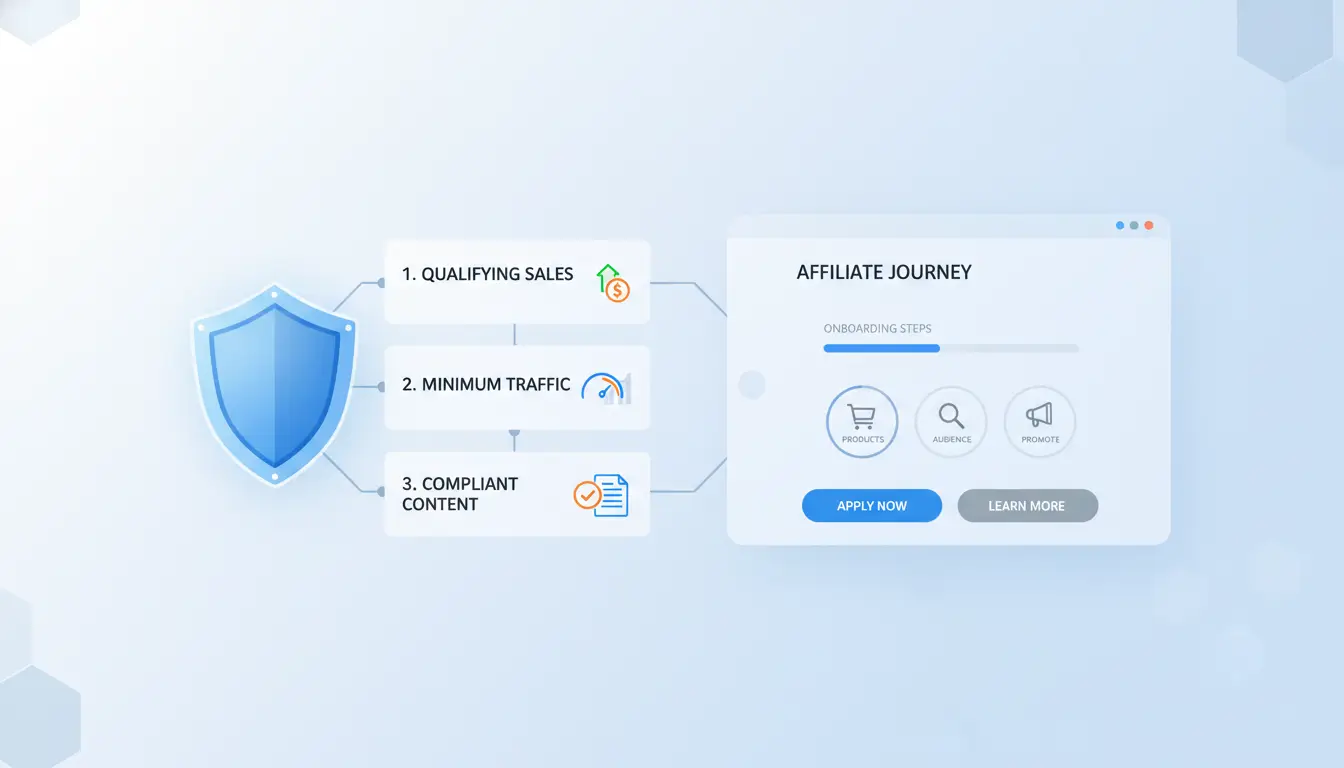
The process for how to become an amazon affiliate looks simple on paper, but the real challenge is getting approved and keeping your account active. Amazon wants to see that you’re serious, not just filling out a form and hoping for easy commissions. Here’s what you need to check before applying.
What Kind of Website or Platform Do You Need?
Amazon Associates reviews your website, blog, YouTube channel, or app for basic quality. You need enough content for a reviewer to see you’re providing real value. Thin sites with only a few posts, empty pages, or spammy layouts almost always get rejected. While there’s no official minimum traffic, most approved sites have steady visitors and at least 10-15 helpful articles or videos. If your platform looks unfinished or copied, you’ll likely get denied. This is why so many “how to join amazon associates” guides stress content first.
What Information and Documents Are Required?
You must provide real personal details, name, physical address, and valid email. Tax info is mandatory for U.S. applicants (like a Social Security Number or EIN), and payment details, such as bank account or PayPal, are needed for payouts. Mistyped emails, missing tax info, or vague website descriptions are among the most common reasons applications get delayed or rejected. Double-check your entries before you hit submit.
What Are the First Steps to Prepare Before Applying?
You need published content that helps readers. Product reviews, buying guides, or how-to articles work best. Add legal pages, privacy policy, terms of use, and affiliate disclosure, so your site meets Amazon Associates rules. This step is often skipped by beginners, but it’s essential if you want your amazon affiliate program guide to actually lead to approval.
Missing content or legal pages is the fastest way to get rejected.
How Do You Sign Up for the Amazon Associates Program?
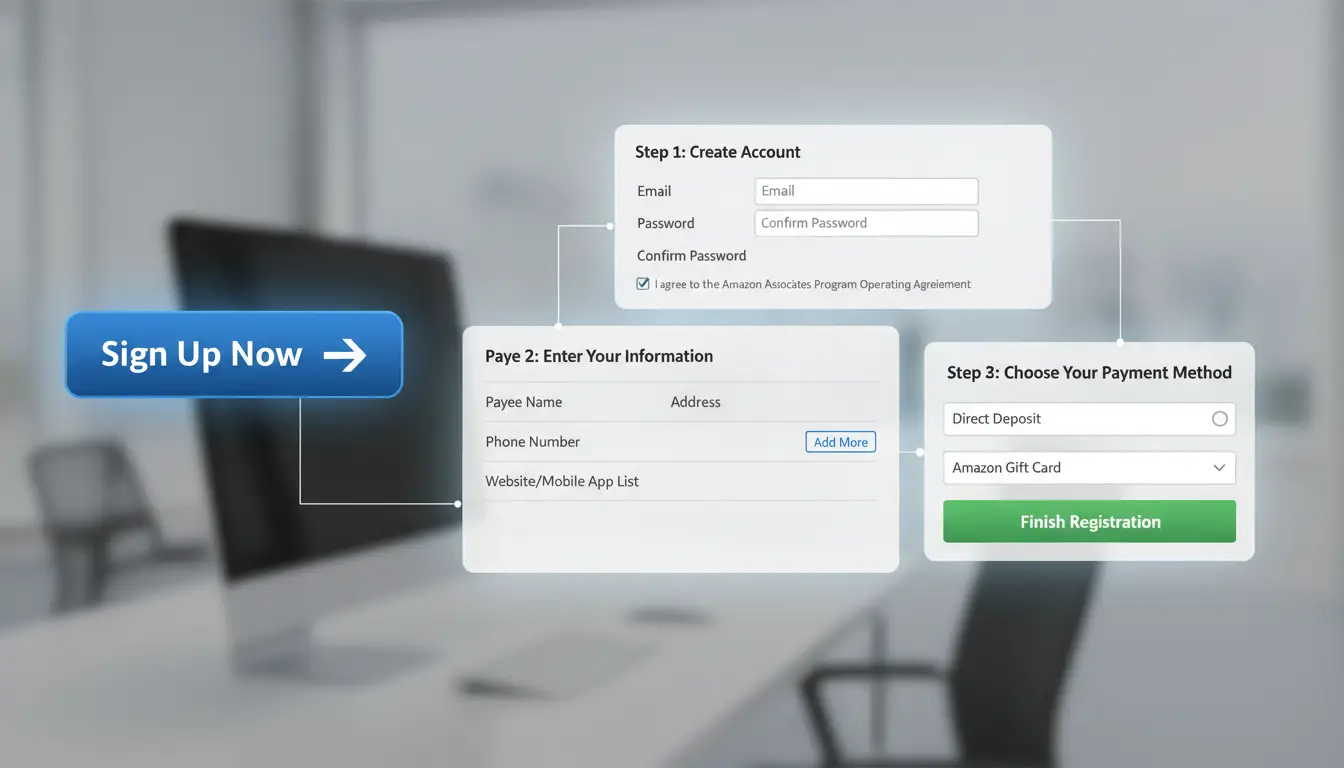
Signing up for Amazon Associates is the official way to become an Amazon affiliate and start earning with your website, blog, or social channel. The process is open to most people, but you need to follow every step to get approved and keep your account active. Here’s how to join Amazon Associates the right way.
Step 1: Go to Amazon Associates Central and Start Registration
Head to the Amazon Associates Central page. Pick the Amazon marketplace that matches your target audience, like amazon.com for the US, or amazon.co.uk for the UK. Click “Sign Up.” If you already have an Amazon customer account, you can use those login details. The sign-up screen walks you through the basics; just make sure to use your real contact info, as you’ll need to verify it later.
Step 2: Add Your Website, App, or Social Media Channel
Amazon asks where you’ll post affiliate links. You can add websites, YouTube channels, apps, or even TikTok profiles. If you run more than one platform, list all of them now. No website? You can start with a public social media account, but private accounts or blank profiles usually get rejected. Amazon needs to see real content before approval.
Step 3: Complete Profile, Payment, and Tax Information
Fill in your account profile with accurate details. For payments, Amazon can send earnings by direct deposit or gift cards, but adding bank info speeds up payouts. The tax interview checks your legal status, most beginners use their personal info. Double-check for typos, as mistakes can delay approval or block payments.
Step 4: Make Your First Three Qualifying Sales
Your account isn’t fully active until you make three sales through your affiliate links in the first 180 days. Only real purchases from visitors count, self-orders or returns don’t qualify. Post your links where people actually click, like in blog posts or YouTube video descriptions, to hit this target fast.
How Do You Create and Use Amazon Affiliate Links?
Getting your first Amazon affiliate link is simple, but using it the right way makes all the difference. If you want to know how to become an amazon affiliate and actually earn, you’ll need to master Amazon’s link tools, watch your tracking, and follow the rules on where to share.
How to Create Affiliate Links with SiteStripe
SiteStripe is Amazon’s official tool for making affiliate links. Once you’re logged in to your Amazon Associates dashboard, you’ll see SiteStripe at the top of every Amazon product page. Click “Text,” “Image,” or “Text+Image” to get a unique link for any product. You can use text links for blogs, image links for banners, or native shopping ads that blend into your site. For the best results, place links where real users will see them, like inside honest reviews or how-to posts, not just on sidebars or footers.
How to Track Clicks and Earnings
Amazon’s reporting dashboard shows you exactly how your links perform. You’ll see how many people clicked, which products they bought, and what your commissions add up to. Most new affiliates want to know why their clicks don’t always mean sales. That’s where conversion rates come in. If you get 100 clicks and only 2 sales, your conversion rate is 2%. Watching these numbers helps you spot what’s working. The amazon affiliate program guide explains how earnings are paid out and why some items pay higher commissions than others.
What Are the Dos and Don’ts for Sharing Affiliate Links?
Amazon is strict about where you share affiliate links. You can put them on public websites, blogs, and most social media pages, but not in private messages, emails, or PDF files. Never cloak or hide links. Always tell your readers you may earn a commission, this is required by Amazon’s rules and US law. Breaking these rules can get your account banned. If you’re serious about how to join amazon associates and stay active, stick to these basics.
How Can You Choose the Right Niche and Products to Promote?
Finding the right niche is what separates affiliates who earn a few dollars from those who actually get paid. If you’re searching for how to become an amazon affiliate, the real task is picking products that match your audience and pay well, otherwise, clicks don’t turn into income.
How to Research and Select a Profitable Niche
Start by checking demand: Are people searching for these products on Google or YouTube? Tools like Google Trends help spot rising topics. Next, look at competition. If every major blog covers the same niche, breaking in will be tough. Amazon’s commission rates vary by category, electronics pay much less than luxury beauty or home improvement. The most important step is matching what your audience cares about with categories that offer solid commissions. For example, a fitness blog should focus on sports gear, not random kitchen gadgets. If you’re following an amazon affiliate program guide, always balance volume with payout.
What Types of Products Convert Best?
High-ticket items (like treadmills or laptops) offer bigger payouts but fewer sales. High-volume products (such as phone cases or supplements) sell often but pay small commissions. Here’s a quick comparison:
| Product Type |
Typical Commission |
Sales Frequency |
Risk of Returns |
| High-ticket |
3-5% |
Low |
High |
| High-volume |
1-4% |
High |
Low |
| Seasonal/Trending |
Varies |
Peaks |
Medium |
(Source: Amazon Associates)
Seasonal items (like holiday gifts) and trending products (such as new tech releases) can spike earnings if timed right, but drops follow when demand fades.
How to Avoid Common Product Selection Mistakes
Don’t chase categories with low commissions, fashion pays less than home improvement. Products with high return rates (like electronics or unstable gadgets) eat into earnings. Avoid items that rarely convert, such as obscure books or niche collectibles. If you want to learn how to make money with amazon affiliate, stick to products your audience actually wants, and check the return policy before you promote.
What Are the Best Ways to Drive Traffic and Make Your First Sales?
Getting approved for the Amazon Associates program is just the start. If you want to make your first commissions, you need real people clicking your links and buying products. The fastest way to fail is to rely only on posting banners or sharing your link in random places. Here’s how to become an amazon affiliate who actually earns payouts, not just clicks.
How to Use SEO and Content Marketing for Affiliate Success
Most affiliates who get paid focus on creating content that answers real buyer questions. Product reviews, side-by-side comparisons, and “best of” guides work because they match what shoppers are searching for. For example, “best noise cancelling headphones under $100” is a search people use right before buying. You don’t need to be a pro writer, just give clear facts, honest pros and cons, and use your own experience when possible. To get your pages seen, add keywords naturally and use headings that match what users type on Google. For a detailed walk-through, check the official Amazon affiliate program guide.
How to use Social Media and Email Marketing
YouTube, Instagram, and Facebook are loaded with potential buyers. Short demo videos, product unboxings, or “how to choose” tips with your affiliate link in the description can send real traffic. Email works, too, build a simple list by offering a quick guide or helpful freebie. Send honest recommendations, not just sales pitches. The key is to build trust, not spam your followers.
How to Avoid Traffic Generation Mistakes That Get You Banned
Amazon has strict rules. You can’t buy ads on Amazon keywords, use spam, or post links on coupon sites. Sending fake clicks or copying reviews gets your account closed fast. Always check the Amazon Associates Program Policies before trying a new traffic source. If you break the rules, you lose all commissions, even after you make a sale.
How to Manage Multiple Amazon Affiliate Accounts Safely and Efficiently
What Are the Risks of Managing Multiple Accounts?
Running more than one Amazon affiliate account puts you at risk of getting banned. Amazon tracks logins by IP address, device fingerprint, and browser details. Even a shared Wi-Fi network or a reused browser profile can link your accounts. Small mistakes, like copying links between accounts or logging in from the same device, trigger Amazon Associates compliance checks. Losing access means you lose all unpaid commissions.
How Can DICloak Make Multi-Account Affiliate Marketing Safer?
You can use DICloak to keep every Amazon affiliate account separate. Each profile gets a unique browser fingerprint and its own proxy, so Amazon cannot link accounts by device or IP. For teams, DICloak lets you set permissions and share only the profiles people need. This cuts the risk of accidental bans when handling many accounts.
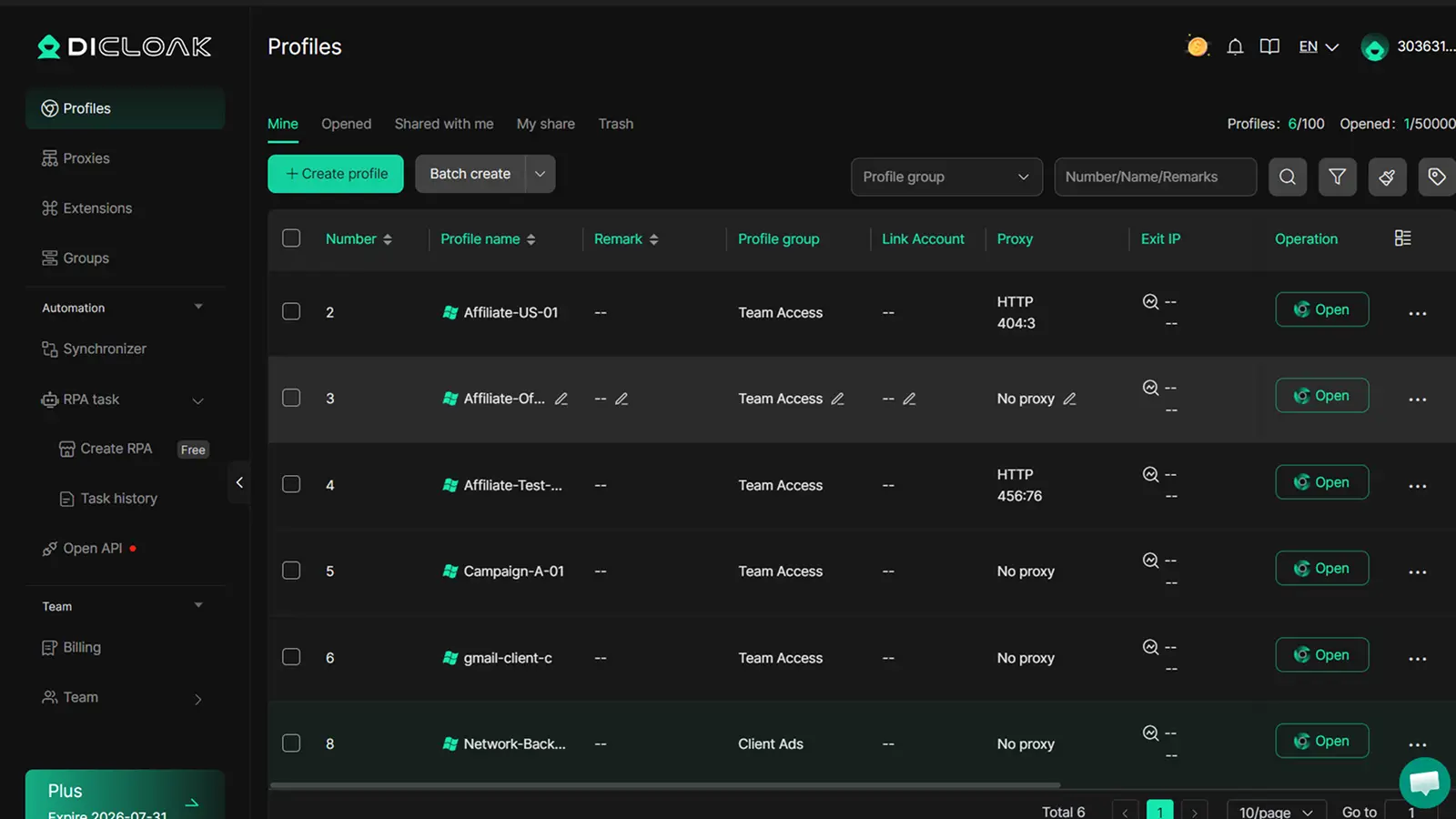
How to Automate and Scale Affiliate Operations with DICloak
Tools like DICloak let you automate repetitive affiliate tasks using RPA. You can set up bulk link checks, rotate traffic sources, and share campaign access with your team. If you want to know how to become an amazon affiliate and scale up, start with tools that keep accounts safe and make teamwork easy.
What Are the Most Common Mistakes New Amazon Affiliates Make (and How to Avoid Them)?
Most people searching for how to become an Amazon affiliate think signup is the hard part. In reality, most beginners lose commissions, or even get banned, because of simple, fixable mistakes. If you want real income from the Amazon Associates program, watch out for these traps.
Mistake 1: Not Reading or Following Amazon’s Rules
Amazon’s rules trip up new affiliates more than anything else. Missing the required affiliate disclosure on your site will get accounts closed. Linking to prohibited products, or using paid ads and email blasts in ways Amazon doesn’t allow, leads to instant rejection or later bans. Always check the official Operating Agreement before you post links. For real-world examples, see how top sites handle disclosures. One missed rule can wipe out all your earnings.
Mistake 2: Applying with an Incomplete or Low-Quality Website
Amazon reviews every site before approval. If your site has thin content, no value for readers, or lacks a privacy policy and contact page, you’ll get rejected. This is why most “how to join Amazon Associates” guides tell you to build at least 10-15 real posts first. Your site must look active and helpful. A blog with only a few pages, or one loaded with copied content, rarely passes.
Mistake 3: Ignoring Analytics and Not Optimizing
Plenty of new affiliates never track which links are clicked or which pages drive sales. Without this data, you won’t know what actually works. Use Amazon’s built-in reports and connect Google Analytics to see where traffic comes from and where users leave. Once you see which products or posts perform, you can double down on what converts. This is the real secret to how to make money with Amazon affiliate programs long term.
Frequently Asked Questions
Is it free to become an Amazon affiliate?
Yes, it is free to join the Amazon Associates program. You do not pay any signup fees. However, to get approved, you must have a platform, like a website, blog, YouTube channel, or app, where you will share your affiliate links. This is a basic step in any amazon affiliate program guide.
How long does it take to get approved for Amazon Associates?
After applying, Amazon reviews your website or platform within a few days. Once approved, you must make at least three qualifying sales within 180 days. If you want to know how to become an Amazon affiliate, remember that meeting this sales requirement is needed to keep your account active.
Can I use social media instead of a website for Amazon affiliate marketing?
Yes, you can promote Amazon affiliate links on social media, YouTube, or mobile apps. Your social media profiles or channels must be public and have real content. When learning how to make money with Amazon affiliate links, always include your social media or YouTube details in your application.
What happens if I don’t make three qualifying sales?
If you don’t make three sales in 180 days, Amazon will close your Associates account. This is part of their policy for new members. You can reapply later if your account is closed. This rule applies whether you’re learning how to join Amazon Associates for a website or social media.
Can I join Amazon Associates from any country?
Most countries can join, but some regions are restricted. Check Amazon’s list of accepted countries first. Choose the right Amazon marketplace (like .com, .co.uk, or .in) based on your location and audience. This is an important step in any amazon affiliate program guide.
Becoming an Amazon affiliate is a straightforward way to start earning passive income by promoting products you trust. By carefully selecting your niche, creating quality content, and following Amazon's guidelines, you can build a sustainable affiliate marketing business. Try DICloak For Free
 Web Proxy Tools
 Free Tools
 Cookie Plugin
 UA Generator
 MAC Address Generator
 IP Generator
 IP Address List
 2FA Code Generator
 World Clock
 Anonymous Check
 WebRTC Leak Test
 UUID Generator
 Free Web Proxy Site
 Proxy Checker
 FB Ad Checker
 AI Web Scraping
 Free SMM Tools
 Twitter Shadowban Checker
 Instagram Name Checker
 UTM Generator
 Username Generator
 AI Hashtag Generator
 LinkedIn Headline Generator
 Social Media Image Resizer