No one expects to open Discord and find a screen that says "access blocked" or get stuck in the "Discord unavailable" status without explanation. For those who work, study, or keep in touch with groups there, the impact is immediate: conversations freeze, meetings don't happen, and you can't participate in important events. The worst part is that the block can appear from one day to the next, even without you having changed anything.
Many believe that restarting the computer or reinstalling the app is enough to fix the problem, but when the reason is a network restriction, a listed IP, or the platform's own policy, this type of solution is useless. In cases where Discord is blocked by school, business, or carrier restrictions, the situation is even more complicated, as the cause is not on your device.
The real difference is in understanding why Discord won't open: it could be an account ban, a regional access restriction, a proxy block, or even a local firewall. The problem is that each scenario requires some type of response; forcing wrong attempts only increases the risk of permanent blocking or even affecting other accounts you use on the same device. Knowing how to identify the type of block and the consequences before testing a method makes all the difference in not losing access permanently.
Here's how to recognize each restricted situation on Discord and what really works to get out of the block.
Why is Discord blocked? Top Causes in 2026
Anyone who is trying to understand why Discord won't open or seems blocked today is usually faced with a problem that goes far beyond a simple connection error. The blocking can come from court decisions, actions by providers, or even from the platform itself. And each cause brings with it very different risks and consequences for the user.
Blocking by court order or regulatory body
In 2026, cases such as the temporary blocking of Discord in Brazil show how court decisions or regulatory bodies can restrict access to millions of users simultaneously. These actions usually start with requests for investigation, protection of minors, or compliance with local laws, and usually affect the entire service in the country, not just specific accounts.
When such a measure comes into effect, the user loses full access to the platform, whether at home or at work. The blocking is applied at the infrastructure level, so even changing devices or trying to access it by other means does not solve the problem. The effect is immediate and affects all profiles, including those that have never broken any rules.
Blocking by Internet operators and corporate networks
Blocking carried out by operators or companies is more difficult to recognize, as it can be local (only at school, work, or in a specific area) or national (affecting the entire country). Typically, providers use DNS filters or firewalls to block access to Discord, preventing any connection from reaching the platform's main server. The problem is that, in many cases, the user only notices the blocking when they see error messages, slowness, or simply cannot load a channel or server.
A practical example: if Discord is limited only to the school network, you can access it normally at home, but you will have a connection error in the educational environment. When the blocking is national, even changing networks or devices is not useful, access is not available to everyone. In the corporate context, companies can block Discord for productivity or security reasons, applying restrictions only on the company's computers. Here, trying to bypass the blocking can generate a warning or even a suspension of Internet access.
The main risk in these blocks is trying to force access without knowing the origin of the restriction. If the filter is aggressive, the system can register abnormal attempts and end up blocking other applications or even the user account. Therefore, it is essential to identify whether the blocking is coming from the provider or the local network before "testing" alternatives; skipping this step usually complicates access even more, especially when there is a log of suspicious attempts.
Discord's internal policies and account restrictions
- Direct ban for violating community guidelines (abusive posts, spam, etc.)
- Suspension of specific features, such as live streams or access to certain servers
- Temporary throttling for activity deemed suspicious, such as logging into unusual devices
In all of these cases, the block only affects the affected profile, without affecting users on other devices or networks. This makes it easier to diagnose, as the error message usually indicates the reason for the restriction.
If Discord doesn't open and the cause seems local or account-specific, the next step is to check if the problem is in your area or only in your area.
How to tell if Discord is blocked for you or in your region
Determining whether access to Discord is blocked depends on the exact identification of the layer that is preventing the connection. If you try to open the website or app and nothing loads, or if you get a specific error, the problem may be with the country, region, local network, or just your account. Each scenario requires a direct diagnosis, skipping this step only increases the risk of losing access permanently.
Regional or national blocking signals
When Discord is blocked in a country or region, the symptoms change. The most common error is "Connection denied" or "Service unavailable", which just appears when trying to join, neither the connection opens nor the app connects. In these situations, you usually see official reports or announcements about the blocking. If several news sites talk about Discord restricted to the entire country, there is no point in switching devices. Blocking affects any local connection, regardless of the browser or system used. Access can be interrupted at any time, without notice, especially after court decisions or orders from regulatory authorities.
How to differentiate between LAN lock (business, school, Wi-Fi)
Local network blocking doesn't usually show up in the news, but it's easy to test. To find out if Discord isn't only opening on your network:
- Open Discord on another Wi-Fi or through your mobile network.
- Try accessing them through the browser and the official app, to see if any of them connect.
- If the error only appears on the school or company network, the local firewall blocks the service.
These tests help separate the network restriction from those that affect entire regions. If Discord is running outside of the environment, it's not a national lockdown, it's a local environment.
How to tell if your account has been blocked or banned
Account banning acts differently: Discord opens normally, but the functions are limited. You can even see channels, but you can't send messages, access private groups, or change settings.
- See if you see a direct ban warning when you try to sign in ("Suspended Account" or "Restricted Access").
- Try connecting to different servers; if everyone refuses, the block is on the account.
- If only certain functions are restricted, it is usually a partial block for rule violation.
The account error usually doesn't affect other users in the same place, and doesn't appear in the news. By doing these checks, it's easier to decide on the next step without risking new restrictions.
The difference between a region, network, or account lock defines what really works to regain access; knowing this before testing any solution avoids wasting time and, in many cases, protects your other accounts from restriction.
What to Do When Discord Is Blocked: Practical Steps
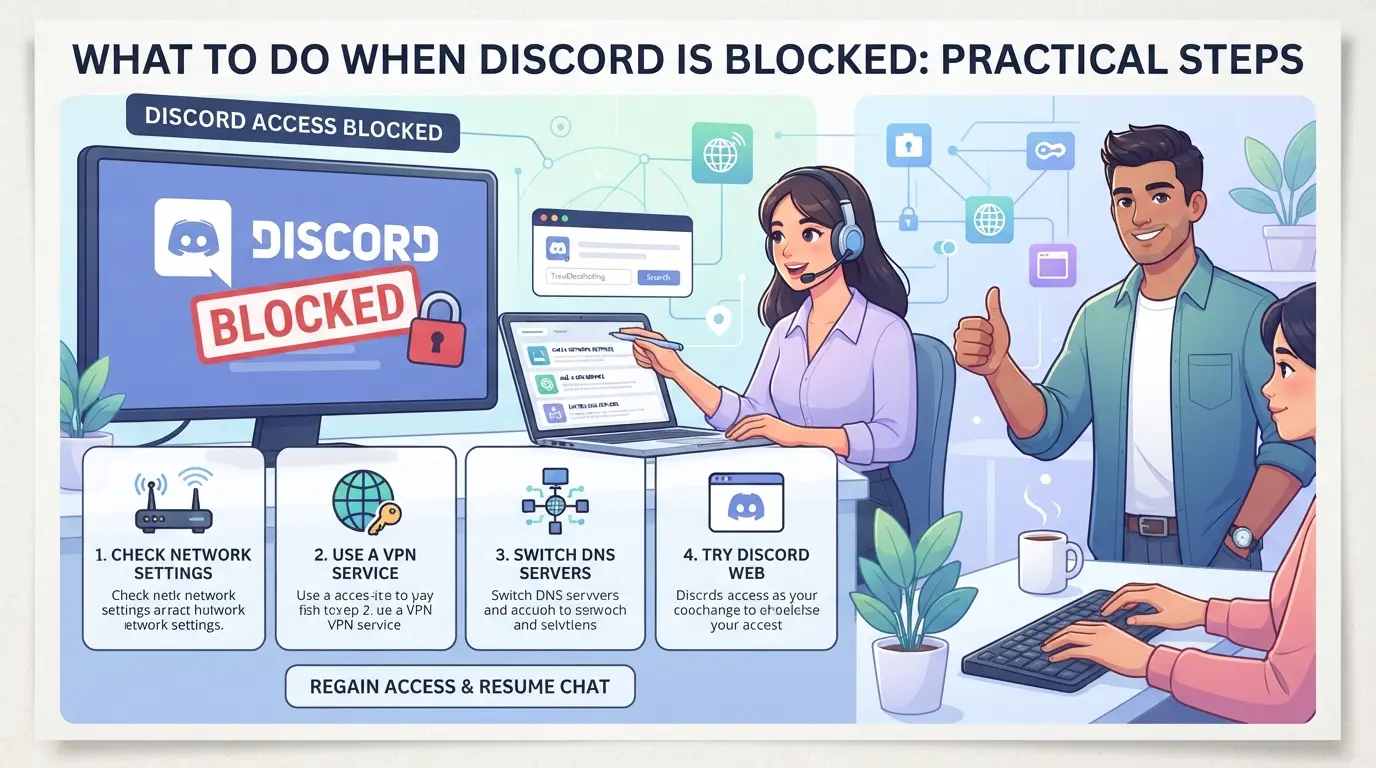
When Discord won't open or shows an access error, the worst thing is to try different methods without understanding the real reason for the blocking. The right step-by-step saves time and reduces the risk of permanent access loss or data compromise. Here's what really works to bypass or resolve Discord blocking situations in 2026.
Check the official Discord status and communication channels
- Check the status.discord.com to see if there is a recognized problem with the servers. If the dashboard shows any failures or maintenance, there is no point in trying other solutions, just wait.
- Follow the official Discord Twitter and similar @discord channels for quick updates. Many outages are reported there before appearing on other channels.
- Join forums or groups on Reddit and Telegram that focus on Discord. Users often report regional blocks or bugs before any business position.
- If everything indicates that the service is normal, the block is probably local, account, or network.
Access to tests across devices and networks
- Try accessing Discord through your mobile phone's browser in 4G/5G. If it works, the problem is with Wi-Fi or the landline.
- Change your device: If the PC won't open but the mobile phone does, it could be a firewall, a local block, or even malware on the computer.
- Use public networks (cafes, coworkings) to test. If it only goes down at your home or in your company, the blockage comes from the network, insisting on the device does not solve the problem.
- If it doesn't work anywhere, there are probably account restrictions or a general regional block.
| Testing |
Result |
What this indicates |
| 4G/5G Cellular |
Normal access |
Blocking landlines |
| PC and mobile (same network) |
Both blocked |
Local network restriction |
| All devices and networks |
Discord won't open |
Account/Region Lockout |
Use proxies to bypass network locks (when allowed)
- Research reliable proxies and check if they are allowed to be used in your country or by your institution. Using a proxy without verifying it can lead to legal or privacy issues.
- Set up the proxy in the browser or app, some proxies require authentication, others only work for the web.
- Test access to Discord after enabling proxy. If you open normally, the block is really coming from the local network.
- When you notice unusual slowdowns or authentication errors, disable the proxy and try another route; free proxies are often unstable and even expose data.
Contact Discord support or network administrators
- Check official Discord support if you suspect a ban, block for reporting, or undue restriction. Use the appeal form and detail the error, attaching screenshots as much as possible.
- If the block is in a school, business, or public network, talk to the IT administrator. Ask for confirmation about the restrictions and, if applicable, request a temporary release.
- Only use new methods if support doesn't respond within 72 hours, automatic replies don't resolve complex account holds.
- Keep the protocols and contact the emails for future reference. If the problem comes back, you already have a history to speed up the analysis.
These measures help to avoid unnecessary risks and set the stage for calmly assessing precautions and limitations before trying alternative modes of access.
Risks and cautions when accessing a blocked Discord
Trying to bypass a blocked Discord is not limited to being able to open the platform, it involves a real risk to your data and even to your account. The biggest mistake is to test random methods without knowing where the block is coming from or if the alternative is safe.
Risks of legal and policy violations
Accessing Discord through unauthorized paths can violate school, company, or Discord rules. On a personal account, this can result in a permanent block. In a corporate environment, in addition to an internal sanction, there is a risk of sensitive data being exposed. The only way to reduce this risk is to use only methods that are approved by the organization or the rules of the service.
Security risks: phishing, malware, and dangerous proxies
Getting scammed is easy when you're in a hurry to free Discord. A strange proxy can steal the connection, install malware, or capture private conversations.
- What can go wrong: password leaked, malware installed, company data exposed in a matter of seconds.
- Safer circulation: Check if the proxy or extension is recommended by an official source or major tech portals. Always be wary of links in open forums or "miracle" apps.
Avoiding dangerous shortcuts not only protects Discord, but everything you access on the device. Whoever takes care of this part already has a head start in managing multiple accounts and staying in control after blocking.
How to Manage Multiple Discord Accounts with Isolated Profiles and Proxies in DICloak
Anyone who has ever seen Discord blocked on a corporate network or had to switch between accounts knows that managing everything in the same browser becomes a real problem, especially for social media teams. The risk of account detection and association increases when multiple accesses use the same environment. For those who need to maintain parallel operations without mixing sessions, creating isolated profiles with their own fingerprint and proxy in DICloak is the most straightforward solution.
Creating isolated profiles and configuring fingerprints in DICloak
The operator can create a separate profile for each Discord account, adjusting signals such as OS, User Agent, language, and screen resolution in DICloak. This allows each environment to look like a separate device, reducing the risk of cross-account associations when accessing the platform. Adjusting the fingerprint does not guarantee anonymity, but separates sessions at the browser level, which already solves the main problem of cross-account tracking. Performance is limited to the browser profile; DICloak does not interfere with the Discord account itself.

Create your own proxies for each Discord profile
To simulate access from different locations or bypass network restrictions, the user can configure an HTTP or SOCKS5 proxy in each DICloak profile. Simply enter the proxy data, test the connection, and use the profile normally. The proxy is the responsibility of the operator, who can choose the location and type according to the needs of each account. DICloak applies the configuration only to the profile; it does not provide proxies or guarantee access in case of a national block.

With separate accounts and proxies in place, teams can move on to evaluating alternative options if Discord remains unavailable.
Discord Alternatives: What to Use When Discord Is Blocked
When Discord doesn't open due to regional blocks, firewalls, or carrier restrictions, it's better to already have an alternative ready so you don't cut off communication. There's no point in looking for ways to bypass every block, in those times, switching platforms is usually less risky and faster to keep the team up and running.
Comparison of Popular Discord Alternatives
The choice depends on the type of group and the roles you need. Here are the most common options used when Discord is restricted:
| Dock |
Key Benefits |
Most common limitations |
| Slack |
Easy-to-integrate apps, private channels |
Free message limit, doesn't focus on voice |
| Microsoft Teams |
Video conferencing, Office integration |
Heavy interface, requires a Microsoft account |
| Telegram |
Large groups, bots, quick access |
Lack of channel organization, less permission control |
| Matrix |
Open Source, Privacy, Federated |
Less user-friendly interface, few integrations |
| WhatsApp |
Quick groups, easy mobile access |
Limit of members, no thematic channels |
Each platform only solves a portion of what Discord does. For gaming teams, Slack or Telegram are quick choices, but those who need separate channels and granular control may prefer Matrix or Teams.
The most practical point: Switching to another platform is safer than insisting on risky methods to access a blocked Discord. The risk of losing accounts or exposing data increases if you force access through unofficial means.
In the next step, it's helpful to understand how to protect your new accounts and avoid future blocks, especially if you've already experienced issues with access restrictions.
How to avoid new blocks and protect Discord accounts
Security Best Practices for Discord Accounts
Change passwords regularly, always mixing letters, numbers, and symbols. Turn on two-factor authentication, this blocks unauthorized access even if someone discovers your password. Never share your credentials via message or email, not even with people you know. If you receive a suspicious login alert, change the password and review all logged in sessions. The biggest mistake is repeating passwords from other services: if a website leaks, Discord becomes vulnerable in the same minute.
Tips for teams and social media
Those who manage accounts for more than one person should separate access and divide permissions carefully. Centralize logins and monitor for strange activity to act quickly if you notice anything unusual.
- Create a unique email for each important account
- Never share the 2FA authentication code
- Review permissions and remove access to former employees
Frequently Asked Questions About Discord Blocked
Is Discord blocked in Brazil in 2026?
As of June 2024, there is no nationwide blocking of Discord in Brazil. Official sources such as Anatel and Discord itself have not announced any restrictions. Access issues usually result from blocks in local networks, schools, or businesses, motivated by usage control or digital security, not by government decision.
How can I access Discord if it's blocked on my network?
You can try to access them through a proxy or proxy, which hides your address and allows you to connect to Discord. However, it is important to check if this practice is allowed by your network's policy, in order to avoid penalties. Always choose trusted services and never provide personal information about unknown proxies.
What are the risks of using proxies to access a blocked Discord?
Using proxies can expose your data to third parties, especially if the service is not secure. You could face a loss of privacy, malware attacks, or even breaking school or company rules. Additionally, improper use can result in suspension of access or banning of your account.
Has my account been banned or is this a general block on Discord?
If only your account doesn't access Discord, but others can, it's likely an individual ban. Bans occur for violating the platform's rules. Regional or network blocking, on the other hand, affects all users in the location. Check if other users on the same network are experiencing the same issue.
What Discord Alternatives Are Recommended for Teams?
Platforms like Slack, Microsoft Teams, and Telegram are widely used by teams. Slack stands out for its integration with business apps, Teams offers video conferencing and document collaboration, while Telegram is lightweight and easy for large groups. Choose based on the team's needs and desired features.
Given the restrictions, it's up to you to evaluate which solution best suits your needs to securely access your favorite conversations and communities. Specialized tools can simplify this process and ensure your privacy while browsing. Try DICloak for free
 Web Proxy Tools
 Free Tools
 Cookie Plugin
 UA Generator
 MAC Address Generator
 IP Generator
 IP Address List
 2FA Code Generator
 World Clock
 Anonymous Check
 WebRTC Leak Test
 UUID Generator
 Free Web Proxy Site
 Proxy Checker
 FB Ad Checker
 AI Web Scraping
 Free SMM Tools
 Twitter Shadowban Checker
 Instagram Name Checker
 UTM Generator
 Username Generator
 AI Hashtag Generator
 LinkedIn Headline Generator
 Social Media Image Resizer