ChatGPT has become a go-to AI tool for writing, learning, and problem-solving. But what happens when you can’t access it? Whether it's due to network restrictions, technical issues, or geographical blocks, many users find themselves asking how to unblock ChatGPT. Don’t worry—there are several ways to regain access and even alternatives that can help you stay productive. In this guide, we’ll explore common reasons why ChatGPT might be blocked, practical steps to unblock it, and excellent alternatives to keep you going. Let’s dive in!
Understanding the Reasons for Blocking ChatGPT
Some people want how to unblock ChatGPT or find ChatGPT unblocked online, but first we need to understand why it gets blocked. There are many reasons, and understanding them helps you find safe ways to access ChatGPT.
Institutional Restrictions
Many schools and workplaces block access to ChatGPT on their networks. Schools, like New York City Public Schools, have blocked it due to concerns about cheating and over-reliance on technology for writing and learning. At work, companies may block ChatGPT to protect private data or keep employees focused on their tasks. These rules make it hard to get ChatGPT unblocked without permission.
Geographical Restrictions
In some countries, governments block access to ChatGPT due to legal, cultural, or security concerns. This means that users in these regions can’t access ChatGPT unless they use specific tools to bypass these restrictions. However, unblocking ChatGPT in these countries may not be legal, so it's important to check local laws first.
Technical Issues
ChatGPT might not be blocked but could fail to load due to technical problems. Firewalls, security filters, or poor network settings can prevent your device from connecting to ChatGPT. If you can’t access it, check your device's firewall settings or consult with your network administrator to ensure it's not being blocked mistakenly.
Multiple Login Attempts
If you enter the wrong password too many times, ChatGPT may temporarily block access for security reasons. This is to protect your account from hacking attempts. Simply wait a while and try logging in again.
Wrong Use of ChatGPT
OpenAI can block accounts that violate its terms of service, such as using ChatGPT for harmful activities, spamming, or spreading misinformation. Always use ChatGPT according to its guidelines to avoid having your access blocked.
If you experience a block, first try to identify the reason. Knowing why your access to ChatGPT is limited will help you figure out safe ways to get ChatGPT unblocked and working again.
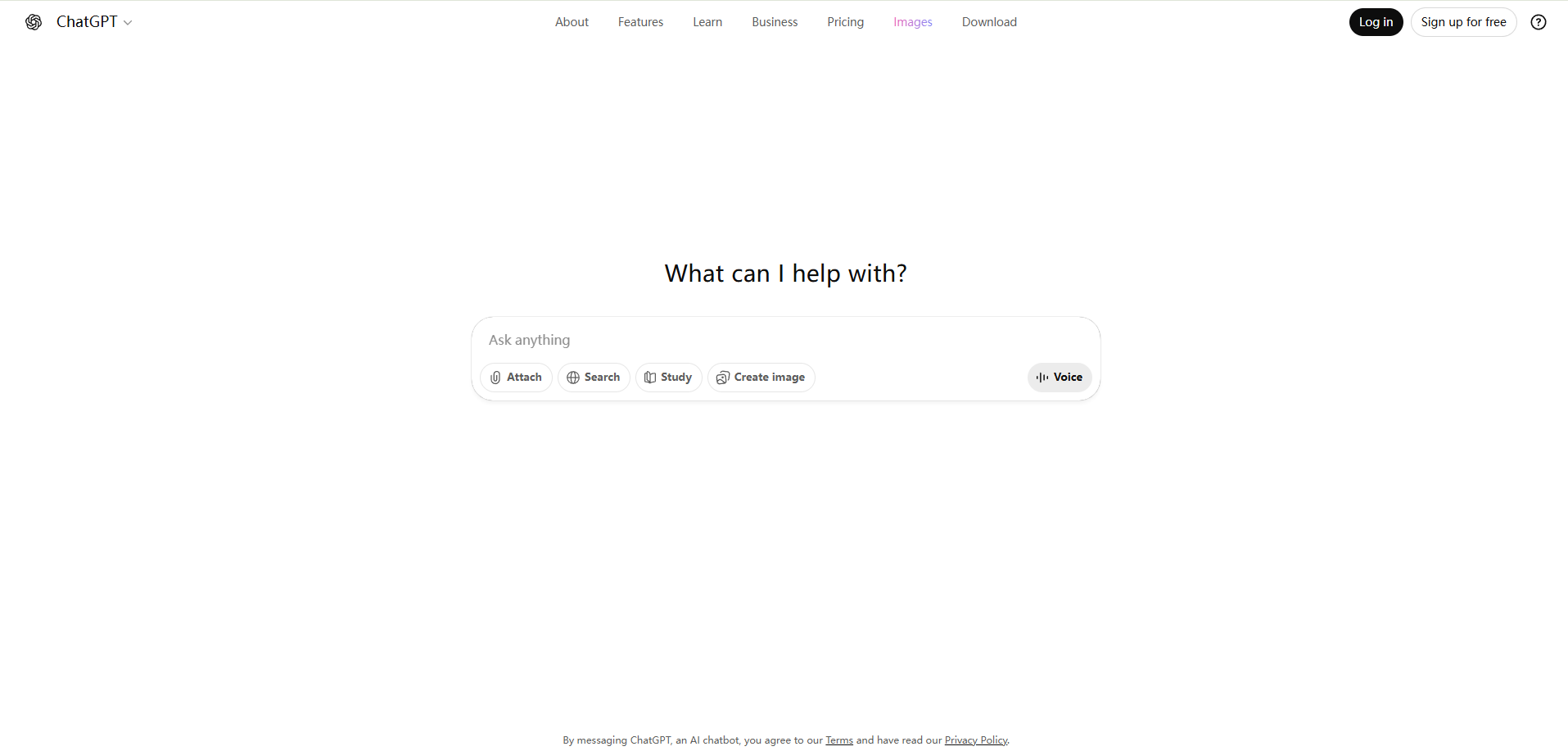
How to Unblock ChatGPT
Now that you understand why ChatGPT might be blocked, let’s explore how to unblock ChatGPT safely. Below are four methods that people commonly use to get ChatGPT unblocked when access is restricted. Each method comes with clear steps and real-life examples to guide you.
Setting Up Proxy Servers
A proxy server acts as an intermediary between your device and the internet. It allows your request to go through another server, so the network cannot see the exact site you are trying to visit. This method is effective for unblocking ChatGPT when it's restricted by schools or workplaces.
Steps to Use a Proxy:
- Choose a trusted proxy service online (paid ones are typically faster and safer).
- Add the proxy IP address and port number to your browser settings.
- Save the settings and visit ChatGPT.
- If ChatGPT loads, your proxy successfully bypassed the block.
For example, many users opt for browser extensions that function as proxies. These extensions can unblock ChatGPT without needing to install heavy software.
Note: While free proxies are convenient, they can be slow or risky. It’s important to select reputable services to ensure your privacy.
Changing DNS Settings
When a network blocks websites, it often uses DNS filtering to prevent access. DNS (Domain Name System) is like a phonebook for the internet, translating website names into addresses. By changing your DNS settings, you can bypass some types of blocks and get ChatGPT unblocked.
Steps to Change DNS Settings:
- Open your device’s network settings.
- Choose DNS settings and input a public DNS like Google DNS (8.8.8.8) or Cloudflare DNS (1.1.1.1).
- Save the settings and reconnect to the internet.
- Try accessing ChatGPT again.
For example, many people switch to Cloudflare DNS because it’s fast and free. After changing DNS settings, they can access ChatGPT when their network’s default DNS was blocking it.
Tip: If the block is at a deeper level, like an IP-level firewall, this method may not work.
Switching to Mobile Data or Hotspots
If your Wi-Fi network blocks ChatGPT, you can switch to mobile data or use your phone as a hotspot to bypass restrictions. Mobile data typically does not have the same blocks, so you can access ChatGPT directly.
How to Use Mobile Data:
- Turn off your Wi-Fi on your laptop.
- Activate the hotspot feature on your phone.
- Connect your laptop to the mobile hotspot.
- Open ChatGPT in your browser.
Many students use this method when school Wi-Fi blocks ChatGPT. It’s a simple, quick fix that doesn’t require any special setup.
Benefit: This method works on most mobile phones and doesn’t involve technical configuration.
Accessing via the Tor Network
The Tor Network is another powerful tool for getting ChatGPT unblocked, especially in regions with strict censorship. Tor encrypts your internet traffic and routes it through multiple layers of servers, ensuring your connection remains private and anonymous.
Steps to Use Tor:
- Download the Tor Browser from the official Tor Project website.
- Install and open the browser.
- Enter ChatGPT’s URL and press Enter to access it.
Tor is very effective in hiding your internet traffic, but it can be slower than other methods. Many users rely on Tor when proxies or DNS changes don’t work. In countries where internet access is heavily restricted, users turn to Tor to access ChatGPT when other methods fail.
Each of these methods provides a way to get ChatGPT unblocked. Depending on your situation, you can choose the most suitable method. Be sure to respect your network’s rules and local laws when attempting to unblock access.
Legal and Ethical Considerations to Unblock ChatGPT
When considering how to unblock ChatGPT, it’s important to think about the legal and ethical implications. While accessing powerful AI tools like ChatGPT without restrictions might seem appealing, it could violate your institution’s policies or local laws.
In some regions, bypassing internet restrictions can lead to serious consequences, such as fines or legal actions. Therefore, it's crucial to understand the laws in your area regarding unblocking ChatGPT and the potential risks involved.
Even if ChatGPT is legal in your location, there are still ethical concerns. Always follow OpenAI’s terms of service and avoid using ChatGPT for harmful purposes. Do not share personal or sensitive information, and use ChatGPT for constructive, ethical purposes only. For example, unblocking ChatGPT at school to bypass restrictions may result in disciplinary actions, like detention. Weighing the benefits of unblocking ChatGPT against the possible consequences is important before proceeding.
Troubleshooting Access Issues When You Find How to Unblock ChatGPT
Once you know how to unblock ChatGPT, you may still face technical issues that prevent it from loading. Even if ChatGPT is unblocked, errors or network problems might occur. This section will guide you through common issues and offer solutions to help you get ChatGPT working smoothly.
Common Errors and Solutions
When you try to access ChatGPT after learning how to unblock ChatGPT, you may encounter errors like "site can’t be reached," or "something went wrong." These are common issues faced by users who have unblocked ChatGPT but can't access it due to technical difficulties.
One frequent issue is a full browser cache or corrupted cookies. These can prevent ChatGPT from loading properly. To fix this, go to your browser settings and clear the cache and cookies. Once done, refresh the page, and this should resolve the loading error.
Another possible cause is browser extensions, such as ad blockers or privacy add-ons, which can interfere with ChatGPT’s functionality. If you're facing access issues, try disabling extensions or use an incognito/private window to load ChatGPT.
If the issue persists, try switching to a different browser. Modern browsers like Chrome, Firefox, or Edge generally work better with ChatGPT than older browsers.
Debugging Network Problems
Network issues can also block access to ChatGPT, even after you've figured out how to unblock ChatGPT. Begin by checking your internet connection. A slow or unstable connection can interfere with ChatGPT loading. Try restarting your Wi-Fi router or switching to a different network to see if the issue resolves.
If you're still facing connection issues, it might be due to firewall or security settings on your device or network. Firewalls can block websites like ChatGPT. To troubleshoot, temporarily disable your firewall or security software and check if ChatGPT loads. If it works, adjust the firewall settings to allow ChatGPT.
Another solution is to flush or reset your DNS cache. The DNS cache stores address information for websites, and if it's outdated, it can prevent websites like ChatGPT from loading. Clearing the DNS cache can fix this problem.
Sometimes, the issue is beyond your control. ChatGPT may experience temporary outages or maintenance that affect its availability. If none of the above steps work, check official service status pages or outage trackers to see if others are facing similar issues.
By following these troubleshooting steps, you can resolve many access problems when trying to figure out how to unblock ChatGPT. Whether it's clearing cache, adjusting network settings, or switching browsers, these solutions can help you get back to using ChatGPT without interruptions.
Alternatives to ChatGPT When You Can’t Find How to Unblock ChatGPT
If you're unable to access ChatGPT due to restrictions or technical issues, there are several AI-powered platforms that offer similar features and can help you continue working. These alternatives provide powerful tools for content creation, information gathering, and more.
Gemini is an AI chatbot developed by Google. It excels at providing real-time information by connecting with Google Search. This allows it to give up-to-date answers and deliver current data. Bard is particularly good at answering factual questions and offering fresh insights on a wide range of topics. For example, if you're unable to use ChatGPT, Bard can be an excellent choice to get current news or research details.
ChatSonic
ChatSonic is another strong alternative to ChatGPT, especially for content creation. It pulls real-time data to generate accurate responses, just like ChatGPT. In addition to regular text-based responses, ChatSonic offers features such as voice commands and image generation. This makes it a highly interactive platform, ideal for users who need creative solutions. If ChatGPT is unblocked, but you're still looking for a more dynamic experience, ChatSonic could be a great tool to try.
Microsoft Copilot
Microsoft Copilot is built into Microsoft’s suite of tools, including Word, Excel, and Outlook. It enhances productivity by assisting with tasks like drafting documents, analyzing data, and managing emails. Copilot helps users stay productive by offering AI-driven support directly within tools they are already familiar with. If ChatGPT is blocked at work or school, Microsoft Copilot can provide valuable assistance in familiar software environments.
Perplexity AI
Perplexity AI combines the capabilities of a search engine with an AI chatbot, providing concise and accurate answers to user queries. It’s particularly useful for research and information gathering, offering well-sourced, easy-to-read responses. If you need to gather information for a project but cannot access ChatGPT unblocked, Perplexity AI can quickly assist with finding the answers you need.
These alternatives can help you maintain productivity and access AI-driven support when ChatGPT is unavailable. Each platform offers unique features, from real-time data access to productivity-enhancing tools, ensuring you have a suitable option for your needs.
Why choose DICloak Antidetect Browsers for your business?
⚡The DICloak Antidetect Browser has become a global favorite for its unparalleled ability to efficiently and securely manage multiple accounts. Designed for professionals in social media management, affiliate marketing, traffic arbitrage, e-commerce, account farming, airdrops, and more, DICloak offers powerful features like RPA automation, bulk operations, and a synchronizer. Additionally, it allows you to customize fingerprints and integrate proxies for each profile, ensuring top-level security and operational efficiency. It’s the ultimate tool for seamless, secure, and scalable operations.

What Makes DICloak Stand Out?
✅ Manage 1,000+ Accounts on One Device:
Stop wasting money on extra hardware! DICloak allows you to manage multiple accounts on a single device, cutting costs and boosting efficiency.
✅ Guaranteed Account Safety, No Ban Risks:
Every account gets its own isolated browser profile with custom fingerprints and IPs, drastically reducing the risk of bans. Your accounts, your control!
✅ Flexible Proxy Configuration for Maximum Performance:
Seamlessly integrate with all major proxy protocols (HTTP/HTTPS, SOCKS5) and manage your proxy pool with bulk operations. No more struggling with IP management—DICloak has you covered.
✅ Streamlined Team Collaboration for Better Results:
Easily manage your team with advanced tools like profile sharing, permission settings, data isolation, and operation logs. Your team works smarter, not harder.
✅ Automate the Grind with RPA:
DICloak's built-in RPA saves you hours of manual work. Automate repetitive tasks, streamline workflows, and focus on what really matters—growing your business.
✅ Powerful Bulk Tools to Scale Your Operations:
Create, import, and launch multiple browser profiles in one click. DICloak makes scaling your business as easy as it gets.
✅ Compatible with All Major Operating Systems:
Based on the Chrome core, DICloak supports simulating Windows, Mac, iOS, Android, and Linux operating systems. No matter what platform you need, DICloak has you covered.
🔗 Ready to Get Started?
Visit the DICloak website to explore more details and choose the plan that’s right for you. Start for free today and experience the power of secure, efficient, and scalable multi-account management!
Conclusion
If you're trying to figure out how to unblock ChatGPT, it may be blocked due to institutional restrictions, geographical limits, or technical issues. Schools, workplaces, and some countries often block access, while network problems like slow connections or firewalls can also interfere.
To unblock ChatGPT, you can try using a proxy server, changing your DNS settings, or switching to mobile data. For regions with heavy censorship, the Tor network can be a helpful solution.
If you're unable to unblock ChatGPT, alternatives like Gemini, ChatSonic, Microsoft Copilot, and Perplexity AI can help. These tools provide similar AI-driven support, offering real-time data, content creation, and productivity assistance. These alternatives ensure you can keep working with AI tools even when ChatGPT is unavailable.
FAQ
Why is ChatGPT blocked and how can I unblock it?
ChatGPT can be blocked due to institutional restrictions, geographical limits, or technical issues like network settings or firewalls. To unblock ChatGPT, you can try using proxy servers, changing DNS settings, or switching to mobile data.
What are the best methods for unblocking ChatGPT?
The most effective methods to unblock ChatGPT include setting up proxy servers, changing your DNS settings, using mobile data or hotspots, and accessing ChatGPT through the Tor network.
Are there any legal concerns when unblocking ChatGPT?
Yes, it’s important to understand the legal implications of bypassing blocks. Always check local laws and institutional policies before attempting to unblock ChatGPT to avoid violating any rules or regulations.
What should I do if ChatGPT is still not working after unblocking it?
If you face errors after unblocking ChatGPT, try troubleshooting network issues by clearing your browser cache, disabling extensions, or checking your firewall and DNS settings to ensure they aren't blocking access.
What are some alternatives to ChatGPT if I can't unblock it?
If you're unable to access ChatGPT, consider alternatives like Gemini, ChatSonic, Microsoft Copilot, or Perplexity AI. These platforms offer similar AI-driven support for writing, research, and productivity tasks.
 Web Proxy Tools
 Free Tools
 Cookie Plugin
 UA Generator
 MAC Address Generator
 IP Generator
 IP Address List
 2FA Code Generator
 World Clock
 Anonymous Check
 WebRTC Leak Test
 UUID Generator
 Free Web Proxy Site
 Proxy Checker
 FB Ad Checker
 AI Web Scraping
 Free SMM Tools
 Twitter Shadowban Checker
 Instagram Name Checker
 UTM Generator
 Username Generator
 AI Hashtag Generator
 LinkedIn Headline Generator
 Social Media Image Resizer