Need to share Claude with a teammate? Maybe you're splitting Pro costs or someone at your small agency grabbed an account before team plans existed. Wondering if two people can log in, whether Anthropic catches it, how to keep things safe.
What the terms actually say. Which pricing tier fits your situation. The behaviors that trigger flags versus the ones that fly under radar.
What Anthropic's Terms of Service Actually Say About Account Sharing
Anthropic built these accounts for one person each. Their rules say no sharing logins to dodge limits or fake who's actually using it.
People read the policy wrong though. It's not blanket banned. They're hunting for abuse - reselling accounts, smashing rate limits, that stuff. Your roommate jumping on once? Different story.
Systems decide what's risky here. One person using Claude normally gets ignored. Same login hitting from five cities at once? Flagged immediately.
Look like a single user and you're fine. Don't, and they'll notice.
Claude Pricing Tiers in 2026: Which Plans Are Built for Teams
Understanding the plan structure helps you decide whether sharing makes sense or whether upgrading is the smarter move.
- Free (USD 0/month) gives you limited daily access to Claude with no credit card required. It's for individual exploration, not team use.
- Pro (USD 20/month) gives one user priority access, higher usage limits, and access to Claude's more capable models. This is the plan most people try to share.
- Max (USD 100-200/month) gives significantly higher usage limits for heavy individual users. The two price points reflect different usage tiers within the Max plan.
- Team (USD 25/seat/month) is the first plan explicitly designed for multiple people. Each member gets their own login, their own usage allocation, and conversations stay private between users. There's a minimum seat requirement.
- Enterprise (USD 20/seat) is a custom contract for larger organizations that need SSO, audit logs, data retention controls, and dedicated support.
If you're thinking about sharing a Pro or Max account, you're working with a plan that was designed for one person. That doesn't make sharing impossible, but it shapes the risk profile.
When Sharing One Claude Account Makes Practical Sense
Sometimes sharing one account makes sense, short-term.
Freelance duo using Claude a few times weekly? Probably won't hit limits. Won't trigger flags either. Session patterns stay normal.
Solo consultant wants their VA to run queries occasionally. Same deal. Low risk situation.
Money drives most of it. Pro costs twenty bucks monthly. Split between two people? Ten each. Cheaper than separate subscriptions. Light usage, not at the same time, works fine.
"Non-simultaneous" matters here. One person logs in at a time. Same location usually. Predictable usage patterns. That's when sharing actually works.
What Actually Triggers a Flag or Suspension
Anthropic's systems look for usage patterns that suggest abuse, credential reselling, or automated scraping. Here's what tends to draw attention.
Concurrent Sessions From Different Locations
If one account shows active sessions in New York and Berlin at the same time, that's an immediate signal. No single person is in two places at once. This is the most common reason shared accounts get flagged.
Rapid IP or Location Switching
Logging in from Chicago, then from London two minutes later, then from Singapore an hour after that looks like credential sharing at scale or a compromised account. Even if you're using a proxy, switching between proxies in geographically distant regions within a short window creates the same pattern.
Multiple Simultaneous Active Sessions
Claude's systems can detect when the same account runs multiple parallel conversations at the same time. One person might have two tabs open, but consistent parallel usage across different browser fingerprints looks like multiple users.
How to Share a Claude Account Without Triggering Flags
If you've decided sharing is appropriate for your situation, the goal is to make the account's usage pattern look like one consistent user rather than a rotating group.
Browser Profile Isolation Per User
Each person who accesses the account should use a dedicated, isolated browser profile. This means separate cookies, separate local storage, and a consistent browser fingerprint for that profile. When person A logs in, they always use profile A. When person B logs in, they always use profile B, but never at the same time.
This matters because browsers leak fingerprint data that platforms use to distinguish users. If two people log into the same account from different fingerprints in the same session window, it looks like two different people, which it is.
Consistent Session Behavior
Pick one geographic region and stick to it. If your team is based in the US, route all access through a US-based residential proxy. Don't switch proxy locations between sessions. Consistency is what makes a shared account look like a single user.
Avoid logging in and out rapidly. Let sessions end naturally. Don't run parallel conversations from different profiles at the same time.
Account Sharing vs. Claude Team Plan: When to Upgrade
At some point, sharing stops being practical and starts being a liability. Here's how to think about the decision.
If you have three or more people who need regular, independent access to Claude, the Team plan at USD 25/seat is probably the right move. At that point, the cost difference between three Team seats (USD 75/month) and one Pro account (USD 20/month) is real, but so are the benefits: each person gets their own usage quota, their own conversation history, and there's no risk of one person's heavy use eating into another's limits.
The Team plan also solves the privacy problem. On a shared account, every team member can see every conversation. That's fine for some workflows and a serious problem for others, especially if you're using Claude for client work or sensitive internal research.
Sharing still makes sense when the team is small (two people), usage is light and non-simultaneous, and the work doesn't involve sensitive conversations that need to stay private between users.
Real Risks You Should Weigh Before Sharing
Beyond the suspension risk, there are practical issues that catch people off guard.
Conversation history visibility. On a shared account, everyone can see everything. If one person is drafting a sensitive proposal or working through a confidential client brief, the other account users can read it. There's no per-user privacy on a single account.
Usage quota conflicts. Pro and Max accounts have usage limits. If one person runs a heavy research session in the morning, the other person may hit reduced limits or slower responses for the rest of the day. This creates friction on teams where both people need Claude at the same time.
Account suspension affects everyone. If the account gets flagged and suspended, both users lose access immediately. There's no appeal process that's fast or guaranteed. You lose the subscription cost and the access simultaneously.
Data privacy between users. Anything one user types into Claude is visible to the other user through shared conversation history. Teams managing client data could run into compliance headaches. Industry and region matter here.
Managing Isolated Profiles for Each Team Member
Once you've decided to share an account carefully, the operational challenge is keeping each person's sessions isolated and consistent. This is where browser profile management becomes practical rather than optional.
DICloak fits naturally into this workflow. Each team member gets their own browser profile with a unique, stable fingerprint, and you can pair each profile with a dedicated residential proxy to keep the geographic signal consistent across sessions:
- Each team member's profile stores its own cookies, session data, and fingerprint, so logins from profile A never bleed into profile B
- Profile switching is handled from one interface, so the person managing access doesn't need to configure a new browser profile every time someone needs to log in
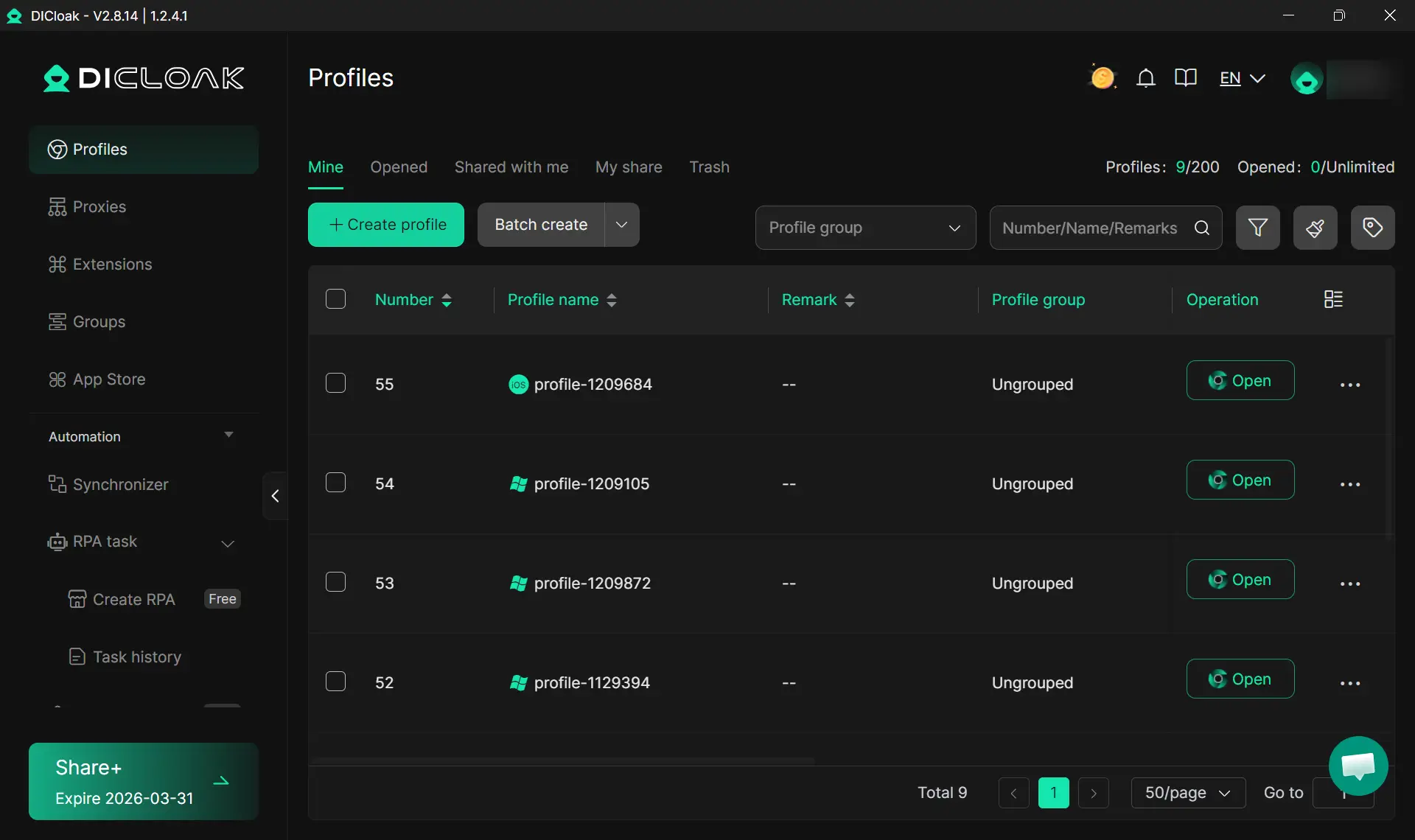
- Proxy assignments stay fixed per profile, meaning person A always appears from the same IP region regardless of their physical location
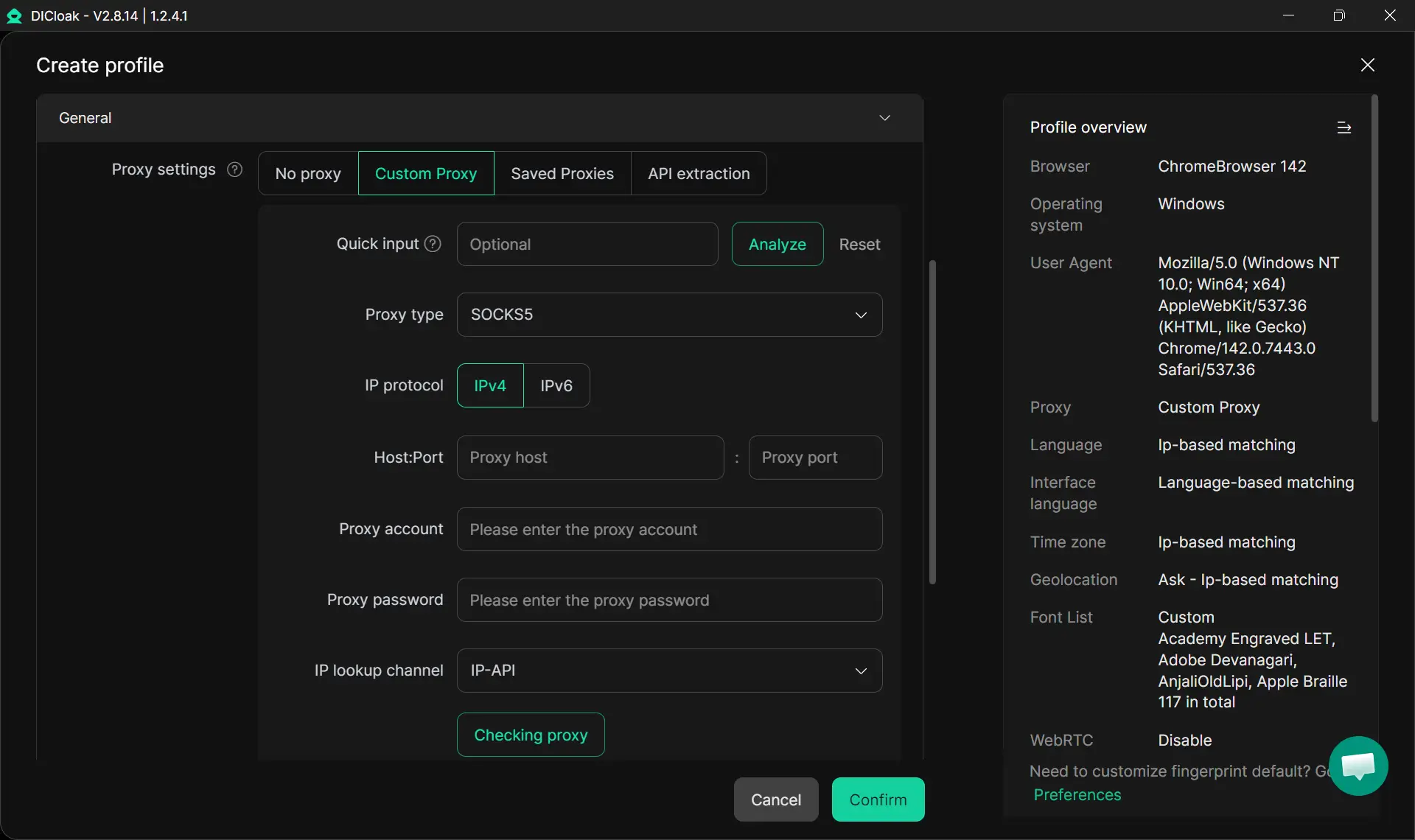
- Session handoffs between team members are clean because each profile opens to its own isolated state, with no cross-contamination of browsing history or cached credentials
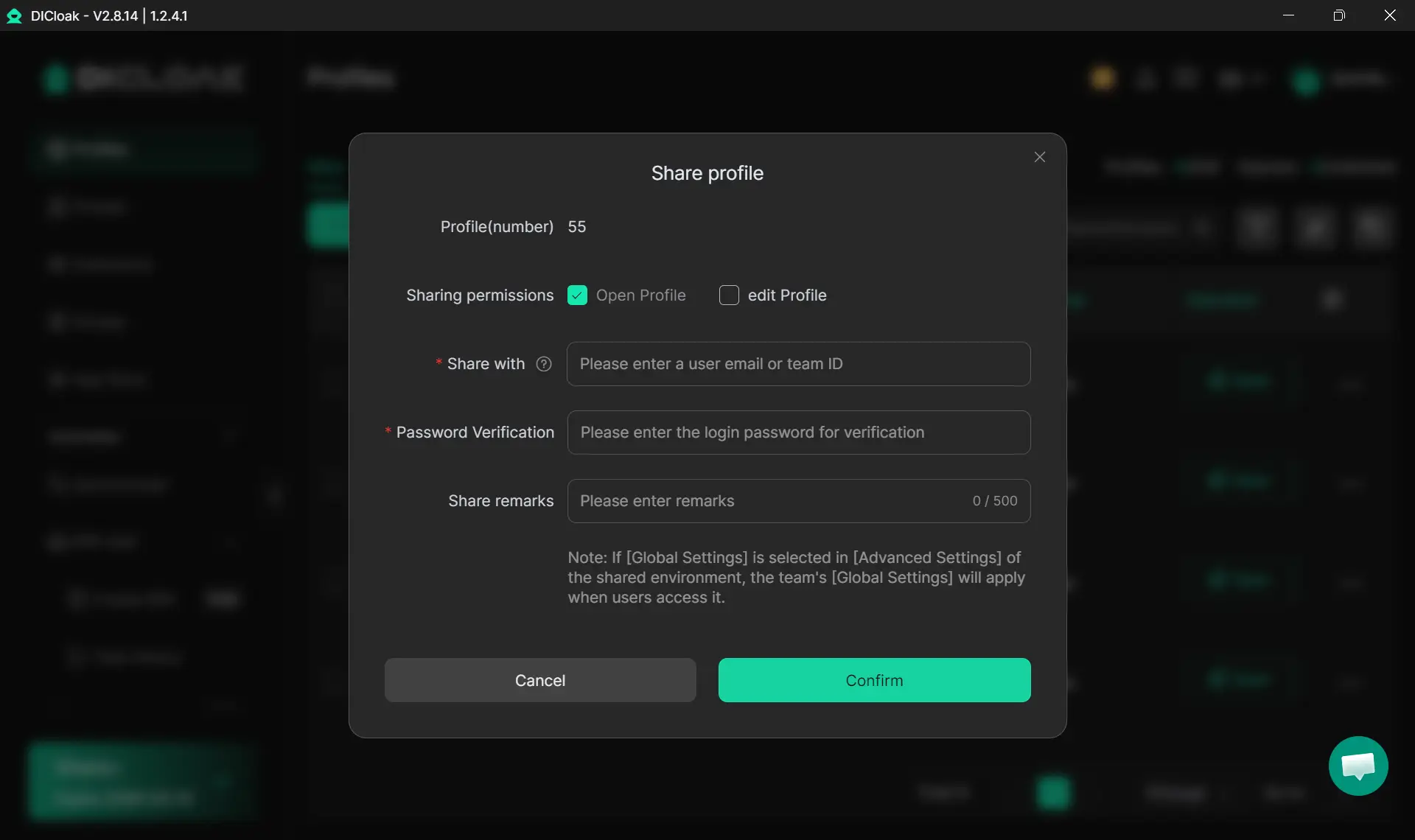
- Team collaboration features let you share profile access with specific people without handing out the raw account credentials
FAQs about Claude accounts
Can two people use the same Claude account at the same time?
Technically, two people can be logged in simultaneously, but concurrent sessions from different IP addresses or browser fingerprints are a common trigger for account flags. The safer approach is to use the account one person at a time, from a consistent location.
Does Claude detect if you're sharing an account?
Claude's platform can detect unusual session patterns such as simultaneous logins from different locations, rapid geographic switching, and parallel conversations from different fingerprints. While it doesn't have a dedicated "account sharing detector," the actions associated with sharing frequently mirror the abusive behaviors the system is designed to identify.
Is sharing a Claude Pro account against the terms of service?
Anthropic says accounts are yours alone. No sharing login info to get around usage caps. Sharing a Pro account with another person may violate those terms depending on how it's done. The risk of enforcement increases with the visibility of the sharing pattern.
What's the cheapest way for a small team to use Claude legitimately?
The Claude Team plan at USD 25/seat/month is the lowest-cost option that gives each person their own account with individual usage limits and private conversation history. For two people, that's USD 50/month compared to USD 20/month for one shared Pro account, so the cost difference is real but the operational and legal risk difference is also real.
Can I use a proxy to share a Claude account more safely?
Residential proxies keep your location looking the same every time you log in. But they won't save you from running multiple sessions at once. Proxies are just one piece. You need separate browser profiles too. Stagger your sessions. Mix it up.
What happens to my data if a shared Claude account gets suspended?
If the account is suspended, all users lose access immediately. You might lose your chat history when Anthropic suspends an account. Could be gone for good. Depends how they handle the suspension. There's no automatic data export triggered by a suspension, so backing up important conversations regularly is a practical precaution.
Final Verdict
The decision comes down to how many people need access, how often they need it, and whether conversation privacy matters for your work. Two people sharing a Pro account with disciplined session habits is a different situation from five people rotating through the same credentials. Know which situation you're actually in, then choose the approach that matches it.
 Web Proxy Tools
 Free Tools
 Cookie Plugin
 UA Generator
 MAC Address Generator
 IP Generator
 IP Address List
 2FA Code Generator
 World Clock
 Anonymous Check
 WebRTC Leak Test
 UUID Generator
 Free Web Proxy Site
 Proxy Checker
 FB Ad Checker
 AI Web Scraping
 Free SMM Tools
 Twitter Shadowban Checker
 Instagram Name Checker
 UTM Generator
 Username Generator
 AI Hashtag Generator
 LinkedIn Headline Generator
 Social Media Image Resizer