The Evolution of School Network Filtering Systems
In the modern educational landscape, network filtering systems serve a complex dual purpose. While designed to protect students from malicious content and ensure bandwidth is prioritized for academic tasks, these filters are often over-engineered. This technical rigidity frequently results in the accidental blocking of legitimate academic databases, international news archives, and collaborative platforms essential for high-level research.
From a cybersecurity perspective, modern firewalls utilize Deep Packet Inspection (DPI) to monitor network traffic. These systems analyze individual data packets for protocol anomalies, encapsulated traffic, and prohibited keywords or URLs. When a packet matches a restricted signature, the connection is immediately terminated. This guide is provided for informational purposes to assist in legitimate educational access and the maintenance of digital privacy.
Analysis of Common Methods on How to Bypass School Filter Restrictions
Most traditional workarounds mentioned in basic guides are easily identified by contemporary network security protocols.
- Mobile Hotspots: Bypassing the school network entirely via cellular data.
- Condition of Failure: Poor cellular reception in reinforced school buildings or violations of "Acceptable Use Policies" that prohibit non-sanctioned network connections.
- Google Translate as a Proxy: Using translation tools to mirror content.
- Condition of Failure: Highly visible to faculty and often breaks the scripts required for interactive educational tools or video playback.
- Browser Extensions: Simple VPN or proxy add-ons.
- Condition of Failure: IT departments frequently whitelist specific extensions, making unauthorized additions impossible to install or run.
Limitations of Portable Browser Applications
Portable browser applications (e.g., Firefox Portable) allow users to run a browser from external storage, bypassing local software installation restrictions. However, these tools remain highly vulnerable to network-level filtering because they still transmit data through the school’s firewall. Furthermore, a primary Condition of Failure is that many modern institutions now physically disable USB ports or utilize endpoint management software to block the execution of unrecognized .exe files from external drives.
Risks Associated with Remote Desktop Protocols
Remote Desktop Protocols (RDP) allow students to access their home hardware from within the school. This is frequently flagged by network administrators due to high bandwidth consumption and the security vulnerabilities inherent in open RDP ports. Most educational firewalls are configured to automatically block traffic on common RDP ports to prevent unauthorized lateral movement within the network.
Modern filtering infrastructure has moved beyond simple IP-based blocking to digital fingerprinting. Administrators now identify unauthorized traffic by analyzing the specific software and hardware signatures of a device.
Understanding Canvas and WebGL Fingerprinting
Filters and websites can now identify a device based on how it renders complex graphics. WebGL fingerprinting is particularly effective as it exposes the unique signature of the device’s GPU (Graphics Processing Unit). Even if a student masks their IP address, the underlying hardware characteristics remain a constant identifier that can be used to track or block access.
How Network Administrators Identify Proxy Traffic
Administrators identify proxy and VPN usage by looking for "protocol anomalies." This includes identifying discrepancies in the Maximum Transmission Unit (MTU) size, which often changes when traffic is encapsulated within a tunnel. If the packet header or MTU size does not align with standard browser traffic, the filter flags the connection as a bypass attempt.
Pro-Tip Callout: Use of public proxy lists is strongly discouraged. These IPs are pre-flagged in global educational security databases and are monitored as high-risk nodes by network security software.
How to Bypass School Filter Technology Through Advanced Profile Isolation
The most robust solution for maintaining access in a restricted environment is "Antidetect Browsing." This methodology moves away from simple encryption toward total environment isolation.
The Mechanics of Multi-Account Security
Antidetect browsing creates a "sandbox" for each browsing session. This isolation ensures that cookies, cache, and digital fingerprints are confined to a single profile. By preventing data leakage between sessions, users can conduct research across different platforms without triggering the cross-site tracking flags often monitored by school filters.
Simulating Legitimate Operating Systems
Sophisticated isolation tools allow a single device to mimic the digital signature of various operating systems, including Windows, Mac, iOS, Android, and Linux. By simulating an OS that is standard for the school's infrastructure, the user's traffic blends in with the expected network behavior, significantly reducing the risk of a manual security review.
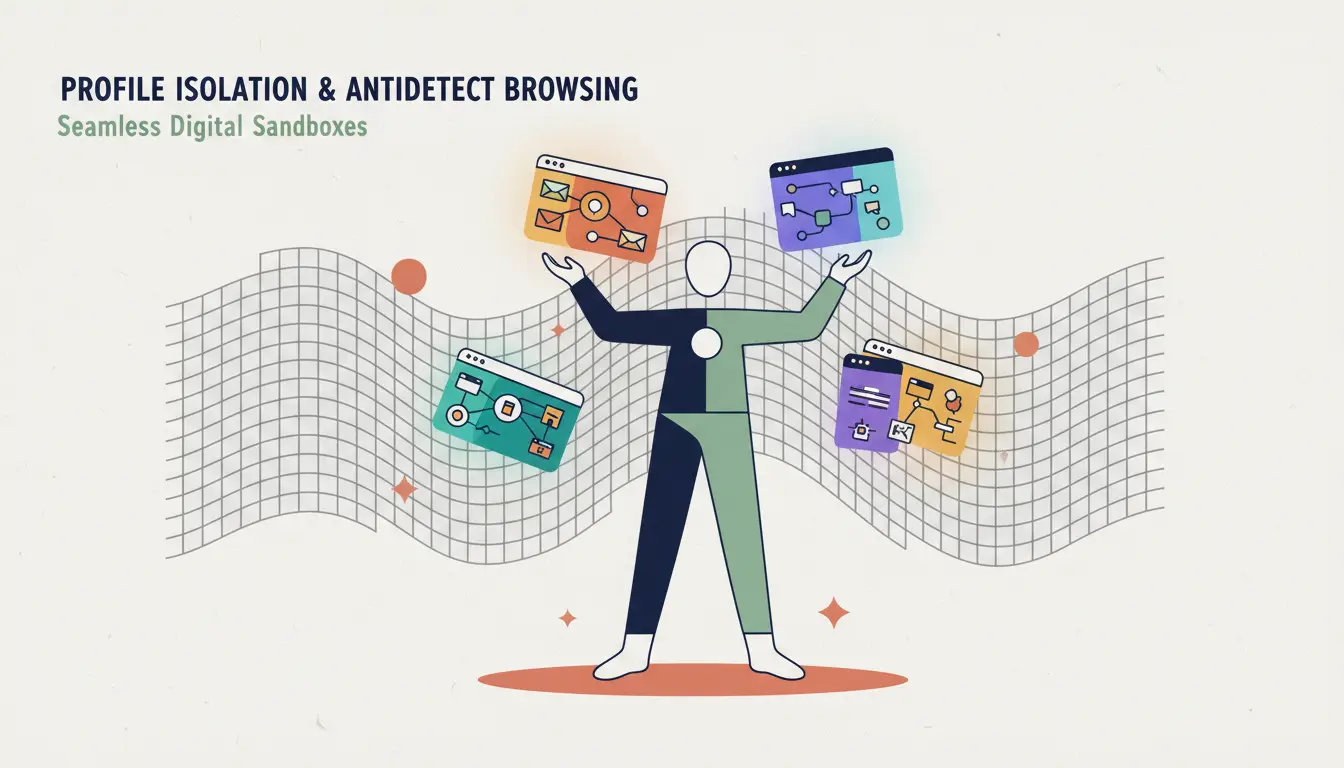
Implementing DICloak for Secure Academic Workflows
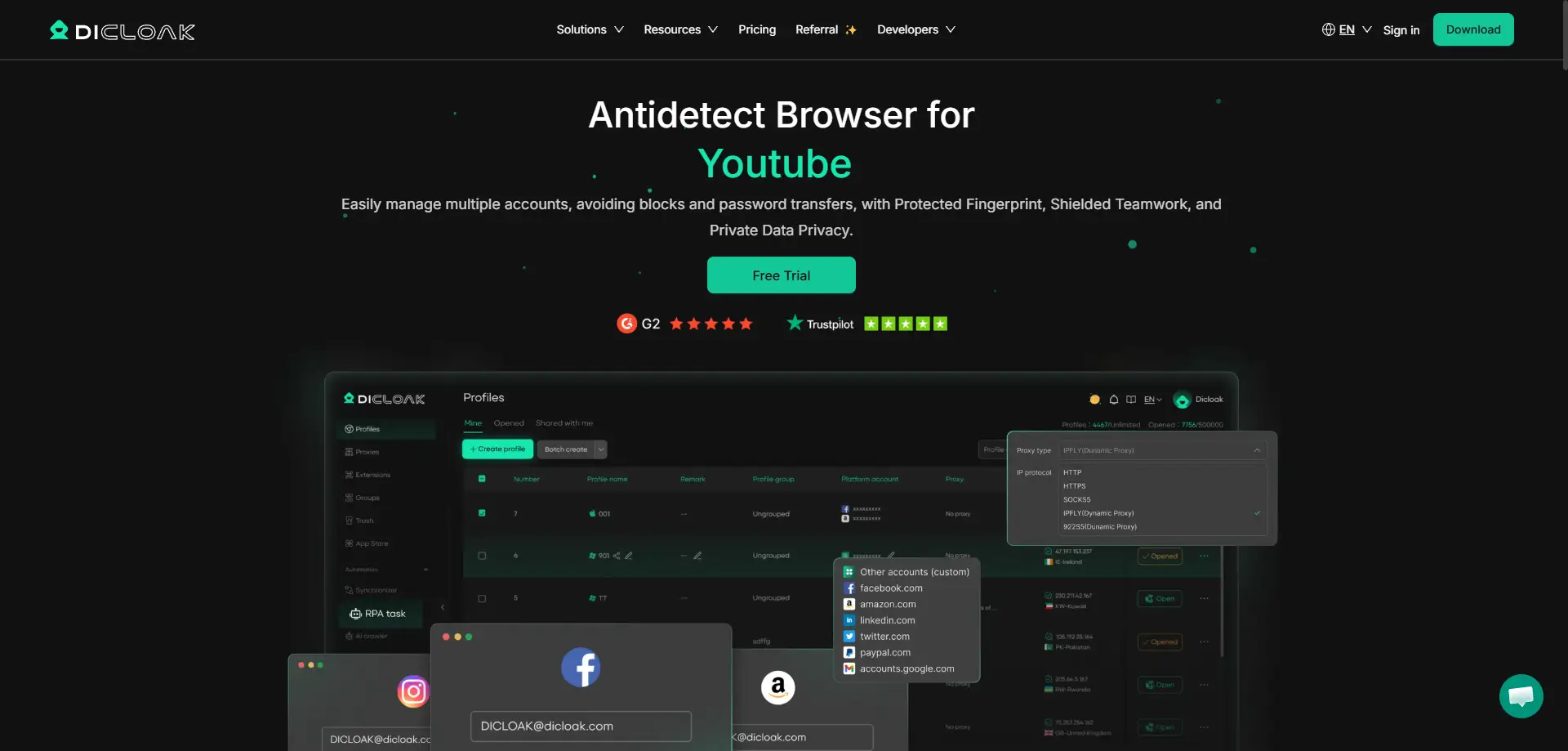
DICloak provides a professional-grade infrastructure for implementing these isolation strategies. Built on the Chromium/Chrome core, DICloak functions like a standard browser while providing deep-level hardware obfuscation. It allows researchers to manage over 1,000 isolated profiles on a single machine, supporting configuration of proxies like HTTP, HTTPS, and SOCKS5.
The tool’s integration of Robotic Process Automation (RPA) is vital for bypassing behavioral analysis filters. By mimicking human typing cadences and browsing intervals, RPA reduces the "mechanical" footprint of data collection. In a collaborative environment, research teams can use DICloak’s profile sharing and permission settings to synchronize work across restricted zones without triggering the protocol anomalies that typically expose shared proxy use.
Strategic Comparison of Access Methodologies
| Method |
Efficacy |
Detection Risk |
Resource Intensity |
| Standard Browser Extensions |
Low |
Moderate |
Low (Minimal RAM) |
| Mobile Hotspots |
High |
Moderate |
High (Cellular Data/Battery) |
| DICloak Antidetect Browser |
Very High |
Very Low |
Moderate (RAM/Proxy Costs) |
Objective Analysis: Advantages and Risks of Advanced Browser Isolation
Adopting an antidetect tool for educational research provides high-level security but requires technical diligence.
Pros of Advanced Browser Isolation
- Comprehensive Privacy: Complete isolation of research profiles.
- Diverse OS Simulation: Ability to mimic Windows, Mac, iOS, Android, and Linux environments.
- Infrastructure Scalability: Bulk management of 1,000+ profiles for large-scale data projects.
Cons of Advanced Browser Isolation
- Learning Curve: Requires an understanding of RPA logic and fingerprint customization.
- Proxy Requirements: Effective use requires high-quality, dedicated proxy configurations to avoid shared-node blacklisting.
Best Practices for Maintaining Digital Privacy in Education
To mitigate risk and ensure academic continuity, students should follow these professional standards:
- Implement Network Isolation: It is an industry practice to use distinct profiles for unrelated research tasks to prevent fingerprint aggregation.
- Proxy Rotation and Management: Rather than using static IPs, utilize high-quality SOCKS5 proxies to ensure lower latency and reduced detection.
- Avoid Credential Leakage: Ensure that "Profile Isolation" is active before logging into academic portals to prevent local trackers from linking your private research to your institutional ID.
Pro-Tip Callout: As an industry practice, avoid using school-issued email addresses or institutional Single Sign-On (SSO) credentials when creating external research profiles to maintain total data isolation.
Common Inquiries Regarding How to Bypass School Filter Solutions
Is it possible for IT staff to detect the use of antidetect browsers?
While fingerprint obfuscation makes the browser appear as a standard device, detection is often based on Behavioral Analysis. If a user accesses hundreds of pages in rapid succession or exhibits non-human browsing patterns, the network's behavior-based AI may flag the activity regardless of the browser used.
Which operating systems can be simulated for school work?
Based on the Chromium core, professional tools like DICloak can simulate Windows, Mac, iOS, Android, and Linux environments, allowing your traffic to match the "expected" OS of the school network.
Why is my connection slow when using a proxy?
Latency occurs because traffic must route through an additional node. To minimize this, use SOCKS5 protocols which offer better performance for data-heavy educational tasks like video research.
Conclusion: Securing the Future of Digital Learning
The shift from rudimentary bypass methods to professional digital infrastructure management is essential for unrestricted research in 2026. While tools like DICloak provide the advanced technology for proxy management and profile isolation, users must apply these tools with technical precision. By prioritizing network isolation and adhering to ethical research standards, students can maintain a secure, private, and effective digital learning environment.
 Web Proxy Tools
 Free Tools
 Cookie Plugin
 UA Generator
 MAC Address Generator
 IP Generator
 IP Address List
 2FA Code Generator
 World Clock
 Anonymous Check
 WebRTC Leak Test
 UUID Generator
 Free Web Proxy Site
 Proxy Checker
 FB Ad Checker
 AI Web Scraping
 Free SMM Tools
 Twitter Shadowban Checker
 Instagram Name Checker
 UTM Generator
 Username Generator
 AI Hashtag Generator
 LinkedIn Headline Generator
 Social Media Image Resizer





