Are you wondering how do you delete your Snapchat account in 2026? Whether you want a break from social media, protect your privacy, or just simplify your online life, deleting your Snapchat account can seem confusing. Snapchat stores lots of data, and understanding the steps ensures you don’t lose important memories or accidentally reactivate your account.
In this guide, we will walk you through how to delete your Snapchat account safely, step by step. From using the app on iOS or Android to deleting your account via a web browser, and even downloading your data beforehand, this article covers everything you need to know. By the end, you’ll feel confident about managing your account and protecting your privacy.
What Does Deleting Your Snapchat Account Mean?
When you wonder how do you delete your Snapchat account, you should know what really happens. Deleting your Snapchat account is not just removing the app from your phone. It means you are telling Snapchat to remove your profile, your friends list, your Snap score, and your memories from the Snapchat system. This stops people from finding you or snapping you in the app. Most of your data is deleted after a wait period.
For example, let’s say you made a Snapchat account in 2020 but stopped using it in 2024. If you decide to delete it in 2026, Snapchat will first deactivate it. After around 30 days without logging back in, Snapchat removes the account permanently. This means your username might open up for someone else to use later.
Many people ask how to delete your Snapchat account because they need a break from social media. Others worry about privacy or want to start fresh. Knowing what deletion means helps you make the right choice.
Deactivation vs. Deletion: What’s the Difference?
When learning how do you delete a Snapchat account, it’s important to know the difference between deactivation and permanent deletion. These two terms sound the same but they are not.
Deactivation is the first step in deleting the account. When you choose to delete your account, Snapchat does not remove everything right away. Instead, your account goes into a 30‑day deactivation period. During this time, your username and chats are hidden from other people, and your profile is not visible. But Snapchat keeps your information in case you change your mind. If you log in again in those 30 days, your account comes back just like before.
Deletion happens after those 30 days. If you don’t log in during that period, Snapchat permanently deletes your account and most of your data. This means you will not be able to log in again, your friends list will be gone, and you cannot recover your memories or Snap score.

Why you might want to delete your Snapchat account?
After understanding how do you delete your Snapchat account, it helps to know why people choose to delete Snapchat. There are many reasons, and seeing them in detail can help you decide if deleting your account is right for you.
Here are some common reasons people want to delete an account on Snapchat:
- Privacy Concerns – Snapchat stores data like chats, Snap score, location, and friends list. Some people worry that even “deleted” messages may still exist in backups. One user downloaded their Snapchat data and found old snaps they forgot about, which made them decide to delete account from Snapchat completely.
- Mental Health & Screen Time – Snapchat can be addictive. Many teens and adults find themselves spending hours scrolling through snaps, which affects focus on school, work, or family. Deleting the app helps reduce distractions.
- Cyberbullying or Harassment – Some users get unwanted messages or friend requests from strangers. Feeling unsafe is a common reason to consider how to delete Snapchat account permanently.
- Starting Fresh – Some people just want a clean start. They may have multiple accounts or want to remove old memories. Learning how do you delete a Snapchat account helps them start over without leaving old data behind.
- Account Hacked or Security Issues – If someone suspects their account was hacked, they may choose to delete an account on Snapchat to prevent misuse.
- Lost Interest in the App – Over time, people may prefer other social apps or ways to communicate. In this case, knowing how can I delete my account on Snapchat is a simple step to move on.
- Data Control & Digital Footprint – Some users want more control over their personal data online. Deleting the Snapchat account is one way to reduce digital traces and protect privacy.
How do You Delete Your Snapchat Account? (Step-by-Step Instructions)
Now that you know why people choose to delete their Snapchat account, here is a clear step‑by‑step guide on how do you delete your Snapchat account in 2026. The steps below show how to delete an account on Snapchat using both the app and a web browser. This section uses simple language and real steps so you can follow along with ease.
Deleting Your Account via the Snapchat App
For iOS Users
If you use an iPhone or iPad, you can start the delete Snapchat account process right in the app:
1. Open the Snapchat app on your device.
2. Tap your profile picture in the top‑left corner of the screen.
3. Tap the Settings gear icon in the top‑right corner.
4. Scroll down until you see Account Actions.
5. Tap Delete Account.
6. Enter your username and password when prompted.
7. Tap Continue to confirm you want to delete an account on Snapchat.
Once you do this, Snapchat begins deactivation. Your account will be hidden from others but not truly gone until 30 days pass without logging in. During that time, you can log back in if you change your mind. After 30 days, your account is deleted permanently.
For Android Users
On many Android devices, you cannot delete your Snapchat account directly in the app like on iOS. Instead, you use a web browser. But first, you can still open the app to prepare your details:
1. Open Snapchat on your Android phone.
2. Make sure you know your username and password — you’ll need them soon.
3. Close the app and open your phone’s browser (Chrome, Firefox, etc.).
Because Snapchat does not let Android users remove their account solely inside the app, the next steps continue on the web.
Deleting Your Account via the Web Browser
Whether you are on a PC, Mac, or Android browser, here’s how to delete account in Snapchat using the web:
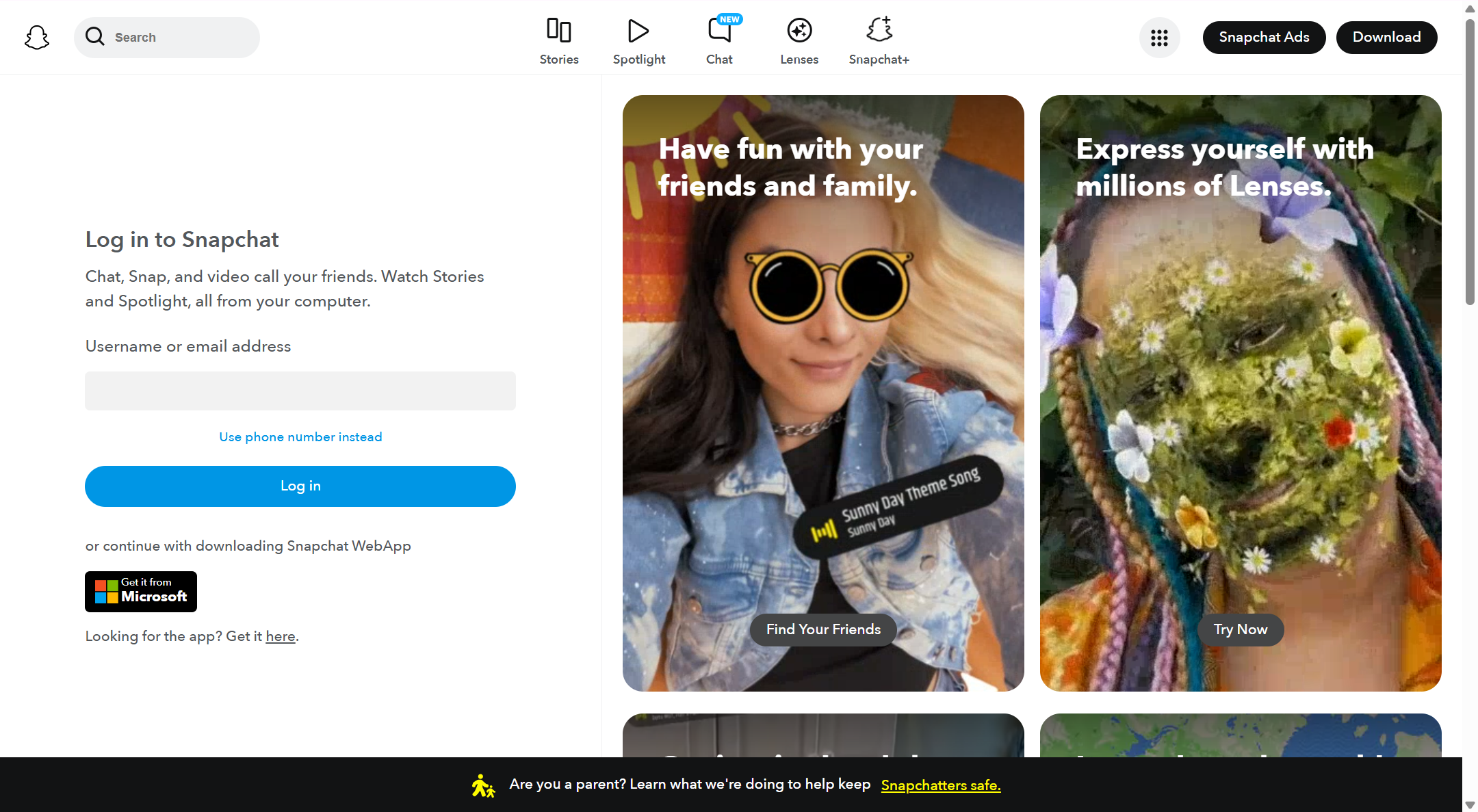
1. Open your web browser and go to the Snapchat account portal at accounts.snapchat.com.
2. Log in with your Snapchat username and password.
3. Look for the Delete My Account option on the screen.
4. Click Delete My Account.
5. Enter your password again to confirm.
6. Click Continue to start the deletion process.
After you complete these steps, your Snapchat account enters a 30‑day deactivation period. If you do not log back in during these 30 days, Snapchat will permanently delete account from Snapchat and your profile will be removed from most systems.
Quick Notes about the Deletion Process
- When you choose to delete your account, Snapchat hides your profile immediately, but it stays in a deactivated state for about 30 days before permanent removal.
- If you accidentally log in during this time, your account may reactivate, and you will need to repeat the steps again.
- Make sure to back up any snaps or memories you want to keep before starting this process.
What Happens After You Delete Your Snapchat Account?
Once you finish how to delete your Snapchat account, you might wonder what happens next. It’s important to know what Snapchat keeps and what Snapchat removes after you choose to delete an account on Snapchat.
What Snapchat Removes
These are the items that are deleted after the 30-day deactivation period:
- Profile Information – Your username, display name, and profile picture are removed from public view.
- Friend List – All your connections and added friends are deleted. Others can no longer see you in their friends list.
- Snaps and Chats – Messages, Snaps, and Stories stored on Snapchat servers are deleted. (Note: Snaps that were already viewed or expired are usually gone sooner.)
- Memories and Saved Content – Any photos, videos, or Stories you saved in Memories are deleted if not backed up.
- Snap Score & Streaks – Your Snap Score, streaks with friends, and other activity data are removed.
What Snapchat Keeps
Even after deletion, Snapchat retains some data for legal, safety, or operational reasons:
- Purchase Records – Any in-app purchases or subscriptions you made may be kept for billing and record-keeping.
- Legal and Safety Logs – Data needed to comply with laws, investigations, or reports of abuse is retained.
- Metadata – Information like IP addresses, device types, or timestamps may be stored temporarily for system operation or fraud prevention.
How to Download Your Snapchat Data Before Deletion
Before you learn how do you delete your Snapchat account, it’s smart to save your data first. Snapchat lets you download your account data so you keep memories, chats, and more before you delete Snapchat account. This keeps your content safe, especially if you plan to delete account in Snapchat soon.
From a Browser (Android and PC)
If you use a computer or Android web browser, you can request your Snapchat data and download it before you delete an account on Snapchat. Here’s how to do it step by step:
1. Open a browser like Chrome or Safari.
2. Go to accounts.snapchat.com and log in with your username and password.
3. Look for “My Data” on the page.
4. Select the kinds of data you want to include (like Memories, chats, login history).
5. Enter your email address. Snapchat will send the download link to that email.
6. Click Submit to start the request.
Snapchat then starts preparing your data. It might take a few hours or even a day or two if you have a lot of memories or pictures. Once it’s ready, Snapchat will email you a download link. Click the link to save your data as a ZIP file on your device.
From the iOS App
You can also start the data download from the Snapchat app on iPhone before you delete your Snapchat account. It is simple and works like this:
1. Open the Snapchat app on your iPhone.
2. Tap your profile picture at the top left.
3. Tap the Settings gear icon.
4. Scroll down and find “My Data.”
5. Log in again to confirm it’s you.
6. Select the data you’d like to download (e.g., Memories, chats).
7. Enter your email and tap Submit Request.
Snapchat will then process your request and send a link to your email with your data. Open the email and tap the download link to save your data on your device.
Why This Matters
Downloading your data before you delete account in Snapchat gives you peace of mind. You keep photos, videos, chat history, and account info even after your Snapchat account is gone for good. This step is important because once your account is permanently deleted, you cannot get this data back.
Whether you use a browser or the iOS app, the how to delete your Snapchat account process becomes easier when you have your memories and history safely stored first.
Tips for Protecting Your Privacy Beyond Snapchat
After you learn how to delete your Snapchat account or even how to delete an account on Snapchat, you might still want to protect your privacy online. Not everyone who asks “how can I delete my account on Snapchat” actually wants to leave the app forever. Some people just want to use it more safely. Here are clear steps and examples to help you keep your information private.
Control Your Snapchat Privacy Settings
Snapchat lets you change who can see your content and contact you. This helps you stay safe without having to delete Snapchat account completely. To change these settings:
- Go to Settings in the app.
- Scroll to Privacy Controls.
- Choose who can view your Story, see your location, or send you messages.
- You can also limit how much information Snapchat uses for ads.
Turn Off Targeted Ads and Sensitive Data Use
Snapchat collects some user data to suggest ads and personalize your experience. You can opt out of targeted ads and limit how your sensitive information is used. In some regions like California, Snapchat lets you submit a Request to Limit so your data is used only for basic services.
Be Careful With What You Share
Even if Snapchat promises to delete messages after viewing, other people can still take screenshots, save snaps, or share content outside the app. This means that private photos or messages can be stored by others without your knowledge.
Use Two‑Factor Authentication (2FA)
Turn on Two‑Factor Authentication to add extra security to your account. This means even if someone gets your password, they still need a second code to log in. This step increases protection without having to delete account in Snapchat.
Use Privacy Tools and Browsers for Extra Protection
If you are concerned about data being tracked across apps and websites, consider using antidetect browser tools like DICloak. These tools help reduce tracking by masking your digital fingerprint and hiding your location or device details. This does not replace how to delete Snapchat account, but it helps protect your data while you use Snapchat and other apps.
Why Choose DICloak Antidetect Browser for Your Business?
⚡The DICloak Antidetect Browser has become a global favorite for its unparalleled ability to efficiently and securely manage multiple accounts. Designed for professionals in social media management and more, DICloak offers powerful features like RPA automation, bulk operations, and synchronizer. Additionally, it allows you to customize fingerprints and integrate proxies for each profile, ensuring top-level security and operational efficiency. It’s the ultimate tool for seamless, secure, and scalable operations.

What Makes DICloak Stand Out?
✅ Manage 1,000+ Accounts on One Device: Stop wasting money on extra hardware! DICloak allows you to manage multiple accounts on a single device, cutting costs and boosting efficiency.
✅ Guaranteed Account Safety, No Ban Risks: Every account gets its own isolated browser profile with custom fingerprints and IPs, drastically reducing the risk of bans. Your accounts, your control!
✅ Flexible Proxy Configuration for Maximum Performance: Seamlessly integrate with all major proxy protocols (HTTP/HTTPS, SOCKS5) and manage your proxy pool with bulk operations. No more struggling with IP management—DICloak has you covered.
✅ Streamlined Team Collaboration for Better Results: Easily manage your team with advanced tools like profile sharing, permission settings, data isolation, and operation logs. Your team works smarter, not harder.
✅ Automate the Grind with RPA: DICloak's built-in RPA saves you hours of manual work. Automate repetitive tasks, streamline workflows, and focus on what really matters—growing your business.
✅ Powerful Bulk Tools to Scale Your Operations: Create, import, and launch multiple browser profiles in one click. DICloak makes scaling your business as easy as it gets.
✅ Compatible with All Major Operating Systems: Based on the Chrome core, DICloak supports simulating Windows, Mac, iOS, Android, and Linux operating systems. No matter what platform you need, DICloak has you covered.
🔗 Ready to Get Started?
Visit the DICloak website to explore more details and choose the plan that’s right for you. Start for free today and experience the power of secure, efficient, and scalable multi-account management!
Frequently Asked Questions (FAQs) on How do You Delete Your Snapchat Account
How do you delete your Snapchat account permanently?
Many users ask this because they want to make sure their account is completely gone. To permanently delete your account, you first deactivate it for 30 days. After that, Snapchat removes your profile, snaps, and friends from the platform.
How do you delete your Snapchat account without losing your memories?
You can download your Snapchat data before deletion. This includes snaps, chats, and stories. After downloading, you can safely proceed with how do you delete your Snapchat account without losing important content.
How can I delete my Snapchat account if I forget my password?
If you forgot your password, Snapchat allows you to reset it through your email or phone number. Once your password is reset, you can follow the steps for how do you delete your Snapchat account.
How do you delete a Snapchat account from the app versus a web browser?
You can delete your account either through the Snapchat app (iOS or Android) or through a desktop web browser. Both methods lead to the same 30-day deactivation period before permanent deletion. Knowing both options makes how do you delete your Snapchat account easier for all users.
How do you delete your Snapchat account if you change your mind later?
After initiating deletion, Snapchat gives a 30-day window where you can reactivate your account. Logging in during this period cancels the deletion. This is helpful for users who may hesitate after learning how do you delete your Snapchat account.
Final Thoughts on How do You Delete Your Snapchat Account
Deleting your Snapchat account is simple if you follow the right steps. Whether you use the app or a web browser, understanding how do you delete your Snapchat account ensures your data is handled safely. Remember to download your memories, consider privacy settings, and protect your information before deletion. By knowing the full process, you can make an informed decision and control your digital footprint with confidence.
 Web Proxy Tools
 Free Tools
 Cookie Plugin
 UA Generator
 MAC Address Generator
 IP Generator
 IP Address List
 2FA Code Generator
 World Clock
 Anonymous Check
 WebRTC Leak Test
 UUID Generator
 Free Web Proxy Site
 Proxy Checker
 FB Ad Checker
 AI Web Scraping
 Free SMM Tools
 Twitter Shadowban Checker
 Instagram Name Checker
 UTM Generator
 Username Generator
 AI Hashtag Generator
 LinkedIn Headline Generator
 Social Media Image Resizer