Choosing the right logo maker can greatly affect your brand identity. A logo often serves as the first impression your business makes. It’s crucial that it looks professional, stands out from competitors, and works well on websites, social media, and printed materials.
With the rise of AI tools, creating a logo has become faster and easier. Two popular options today are Design.com and Logo.com. Both provide quick and convenient logo creation, but they vary in design quality, customisation options, and overall value.
In this comparison, we highlight their key features and benefits to help you decide which platform is worth your time and investment.
What to Look for in a Logo Maker
Before picking a platform, think about these key factors:
- Design Quality: Look for professional, modern logos that create a strong first impression.
- Customization: Check if you can easily adjust fonts, colors, icons, and layouts to fit your brand identity.
- Ease of Use: A quick and simple creation process saves time, especially if you’re not a designer.
- Commercial Use: Make sure the logos are completely safe for business use, so you can legally use them on all platforms.
- File Formats: High-resolution and vector files are essential for resizing your logo for websites, social media, and print materials without losing quality.
Design.com
Design.com is a strong AI-powered platform that provides more than just basic logo creation. It combines a large library of templates with useful editing tools and a complete branding system.
Strengths
- AI logo generator with over 400k logo templates and more than 1 million design assets
- Extensive customization options for fonts, colors, icons, and layouts
- AI editing tools that allow for chat-based logo changes
- Logos created by professional designers using exclusive assets
- 100% safe logos for commercial use, verified for business
- Vast design resources, including over 750 fonts and more than 62,000 vector shapes
- Supports multiple file formats: SVG, EPS, PDF, PNG, JPG, GIF, MP4
- Option for exclusive logo ownership with extended licenses
- Easy-to-use tools for users without design experience
Is It Worth Your Investment?
- Integrated branding tools for websites, business cards, and social media assets
- Automatic color consistency across all designs
- Ability to manage and update brand assets in one place
Weaknesses: No notable ones
Pricing Plans
- Free Tier: Access 100% free logos, and create websites, bio link pages, and digital cards for free. Payment is required to download designs created with 50+ design tools.
- Premium Logo Pack: $3/month, includes high-res and vector files, unlimited edits, and full ownership.
- Logo Pack + Website: $4/month, includes the website builder.
- Premium Logo Pack + Website + More: $5/month, includes all features and tools.
Logo Design Examples
Real Estate

Beauty

Design.com strikes the best balance of quality, customization, and value. It is the top choice for businesses seeking a professional and scalable logo.
Logo.com
Logo.com is an easy-to-use AI logo generator that focuses on speed. It enables users to create logos quickly using basic inputs like business name and style preferences.
Strengths
- Fast logo generation with minimal setup
- Simple interface that's easy for beginners
- Multiple logo variations are generated instantly
- Basic customization options for fonts, colors, and icons
Additional Features
- Ready-to-use logo formats for quick deployment
- Basic branding tools included
Weaknesses
- Limited customization and design options
- Smaller template library
- Logos may not feel unique
- Advanced features and better files require paid plans
Pricing Plans
- Free: 1 logo, basic editing, limited downloads & storage
- Brand Plan: $15/month, 1 logo, basic editing, limited downloads & storage
- Brand Plan Plus: $38/month, Up to 5 logos, full brand kit, vectors, templates, commercial use
Logo Design Examples
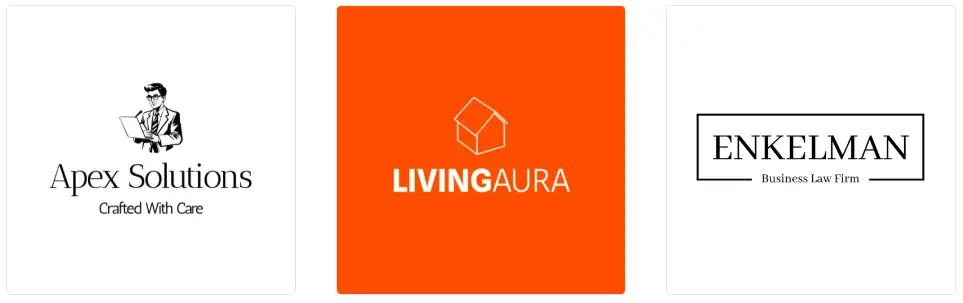
Logo.com works well for users who want a quick and simple logo, but it doesn't offer the depth and flexibility needed for strong branding.
Feature Comparison Chart
| Features |
Design.com |
Logo.com |
| AI Logo Generator |
Advanced, 400K+ templates, 1M+ assets |
Basic, fast generation |
| Speed |
Generates logos in seconds |
Takes several minutes |
| Logo Options |
Thousands of logos generated |
Several logos generated |
| Quality |
Professional quality, ready-to-use logos created |
Lower quality - sometimes require more customization |
| Customization |
Extensive: fonts, icons, layouts, AI edits |
Limited |
| Commercially Safe |
Yes, fully verified |
Limited, depending on plan |
| Template Library |
Large, professional, exclusive |
Smaller |
| File Formats |
SVG, EPS, PDF, PNG, JPG, GIF, MP4 |
PNG, JPG |
| Branding Tools |
Full ecosystem |
Basic tools |
| Ease of Use |
Easy with AI assistance |
Very simple |
| Pricing and Plans |
Free plan: access to a great selection of logos and design assets Paid plans: from $3/mo |
Free, Paid Plans: from $15/mo |
| Best For |
Professional branding & scalability |
Quick logos |
Final Thoughts
Both platforms are useful, but they serve different purposes. Logo.com is great if you need a quick and simple logo with little effort.
Design.com, however, is a better choice for businesses looking for professional, premium-quality designs. It provides more customization options, fully commercially safe logos, and a full set of branding tools to help your brand remain consistent and polished across all channels.
Get started today. Use Design.com to create a professional logo and build a strong, memorable brand identity that grows with your business.
 Web Proxy Tools
 Free Tools
 Cookie Plugin
 UA Generator
 MAC Address Generator
 IP Generator
 IP Address List
 2FA Code Generator
 World Clock
 Anonymous Check
 WebRTC Leak Test
 UUID Generator
 Free Web Proxy Site
 Proxy Checker
 FB Ad Checker
 AI Web Scraping
 Free SMM Tools
 Twitter Shadowban Checker
 Instagram Name Checker
 UTM Generator
 Username Generator
 AI Hashtag Generator
 LinkedIn Headline Generator
 Social Media Image Resizer