Have you ever tried to visit a website, only to see a “This site is blocked” message? It’s frustrating, especially when the content is harmless. Whether you’re trying to watch a video or check social media, restrictions can be annoying. But what if you could access these sites easily and anonymously, without any downloads or complicated setup?
That’s where Croxy Proxy comes in. Croxy Proxy is a free, web-based proxy that lets you browse the internet securely and access blocked content. No software downloads are needed, just visit the website and start browsing. Plus, it supports streaming, so you can enjoy videos and music, something many free proxies don’t offer.
In this guide, we’ll explain what Croxy Proxy is, how it works, and how to use it safely — even on devices like school-issued Chromebooks.
Definition and Overview
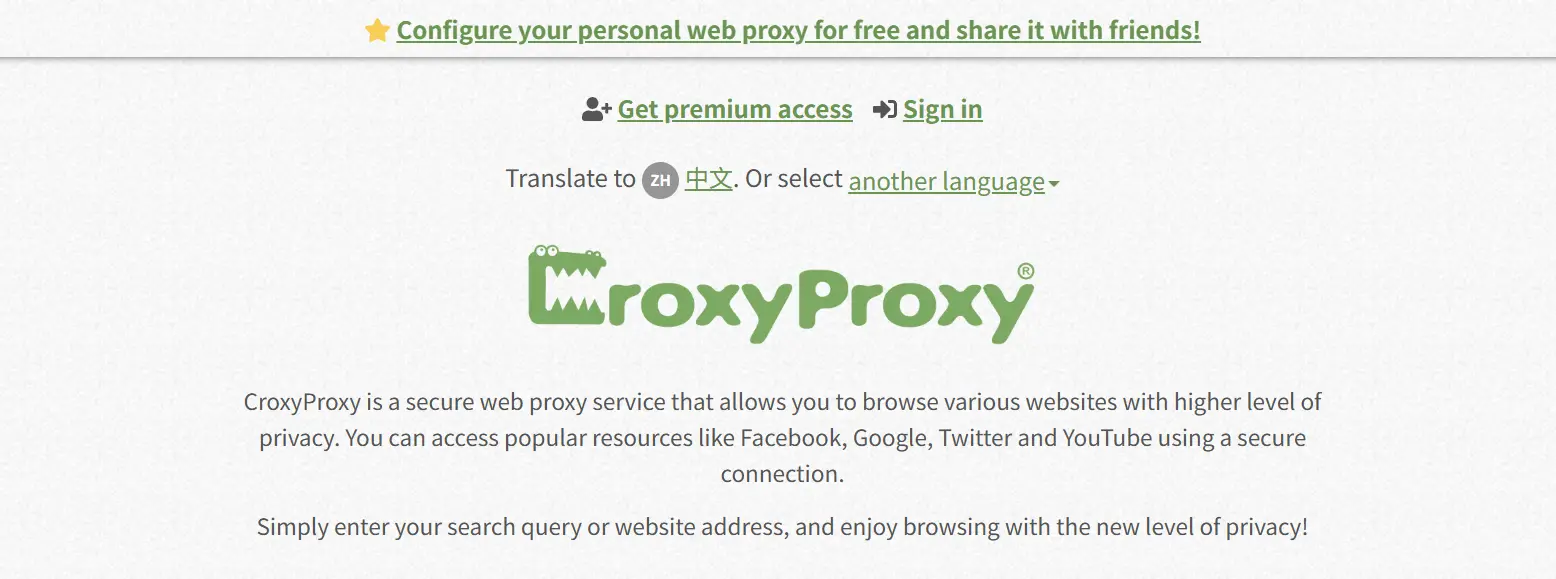
Croxy Proxy is a free, web-based proxy service that lets you access websites anonymously and securely. It hides your real IP address, making your online activity harder to track. With Croxy Proxy, you can easily bypass geo-blocks and restrictions, like those on social media sites or video platforms. The best part? You don’t need to download anything or deal with complicated settings.
How Croxy Proxy Works
Croxy Proxy works by routing your requests through its server, which masks your IP address. When you visit a site through Croxy Proxy, the proxy fetches the site for you and sends it back, making it look like you’re browsing from the proxy’s location instead of your own. This allows you to bypass blocks and access region-restricted content. Whether you’re at school or work, Croxy Proxy can help you unlock websites with just a few clicks.
Key Features of Croxy Proxy
Free and Easy Access Croxy Proxy is free and simple to use. No account, payment, or software needed. Just visit the website, enter the URL, and start browsing. It’s perfect for bypassing restrictions at school or work.
No Installation Required No downloads or complex setups. Just open your browser, go to the Croxy Proxy website, and you’re good to go. It’s ideal for users who can’t install software, like students or employees.
Bypass Geo-Restrictions Croxy Proxy helps you access geo-restricted content by masking your real location. It’s great for watching region-locked videos on platforms like YouTube or Netflix.
Protect Your Privacy Croxy Proxy hides your real IP, keeping your browsing private and anonymous. It’s perfect for using public Wi-Fi securely, without tracking or logging personal information.
Stream Content Without Interruptions Croxy Proxy supports smooth video and music streaming, unlike other proxies that struggle with buffering. Enjoy uninterrupted access to your favorite media, even on restricted sites.
Safety and Legality of Croxy Proxy
Is Croxy Proxy Safe to Use?
Croxy Proxy is generally safe to use for everyday browsing. It uses SSL encryption to protect your data while you’re online. This keeps your connection secure, especially on public Wi-Fi. However, it’s not as secure as premium privacy tools. If you’re handling sensitive information, like banking details, it’s best to avoid using any proxy service for that.
Legal Considerations When Using Croxy Proxy
Using Croxy Proxy to bypass geo-blocks is usually fine, but you should be cautious about the legal side. Accessing content that is restricted or illegal in your region could get you into trouble. Always check the laws in your country before using a proxy to unblock certain sites.
Potential Risks and How to Mitigate Them
While Croxy Proxy is safe for general browsing, there are some risks. Since it's free, it doesn’t offer the same level of protection as paid services. To stay safe, avoid logging into sensitive accounts like email or social media. Stick to watching videos or browsing public websites, and always be cautious when using public Wi-Fi.
Advantages and Disadvantages of Croxy Proxy
Pros of Using Croxy Proxy
Free and Easy to Use Croxy Proxy is free with no sign-up needed. Just visit the website, type in the URL, and you’re ready to go. It’s perfect for quickly bypassing restrictions at school or work.
Supports Streaming Croxy Proxy allows you to stream videos and music without buffering. Whether you're watching YouTube or listening to music, the proxy works smoothly for media content.
Secure with SSL Encryption It uses SSL encryption to protect your data while browsing. This makes it safer to use public Wi-Fi, like in coffee shops or libraries.
Works on Multiple Devices You can use Croxy Proxy on Windows, Android, and Chrome OS devices, so it’s flexible for different platforms, whether you’re at home, at school, or on the go.
No Installation Required You don’t need to download or install anything. Just open the website and start browsing—no. No extra setup required.
Cons of Using Croxy Proxy
Slower Speeds Since it's a free service, Croxy Proxy can be slow, especially during peak hours. Streaming or loading large websites might take longer.
Basic Security While SSL encryption helps keep your data safe, Croxy Proxy doesn’t offer advanced security features like premium services. It’s fine for general browsing but not recommended for sensitive accounts.
Ads Interrupt Browsing The service is ad-supported, so you may encounter pop-ups or banner ads that interrupt your browsing experience.
How to Use Croxy Proxy
Step-by-Step Guide to Accessing Croxy Proxy
Using Croxy Proxy is simple:
1. Visit the Website:Go to croxyproxy.com.
2. Enter the URL:Type in the web address of the site you want to visit.
3. Click “Go”:Hit the "Go" button, and Croxy Proxy will load the site for you securely.
No downloads, no setup—just secure browsing. For instance, if you’re trying to access a blocked website, Croxy Proxy makes it easy.

Troubleshooting Common Issues
If you encounter any issues, try these solutions:
• Slow Speed: Refresh the page or check your internet connection.
• Website Not Opening: Ensure the URL is correct or try a different site.
• Ads: Croxy Proxy is ad-supported. Close pop-ups to continue browsing.
Check Your Connection with Pixelscan
You can check how websites detect your IP using Pixelscan:
1. Visit Pixelscan:Open the Pixelscan website.
2. Run the IP Check: Start the IP check to see the detected IP address, location, and ISP.
3. Review the Results:Check the detected IP and its status.
4. Check for Blacklist Status:If your IP is blacklisted, some websites might block access even when using Croxy Proxy.
These steps will help ensure your browsing is smooth and private.
Frequently Asked Questions (FAQs) about Croxy Proxy
Is Croxy Proxy Free?
Yes, Croxy Proxy is completely free to use. There are no hidden costs or subscriptions required.
Can Croxy Proxy Access All Websites?
Croxy Proxy can unblock most websites, including social media and streaming sites. However, some sites with strong security settings might not work.
What Should I Do If Croxy Proxy Is Not Working?
If Croxy Proxy isn't working, try refreshing the page, checking the URL, or clearing your browser cache. You can also switch to a different server.
How to Get Croxy Proxy on a School Chromebook?
To use Croxy Proxy on a school Chromebook, just open the Chrome browser and visit croxyproxy.com. Keep in mind that some schools might block proxy services, so it may not always work.
Why choose DICloak Antidetect Browsers for your business?
⚡The DICloak Antidetect Browser has become a global favorite for its unparalleled ability to efficiently and securely manage multiple accounts. Designed for professionals in social media management, affiliate marketing, traffic arbitrage, e-commerce, account farming, airdrops, and more, DICloak offers powerful features like RPA automation, bulk operations, and a window synchronizer. Additionally, it allows you to customize fingerprints and integrate proxies for each profile, ensuring top-level security and operational efficiency. It’s the ultimate tool for seamless, secure, and scalable operations.

What Makes DICloak Stand Out?
✅ Manage 1,000+ Accounts on One Device: Stop wasting money on extra hardware! DICloak allows you to manage multiple accounts on a single device, cutting costs and boosting efficiency.
✅ Guaranteed Account Safety, No Ban Risks: Every account gets its own isolated browser profile with custom fingerprints and IPs, drastically reducing the risk of bans. Your accounts, your control!
✅ Flexible Proxy Configuration for Maximum Performance: Seamlessly integrate with all major proxy protocols (HTTP/HTTPS, SOCKS5) and manage your proxy pool with bulk operations. No more struggling with IP management—DICloak has you covered.
✅ Streamlined Team Collaboration for Better Results: Easily manage your team with advanced tools like profile sharing, permission settings, data isolation, and operation logs. Your team works smarter, not harder.
✅ Automate the Grind with RPA: DICloak's built-in RPA saves you hours of manual work. Automate repetitive tasks, streamline workflows, and focus on what really matters—growing your business.
✅ Powerful Bulk Tools to Scale Your Operations: Create, import, and launch multiple browser profiles in one click. DICloak makes scaling your business as easy as it gets.
✅ Compatible with All Major Operating Systems: Based on the Chrome core, DICloak supports simulating Windows, Mac, iOS, Android, and Linux operating systems. No matter what platform you need, DICloak has you covered.
🔗 Ready to Get Started?
Visit the DICloak website to explore more details and choose the plan that’s right for you. Start for free today and experience the power of secure, efficient, and scalable multi-account management!
Conclusion
Croxy Proxy is a free, easy-to-use tool for accessing blocked websites and browsing anonymously. It’s great for casual browsing and streaming, with SSL encryption for secure connections. While it's a reliable choice for everyday use, it’s not ideal for handling sensitive data. For stronger privacy protection, consider other options, but for simple, quick access, Croxy Proxy does the job well.
 Web Proxy Tools
 Free Tools
 Cookie Plugin
 UA Generator
 MAC Address Generator
 IP Generator
 IP Address List
 2FA Code Generator
 World Clock
 Anonymous Check
 WebRTC Leak Test
 UUID Generator
 Free Web Proxy Site
 Proxy Checker
 FB Ad Checker
 AI Web Scraping
 Free SMM Tools
 Twitter Shadowban Checker
 Instagram Name Checker
 UTM Generator
 Username Generator
 AI Hashtag Generator
 LinkedIn Headline Generator
 Social Media Image Resizer