If your team already uses Lovable for building apps, the moment a developer, designer, freelancer, or client needs access, a simple question comes up: can everyone use the same Lovable account, or is there a better way to share the work? The answer depends on what you actually need to share. Lovable already supports workspaces, projects, roles, and shared credits, while teams with more complex browser-based workflows may need a different setup. This guide explains Lovable's 2026 pricing and account-sharing rules, the main ways teams can share access, and when using DICloak Antidetect Browser makes sense for handling shared browser profiles.
What Is Lovable, and Why Do Teams Want to Share One Account?
Lovable is an AI app builder that helps users turn prompts into working web apps. A founder may start the project, then bring in a developer, designer, or other teammates as the app moves from an idea to a real product.
Teams usually want to share Lovable for practical reasons:
- Work on the same project: A founder may build the first version, then ask a developer to fix logic or a designer to improve the interface.
- Keep the existing setup: Teams often want to continue from the same projects, integrations, and work already created instead of setting everything up again.
- Avoid unnecessary extra costs: If a company already pays for Lovable, it is natural to ask whether every teammate also needs a separate paid setup.
- Give temporary access: A freelancer, contractor, or client may only need access for one task or a short period.
- Make handoffs easier: Agencies and small teams may need different people to take over the same project at different stages.
In most cases, the real goal is not to share a password. Teams want several people to work with the same Lovable projects and resources without creating a separate workflow for every person. That makes Lovable's pricing model and account-sharing rules the next things to check before choosing how to share access.
How Does Lovable Pricing Work for Teams?
Lovable currently offers Free, Pro, Business, and Enterprise plans. The paid plans start at $25 per month for Pro and $50 per month for Business, while Enterprise uses volume-based pricing for larger organizations.
| Plan |
Starting price |
Key pricing details |
| Free |
$0/month |
5 daily build credits, capped at 30 per month, plus limited Cloud and in-app AI grants |
| Pro |
$25/month |
Starts with 100 monthly credits, with larger credit tiers available; also includes daily build and Cloud grants |
| Business |
$50/month |
Starts with 100 monthly credits and adds more controls for growing teams and organizations |
| Enterprise |
Volume-based |
Custom capacity and pricing for larger organizations |
Lovable uses credits rather than a fixed number of builds to measure usage. Paid credits can be used for building, Lovable Cloud, and AI features inside deployed apps. Build costs can also vary by task: in Default Mode, a simple change may use less than one credit, while a larger request can be used more. For example, Lovable currently lists examples ranging from 0.50 credits for changing a button style to 1.70 credits for generating a landing page with images.
The Free plan is mainly useful for testing Lovable before committing to a paid plan. Pro is the more practical starting point for regular building, while Business costs more because it adds team-focused features such as a team workspace, role-based access, SSO, and internal publishing. Enterprise is aimed at larger organizations that need features such as audit logs, SCIM, and tighter organization controls.
For teams, one pricing detail is especially relevant: Lovable does not charge by seat. A paid plan belongs to a workspace, and the people working in that workspace use its shared credit balance. That means the number of teammates does not directly determine the subscription price. The amount of Lovable usage usually has a bigger effect on the real monthly cost.
What Are the Ways to Share Lovable With Your Team?
There are three practical ways to let several people work with Lovable: invite them to the same workspace, share only the project they need, or use a separate browser profile for workflows that extend beyond Lovable itself. The right choice depends on whether the person needs ongoing team access, limited project access, or access to a broader client work environment.
Option 1: Invite Teammates to the Same Lovable Workspace
A shared workspace is usually the best fit for full-time teammates who work in Lovable every week. Each person uses their own Lovable account, while the team works with the projects and credits attached to the same workspace.
This setup makes sense for a founder, developer, and designer who all work on the same product. They can stay inside one team workspace instead of passing projects back and forth. Workspace roles and member controls also make it easier to decide who can edit projects, manage settings, or handle billing.
The main tradeoff is scope. Someone invited to a workspace may need access to more than one project, so this method is better for trusted, long-term team members than for a freelancer who only needs to fix one page.
Option 2: Share Only the Project Someone Needs
Project-level sharing is a better choice when a person only needs access to one Lovable project. It keeps the collaboration focused without making that person part of the team's wider workspace workflow.
For example, an agency may bring in a freelance developer for one client app or let a client review a single project. In that case, sharing the project is usually more practical than inviting the person into the full workspace. The collaborator can work with the project based on the role they receive, while the project continues to use the credits of the workspace that owns it.
This approach is especially useful for contractors, short-term developers, designers, and reviewers. If someone only needs one project, broader workspace access often adds more access than the task requires.
Option 3: Use an Antidetect Browser for Specific Team Workflows
Lovable's native collaboration handles Lovable permissions, but it does not manage the entire browser profile around a client or project. That difference becomes more noticeable for agencies and operations teams that work across Lovable plus other web tools at the same time.
For example, one client workflow may include Lovable, GitHub, Supabase, a domain provider, and other SaaS tools. A teammate taking over that work may need more than access to the Lovable project. They may also need the same browser session state, cookies, extensions, bookmarks, and client-specific setup that the previous operator was using.
An antidetect browser like DICloak can keep these work environments in separate browser profiles and let teams control who can use each profile. This can be useful when a team manages several client environments, hands browser-based work from one operator to another, or wants to keep different client sessions separated instead of repeatedly rebuilding the browser setup.
Why Would a Team Use DICloak With Lovable?
Lovable's native collaboration works well when teammates only need access to the same workspace or project. But some teams need to share more than the Lovable project itself, especially when an existing browser session, client environment, or several connected web tools are part of the workflow.
This is where using DICloak Antidetect Browser can cover needs that Lovable's built-in collaboration does not:
- Keep the existing browser profile together: A browser Profile can keep the session data and browser setup used for a specific Lovable workflow. This is useful when another trusted teammate needs to continue work without rebuilding the environment from scratch.
- Share access at the browser-Profile level: With DICloak, teams can assign or share specific browser Profiles with selected members. This is more useful for agencies that manage several client environments and do not want every operator working from the same browser setup.
- Separate different client workflows: An agency may use Lovable together with GitHub, Supabase, domain tools, and other SaaS platforms for each client. Separate browser Profiles help keep Client A's environment apart from Client B's instead of mixing sessions in one browser.
- Keep browser-level activity easier to manage: Team permissions and operation logs can help managers control who can use a Profile and review team actions when several people handle the same client workflow.
The key difference is scope. Lovable manages collaboration inside Lovable, while using DICloak can help a team manage the browser profile around that work. For a small internal team that only needs project editing, Lovable's own sharing tools may be enough. For an agency or operations team that regularly hands off existing client environments between members, browser-Profile sharing can solve a different problem.
How to Use DICloak for a Lovable Team Workflow
If your team needs to continue working from the same existing Lovable account, you can keep the signed-in session inside one dedicated browser Profile and share that Profile with selected teammates. With DICloak, the setup can be kept simple: create the profile once, sign in, and then control who can open it.
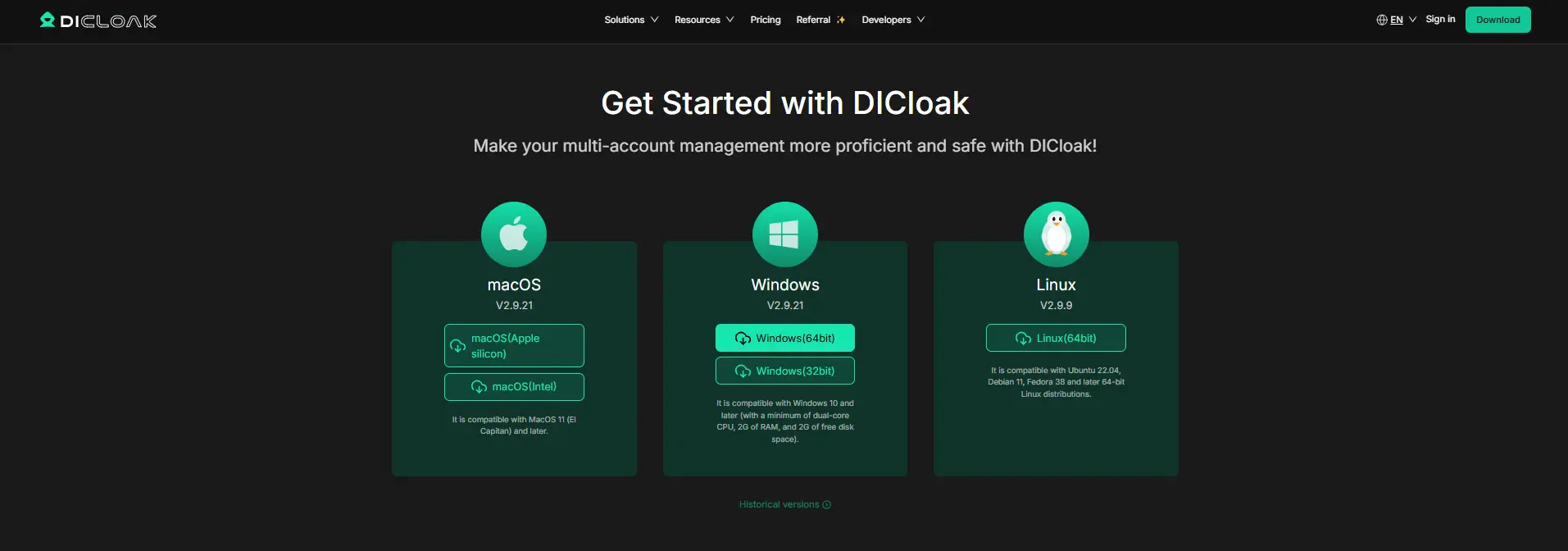
Step 1: Install DICloak and Choose a Team Plan
Download DICloak from the official website, create an account, and install the desktop app. Choose a plan based mainly on how many teammates need access and how many browser Profiles your team plans to manage.
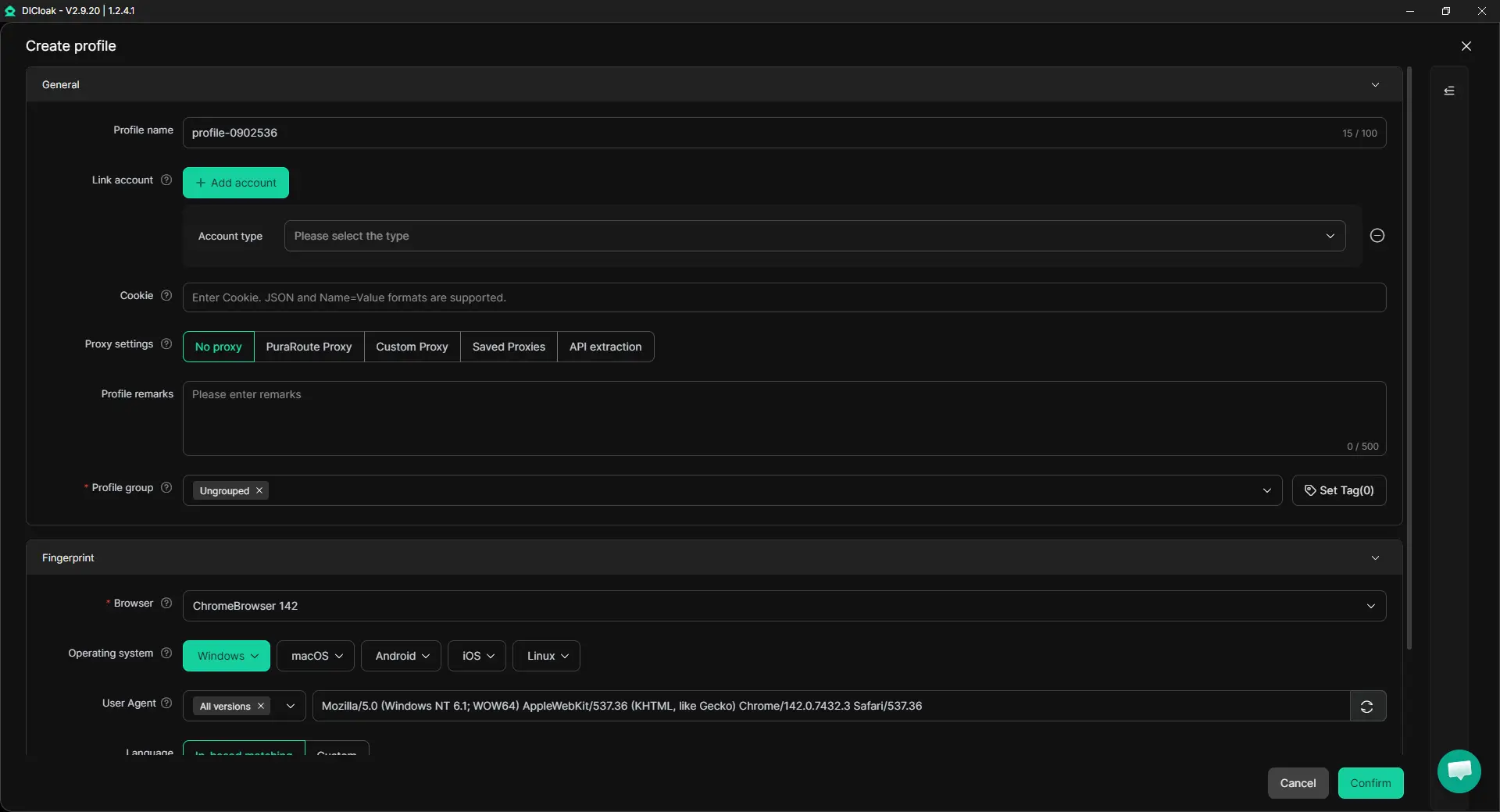
Step 2: Create a Dedicated Lovable Browser Profile
Create one browser Profile for the Lovable account or client environment you want to share. The Profile keeps the relevant cookies, login state, and browser settings together, so teammates do not need to rebuild the same setup each time. If your workflow already uses a specific proxy, you can also assign that user-configured proxy to the Profile. A proxy is optional and does not need to be added just because the Profile is shared.
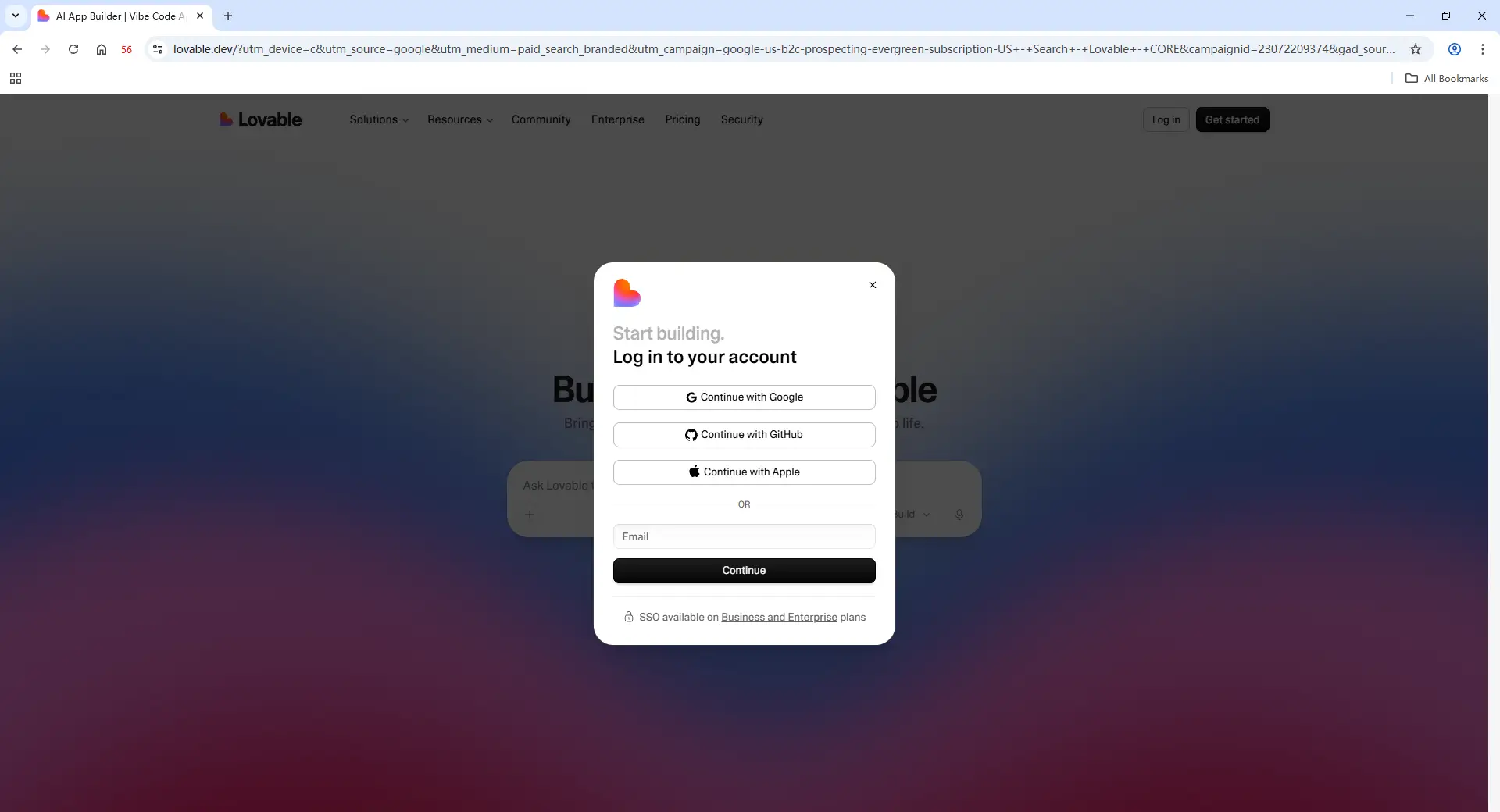
Step 3: Log In to Lovable
Open the new Profile and sign in to the Lovable account used for that workflow. Once the session is saved inside the Profile, the same browser profile can be handed to another authorized teammate without repeatedly setting up the login from scratch.
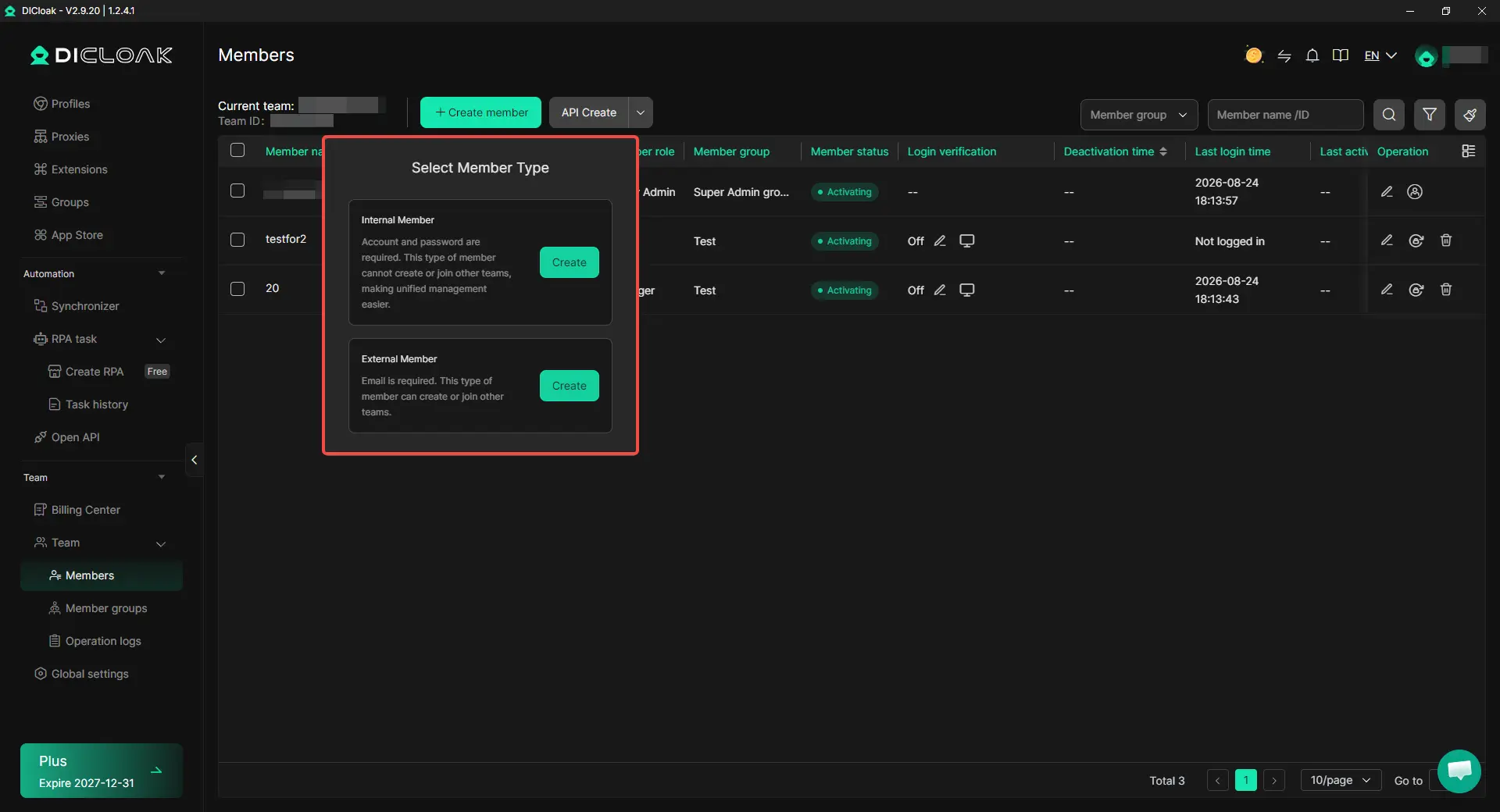
Step 4: Add Team Members and Share the Profile
Invite the teammates who need access and assign the Lovable Profile through DICloak's team and Profile-sharing controls. Only give the Profile to people working on that project or client environment.
Step 5: Open the Shared Profile and Continue the Work
Once access is assigned, the teammate can open the shared Profile from their own DICloak app and continue from the existing Lovable browser profile. For teams that regularly hand projects between people, this keeps the session and browser setup together instead of recreating them for every handoff.

As responsibilities change, the team can update Profile access so former contractors or teammates no longer keep access to client environments they no longer manage.
Frequently Asked Questions About Sharing a Lovable Account With Your Team
Can multiple people use the same Lovable account?
Yes, multiple people can work with the same Lovable projects and workspace, but Lovable's normal team setup is built around separate user accounts rather than several people using one shared login. If your team wants to share the same Lovable account with your team, first decide whether you only need shared project access or whether you also need to hand off an existing browser profile between teammates.
Does every teammate need to pay for their own Lovable plan?
No. Lovable does not use a typical per-seat pricing model, so teammates can join the same paid workspace without each buying a separate subscription. The main cost to watch is the shared credit pool, because several active builders can use those credits faster than one person working alone.
Can a freelancer or contractor work on my Lovable project without accessing everything else?
Yes. If someone only needs one project, project-level access is usually more suitable than giving them broader workspace access. This works well for freelance developers, designers, temporary contractors, or clients who only need to review or edit one specific project.
What if my team needs to continue from the same existing Lovable browser session?
That is a different need from normal Lovable collaboration. For example, an agency may need a teammate to take over an existing client environment that also includes other browser-based tools and saved session data. In this case, using an antidetect browser like DICloak can keep the browser session inside a dedicated Profile and let selected teammates access that Profile instead of rebuilding the same environment each time.
Is DICloak useful if my team manages multiple Lovable client accounts?
Yes. If an agency or operations team works with several Lovable client environments, using DICloak Antidetect Browser can help keep each client in a separate browser Profile and control which teammates can access each one. This is useful when different projects also involve related tools, saved sessions, or client-specific browser setups, because the team can keep those environments separated instead of mixing several client workflows in the same browser.
Conclusion
Teams can use Lovable together through shared workspaces, project access, and a common credit pool, so the right setup depends on what each teammate actually needs. For normal collaboration, Lovable's built-in sharing is usually enough, while using DICloak Antidetect Browser can help when a team also needs to hand off an existing browser profile, keep client sessions separate, or manage related web tools in dedicated Profiles.
 Web Proxy Tools
 Free Tools
 Cookie Plugin
 UA Generator
 MAC Address Generator
 IP Generator
 IP Address List
 2FA Code Generator
 World Clock
 Anonymous Check
 WebRTC Leak Test
 UUID Generator
 Free Web Proxy Site
 Proxy Checker
 FB Ad Checker
 AI Web Scraping
 Free SMM Tools
 Twitter Shadowban Checker
 Instagram Name Checker
 UTM Generator
 Username Generator
 AI Hashtag Generator
 LinkedIn Headline Generator
 Social Media Image Resizer